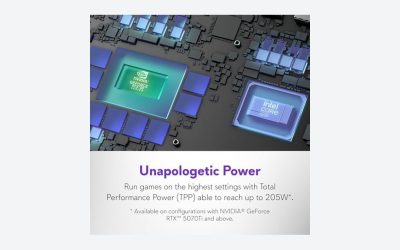
The RTX 5060 laptop is the first rung of Nvidia’s Blackwell laptop stack that carries multi frame generation, and it ships with 8GB of VRAM. That pairing is why it is the most searched card in this tier: it is the cheapest way into DLSS 4 on a portable machine. It is also the card where the sticker on the lid tells you the least, because the same GPU name appears in thin ultraportables and thick gaming bricks with very different behavior.
This guide is built around one question: how do you read a 5060 laptop listing so you pay for the version that performs like a 5060 should? We will walk through the spec lines that change real-world results, what 8GB can and cannot do in 2026, and how the 5060 compares with its neighbors in the 50 series laptop lineup. No benchmark numbers are invented here; for frame rates on a particular model, use launch reviews from outlets such as Tom’s Hardware, TechSpot, and Hardware Unboxed.
As an Amazon Associate we earn from qualifying purchases at no extra cost to you.





Our Top Picks
 Acer Nitro V 17.3in Gaming Laptop 16GB RAMRyzen 5 240 | 16GB+512GB15.78 x 11.65 x 1.05 inches5.5 PoundsCheck on Amazon




Top 3 picks at a glance
Reading a 5060 listing like a spec sheet
A laptop GPU is a chip plus a power budget plus a cooling system. The chip is fixed at RTX 5060 Laptop with 8GB; the other two vary by model. Use this checklist when you compare candidates.
| Spec line | Why it matters | Where to find it |
|---|---|---|
| Graphics power rating (TGP) | Higher allowance lets the GPU hold higher clocks under load | Manufacturer spec page, not usually the retail bullets |
| MUX switch or Advanced Optimus | Routes the display straight from the GPU, which helps frame rates and latency | Spec page or review |
| RAM configuration | Dual-channel 16GB is the sensible floor | Listing, but verify stick count |
| Cooling design | Decides whether the GPU throttles in long sessions | Review with sustained load notes |
| Panel specs | Resolution, refresh rate, brightness, color | Spec page |
| Port layout | HDMI and USB-C display output for external monitors | Spec page photos |
If a manufacturer will not publish the graphics power rating, that is itself information. Move on to a model that does.
What 8GB buys you now
The 8GB figure has become a talking point for good reason. Many current releases are tuned for 12GB or more at their highest texture setting. On a 5060 laptop, plan on the following: 1080p is the natural target, high textures work in most games but not all, and DLSS upscaling is a standard part of your toolkit instead of an emergency measure. When a game exceeds 8GB, the first symptom is stutter, not a lower average frame rate, and the cure is dropping texture quality.
The 8GB figure is also why you should be wary of 1440p expectations. On an external monitor you can run 1440p with upscaling, but memory pressure rises with resolution, so you may spend your savings on settings changes.
Multi frame generation is the headline feature
DLSS 4 multi frame generation can insert multiple generated frames between rendered ones on RTX 50 series cards, and the 5060 laptop gets it. This is where the 5060 differentiates itself from RTX 40 series budget laptops, which top out at standard frame generation. The feature increases displayed smoothness in supported games, but it does not make the underlying game respond faster. If your base frame rate is low, input latency stays tied to that base rate. Treat it as a polish tool for a game that already runs decently, not as a rescue for a struggling one. Pair it with a high refresh display so the extra frames are visible.
Where the 5060 sits in the laptop lineup
Within the 50 series laptop stack, the 5060 Laptop and the 5070 Laptop both carry 8GB, while the 5070 Ti Laptop moves to 12GB and the 5080 Laptop to 16GB. That means the step up to a 5070 laptop buys you more raw GPU, not more memory. If VRAM is your worry, skipping the 5070 and aiming for the 12GB 5070 Ti Laptop is the cleaner jump. If your budget cannot stretch that far, the 5060 is a reasonable place to stop, particularly if you play at 1080p.
Compared with the older RTX 4050 Laptop with 6GB, the 5060 gives you two extra gigabytes and the newer feature set. Compared with a 4060 or 4070 laptop that might appear in clearance stock, the picture is more nuanced: an older, higher-tier card can sometimes beat a 5060 in raw rendering, but it lacks multi frame generation. Decide which matters more to your games.
Match the 5060 to the right laptop body
Thin and light with a 5060
You gain portability and battery life, and you give up sustained performance. Expect the fans to ramp loudly in long sessions, and expect the GPU to run at a modest power limit. Good for travel and for people who game occasionally.
Mainstream 15 and 16 inch gaming
This is the sweet spot for most buyers: better cooling, a higher power allowance, a MUX switch, and usually two RAM slots. Weight rises, but so does consistency.
Large chassis with a 5060
Some makers pair the 5060 with big cooling and mid-tier CPUs. If you find one at a fair price it can run cool and quiet, but you are paying for volume, not for a faster GPU.
CPU, RAM, and storage pairing
A modern 6 or 8 core mobile CPU will not bottleneck a 5060 in most games. Where laptops cut corners is RAM: single-stick 8GB or 16GB configurations. Aim for 16GB across two modules, and add a second SSD if slots allow. Check that the laptop’s charger meets the manufacturer’s recommended wattage, because a lower-rated brick can force the GPU to throttle on battery or under mixed loads.
Pre-purchase routine
- Search the exact model number and read at least two reviews that cover thermals and fan noise.
- Confirm the graphics power rating and MUX presence on the maker’s page.
- Look at the current listing price directly; this guide does not quote laptop pricing because it changes frequently.
- Test the machine early inside the return window: play a demanding game for an hour and watch temperatures and noise.
FAQ
Is the RTX 5060 laptop good enough for 1440p?
With DLSS upscaling it can work, but 8GB of VRAM makes 1080p the more comfortable target. High settings at 1440p may need texture reductions.
Does the 5060 laptop support multi frame generation?
Yes. DLSS 4 multi frame generation is available on RTX 50 series, including the 5060 laptop, in supported games.
Should I wait for a 5070 laptop instead?
The 5070 laptop also has 8GB, so you gain GPU speed but not memory. Decide based on how much extra performance you actually need.
How much RAM should the laptop have?
16GB in dual-channel is a good baseline; 32GB helps if you stream, edit, or keep many apps open while gaming.
Related guides
- ROG Zephyrus G14 vs Razer Blade 14: Which 14-Inch Gaming Laptop Fits You?
- MSI Titan 18 HX AI Review: Listings Compared, Specs Checked, Cases Sorted
- MSI Cyborg 17 Review: A 17-Inch RTX 5060 Laptop, and the Storage Detail to Check First
- ASUS ROG Strix SCAR 18 Review: RTX 5090 vs RTX 5080 Listings and Four Alternatives