Shopping for an Alienware 16 Area-51 is mostly a question of which graphics card to pay for. The two Area-51 16-inch listings in this set share an Intel Core Ultra 9 275HX, a 2560×1600 class display at 240Hz and 32GB of DDR5, then split on the GPU: an RTX 5070 Ti with 1TB of storage in one, an RTX 5080 with 2TB in the other. Around them sit three 18-inch Area-51 listings and two cheaper 16-inch Aurora laptops, which are a different, lower line. That spread is useful, because it lets you see what each step up in price actually adds on paper.
This is an editorial read of published listing text. Nobody on the team used or measured any of these laptops, so you will not find fps charts, thermal readings or noise numbers here. You will find a clear reading of what the titles state, which claims are seller marketing, where listings are ambiguous, and what to ask before you spend the kind of money these machines cost.
Our Top Picks
 Alienware 18 Area-51 Gaming Laptop AA18250-18.0" WQXGA 300Hz18.0 WQXGA12.6 x 16.1 x 1.2 inches9.56 PoundsCheck on Amazon
At a glance: the Area-51 16 family in this set

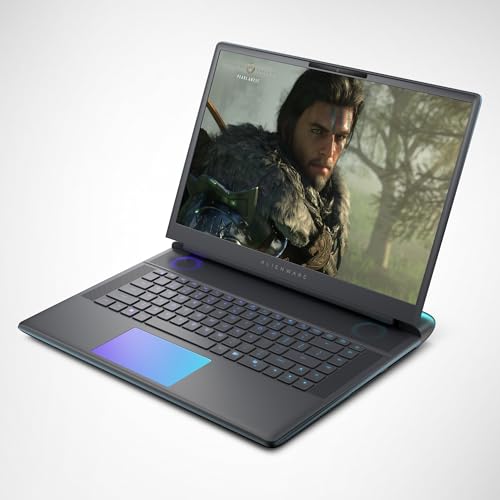
Alienware 16 Area-51 Gaming Laptop, RTX5070 Ti, Intel Core Ultra 9 275HX | 2560x1600 Display, 240Hz, 32GB DDR5 RAM, 1TB SSD, NVIDIA GeForce, Windows 11 Home, Esports Ready, AA16250






As an Amazon Associate we earn from qualifying purchases. Product prices and availability are accurate as of the date/time indicated.
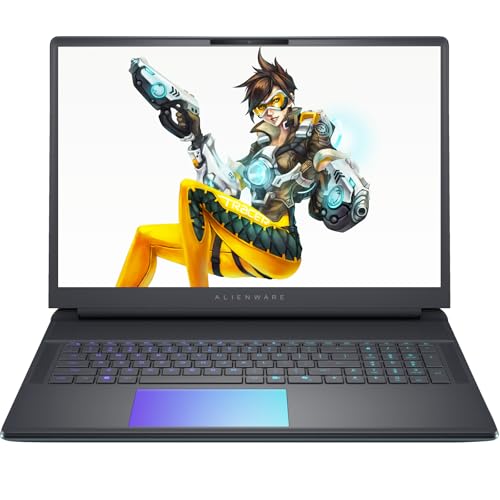
Alienware 16 Area-51 Gaming Laptop,Intel Ultra 9 275HX, NVIDIA RTX 5080, 16" WQXGA 240Hz Display, Wi-Fi 7, 4K Webcam, Windows 11 Pro, 32 GB DDR5 RAM, 2 TB SSD


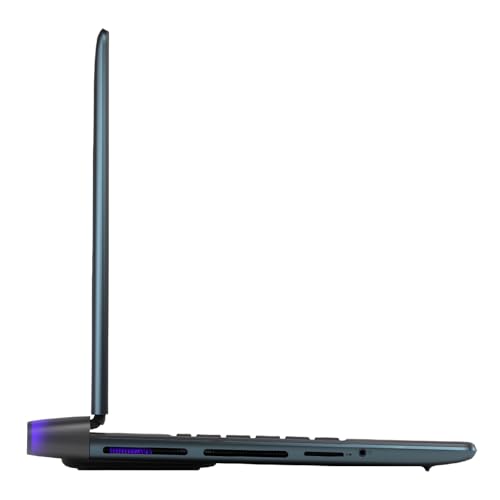

As an Amazon Associate we earn from qualifying purchases. Product prices and availability are accurate as of the date/time indicated.

Alienware 18 Area-51 Gaming Laptop, RTX5070,Intel Core Ultra 9-275HX | WQXGA 300Hz Display, 32GB DDR5 RAM, 1TB SSD, NVIDIA GeForce, Windows 11 Home, Liquid Teal, AA18250


As an Amazon Associate we earn from qualifying purchases. Product prices and availability are accurate as of the date/time indicated.

Dell Alienware 16 Aurora Gaming Laptop, Intel 7-240H, 32 GB DDR5 RAM, 1 TB PCIe SSD, 16" WQXGA (2560x1600) 120Hz Display, Nvidia G-Force RTX 5060, Backlit Keyboard, W11 Pro, Blue


As an Amazon Associate we earn from qualifying purchases. Product prices and availability are accurate as of the date/time indicated.
Alienware 18 Area-51 Gaming Laptop AA18250-18.0" WQXGA 300Hz 3ms Display, Intel Core Ultra 9 275HX, NVIDIA GeForce RTX 5080, 32GB 2x16GB DDR5, 2TB SSD, 2MP FHD IR Camera, Windows 11 Home


As an Amazon Associate we earn from qualifying purchases. Product prices and availability are accurate as of the date/time indicated.

Alienware 16 Aurora Gaming Laptop, RTX 5050, Intel Core 7 240H | WQXGA 120Hz Display, 16GB DDR5 RAM, 1TB SSD, NVIDIA GeForce, Wi‑Fi 7, Windows 11 Home, Blue


As an Amazon Associate we earn from qualifying purchases. Product prices and availability are accurate as of the date/time indicated.

Dell Alienware 18 Area-51 Gaming Laptop 18" 2.5K WQXGA Anti-Glare Display (Intel Ultra 9 275HX, GeForce RTX 5090, 64GB DDR5, 2TB PCIe SSD, Wi-Fi 7, Backlit KYB, Bluetooth 5.4, Windows 11 Home)


As an Amazon Associate we earn from qualifying purchases. Product prices and availability are accurate as of the date/time indicated.
| Item | RTX 5070 Ti listing | RTX 5080 listing |
|---|---|---|
| Model code in title | AA16250 | Not stated |
| Processor named | Intel Core Ultra 9 275HX | Intel Ultra 9 275HX |
| Graphics named | RTX 5070 Ti | RTX 5080 |
| Display named | 2560×1600, 240Hz | 16-inch WQXGA, 240Hz |
| Memory and storage | 32GB DDR5, 1TB SSD | 32GB DDR5, 2TB SSD |
| Extras named | Windows 11 Home, “Esports Ready” | Wi-Fi 7, 4K webcam, Windows 11 Pro |
| Price tier within this set | Premium | Premium |
Tier is relative to the seven listings here. The two 16-inch Area-51 laptops sit in the upper middle of the set, above the Aurora pair and below the 18-inch top end.
Which listing is the “Alienware 16 Area-51”?
Two listings carry the exact name, so we treat the RTX 5070 Ti configuration as the reference version (it also shows the model code) and the RTX 5080 configuration as its step-up. Where we say “the Area-51 16,” we mean the traits the two share: the Ultra 9 275HX processor, the 2560×1600-class 240Hz display, 32GB of DDR5 and Windows 11. Five other listings are alternatives, and two of those, the Aurora models, belong to a different line and a lower class.
Who it suits, and who should skip it
Suits you if
- You want a high-refresh 16-inch screen with more pixels than standard 1080p and a GPU that can feed it.
- You will use the laptop mostly at a desk and treat portability as a bonus.
- You want 32GB of memory without paying for an upgrade later.
Skip it if
- You want a slim travel laptop. A premium gaming system with an HX-class processor is typically a desk-first machine; check the listing for weight and charger size.
- You are on a tight budget. The two Aurora listings reach a similar screen size for far less, with clear trade-offs.
- You want a specific colour or panel type guaranteed. The titles state resolution and refresh rate but not panel technology.
What the titles say, and what they leave out
| Stated in the title | Not stated, check the listing |
|---|---|
| CPU, GPU, RAM and storage | Graphics power limit and cooling design |
| Resolution and refresh rate | Brightness, colour coverage, panel type |
| Windows edition | Port layout, battery capacity, weight |
| Seller marketing tags | What “Esports Ready” actually means |
| Wi-Fi 7 and 4K webcam (one listing) | Whether the other listing has them |
Two notes on wording. “Esports Ready” on the 5070 Ti listing is seller language, not a specification; a high refresh rate and strong CPU are what the claim rests on. The 5080 listing also gives no model code and writes “Intel Ultra 9 275HX,” so confirm the exact processor name on the product page. The “4K Webcam” claim should be checked as well: a laptop webcam can be described in different ways, and the listing should state the resolution plainly.
Questions to ask before buying
- Who sells this listing, and does the manufacturer warranty apply to it?
- What is the graphics power limit, and what does the cooling system look like?
- How many M.2 slots are there, and how many are free?
- Is the memory in upgradable modules or soldered?
- What is the charger rating, and how heavy is the whole kit?
- Which ports can output video to an external display, and which can charge the laptop?
Why the 2560×1600 screen matters
The 2560×1600 resolution has 4,096,000 pixels, nearly twice the 2,073,600 pixels of a 1920×1080 screen. That makes the picture sharper, but it also means the GPU has about twice as many pixels to draw per frame at native resolution. A 240Hz refresh rate sets a frame-time budget of about 4.2 ms (1000 divided by 240). Very few demanding modern games will reach 240 frames per second at this resolution on any laptop, so the high refresh figure is best seen as headroom for lighter or older titles and for competitive games with reduced settings. For heavier games, expect to rely on resolution scaling or a lower target frame rate; that is a reasonable way to use this class of hardware, not a flaw.
The stronger the GPU, the more comfortable that balance becomes. An RTX 5080 listing gives the screen more room to be used at native resolution than an RTX 5070 Ti listing does, though the titles do not tell you by how much, and the actual gap depends on the games and on power limits that the titles do not state.
The two Area-51 16 listings in detail
Alienware 16 Area-51 with RTX 5070 Ti, 1TB (AA16250)
The reference version. The title states an Intel Core Ultra 9 275HX, RTX 5070 Ti, a 2560×1600 display at 240Hz, 32GB DDR5, a 1TB SSD and Windows 11 Home. It is the lower of the two Area-51 16 options and the one that gives the best sense of what the family offers without the 5080 premium. A 1TB drive is the one place it feels modest next to the price: with large game installs it fills faster than you might expect, so factor in a second drive if the machine allows one.
Use-scenario: a player with a desk setup who wants a machine that can run a 1600p-class screen well and doubles as a work laptop. The 32GB of memory also helps with multitasking, which makes the system feel more capable than the storage alone suggests.
Pros
- 32GB of DDR5 already included.
- High-resolution 240Hz screen named, with the model code visible.
- Lower in cost than the RTX 5080 listing.
Cons
- 1TB of storage is on the small side at this price tier.
- Windows 11 Home rather than Pro.
- “Esports Ready” is marketing language, not a measurable spec.
Check the listing: power adapter, ports, seller, warranty. Ask before buying: how easy is it to add a second SSD?
Alienware 16 Area-51 with RTX 5080, 2TB, Windows 11 Pro
The step-up version, with an RTX 5080, a 16-inch WQXGA 240Hz display, Wi-Fi 7, a “4K webcam,” Windows 11 Pro, 32GB DDR5 and 2TB of storage. The doubled storage and Pro edition are meaningful extras: the first spares you a drive upgrade, the second adds business-oriented features that some work setups require. If you were going to buy a second drive for the 5070 Ti version anyway, part of the price gap pays for itself.
Use-scenario: someone who wants the most graphics headroom available in a 16-inch chassis and also wants to use the machine for work. “WQXGA” normally means 2560×1600, but the title does not spell out the figure, so confirm it.
Pros
- RTX 5080 graphics named.
- 2TB SSD and Windows 11 Pro included.
- Wi-Fi 7 and webcam listed.
Cons
- Higher tier, and the title omits a model code.
- The exact resolution is not given.
- Still 32GB of RAM, not an upgrade over the other listing.
Check the listing: model code, seller, return window. Ask before buying: is the extra GPU worth it on a 16-inch screen, or would I prefer to spend on an external monitor?
Five alternatives from the same set
Alienware 18 Area-51 with RTX 5070 (AA18250)
The larger sibling with a lower GPU. The title names an Intel Core Ultra 9 275HX, RTX 5070, a WQXGA 300Hz display, 32GB DDR5, a 1TB SSD, Windows 11 Home and the “Liquid Teal” colour. If you like a bigger screen and prefer the strongest processor over the strongest GPU, this is an unusual mix. The 300Hz figure is the highest refresh rate in the set, but that mostly matters for competitive titles at lower settings.
Pros
- Larger screen, 300Hz panel named.
- Same CPU and RAM as the 16-inch models.
Cons
- Bigger and likely heavier than the 16-inch versions.
- RTX 5070 is below the 5070 Ti in the 16-inch listing.
Alienware 18 Area-51 with RTX 5080 and 2TB
The 18-inch version with an RTX 5080: WQXGA 300Hz, 3ms, 32GB DDR5 (two 16GB modules), a 2TB SSD, a 2MP FHD IR camera and Windows 11 Home. The 2x16GB detail is helpful because it tells you the memory is stated as two modules. It sits at the high end of the set and is a desk-bound machine for buyers who want the larger screen. The IR camera suggests a face-sign-in feature, which you should confirm on the product page.
Pros
- RTX 5080 with the 18-inch display.
- 2x16GB memory configuration stated.
- IR camera named.
Cons
- A premium tier by a clear margin.
- Large size, so check weight and bag compatibility.
Dell Alienware 18 Area-51 with RTX 5090 and 64GB
The top of the set. The title names an Intel Ultra 9 275HX, GeForce RTX 5090, 64GB DDR5, 2TB PCIe SSD, Wi-Fi 7, Bluetooth 5.4, an anti-glare 2.5K WQXGA 18-inch display and Windows 11 Home. This is the listing for buyers whose workload demands both a very strong GPU and a large memory pool, such as heavy creative or simulation work alongside gaming. For gaming alone, the price is hard to justify unless you know you will use the headroom. The title does not state the refresh rate, so check it.
Pros
- RTX 5090 and 64GB RAM named.
- Anti-glare panel mentioned.
Cons
- Highest tier in the set.
- No refresh rate in the title.
Dell Alienware 16 Aurora with RTX 5060
A step down in class. The Aurora listing names an “Intel 7-240H” (probably the Core 7 240H, but the title is ambiguous), 32GB DDR5, a 1TB PCIe SSD, a 16-inch WQXGA 2560×1600 display at 120Hz, an “Nvidia G-Force RTX 5060” (a typo for GeForce), a backlit keyboard and Windows 11 Pro. If the 2560×1600 screen is what attracts you to the Area-51 16, this is a more modest way to get the same panel size at a lower tier, with 120Hz instead of 240Hz. You trade processor and graphics headroom for price.
Pros
- 32GB RAM and Windows 11 Pro at a lower tier.
- 2560×1600 panel named.
Cons
- Typos and an ambiguous processor name in the title.
- 120Hz panel and a lower GPU tier.
Alienware 16 Aurora with RTX 5050 and 16GB
The lowest tier in the set: Intel Core 7 240H, RTX 5050, a WQXGA 120Hz display, 16GB DDR5, 1TB SSD, Wi-Fi 7 and Windows 11 Home. It is the cheapest way into the Alienware 16-inch family here, but 16GB of RAM and an RTX 5050 make it a 1080p-minded buyer’s pick even though the screen is higher resolution. A weaker GPU feeding a 2560×1600 panel often means turning down settings or relying on scaling, so match expectations to the hardware.
Pros
- Lowest tier in the set.
- Wi-Fi 7 named.
Cons
- 16GB RAM and the RTX 5050 limit headroom.
- Different line from the Area-51 models.
Buying checklist with a worked example
- Match the GPU to the screen you will actually use: the internal panel or an external monitor.
- Count memory modules, storage slots and free M.2 slots.
- Check the charger wattage and weigh the whole travel kit.
- Confirm the seller, warranty and return window.
- Look at the model code to make sure the listing matches the configuration you want.
A worked example using our estimates and stated assumptions. Suppose you plan to keep the laptop for four years and your main games are installed at about 100GB each. Assume you keep six installed at a time (600GB), plus 200GB for video captures and 150GB for the system and apps. That adds up to 950GB, which is at or beyond what a 1TB drive offers once formatted. The 2TB listing then looks less like a luxury and more like a requirement. On the other hand, if your games are smaller, a 1TB laptop with a second M.2 drive added later can cost less overall. For memory, 32GB is a sensible figure for both gaming and typical work, and the 16GB Aurora would be the one to consider upgrading. To compare tiers fairly, do the same sums with the extra price of each step against what you would otherwise spend on an external monitor.
Safety: a large, high-power laptop produces significant heat. Keep vents clear, avoid soft surfaces, use only the supplied charger and follow the manufacturer’s instructions for charging and storage.
More reading on the Alienware family
If the Aurora line is on your shortlist, our Alienware 16 Aurora RTX 5070 review discusses its display, portability and configuration gaps. For a different brand at a similar size, the MSI Vector 16 HX AI review and the ASUS ROG Strix SCAR 16 review are useful comparisons. Each is its own article, so treat them as places to widen your shortlist.
Verdict
Choose the RTX 5070 Ti Area-51 16 if you want the family’s high-refresh 2560×1600 screen and 32GB of memory at the lower of the two tiers, and plan to add storage. Choose the RTX 5080 version if you want the GPU headroom, 2TB and the Pro edition in one purchase. Look at the 18-inch listings only if you want a bigger screen and have the desk space, and treat the Aurora models as a lower class rather than a bargain version of the Area-51. In every case, confirm the exact configuration, seller and warranty before ordering.
Frequently asked questions
Is the Alienware 16 Area-51 good for gaming?
On paper, yes. Both listings name an Intel Core Ultra 9 275HX processor, a 2560×1600-class display at 240Hz and 32GB of DDR5, paired with an RTX 5070 Ti or RTX 5080. That is a high-end gaming combination. How it performs in a specific game depends on the game, the settings and power limits the titles do not state, so use the specs as a guide, not a promise.
What is the difference between the two Alienware 16 Area-51 listings?
The main difference is the GPU and storage: an RTX 5070 Ti with 1TB in one listing, an RTX 5080 with 2TB in the other. The RTX 5080 listing also names Wi-Fi 7, a 4K webcam and Windows 11 Pro. Both name 32GB of DDR5 and a 240Hz display. Compare the price gap against what a second SSD would cost. If this point decides your purchase, ask the seller to confirm it in writing before you pay.
Is the Alienware 16 Aurora the same as the Area-51?
No. The Aurora listings in this set are a different, lower line with lower-tier processors and graphics, 120Hz displays and, in one case, 16GB of RAM. They can be reasonable value if you want a 16-inch screen at a lower price, but they are not simply cheaper Area-51 laptops, so compare their specs separately. Treat the title as a starting point and verify the specifics on the manufacturer’s own page.
Should I buy the 16-inch or the 18-inch Area-51?
Choose the 16-inch for a more manageable size and the 18-inch for a bigger screen and a desk-first setup. The 18-inch listings in this set include a 300Hz panel and higher GPU options up to the RTX 5090. Check weight, charger size and bag compatibility before deciding, because the larger machines are harder to carry. Read the seller’s return terms too, so a wrong guess does not become an expensive mistake.
How much storage do I need on an Alienware 16 Area-51?
It depends on the number of big games you keep installed. As a rough estimate, six games at 100GB each plus system files and captures can already exceed 1TB of usable space. If you play many large titles, the 2TB configuration or a second SSD will save repeated uninstalling. Check how many M.2 slots the model has. When in doubt, compare the model code in your order against the manufacturer’s specification page.
Is the “Esports Ready” label meaningful?
Treat it as marketing. It suggests a high refresh rate and a capable processor, which the listing does state, but it is not a standard or a measured result. Ignore the label and look at the refresh rate, the graphics card and the processor. If competitive play is your focus, check the response time and the settings you plan to use. A short check now costs far less than a return later, so spend a few minutes on it.