The GTX 1070 laptop is an odd and interesting purchase. The GPU belongs to the Pascal generation, so every machine carrying it is an older design, yet it was once the card that let a laptop play modern titles at high settings on a 1080p screen. Anyone searching for one today is usually chasing a specific outcome: a VR-capable portable, a secondhand-style value pick for a student or hobbyist, or a replacement for a specific model they already know. The decision is less about the GPU, which is the same name across the list, and more about what surrounds it: processor generation, display refresh rate, storage layout, weight, and how hard the chassis has to work to keep the chip cool.
This guide is for buyers who have decided a GTX 1070 is the right target and want to sort the models that carry it. Two products that appeared in the same search results were set aside because they do not carry the GTX 1070 at all, one using a GTX 1650 and the other a far newer RTX 5070. What is left are six machines from the Alienware, ASUS, MSI, and GIGABYTE lines, split between thicker traditional gaming bodies and slimmer designs. Because these are older models still on sale in 2026, condition and warranty deserve as much attention as the spec sheet.
Our Top Picks

Top 3 picks at a glance
Quick Picks
As an Amazon Associate we earn from qualifying purchases at no extra cost to you.



| Product | Best for | Key spec from the title |
|---|---|---|
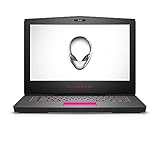
| Alienware 15 R3 (AW15R3-7003SLV-PU) | Traditional 15-inch gaming build | i7-7700HQ, 16GB DDR4, 256GB SSD + 1TB HDD |
| ASUS ROG Zephyrus S | Fast display in a slim body | 144Hz IPS, i7-8750H, 512GB PCIe SSD |
| MSI GE73 Raider RGB-012 | Large screen and six cores | 17.3 inches, 120Hz, i7-8750H (6 cores) |
| Alienware M15 | Portability and a thin chassis | GTX 1070 Max Q, 17.9mm thick, 4.78lbs |
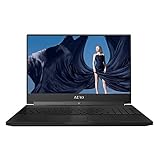
| GIGABYTE Aero 15X v8-BK4 | Display-first slim laptop | 144Hz IPS anti-glare FHD, 512GB PCIe SSD |
| Alienware AW15R3-7390SLV-PUS | Larger SSD in a classic body | 7th-gen i7, 512GB SSD + 1TB HDD, VR Ready |
How to Choose
Know which GTX 1070 you are getting
Not every laptop GTX 1070 behaves the same. A full-power version in a thick chassis can sustain higher clocks than a Max-Q version designed for thin bodies, which trades some performance for lower heat and noise. Among these six, the Alienware M15 is explicitly listed as Max-Q, while the others show a plain GTX 1070. If you want maximum frame rates, look for the larger, thicker laptops. If you carry the machine daily, the Max-Q trade is reasonable.
Processor generation and core count
The list splits into 7th generation i7-7700HQ parts, which are four-core, and 8th generation i7-8750H parts, which the MSI listing identifies as six-core. The newer six-core chip handles streaming, background apps, and CPU-heavy games more comfortably. If a game is already limited by the processor, the extra cores matter more than any GPU tweak, so the 8th generation models earn a premium for anyone who multitasks while gaming.
Display refresh rate and screen size
The GTX 1070 can drive a 1080p screen at high frame rates, so a 120Hz or 144Hz panel makes sense. The ASUS Zephyrus S and GIGABYTE Aero list 144Hz IPS panels and the MSI lists 120Hz, while the Alienware 15 R3 listings show a standard Full HD screen without a high refresh rate in the title. A 15-inch screen travels better; a 17-inch one offers more immersion but adds weight. Choose the size you can live with, since an uncomfortable bag becomes a laptop left at home. If you plan to connect an external monitor for desk sessions, the screen size on the laptop itself matters less, and a thinner model becomes easier to justify. Look at the power brick too: gaming laptops with this class of GPU ship with large chargers that add weight to any travel bag.
Storage, memory, and condition
Look for at least 16GB of RAM, which all six listings include, and an NVMe or PCIe SSD for the operating system and your main games. A secondary 1TB hard drive adds space cheaply but loads slowly. Because every model here is an older design, battery wear, fan dust, and warranty length are real concerns. Read the seller terms and ask about return windows, and avoid assuming that the original manufacturer warranty still applies. A fresh thermal paste application and a fan cleaning can restore cooling on a dusty unit, so ask the seller whether any maintenance has been done. Also confirm that the operating system is installed and activated, so that you can start using the laptop the day it arrives.
The 6 Best Options
Alienware 15 R3 (AW15R3-7003SLV-PU)
This is the classic thick Alienware: a 15.6-inch Full HD screen, an Intel Core i7-7700HQ, 16GB of DDR4 memory, and both a 256GB SSD and a 1TB hard drive, with a GeForce GTX 1070 and a VR Ready label. The pairing of SSD and HDD means the system drive is fast while bulk storage is cheap. It suits buyers who want a conventional gaming laptop for a desk rather than a thin carry machine.
- Strength: Dual-storage layout with a fast SSD and a large hard drive.
- Strength: Listed as VR Ready with a full GTX 1070.
- Trade-off: A 7th generation four-core processor is the oldest in this group.
Skip it if you want a high refresh rate screen or plan to carry it daily.
ASUS ROG Zephyrus S Ultra Slim
The Zephyrus S pairs a 15.6-inch 144Hz IPS-type display with an Intel Core i7-8750H, a GeForce GTX 1070, 16GB of DDR4, and a 512GB PCIe SSD. The slim body and fast panel make it the most balanced model for people who want to play competitive titles at high frame rates and still carry the laptop around campus or on trips. The 512GB drive is large enough for the operating system plus a handful of current games without immediately reaching for an external disk, which keeps the setup tidy for students who share a small desk.
- Strength: 144Hz IPS-type panel suits fast-paced games.
- Strength: 512GB PCIe SSD plus the newer i7-8750H.
- Trade-off: Slim designs run warm under sustained load.
Skip it if you want a large screen or lots of included storage.
MSI GE73 Raider RGB-012
MSI offers the largest screen here at 17.3 inches, with a 120Hz refresh rate, a 3ms response time, and 94 percent NTSC color coverage. Under the hood sits an i7-8750H six-core processor, a GTX 1070 with 8GB, 16GB of memory, and a 256GB SSD with a 1TB hard drive. It is a desktop-replacement style machine for buyers who play mostly at a desk and want the biggest canvas. The RGB branding in the model name also points to a flashy keyboard, which some buyers love and others find distracting in a shared room, so think about where the laptop will live.
- Strength: A big 17.3-inch screen with strong color coverage.
- Strength: Six-core processor and 8GB of graphics memory.
- Trade-off: A 17-inch chassis is heavy to carry.
Skip it if portability is a priority.
Alienware M15
The M15 is the thin-and-light entry. The title lists a 15-inch screen, an i7-8750H, a GTX 1070 Max-Q, 16GB of DDR4 at 2666MHz, a 128GB NVMe SSD, and a 1TB SSHD, in a 17.9mm body weighing 4.78 pounds. For commuters who carry a laptop daily and still want serious graphics, this is the lightest way to get there in this group. The small 128GB boot drive is the practical catch, so expect to lean on the 1TB SSHD for most of your game library and to manage installs carefully.
- Strength: Very thin and light for a GTX 1070 laptop.
- Strength: Fast NVMe boot drive and six-core processor.
- Trade-off: Max-Q graphics and a small 128GB SSD limit sustained power and space.
Skip it if you want maximum GPU speed or a big fast drive.
GIGABYTE Aero 15X v8-BK4
The Aero 15X is another slim 15-inch model, listing a 144Hz IPS anti-glare Full HD display, an i7-8750H, a GeForce GTX 1070, 16GB of RAM, and a 512GB PCIe SSD in a metal chassis. The anti-glare screen suits bright rooms and creative work as well as gaming, which makes it a sensible choice for someone who edits video on the same machine. A fast PCIe drive helps with large project files too, so the laptop does double duty as a portable editing station when the games are shut down for the day.
- Strength: 144Hz anti-glare IPS screen for gaming and creative work.
- Strength: 512GB PCIe SSD in a slim metal body.
- Trade-off: Slim design can limit cooling headroom.
Skip it if you need a second large hard drive.
Alienware AW15R3-7390SLV-PUS
This Alienware pairs a 15.6-inch screen with a 7th generation Intel Core i7, 16GB of RAM, a 512GB SSD, a 1TB hard drive, and GTX 1070 graphics with a VR Ready label. Compared with the other R3 listing, the system drive is double the size, which matters when a few modern games can fill a smaller disk quickly. Buyers who want a classic Alienware look and plenty of room for a library, and who do not mind the weight, will find this the more practical of the two R3 listings.
- Strength: 512GB SSD gives room for several large games.
- Strength: Full GTX 1070 with a VR Ready label.
- Trade-off: Older 7th generation processor and a thick body.
Skip it if you want a thinner laptop or a newer processor.
Which One Fits Your Situation
You carry the laptop every day
Choose the Alienware M15. Its 17.9mm thickness and 4.78 pound weight make it the easiest to move, and the Max-Q graphics suit a chassis that keeps heat low.
You play fast competitive games
Go with the ASUS ROG Zephyrus S. The 144Hz panel, the newer i7-8750H, and the PCIe SSD line up well for high frame rate play.
You want the biggest screen on a desk
The MSI GE73 Raider RGB-012 gives you 17.3 inches, six cores, and 8GB of graphics memory, which suits a fixed setup.
You split time between gaming and editing
The GIGABYTE Aero 15X v8-BK4 pairs a 144Hz anti-glare IPS display with a 512GB PCIe SSD, making it a flexible hybrid for creative work.
Common Mistakes
- Treating Max-Q and full-power GTX 1070 as identical when they are tuned very differently.
- Ignoring the processor generation and ending up with four cores when six were available.
- Overlooking battery age and warranty on an older design.
- Choosing a thin chassis and then expecting desktop-class sustained speed.
- Counting a large hard drive as fast storage when only the SSD speeds up loading.
Related guides
- Gaming Laptop Battery Draining While Plugged In Fix
- How To Stop Laptop Thermal Throttling In Software
- Gaming Laptop For High School Students
Frequently Asked Questions
Is a GTX 1070 laptop still worth buying today?
For 1080p gaming and VR on older or lighter titles, it can still work well. Newer demanding games may require lowered settings, and the age of the hardware means condition and warranty deserve a closer look.
What does Max-Q mean?
Max-Q is a design approach that tunes the GPU to run cooler and quieter in thin chassis, trading some peak speed for lower heat. It is listed on the Alienware M15 in this group.
Can these laptops run VR headsets?
Several listings carry a VR Ready label, and the GTX 1070 is a capable card for headsets. Check the ports on the specific model against your headset requirements.
Why were two other laptops left out?
One used a GTX 1650 and the other a much newer RTX 5070. Neither matches the GTX 1070 target of this guide.