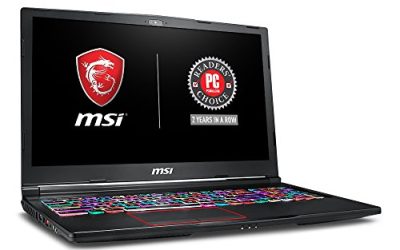
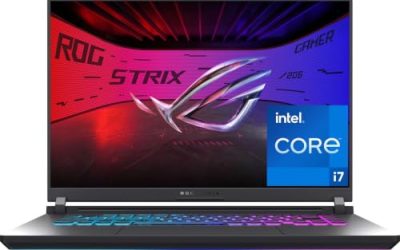
Anyone searching for an MSI Titan 18 HX AI review is looking at the top of MSI’s gaming-laptop range, and the first listing in this set, model code A2WJ-1258US, matches that name directly. Its title promises an 18-inch 240Hz Mini LED UHD+ display, an Intel Ultra 9-290HX, an RTX 5090, 64GB of DDR5 and a 4TB NVMe drive. The rest of the set is messier: a second Titan 18 with a different model code, a reseller version of the same code with different memory, an MSI Raider A18 that belongs to another line, and three laptop cases. This page sorts them out using published specifications, manufacturer documentation and buyer reviews only. Nobody on the team used or measured these units, so there are no performance claims here, only what the titles state and what to verify.
Our Top Picks
At a glance

msi Titan 18 HX AI 18" 240Hz MiniLED UHD+ Gaming Laptop: Intel Ultra 9-290HX, NVIDIA Geforce RTX 5090, 64GB DDR5, 4TB NVMe SSD, Thunderbolt 5, Wi-Fi 7, Win 11 Pro: Black A2WJ-1258US


As an Amazon Associate we earn from qualifying purchases. Product prices and availability are accurate as of the date/time indicated.

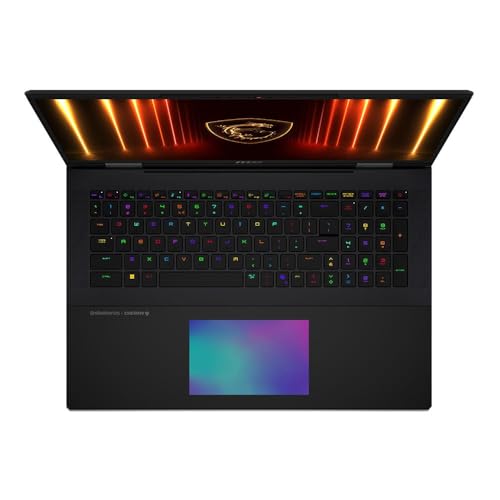
MSI Titan 18 HX AI A2XWJG 18" UHD+ Mini LED 120Hz, Gaming Laptop Computer - Core Black, Intel Core Ultra 9 285HX 2.1GHz; NVIDIA GeForce RXT 5090 GPU 24GB GDDR7; 64GB DDR5 RAM; 2 x 2TB NVMe SSD




As an Amazon Associate we earn from qualifying purchases. Product prices and availability are accurate as of the date/time indicated.
![EXCaliberPC [2026] MSI Titan 18 HX A2WJ-1258US (Intel Ultra 9 290HX Plus, 128GB RAM, 4TB NVMe SSD, NVIDIA GeForce RTX 5090, 18" UHD+ Mini LED, Windows 11 Pro) Gaming Laptop](https://m.media-amazon.com/images/I/316EBn4vlpL._SL500_.jpg)
EXCaliberPC [2026] MSI Titan 18 HX A2WJ-1258US (Intel Ultra 9 290HX Plus, 128GB RAM, 4TB NVMe SSD, NVIDIA GeForce RTX 5090, 18" UHD+ Mini LED, Windows 11 Pro) Gaming Laptop


As an Amazon Associate we earn from qualifying purchases. Product prices and availability are accurate as of the date/time indicated.
![EXCaliberPC [2025] MSI Raider A18 HX A9WIG-082US (AMD Ryzen 9 9955HX3D, 32GB DDR5 RAM, 2TB NVMe SSD, NVIDIA GeForce RTX 5080, 18" UHD+ 120Hz, Windows 11 Pro) Gaming Laptop](https://m.media-amazon.com/images/I/31NznkpvipL._SL500_.jpg)
EXCaliberPC [2025] MSI Raider A18 HX A9WIG-082US (AMD Ryzen 9 9955HX3D, 32GB DDR5 RAM, 2TB NVMe SSD, NVIDIA GeForce RTX 5080, 18" UHD+ 120Hz, Windows 11 Pro) Gaming Laptop


As an Amazon Associate we earn from qualifying purchases. Product prices and availability are accurate as of the date/time indicated.

Smatree Hard EVA Protective Sleeve for 18 inch MSI Titan 18 HX A2XWJG-440US | Compatible for 18 inch MSI Titan 18 HX A2XWJG-440US, for 18 inch MSI Titan 18 HX A14VIG-270US Case (X8332)




As an Amazon Associate we earn from qualifying purchases. Product prices and availability are accurate as of the date/time indicated.

Smatree Heavy Duty Hard Case for 18 inch MSI Stealth 18 HX A2W 2026

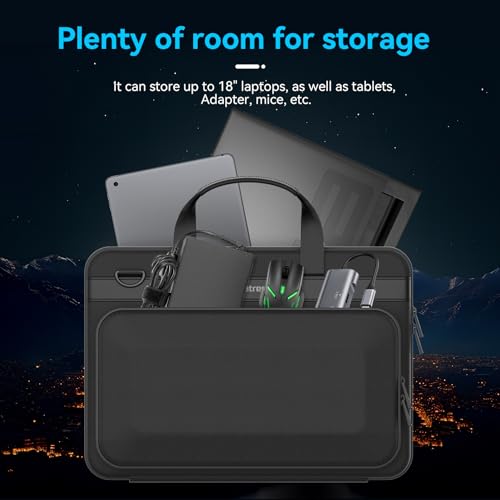


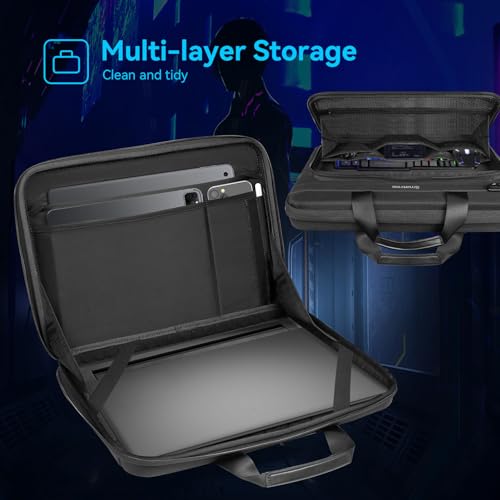


As an Amazon Associate we earn from qualifying purchases. Product prices and availability are accurate as of the date/time indicated.

Smatree MS133 Hard EVA Case with Stand for 18" MSI Titan 18HX A2XWJG-440US
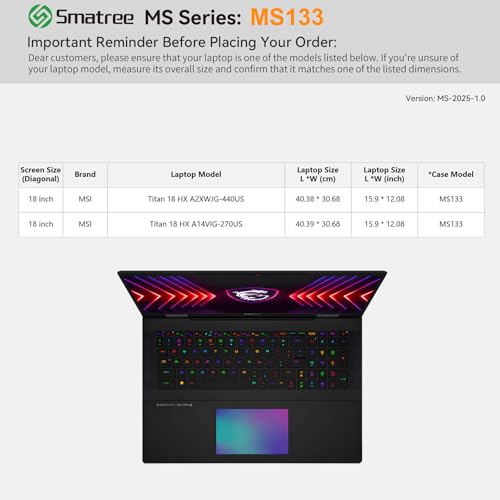


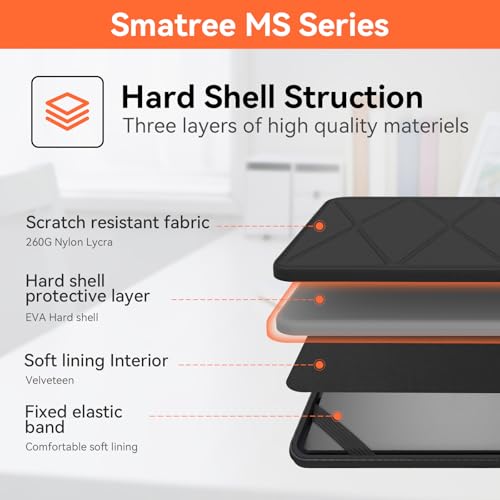


As an Amazon Associate we earn from qualifying purchases. Product prices and availability are accurate as of the date/time indicated.
| Detail | What the subject listing title states |
|---|---|
| Model | msi Titan 18 HX AI, code A2WJ-1258US, finish Black |
| Display | 18-inch, 240Hz, Mini LED, UHD+ |
| Processor | “Intel Ultra 9-290HX” (the word Core is missing from the title) |
| Graphics | “NVIDIA Geforce RTX 5090” (no VRAM size or power limit in this title) |
| Memory | 64GB DDR5 |
| Storage | 4TB NVMe SSD |
| Connectivity | Thunderbolt 5, Wi-Fi 7 |
| Operating system | Windows 11 Pro |
| Price tier | Premium, the lowest-priced of the three Titan listings |
The listing under review
msi Titan 18 HX AI A2WJ-1258US with RTX 5090 and 4TB
This is the cleanest match for the keyword and the lowest-priced Titan in the set. It is still a premium purchase, so the useful question is what the title leaves out.
- Pros: a 240Hz Mini LED UHD+ panel; an RTX 5090 name with 64GB of DDR5 and 4TB of storage; Thunderbolt 5, Wi-Fi 7 and Windows 11 Pro stated.
- Cons: no weight, battery or cooling details in the title; the processor name drops Core; the panel’s brightness and dimming zones are not stated; premium price tier.
Who the MSI Titan 18 HX AI suits, and who should skip it
A laptop with these specifications is a portable workstation first and a gaming machine second. The 18-inch Mini LED panel and 4TB of storage suggest a buyer who works with large files, wants a color-rich screen and has no intention of moving the laptop daily. The Windows 11 Pro licence in the title also hints at business or developer use, such as domain join or virtual machines.
It is a reasonable fit if you:
- need a desk-bound machine that can replace a tower, with a large high-resolution screen and room for a big game library;
- edit video, render 3D scenes or run local AI models and benefit from 64GB of memory and a 4TB drive;
- want Thunderbolt 5 and Wi-Fi 7 for fast external storage and networking;
- need Windows 11 Pro rather than Home for work-related features.
It is a poor fit if you:
- commute with your laptop, since a flagship 18-inch chassis is generally heavy and the charger is large (the title gives no weight);
- play mostly less demanding titles, where a far cheaper laptop would reach the same frame rates;
- need long battery life during gaming, which no laptop in this class is known for;
- are trying to stay in a mid-range budget. Even the cheapest Titan listing here is in the premium tier.
What the title tells you, and what it does not
What it tells you. The model name and code, the screen size, refresh rate, panel type and resolution class, the processor name, the graphics card, the memory and storage sizes, two connectivity items and the operating system edition. Those are the components most buyers compare first.
What it leaves out. The title omits the weight, battery capacity, charger wattage, port list, keyboard layout, webcam, speaker details and the cooling design. It does not say whether the 4TB is one drive or two. It does not specify the brightness, color gamut or HDR capability of the Mini LED panel, only that it is Mini LED. It also does not tell you who sells the unit, what the return window is, or who honors the warranty.
Two wording details are worth noting. First, “Intel Ultra 9-290HX” drops the Core branding; match it against MSI’s specification page for the A2WJ-1258US code. Second, “HX AI” in the model name is a family label. It does not by itself indicate how much AI performance the processor or graphics card offers, so look for any figures MSI publishes rather than inferring them from the name.
Questions to ask before buying
- Is the model code what you expect? The subject listing is A2WJ-1258US; another Titan listing in the set uses A2XWJG. Confirm which code you are buying and what differs.
- What is the return window? For a purchase at this price, a flexible window matters more than a discount.
- Who honors the warranty? Third-party listings may carry reseller warranties rather than the manufacturer’s standard coverage.
- How are the 4TB and 64GB configured? Ask about the number of drive slots and whether memory can be changed later.
- How does the display handle brightness and blooming? Mini LED panels vary; check buyer reviews for comments about local dimming and haloing.
- What do long-term buyers report? Look for patterns in fan noise, heat, hinge feel and battery wear.
Safety note: use the supplied charger, keep vents clear, avoid soft surfaces under the laptop and follow the manufacturer’s instructions for battery care and any internal upgrades. A laptop battery that swells or a charger that runs unusually hot should be taken to a qualified technician or the manufacturer.
The Mini LED panel: what to look into
The subject listing leads with its display, so it deserves its own checklist. Mini LED backlighting uses many small LEDs grouped into dimming zones, which can deliver bright highlights and deep-looking blacks compared with a standard backlight. The usual trade-offs are possible blooming (a faint halo around bright objects on dark backgrounds) and a dependence on how well the zone control is tuned. The title says nothing about the number of zones, peak brightness or HDR certification, so treat those as open questions.
Also check whether the 240Hz and UHD+ figures apply at the same time. Some laptops reach their top refresh rate only at a lower resolution, and a title rarely says which. Ask whether the display supports variable refresh through the graphics chip, and look for buyer comments on color accuracy out of the box, since creators often want a profile before serious work.
What to expect from a flagship 18-inch laptop
These expectations are general and describe the class, not the listed units. High-power graphics and processors in a laptop chassis are limited by cooling, so sustained workloads usually settle below the peak the component names suggest. Fans are often audible under load, the keyboard area gets warm, and battery life during gaming is short. The 18-inch size gives the cooling system more room than a thin 14-inch design, which is one reason this class exists.
Portability is the other side of the trade. Expect a heavy device, a large power brick and a bag that fits both. If you will move the laptop between rooms rather than between cities, that is acceptable. If you will travel weekly, consider a smaller chassis with a lower graphics tier, and read owner feedback on weight and charger size before you buy.
Alternatives from the same set
The set contains two other Titan 18 listings and one different MSI laptop. They are not interchangeable with the subject listing, and each is described by what changes.
MSI Titan 18 HX AI A2XWJG, 2 x 2TB configuration
This is a second Titan 18 with a different model code. Its title names an 18″ UHD+ Mini LED panel at 120Hz, a Core Ultra 9 285HX at 2.1GHz, “NVIDIA GeForce RXT 5090” (a typo for RTX, so check the listing), 24GB of GDDR7 video memory, 64GB of DDR5 and two 2TB NVMe drives. It is the highest-priced listing in the set.
- Pros: the title states the 24GB GDDR7 figure; two separate 2TB drives can make backups or separating work and games simpler; the processor name includes Core Ultra.
- Cons: 120Hz instead of 240Hz on the display; the highest price tier here; the typo in the graphics name suggests a hastily written title, so double-check the configuration.
Choose it if you value the higher VRAM statement and the split storage, and accept the lower refresh rate.
EXCaliberPC listing of the Titan 18 HX A2WJ-1258US
This reseller listing carries the same model code as the subject but names an “Intel Ultra 9 290HX Plus”, 128GB of RAM and a 4TB NVMe SSD, with an RTX 5090, an 18″ UHD+ Mini LED panel and Windows 11 Pro. Because it uses the same model code but a different memory and processor wording, treat the title as a reseller configuration or a loose title. Neither can be confirmed from here, so verify it before buying.
- Pros: 128GB of RAM is far above the subject listing’s 64GB, which could matter for heavy virtual-machine or data work; same 4TB drive.
- Cons: the processor name “290HX Plus” and the 128GB figure do not match the original code’s naming, so ask the seller for confirmation; third-party warranty terms may differ; a higher price tier than the subject.
Choose it only if you need that much memory and the seller can document the configuration and warranty.
MSI Raider A18 HX A9WIG-082US, an EXCaliberPC listing
The Raider A18 belongs to a different MSI line. The title names a Ryzen 9 9955HX3D, 32GB of DDR5, a 2TB NVMe SSD, an RTX 5080 and an 18″ UHD+ 120Hz display. It is a lower-class machine than the Titan, and it is the cheapest laptop here.
- Pros: the lowest laptop price tier in the set; an AMD processor name aimed at gaming; the same 18-inch screen size.
- Cons: a lower graphics tier and half the memory of the subject; the display is 120Hz and is not described as Mini LED; a reseller listing, so check the warranty.
Choose it if you want the 18-inch size without paying Titan money. For another 18-inch MSI option, see our MSI Raider 18 HX AI review.
Cases in the set: accessories, not alternatives
Three listings are Smatree laptop cases. They are accessories, so they are not substitutes for a laptop. They are listed here so you do not mistake them for a Titan configuration, and so you can see whether one is worth adding to a Titan purchase.
Smatree Hard EVA Protective Sleeve for the Titan 18 HX
The title names the A2XWJG-440US and A14VIG-270US codes. The subject laptop is A2WJ-1258US, which is not listed, so confirm that the case suits your exact model. Pros: a hard EVA shell for travel protection and the lowest-priced case here. Cons: a sleeve adds bulk without a stand, and the title does not give interior dimensions.
Smatree Heavy Duty Hard Case for the MSI Stealth 18 HX
This case is for the Stealth 18 HX A2W, a different laptop from the Titan. It is listed in the set because it is also from Smatree and 18 inches, but the title does not mention the Titan, so do not assume it fits. Pros: a heavy-duty hard shell. Cons: compatibility with a Titan is unconfirmed, and it is the highest-priced case in the set. It is off-type for this review.
Smatree MS133 Hard EVA Case with Stand for the Titan 18HX
The title names the A2XWJG-440US and describes a hard EVA case with a stand. Pros: a stand to prop up the laptop; mid-range case price. Cons: compatibility with other model codes must be verified; the stand’s design is not described.
Buying checklist with a worked example
- Confirm the exact model code and processor name against MSI’s specification page.
- Compare the seller, warranty owner and return window across the Titan listings.
- Decide whether you want 240Hz (the subject) or 120Hz (A2XWJG), and whether you need 24GB of video memory.
- Estimate your memory and storage need, then match it to 64GB or 128GB and one or two drives.
- If you add a case, match the case’s listed model codes to your laptop.
A worked example, with illustrative assumptions rather than claims about these listings. Suppose a buyer runs an editing app (24GB), a browser with many tabs (8GB), a virtual machine (16GB) and the operating system (6GB). That is roughly 54GB at peak, so 64GB leaves about 10GB spare and is enough. A buyer who runs two virtual machines of 32GB each plus the editor would need around 80 to 100GB, which is where a 128GB configuration begins to make sense.
| Assumption | Value used | What it implies |
|---|---|---|
| Usable space on a “4TB” drive | About 3.6TB after formatting and system files (estimate) | Capacity advertised is larger than capacity available |
| Average large game install | About 100GB (estimate) | Roughly 36 installs on 3.6TB, before any projects |
| Video project folder | About 500GB (assumed) | Leaves room for about 31 installs |
| Ownership period | 4 years (assumed) | Compare the extra cost of 128GB divided by four |
For storage, 4TB covers a large library plus a 500GB project folder easily. The A2XWJG listing’s two 2TB drives (about 1.8TB each usable, an estimate) provide similar total space but in two partitions, which is neat for separating work from games and awkward for a single 2.5TB project. For memory, the extra cost of the 128GB reseller version, spread over four years, is small per year but only worthwhile if your workload actually exceeds 64GB. If it does not, buy the cheapest verified Titan listing and put the savings toward a case and a dock.
Verdict
The A2WJ-1258US listing is the cleanest match for the keyword and the lowest-priced of the three Titan 18 listings: strong component names, a 240Hz Mini LED panel, 64GB of DDR5 and a 4TB drive. The A2XWJG listing offers a stated 24GB GDDR7, two 2TB drives and a 120Hz panel at the highest price, and its title contains a typo. The EXCaliberPC listing promises 128GB of memory under the same model code as the subject, which calls for confirmation from the seller. The Raider A18 is a different, lower-class machine, and the three Smatree listings are cases, with the Stealth 18 case clearly meant for a different laptop. Verify the model code, processor name, warranty and return terms before buying, and pick the case last. Another useful comparison is the MSI Crosshair 18 HX AI review, which looks at the lower-tier 18-inch sibling.
Frequently asked questions
What is the difference between the Titan 18 HX AI listings?
From the titles alone, the A2WJ-1258US listing names a 240Hz Mini LED panel, an Ultra 9-290HX, 64GB of DDR5 and a 4TB drive. The A2XWJG listing names a 120Hz panel, a Core Ultra 9 285HX, 24GB of GDDR7 video memory, 64GB of DDR5 and two 2TB drives. Anything beyond that, including thermals and weight, has to come from the manufacturer’s pages and buyer reviews.
Is the EXCaliberPC Titan 18 listing the same laptop?
It carries the same A2WJ-1258US model code, but its title names an Ultra 9 290HX Plus and 128GB of RAM, which do not match the other listing’s wording. It may be a reseller configuration or a loosely written title. Ask the seller to confirm the exact configuration and who honors the warranty before ordering, and compare against MSI’s specification page.
Will a Smatree case fit the Titan 18 HX AI?
Check the model codes in the case title. Two Smatree listings name A2XWJG-440US, and one names the Stealth 18 HX instead. The subject laptop is A2WJ-1258US, which does not appear in those titles, so do not assume a fit. Compare the laptop’s published dimensions with the case’s interior size, or contact the case seller before buying, especially for a laptop this large.
Is 64GB of RAM enough on the Titan 18 HX AI?
For most gaming, editing and development work, yes. A realistic peak with an editor, many browser tabs and a virtual machine is around 50 to 60GB, which fits in 64GB. Workloads that run several virtual machines or very large datasets can exceed it, and then a 128GB configuration may make sense. Check whether the memory is upgradeable before assuming you can add more later.
Is the MSI Raider A18 a good alternative to the Titan 18?
It is a cheaper, lower-class 18-inch option. Its title names a Ryzen 9 9955HX3D, an RTX 5080, 32GB of DDR5 and a 2TB drive, with a 120Hz UHD+ screen. That is fewer resources than the Titan listings, and it does not mention Mini LED. It suits buyers who want the 18-inch size without the Titan price, provided the warranty and seller check out.
Is the MSI Titan 18 HX AI portable?
It is a laptop, but a flagship 18-inch machine with an RTX 5090 is generally heavy, and the charger is large. The titles give no weight, so check the manufacturer’s specifications. Many buyers in this class treat the machine as a movable desktop replacement rather than a daily carry, and add a hard case for trips. Battery life while gaming is usually short, so plan to stay near an outlet.