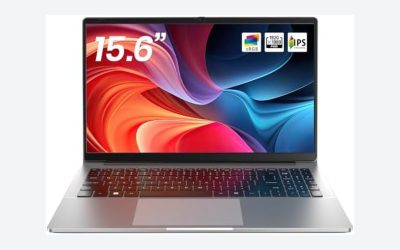
A 2-in-1 is a laptop whose screen folds back into a tent, stand or tablet, and on a budget the real choice is between renewed business convertibles and new, lesser-known 15.6-inch models. On paper, the renewed Dell Latitude 7420 and ThinkPad X13 Yoga carry the strongest specs for the least money, while the new low-cost listings lean on unfamiliar brands and vague CPU names. The Lenovo IdeaPad 5 is included as the premium contrast. All details below come from listing titles, so verify before ordering. A short inspection routine for renewed units is included, because hinges and batteries decide how long a used convertible lasts.
Our Top Picks
 Lenovo ThinkPad X13 Yoga Gen 2 2-in-1 Business32GB RAM / 512GB SSD12 x 8.42 x 0.61 Inches3 poundsCheck on Amazon
Top 3 picks at a glance
Short list by need
As an Amazon Associate we earn from qualifying purchases at no extra cost to you.


- Dell Latitude 7420 2-in-1 (Core i7-1185G7, Renewed) – best for the most processing power in a 14-inch budget convertible.
- Dell Latitude 7420 2-in-1 (Core i5-1145G7, Renewed) – best for the same chassis at a lower tier.
- Lenovo ThinkPad X13 Yoga Gen 2 (Renewed, 32GB) – best for a compact business convertible with fingerprint reader.
- Dell Latitude 5300 2-in-1 (Renewed) – best for a 13.3-inch body with 16GB of RAM.
- Omnica 15.6-inch (Ryzen 3, 16GB / 1TB) – best for storage on a budget.
- EKY 15.6-inch (16GB / 512GB, Core m3) – best for a big screen with a one-year warranty claim.
- Tunhail 10.1-inch (12GB / 256GB) – best for the smallest tablet-style body.
- Dell Latitude 3190 11.6-inch (Renewed) – best for a compact, low-cost Windows convertible.
- Dell Chromebook 11 3100 (Renewed) – best for the cheapest school-style option, on ChromeOS.
- Lenovo IdeaPad 5 16-inch (Core Ultra 7, 32GB) – best for a premium big-screen convertible, not a budget buy.
Comparison table
| Model | Type | Key specs as stated in the title | Best for | Tier |
|---|---|---|---|---|
| Latitude 7420 (i7) | 14-inch renewed | i7-1185G7, 16GB, 512GB, Thunderbolt 4, Windows 11 Pro | Performance | Mid |
| Latitude 7420 (i5) | 14-inch renewed | i5-1145G7, 16GB, 512GB, Windows 11 Pro | Value | Budget |
| ThinkPad X13 Yoga Gen 2 | 13.3-inch renewed | i7-1185G7, 32GB, 512GB, fingerprint, Windows 11 Pro | Compact power | Mid |
| Latitude 5300 | 13.3-inch renewed | i5-8365U, 16GB, 256GB, Type-C, HDMI, Windows 11 Pro | Compact value | Budget |
| Omnica | 15.6-inch new | Ryzen 3 3200U, 16GB, 1TB SSD, FHD; OS: check the listing | Storage | Budget |
| EKY | 15.6-inch new | Core m3, 16GB, 512GB, Windows 11 Pro, FHD, 1-year warranty | Big screen | Budget |
| Tunhail | 10.1-inch new | m3-8100Y, 12GB, 256GB, 360-degree flip | Tiny tablet-style | Budget |
| Latitude 3190 | 11.6-inch renewed | N5030, 8GB, 128GB SSD, HD, Windows 11 | Light use | Budget |
| Chromebook 11 3100 | 11.6-inch renewed | Celeron N4020, 4GB, 32GB flash, ChromeOS | School tasks | Budget |
| IdeaPad 5 16 | 16-inch | Core Ultra 7 255U, 32GB, 1TB SSD, WUXGA touch | Premium | Premium |
The ten convertibles in detail
Dell Latitude 7420 2-in-1 (Core i7-1185G7, Renewed)
This renewed 14-inch Full HD touchscreen convertible lists an 11th-generation Core i7-1185G7, 16GB of RAM, a 512GB SSD, Thunderbolt 4, HDMI and Windows 11 Pro. It is the strongest all-round spec among the Windows convertibles here and one of the few that mentions Thunderbolt 4. As a renewed unit, the battery and hinge condition decide whether the price is fair.
Thunderbolt 4 is useful if you plan to add an external display, a dock or fast external storage, but the title does not list the full port set or the charger type, so confirm those. At this tier, the extra cost over the i5 sibling buys processor speed rather than memory or storage, since both state 16GB and 512GB. Ask how the battery condition is graded and whether the charger is original.
Pros
- Top-end CPU and 16GB of RAM for a budget convertible.
- Thunderbolt 4 for docks and fast storage.
Cons
- Renewed wear risk.
- Memory upgrade options are not stated.
Who it’s for: a student or freelancer needing real performance. Who should skip it: anyone who wants a new-unit warranty.
Dell Latitude 7420 2-in-1 (Core i5-1145G7, Renewed)
The same 14-inch chassis in a slightly lower configuration: a Core i5-1145G7, 16GB of RAM and a 512GB SSD, Windows 11 Pro and a Full HD touchscreen. It does not mention Thunderbolt in the title, so check the ports. For most office, study and browsing work, the gap from the i7 listing is unlikely to be felt.
Because both 7420 listings share the 14-inch Full HD touchscreen and the same storage, the choice reduces to whether you value the extra processor headroom. Pick the i5 if your work is documents, web apps and video calls. Pick the i7 if you edit photos, run several heavy programs or plan to keep the laptop for many years. Either way, ask for the renewed grade in writing.
Pros
- 16GB and 512GB at a lower tier than the i7.
- Windows 11 Pro.
Cons
- Renewed condition.
- Port list not in the title.
Who it’s for: the value-minded buyer who wants the Latitude body. Who should skip it: heavy multitaskers needing the i7.
Lenovo ThinkPad X13 Yoga Gen 2 (Renewed, 32GB)
A 13.3-inch touchscreen ThinkPad convertible with a Core i7-1185G7, 32GB of RAM, a 512GB SSD, a backlit keyboard, a fingerprint reader and Windows 11 Pro, sold renewed. The 32GB is unusual at this tier. The Yoga name signals a 360-degree hinge, but check the listing for details. Memory in this line is often soldered, so the stated amount is likely what you keep.
Thirty-two gigabytes is enough for virtual machines, large spreadsheets and dozens of browser tabs, which is rare in a budget 2-in-1. The compact 13.3-inch screen keeps the body small, though it also means a smaller keyboard deck. The fingerprint reader helps with quick Windows sign-in. As with every renewed listing here, battery wear and the seller’s warranty decide whether it is a bargain.
Pros
- 32GB of RAM.
- Fingerprint reader and backlit keyboard.
Cons
- Renewed condition.
- Priced above most of the budget group.
Who it’s for: professionals who want a compact, secure convertible. Who should skip it: strict-budget buyers.
Dell Latitude 5300 2-in-1 (Renewed, 13.3-inch)
The title lists a Core i5-8365U described as dual-core, 16GB of DDR4, a 256GB SSD, a backlit keyboard, Type-C, HDMI and Windows 11 Pro on a 13.3-inch FHD touchscreen. The core count wording looks off for that processor, so verify it on the page. An 8th-generation chip sits at the edge of Windows 11 support, so confirm eligibility.
Because the title says dual-core and this processor is generally described elsewhere as a four-core part, treat the spec line as unreliable and read the product details. The 13.3-inch size is easy to carry and the 16GB of RAM is a plus, but the older platform means fewer years of Windows support ahead. It suits a spare machine better than a primary laptop you intend to keep for five years.
Pros
- 16GB of RAM.
- Compact 13.3-inch body.
Cons
- Older CPU generation.
- 256GB of storage.
Who it’s for: a light-duty compact convertible. Who should skip it: buyers who want a newer processor.
Omnica 15.6-inch 2-in-1 (Ryzen 3 3200U, 16GB / 1TB)
This new listing combines a 360-degree rotating Full HD touchscreen, a Ryzen 3 3200U with Radeon graphics, 16GB of DDR4 and a 1TB SSD, with a backlit keyboard and Wi-Fi 5. It does not state an operating system. The 3200U is an older, low-power chip, so it suits browsing and documents.
The brand is not widely known, which makes the seller’s return policy and warranty important. The title also says Wi-Fi 5, an older standard than the Wi-Fi 6 on newer machines, which matters little for browsing but can limit speeds on a fast home network. Confirm the operating system, and read buyer feedback about the hinge and the touch response before you commit.
Pros
- 1TB of storage and 16GB of RAM.
- Backlit keyboard.
Cons
- Operating system not stated.
- Older CPU and Wi-Fi 5.
Who it’s for: storage-hungry users on a budget. Who should skip it: anyone who needs a brand with a service network.
EKY 15.6-inch 2-in-1 Touchscreen (Core m3, 16GB / 512GB)
The title lists 16GB and 512GB, Windows 11 Pro, an FHD touchscreen, Bluetooth 5.0, dual-band Wi-Fi, HDMI and a 1-year warranty in a purple finish. “Core m3 up to 3.40GHz” gives no model, and “Yoga laptop” is a style word, not a Lenovo label. A Core m3 on a 15.6-inch body is an odd pairing, so check what the listing says.
The listed 1-year warranty is worth reading in full: find out who honors it, how to ship the laptop back and whether the battery is covered. With 16GB and 512GB, the memory and storage are strong for the tier, but a low-power CPU may be the bottleneck. Ask for the exact processor model, and compare it against the Omnica and the renewed Latitudes before you pay.
Pros
- 16GB and 512GB with Windows 11 Pro.
- Stated 1-year warranty.
Cons
- Vague CPU naming.
- Unfamiliar brand.
Who it’s for: students on a very tight budget. Who should skip it: buyers who need proven performance.
Tunhail 10.1-inch 2-in-1 (m3-8100Y, 12GB / 256GB)
This 10.1-inch convertible has a 360-degree flip touchscreen, a Core m3-8100Y up to 3.40GHz, 12GB of RAM, 256GB of SSD and a backlit keyboard. The panel is described as “800 * 1280 IPS FHD”, but 800 by 1280 is not Full HD, so treat that as a listing error. It is the smallest, most tablet-like option.
At 10.1 inches, this is a travel and couch device rather than a work laptop, and the 12GB of RAM is generous for the size. A backlit keyboard is a nice touch, but a small keyboard deck slows typing. Check the actual screen resolution, since the title contradicts itself, and ask the seller whether the stated m3-8100Y is the exact CPU in the shipped unit.
Pros
- Very small and portable.
- 12GB of RAM.
Cons
- Small, low-resolution screen.
- Conflicting resolution wording.
Who it’s for: commuters wanting something tablet-sized. Who should skip it: anyone who types for hours.
Dell Latitude 3190 2-in-1 (Renewed, 11.6-inch)
An 11.6-inch HD touchscreen convertible with an Intel N5030, 8GB of RAM, a 128GB SSD and Windows 11 Professional, renewed. It is the lowest-power Windows machine here. The 128GB drive and the HD panel limit it to light tasks.
Its Intel N5030 is in the same entry class as the Celeron and Pentium chips elsewhere in this list, and the 8GB of RAM helps, though upgradability is not stated. For a child’s homework machine or a kitchen laptop, the renewed price may be the main appeal. Check the battery and the hinge, and expect the 11.6-inch screen to feel cramped for long documents.
Pros
- Compact and low-cost.
- 8GB of RAM.
Cons
- Small screen and 128GB storage.
- Entry-class processor.
Who it’s for: a spare machine for web and email. Who should skip it: multitaskers.
Dell Chromebook 11 3100 2-in-1 (Renewed)
This is not a Windows laptop: it is an 11.6-inch touchscreen Chromebook with a Celeron N4020, 4GB of RAM and 32GB of flash storage, listed here because it is a 2-in-1 at the lowest cost. Programs install from the Chrome Web Store and Android or Linux options depend on the model. Confirm the auto update expiration date.
Chromebooks boot quickly and need little maintenance, which is the appeal for classrooms and younger users. The trade-off is limited local storage: 32GB of flash is small, so rely on cloud storage and check which Android or Linux features the model supports. Renewed units also vary in battery life, so read the seller’s grade and return window before buying.
Pros
- Lowest cost of the group.
- Simple ChromeOS for web tasks.
Cons
- No Windows apps.
- 4GB and 32GB.
Who it’s for: kids and web-only users. Who should skip it: anyone who needs Windows software.
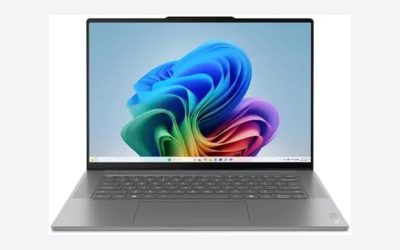
Lenovo IdeaPad 5 16-inch 2-in-1 (Core Ultra 7 255U)
Not a budget pick, this 16-inch WUXGA 60Hz touchscreen convertible lists a Core Ultra 7 255U, 32GB of RAM and a 1TB SSD. The title is truncated at the end and names no Windows version, so verify both. It is included as the premium reference point.
The title shows a WUXGA 60Hz panel, a Core Ultra 7 Series 2 processor and 32GB of RAM, which together put it near the top of this list by spec and well above a budget price. Because the end of the listing title is cut off, confirm the Windows version, the warranty and whether the unit is new. A 16-inch convertible is large for handheld use, so its flexible modes are more useful for sharing a screen than for reading in bed.
Pros
- 32GB and 1TB with a newer Intel platform.
- Large 16-inch touchscreen.
Cons
- Not a budget price.
- Truncated listing title.
Who it’s for: buyers who want a large convertible and have more to spend. Who should skip it: strict-budget shoppers.
How we picked these
We gathered ten 2-in-1 listings from the budget end of the market, plus one premium reference, and compared what each title states about CPU, RAM, storage, screen and operating system. Our basis is published specifications, manufacturer documentation and buyer reviews. Nobody on the team used or measured these units. Where a title omits a detail we say check the listing, and we call out renewed units, typos and conflicting specs. We use relative tiers rather than prices because those change daily.
How to choose a 2-in-1 without overspending
Hinge, modes and why it matters
A 360-degree convertible gives you laptop, tent, stand and tablet modes. Detachables are lighter but need more care. For a budget convertible, the hinge is the part most likely to fail, so prefer a business-class chassis. Weight and balance matter in tablet mode: a 15.6-inch or 16-inch convertible is awkward to hold, while 10 to 13-inch bodies are easier. Tent and stand modes work well for video and shared screens.
CPU class, RAM and storage
The 11th-generation Core i5 and i7 listings sit well above the Celeron, Pentium-class and m3 entries. Aim for 8GB of RAM at least. If you want to upgrade later, read our guide on laptops with upgradeable RAM and our picks for M.2 SSD upgrades to see how fit and slot types work.
Eleventh-generation Core i5 and i7 chips sit above the older 8th-generation parts, and the Ryzen 3 3200U, Celeron and Pentium-class chips handle light work. Anything labeled only “Core m3” or “Intel CPU” deserves a question to the seller before you buy.
Screen resolution, brightness and touch
Full HD is the right baseline at 13 inches and above. HD on an 11-inch panel is acceptable. Touch layers add glare, and brightness is not stated in most titles, so check the listing.
Because convertibles spend time in tablet mode, a sharper panel and a scratch-resistant surface help, but neither is stated in these titles. Check the listing for glass type and brightness, and plan on a screen protector.
Windows 11 and ChromeOS
Windows 11 needs TPM 2.0 and a supported CPU, with 8th-generation Intel and newer generally listed. Chromebooks run ChromeOS and need an update date check.
Windows 11 Pro adds BitLocker management and domain join, which suit work laptops. Several renewed Windows listings here state Pro, while the Omnica and IdeaPad titles state no edition at all.
Pens, cases and ports
A 2-in-1 invites a pen, but no title states pen support. Active pens need a compatible touch panel, so check the listing for the pen model and whether it is included. A sleeve that fits a folding body, a USB-C hub for the Type-C and HDMI ports and a screen protector are low-cost add-ons worth budgeting for.
A 30-day inspection routine for renewed units
| Check | How |
|---|---|
| Hinge | Move through all modes and listen for clicks or looseness |
| Touch | Drag a window across the whole screen to find dead spots |
| Battery | Run the Windows battery report from the command line (powercfg /batteryreport) |
| Ports | Plug in a charger, display and drive to confirm each works |
| Keyboard | Type in a document to find stuck or missing keys |
Mistakes buyers make
Treating renewed as new. Check the warranty and the battery. Believing odd specs. A “dual-core i5-8365U” and an “800 x 1280 FHD” screen show how sloppy titles can be. Ignoring the OS. The Omnica and IdeaPad titles do not state one. Buying a Chromebook for Windows apps. It will not run them. Skipping pen details. None of the titles mention a stylus. Assuming every flip hinge is equal. Renewed units may have loose hinges. Overpaying for size. A 15.6-inch convertible is awkward in tablet mode. Ignoring the charger. Check that an original charger is included, especially with Type-C. Forgetting about updates. Older CPUs may lose support sooner than newer ones.
Verdict
The renewed Dell Latitude 7420 listings offer the best balance, with the i5 version the better value and the i7 version the stronger machine. The ThinkPad X13 Yoga is the compact pick with 32GB of RAM. For a very small spend, the Latitude 3190 or Chromebook cover simple tasks. Treat the new 15.6-inch listings cautiously until brand and CPU details are confirmed. If you want a larger screen, the Omnica and EKY listings are candidates only after you confirm the operating system, processor model and return policy. The IdeaPad 5 is the one to consider if the budget stretches and you want a modern platform.
Related guides
- How To Stop Laptop Thermal Throttling In Software
- Gaming Laptop For High School Students
- Screen Refresh Rate For Laptops Explained
Frequently asked questions
What is a 2-in-1 laptop?
A 2-in-1 is a laptop whose screen can fold back or detach so you can use it as a tablet, a tent or a stand. Convertibles use a hinge that rotates 360 degrees, while detachables separate from the keyboard. Every listing here describes a touchscreen convertible or a 2-in-1 body, so check the listing for how far the hinge turns.
Is a renewed 2-in-1 a safe buy on a budget?
It can be, because business convertibles such as the Dell Latitude 7420 and ThinkPad X13 Yoga are built for daily use. The risk is wear: hinges, batteries and touch layers age. Check the renewed grade, return window and warranty, and do a full inspection within the first few days of ownership.
Does a budget 2-in-1 come with a pen?
None of the titles here mentions a stylus. Pen support depends on the touch panel and often needs a matching pen sold separately, so check the listing before assuming one is included. If you want to take handwritten notes, look for explicit pen support in the specifications.
Is a Chromebook 2-in-1 a good alternative to Windows?
For browsing, school work, streaming and web apps, it can be. The Dell Chromebook 11 here runs ChromeOS, not Windows, so desktop programs will not install. Also check the auto update expiration date for the model, since ChromeOS devices stop receiving updates after a set year.
How much RAM and storage should a budget 2-in-1 have?
Aim for 8GB of RAM and 256GB of storage as a practical floor for Windows. Several listings here offer 16GB, which suits multitasking. The Chromebook has 4GB and 32GB of flash, which is fine for web apps but tight for downloads.