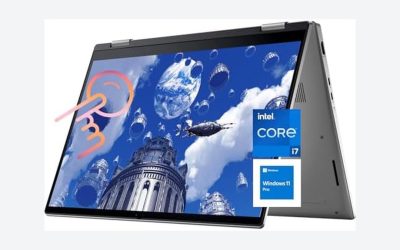
A high-end business laptop is built around memory, a sharp and bright display, a keyboard you can type on for years and the security and management features of Windows 11 Pro. Among the nine listings here, the most credible high-end picks are the ones that pair 32GB or more of DDR5 with a 1TB SSD and a business-class operating system, led by a 64GB Dell Pro 16 Premium. A few titles use the label loosely, so the guide separates real specifications from seller comparisons and points out configurations sold by resellers. Read the quick list, check the table, then use the seller checklist.
Our Top Picks
Top 3 picks at a glance
At a glance
As an Amazon Associate we earn from qualifying purchases at no extra cost to you.
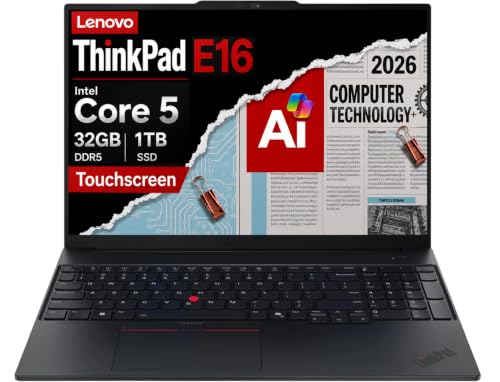



- Dell Pro 16 Premium (Ultra 7 255U, 64GB) – maximum memory
- ThinkPad E16 Gen 3 (Core 5 210H, 32GB) – Thunderbolt 4 and Ethernet
- ThinkPad E16 (Ultra 7 255H, 32GB) – strongest ThinkPad chip, bundled HDD
- Dell 16 touch (Core 7 150U, 32GB, Pro) – 32GB, touch and Windows Pro
- Dell 16 DC16251 (Core 7 150U, 16GB) – 16:10 panel, Home edition
- IdeaPad Slim 3 (i7-13620H, 16GB) – strong processor, 15.3-inch
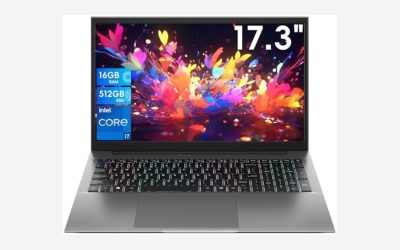
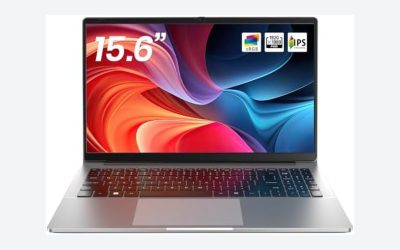
- HP 17 (Ryzen 5, 16GB, 512GB) – large screen with numpad
- HP 17.3-inch (i7-1255U, 16GB) – stated HD+ screen
- ThinkPad E16 (Ultra 5 225H, 16GB) – entry to the E16 line
Comparison table
| Model | Screen | Key specs (title) | Best for |
|---|---|---|---|
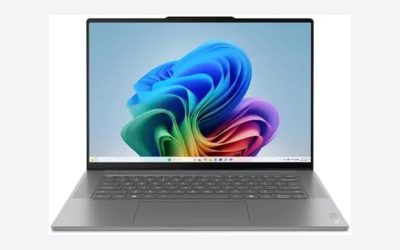
| Dell Pro 16 Premium | 16-inch WUXGA | Ultra 7 255U, 64GB DDR5, 1TB, Pro | Memory-heavy work |
| ThinkPad E16 Gen 3 (Core 5) | 16-inch FHD+ touch | Core 5 210H, 32GB DDR5, 1TB, Pro | Docking and wired networks |
| ThinkPad E16 (Ultra 7) | 16-inch | Ultra 7 255H, 32GB, 1TB plus HDD | Data work |
| Dell 16 touch | 16-inch FHD+ touch | Core 7 150U, 32GB, 1TB, Pro | Managed fleets |
| Dell 16 DC16251 | 16-inch 1920×1200 | Core 7 150U, 16GB, 1TB, Home | General office |
| IdeaPad Slim 3 | 15.3-inch WUXGA | i7-13620H, 16GB DDR5, 1TB, Pro | Fast single-user work |
| HP 17 Ryzen 5 | 17.3-inch FHD | Ryzen 5, 16GB, 512GB | Desk-bound tasks |
| HP 17.3 i7 | 17.3-inch HD+ | i7-1255U, 16GB DDR4, 512GB, Home | Value spec sheet |
| ThinkPad E16 (Ultra 5) | 16-inch | Ultra 5 225H, 16GB DDR5, 512GB plus HDD | Entry E16 |
The nine listings, ranked by configuration
Dell Pro 16 Premium (Core Ultra 7 255U, 64GB DDR5, 1TB SSD)
This listing has the biggest memory figure in the group, 64GB of DDR5, alongside a 1TB SSD, a 16-inch WUXGA (1920 x 1200) screen, a fingerprint reader, Wi-Fi 6E and Windows 11 Pro. The processor is a Core Ultra 7 255U; the ’12 Core/5.2GHz’ wording is the seller’s, and the 5.2GHz is a peak figure.
Sixty-four gigabytes is more than most business work needs, and it helps with virtual machines or large datasets. The title does not state battery life or weight, and it does not say whether the memory is soldered, so check the product page. Verify who sells and supports the machine. Plan a docking setup, since the title lists no ports.
Pros
- 64GB DDR5 and 1TB SSD
- Fingerprint reader and Wi-Fi 6E
- Windows 11 Pro
Cons
- Weight and battery not stated
- Memory upgradability unclear
Who it’s for: Analysts and developers who run virtual machines or heavy multitasking.
Who should skip it: Anyone whose work fits in 16GB and who would rather save the money.
Lenovo ThinkPad E16 Gen 3 (Core 5 210H, 32GB DDR5, 1TB SSD)
A 16-inch FHD+ touchscreen IPS anti-glare display, 32GB of DDR5, a 1TB SSD, a backlit keyboard with numpad, Thunderbolt 4, Ethernet and Windows 11 Pro. The Ethernet port suits offices with wired networks. The title’s ‘(> Ultra 7 155U)’ is a seller comparison, not a measured result.
The brand field reads ‘ist computers’, so this is a third-party configuration of a Lenovo laptop; ask who provides the warranty. The E-series is generally Lenovo’s value-oriented business line rather than its flagship, so keep expectations realistic about materials and weight, neither of which the title states. The title names an IPS anti-glare touch panel at FHD+, which pairs well with a docking desk, but gives no brightness figure, so treat the display as unknown for sunlit rooms.
Pros
- 32GB RAM and 1TB SSD
- Thunderbolt 4 and Ethernet
- Touch FHD+ anti-glare IPS
Cons
- Reseller configuration
- The ‘> Ultra 7’ claim is unverified
Who it’s for: Office users who dock at a desk and need wired networking.
Who should skip it: Buyers who insist on a manufacturer-sold, manufacturer-supported unit.
Lenovo ThinkPad E16 (Core Ultra 7 255H, 32GB, 1TB SSD, 500GB HDD)
This listing offers the strongest ThinkPad processor in the group, a Core Ultra 7 255H, with 32GB of DDR5, a 1TB SSD and a 16-inch display, plus a 500GB external hard drive and a backlit keyboard. It positions itself for work and data analysis.
The title does not name the operating system, so confirm that Windows 11 Pro, not Home, ships. The external HDD is a bundled extra for backups, not an upgrade to speed. As with the other E16 listings, check the model generation and the seller’s warranty, since the title omits both. Because bundled drives are a seller’s addition, confirm they are new and what warranty covers them. The title lists no ports, weight or battery claim.
Pros
- Strong H-series Core Ultra 7 chip
- 32GB DDR5 and 1TB SSD
- External HDD for backups
Cons
- Operating system not stated
- Seller and warranty unclear
Who it’s for: Data-heavy users who also want a backup drive in the box.
Who should skip it: Anyone who needs Windows 11 Pro confirmed in the title.
Dell 16 Touchscreen Business Laptop (Core 7 150U, 32GB DDR5, 1TB, Pro)
A 16:10 FHD+ 300-nit IPS touchscreen, Core 7 150U, 32GB of DDR5, a 1TB SSD, a full-size backlit keyboard with number pad, a Copilot key, Wi-Fi 6 and Windows 11 Pro. It is the only Dell 16 here with touch and Pro, a combination that suits managed offices. 300 nits is adequate indoors, though not bright for sunlit rooms.
The Core 7 150U is a low-power U-series part, so it favours efficiency over raw speed. Compared with the Dell Pro 16 Premium, it offers half the memory but a clearer spec sheet, with fewer unknowns. The title does not state battery life, and the LDC16250 code is useful for finding the manufacturer’s specification page before you buy.
Pros
- 32GB RAM with Windows 11 Pro
- Touch 16:10 panel
- Wi-Fi 6
Cons
- U-series chip is not for heavy loads
- Wi-Fi 6 rather than 6E
Who it’s for: Business users who want touch, a tall screen and Pro features.
Who should skip it: People who need a high-performance H-series processor.
Dell 16 Laptop DC16251 (Core 7 150U, 16GB DDR5, 1TB, Home)
A close relative of the previous listing with 16GB of DDR5, a 1TB SSD, a 1920 x 1200 16:10 anti-glare 300-nit display, a backlit Copilot keyboard, Wi-Fi 6E and Windows 11 Home. It has no touch panel and ships with Home, not Pro, so BitLocker device management features may be missing.
The model number DC16251 is a different SKU from the touch version (LDC16250 in its title), and the two should be treated as variants. For a manager buying one laptop it is cleaner and probably lighter, but the title gives no weight. If you do not need touch, this is the simpler of the two Dell 16 listings, and Wi-Fi 6E helps in congested offices. Ask your IT team whether Home is acceptable, as some employers refuse unmanaged editions.
Pros
- 1TB SSD with 16GB DDR5
- Wi-Fi 6E
- Anti-glare 16:10 panel
Cons
- Windows 11 Home only
- No touch screen
Who it’s for: Individuals who value a clean screen and fast wireless.
Who should skip it: Employers requiring Pro edition management features.
Lenovo IdeaPad Slim 3 (Core i7-13620H, 15.3-inch WUXGA, 16GB, 1TB)
The title calls this ‘High-End Business’, yet IdeaPad is generally Lenovo’s consumer line, not ThinkPad. It lists a Core i7-13620H up to 4.9GHz, a 15.3-inch WUXGA IPS anti-glare panel, 16GB of DDR5, a 1TB SSD, Dolby Audio and Windows 11 Pro.
The H-series processor is more powerful than the U-series chips on the Dell 16s, so raw speed is better for single-user tasks. ‘AI-Ready’ is a marketing label. Business extras such as a fingerprint reader or docking options are not mentioned, so check them. Slim 3 hardware is generally built to a lower price point than the ThinkPad range, so look for chassis, hinge and keyboard comments in buyer reviews. Dolby Audio helps on calls, but the webcam is not described, and the 15.3-inch size is less common, so confirm the screen suits you.
Pros
- Fast H-series chip
- 1TB SSD and Windows 11 Pro
- 15.3-inch anti-glare IPS display
Cons
- Consumer-line IdeaPad branding
- Business features not listed
Who it’s for: Power users who value processor speed over business-line extras.
Who should skip it: Teams that need standardised ThinkPad or Latitude hardware.
HP 17-inch Business Laptop (Ryzen 5, 16GB, 512GB, 17.3-inch FHD)
This large-screen laptop lists a Ryzen 5 (model not named), 16GB of RAM, a 512GB SSD, a 17.3-inch FHD display, a numeric keypad and Windows 11 with Office 365 for the web. The browser Office edition is not the desktop suite.
It is a desk-oriented machine; a 17-inch body is less suited to carrying. The title says ‘Latest’ and ‘2026 Edition’, which are marketing words. Without a processor model, you cannot judge performance relative to the Intel options. A 512GB drive is plenty for documents, but not for large local datasets. The numeric keypad suits accounting and finance work. Office 365 for the web means browser versions of Word and Excel, so confirm whether a desktop licence is needed for macros. The title gives no weight, and a 17-inch body generally weighs more than a 14-inch one.
Pros
- 17.3-inch FHD screen
- 16GB RAM and 512GB SSD
- Numeric keypad
Cons
- Ryzen model not named
- Bulky to carry
Who it’s for: Desk workers who value a large screen.
Who should skip it: Frequent travellers and anyone who needs a named processor.
HP 17.3-inch ‘High End’ (Core i7-1255U, 16GB DDR4, 512GB)
The title claims a 10-core i7-1255U that ‘beats Ryzen 9 5900U’, Iris Xe graphics, 16GB of DDR4, a 512GB PCIe SSD, HDMI, USB-C, an SD card reader and Windows 11 Home. The comparison is a seller claim. The display is HD+ (typically 1600 x 900), which is lower than Full HD and sits oddly with the ‘High End’ label.
Home edition lacks some Pro features. The value is in the processor and memory, not the screen. The 17.3-inch size makes it a desk machine. Check display resolution before buying if you read dense spreadsheets. The ‘High End’ label sits oddly with DDR4 and Home, so read it as marketing. The card reader is handy for photographers and field staff.
Pros
- Core i7 with 16GB RAM
- SD reader, HDMI and USB-C
- 512GB PCIe SSD
Cons
- HD+ resolution is below Full HD
- Windows 11 Home only
- The Ryzen 9 comparison is unverified
Who it’s for: Buyers who want an i7 on a large chassis for office tasks.
Who should skip it: Anyone expecting a sharp display or Pro-level management.
Lenovo ThinkPad E16 Gen 3 (Core Ultra 5 225H, 16GB DDR5, 512GB, 500GB HDD)
The most modest E16 here: a Core Ultra 5 225H, 16GB of DDR5, a 512GB SSD, a 500GB external HDD, a 16-inch display, a backlit keyboard and Windows 11 Pro. It carries the ThinkPad name and Pro at an entry tier.
Treat this as the starting point of the E16 line. If you are paying a high-end premium, the 32GB listings give more room. The external HDD is for backups, not for running programs, and the title omits the panel resolution and ports. Check the generation too: ‘Gen 3’ appears in this title but not in the Ultra 7 listing, and the Ultra 5 225H is a lower processor tier than the 255H. Thunderbolt and Ethernet are named on only one E16 listing, so do not assume them here.
Pros
- Windows 11 Pro
- ThinkPad keyboard heritage
- Backup HDD included
Cons
- Panel resolution not stated
- 16GB gives less headroom
Who it’s for: Professionals who want ThinkPad ergonomics without paying for 32GB.
Who should skip it: People who want the best display or memory for the money.
How we picked
We took the nine listings supplied for this keyword and checked each title for the processor, memory, storage, display and operating system. We ranked them by memory and processor class, then by display detail, then by edition of Windows. Dollar prices, star ratings and review counts are excluded. Information comes from published specifications, manufacturer documentation and buyer reviews. Nobody on the team used or measured these units. Build quality, keyboard feel and battery life are therefore unknown unless listed. Seller comparisons such as ‘beats Ryzen 9’ are flagged.
What separates high-end from expensive
Memory and storage
| Work | RAM | SSD |
|---|---|---|
| Office, calls, browser | 16GB | 512GB |
| Spreadsheets, BI tools, light virtual machines | 32GB | 1TB |
| Several virtual machines, large datasets | 64GB | 1TB or more |
Memory is usually the part you cannot fix later on a thin laptop, so buy for the heaviest task you expect in three years. SSD size is easier to patch with an external drive, which is why 512GB paired with a backup HDD can make sense.
Processor: U-series or H-series
U-series chips (Core 7 150U, Core Ultra 7 255U, i7-1255U) favour battery life and quiet running. H-series chips (i7-13620H, Core Ultra 7 255H) draw more power for more speed. For documents and calls, U is enough. Heavier analysis favours H, at the cost of battery. Names like ‘Core 5’, ‘Core 7’ and ‘Core Ultra 7’ sound similar but sit in different generations and tiers, so match the exact model number, not the marketing family.
Display: resolution, ratio and brightness
Full HD+ (1920 x 1200) in 16:10 gives more vertical room than 16:9 Full HD. HD+ is a lower step. Brightness of 300 nits is usable indoors. Anti-glare coatings reduce reflections, and touch adds fingerprints but flexibility. Check for an IPS label, though the title cannot tell you colour accuracy. For spreadsheets and documents, the extra vertical space of 16:10 shows more rows without scrolling.
Security, management and Windows edition
Windows 11 Pro adds BitLocker, Remote Desktop hosting and domain join. A fingerprint reader speeds sign-in. Home suits an individual but not a managed fleet. Windows 11 requires a TPM 2.0 module, which these newer chips normally include. Business buyers should also look for a fingerprint reader and a webcam shutter, neither of which most titles confirm.
Screen size and portability
Eight of the nine listings use 16-inch or larger bodies, which give a roomy workspace at the cost of carrying weight. If you commute daily, favour the 15.3-inch IdeaPad or a 16-inch model with a lighter-looking spec, and check weight on the product page. For a desk-based role, the 17-inch HP listings make the most of the space.
Ports and graphics
Thunderbolt 4 and HDMI allow docking; Ethernet helps in wired offices. Count the ports you use each day, such as a second monitor, a card reader or a security key, because titles often list only one or two. All nine listings use integrated graphics, so if you also need a discrete GPU for CAD or video, read our guide on how much VRAM a laptop needs before shopping elsewhere.
Battery, weight and build quality
Almost none of these titles state battery hours, weight or chassis material, and those are the details that separate a premium machine from a merely well-specified one. Read buyer reviews for comments on hinge strength, keyboard flex and fan noise. A 16-inch or 17-inch body will weigh more than a 14-inch ultraportable, whatever the processor.
Warranty and reseller listings
Several listings come from resellers or bundle an external drive, and one carries a reseller name in the brand field. A reseller-built variant may not qualify for the manufacturer’s on-site support. Keep the invoice, note the serial number and ask in writing what the warranty covers.
What to request from the seller
- The exact model number and the processor SKU.
- Who sells, who supports and how long the warranty runs.
- Whether memory and the SSD are upgradable.
- The display resolution, brightness and panel type.
- The Windows 11 edition and the licence type.
Seven mistakes buyers make
- Assuming ‘High End’ in a title is a specification. It is a label, and one listing pairs it with an HD+ screen.
- Paying for 64GB RAM when 16GB would do, then never touching the headroom. Match memory to your heaviest real task. Extra gigabytes sit idle otherwise.
- Buying Home edition for managed work, which lacks full BitLocker management and domain join, then discovering your employer needs Pro. Upgrading editions later can cost extra.
- Trusting ‘beats Ryzen 9’ or ‘> Ultra 7’ comparisons, which are the seller’s words. None have been verified here.
- Ignoring who sells and supports a reseller configuration or a bundle with an external drive.
- Overlooking the HD+ screen on a large chassis, where low resolution is most noticeable.
- Skipping the exact model number, which is the only way to check the manufacturer’s specification page.
Verdict
For maximum memory, choose the Dell Pro 16 Premium. For a ThinkPad with docking ports and 32GB, the E16 Gen 3 with Core 5 210H is the most complete listing. The IdeaPad Slim 3 lists the fastest-sounding H-series processor but carries a consumer badge, and the Core Ultra 7 255H ThinkPad is its business-line rival. Always confirm the seller, warranty and Windows edition. The HP 17 listings suit desk-bound users, and the Dell 16 pair suits buyers who prefer a taller 16:10 display. Before ordering any of them, ask for the missing details the titles leave out.
Related guides
- How To Stop Laptop Thermal Throttling In Software
- Gaming Laptop For High School Students
- Screen Refresh Rate For Laptops Explained
Frequently asked questions
What makes a business laptop high-end?
Generous memory, a fast SSD, a bright high-resolution display, a good keyboard, Windows 11 Pro security and dependable support. Price alone does not define it; compare 32GB or more DDR5, a 1TB SSD and a 16:10 or touch display. Business support and security features count as much as speed. Keyboard comfort and display quality count too.
Is 64GB of RAM useful in a business laptop?
Only for specific work such as virtual machines, big datasets or multiple heavy applications. Most office and analysis work fits in 16GB or 32GB. If you buy 64GB, confirm whether the memory is soldered. Soldered memory cannot be upgraded later, so the amount you buy is final. Ask the seller to state it plainly.
Are ThinkPad E-series laptops high-end?
They are generally positioned as value-oriented business laptops, not flagships. They offer business features like Windows 11 Pro and sometimes Thunderbolt 4 at a lower cost. The E16 titles that state an edition list Pro. Check weight, build and warranty on the product page. They suit offices with docks and wired networks, and they are not the lightest option in Lenovo’s lineup.
What does Windows 11 Pro add for business?
It adds BitLocker drive encryption, Remote Desktop hosting, domain join and group policy support. Management tools such as Intune enrolment are also easier on Pro. Home lacks these. If your employer manages devices, Pro is usually required, so confirm before buying. Some company policies refuse Home edition on managed devices.
Should I worry about a third-party seller configuration?
Check who handles warranty and returns. A reseller-built variant of a known brand can be fine, but support may differ from the manufacturer’s. Some resellers offer their own warranty, which can be good or limited. Ask for the exact model number and keep the purchase records. A fixed return window also helps if the unit arrives with the wrong configuration.