A good budget Windows laptop is one that still feels usable after a year of browser tabs, video calls and Office files, and on paper that means 8GB or more of RAM, an SSD rather than slow eMMC storage, and a 1080p screen. Most of the cheapest listings below miss at least one of those marks, so this guide is as much about spotting compromises as it is about naming winners. It is written for students, parents buying a first laptop, and anyone who needs a secondary machine for email and documents.
Everything here comes from listing titles and general buying knowledge. Specs are seller claims, and two of the entries are renewed units, which changes the risk profile.
Our Top Picks
 Dell Latitude 5420 14" FHD Business Laptop Computeri5-1145G7-16-256-SV-Win1112.76 x 8.35 x 0.76 inches3 poundsCheck on Amazon

Top 3 picks at a glance
Quick picks
As an Amazon Associate we earn from qualifying purchases at no extra cost to you.


- Dell 15.6 Ryzen 5 7520U (DC15255) – best overall spec sheet in this group, with a 120Hz IPS panel and a 512GB SSD
- Dell Latitude 5420 (Renewed) – best for 16GB of RAM and a business-class body, if the renewed condition suits you
- HP 14 with Intel N150 – best for a bundled Microsoft 365 year and a compact 14-inch frame
- OTVOC 15.6 (Core 8100Y) – best for tinkerers who want to add RAM and storage later
- AHUIEW 15.6 (Core i5-7Y57) – a sibling of the OTVOC with the same upgrade promise and an older-looking processor name
- PADIX 15.6 (N4020) – best for the lowest-cost 1080p-class screen with card-slot storage expansion
- Phatom 15.6 FHD – the one to treat carefully, because the title never names the processor
- HP 14 Celeron (Renewed) – best only as a very light email and web machine
Side-by-side table
| Model | Type | Key specs as stated in the title | Best for |
|---|---|---|---|
| Dell 15.6 DC15255 | 15.6-inch, new | Ryzen 5 7520U, Radeon 610M, LPDDR5 (size: check the listing), 512GB SSD, FHD 120Hz IPS, Win 11 Home | Daily study and office use |
| Dell Latitude 5420 | 14-inch, renewed | Core i5-1145G7 quad-core, 16GB DDR4, 256GB SSD, FHD, Win 11 Pro | Multitasking on a budget |
| HP 14-dq6199nr | 14-inch, new | Intel N150, 4GB RAM, 128GB UFS, HD display, Win 11 Home, 1-year Microsoft 365 Personal | Light tasks, carry-around use |
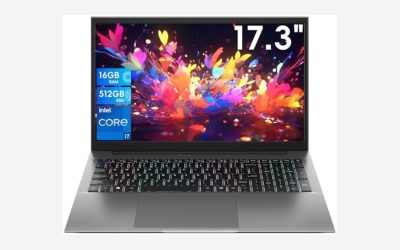
| OTVOC 15.6 | 15.6-inch, new | Core 8100Y, 4GB SO-DIMM, 128GB SSD, FHD IPS, upgradeable RAM and SSD | Upgrade path on a tight budget |
| AHUIEW 15.6 | 15.6-inch, new | Core i5-7Y57, 4GB SO-DIMM, 128GB SSD, FHD IPS, upgradeable RAM and SSD | Same use case as the OTVOC |
| PADIX 15.6 | 15.6-inch, new | N4020, 4GB DDR4, 128GB eMMC, FHD LCD, TF card up to 1TB | Basic browsing and documents |
| Phatom 15.6 | 15.6-inch, new | 4GB RAM, 128GB SSD, 1080P IPS, CPU not stated, “Windows 11 Compatible” | Only after confirming the CPU |
| HP 14 Celeron | 14-inch, renewed | Celeron dual-core up to 2.60GHz, 4GB RAM, 64GB SSD, HD, Win 11 | Single-task web use |
The eight listings, one by one
Dell 15.6 Laptop with Ryzen 5 7520U (DC15255)
This is the only new, name-brand 15.6-inch machine in the group with a 512GB SSD, and the title lists a full HD IPS screen running at 120Hz, which is unusual at this level. The processor is a Ryzen 5 7520U with Radeon 610M graphics, enough for office suites, streaming and a crowded browser. Memory is listed as LPDDR5, but the capacity is not in the title, so find that number on the listing before you pay. Low-power LPDDR5 is frequently soldered to the board, which means what you buy is what you keep. Compared with the 4GB listings, this is the one where the price premium has visible spec backing, so it is easiest to justify if the laptop has to last through several school years or a full work-from-home setup.
Pros
- 512GB SSD gives room for a full year of files
- FHD IPS panel with a stated 120Hz refresh rate
- Wi-Fi 5 and Bluetooth listed, Windows 11 Home preinstalled
Cons
- RAM capacity is missing from the title
- Likely not upgradeable if the memory is soldered; check the listing
- Costs noticeably more than the sub-tier entries here
Who it’s for: students and home-office users who want one laptop to last several years. Who should skip it: anyone shopping strictly at the bottom of the price range.
Dell Latitude 5420 14-inch (Renewed)
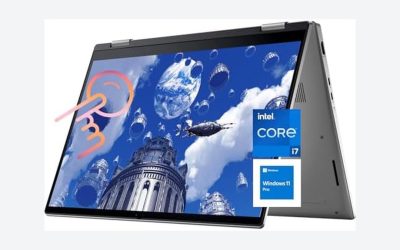
Latitude is Dell’s business line, and this configuration stands out in the group for its 16GB of DDR4 and a quad-core Core i5-1145G7, with a 256GB SSD, HDMI, a camera and Windows 11 Pro. On specifications alone, it outclasses every 4GB listing here for multitasking. The catch is the word Renewed: battery wear, cosmetic condition and the seller’s warranty vary, and “renewed” grades differ between programs. Read the return window and warranty text before ordering, and plan for the battery to be older than the rest of the machine. It also helps to ask whether the seller supplies a charger and whether the keyboard is the original layout, because business models were often used for years before resale and may show wear on frequently pressed keys.
Pros
- 16GB RAM is rare at this tier
- Windows 11 Pro adds business features such as device encryption options
- FHD 14-inch screen is easy to carry
Cons
- Renewed condition means the battery and finish are a gamble
- 256GB fills up faster than it sounds
Who it’s for: budget shoppers who prioritise RAM and are comfortable with refurbished hardware. Who should skip it: buyers who want a full new-product warranty and a fresh battery.
HP 14-inch Laptop with Intel N150 (14-dq6199nr)
HP bundles a one-year Microsoft 365 Personal subscription, which is real value if you would have bought Office anyway. The hardware is modest: an Intel N150, 4GB of RAM, 128GB of UFS storage and an HD display, with Windows 11 Home. HD resolution on a 14-inch panel looks soft next to the full HD screens above, and 4GB leaves little headroom once a browser and a document are open together. Treat it as a first laptop for a younger student rather than a primary work machine. If you are weighing it against the Dell above, the gap is mostly RAM, screen sharpness and storage room, and those are the three things that decide whether a budget laptop still feels fine in month twelve.
Pros
- Microsoft 365 Personal for one year included
- Compact 14-inch format and a recognised brand
- Windows 11 Home preinstalled
Cons
- 4GB of RAM is thin for current Windows
- HD display, not full HD
- UFS storage is not the same as a standard replaceable SSD; check the listing
Who it’s for: light homework, streaming and email on a short budget. Who should skip it: anyone who keeps many tabs or spreadsheets open.
OTVOC 15.6-inch Laptop (Core 8100Y)
The selling point is spelled out in the title: 4GB of SO-DIMM RAM plus an SSD, both described as upgradeable, behind a 15.6-inch FHD IPS display with a 2MP webcam, a cooling fan, Type-C and HDMI. A fan and a standard SO-DIMM slot are encouraging at this price, because you can add memory later instead of replacing the whole machine. The processor is named Core 8100Y, a low-power part, so expect everyday office speed rather than quick exports. Confirm the maximum supported RAM and the SSD type with the seller before buying upgrade parts. Because the listing says nothing about battery capacity, charger wattage or chassis material, treat those as unknowns and look for them in the product details section rather than assuming a standard answer.
Pros
- RAM and SSD described as upgradeable
- FHD IPS screen and a cooling fan
- Type-C and HDMI ports listed
Cons
- Only 4GB out of the box
- Little-known brand, so warranty and support depth are unclear
Who it’s for: tinkerers willing to add a stick of RAM after delivery. Who should skip it: buyers who want a brand with dependable local service.
AHUIEW 15.6-inch Laptop (Core i5-7Y57)
Read this one next to the OTVOC, because the listing copy is nearly identical: 4GB SO-DIMM, 128GB SSD, upgradeable RAM and SSD, FHD IPS, 2MP webcam, fan, Type-C and HDMI. The difference is the processor name, Core i5-7Y57, which reads like an older low-power part, so do not assume an i5 label means the speed of a modern i5. That naming is a reminder that generation matters more than the i3, i5 or i7 badge. If both listings cost about the same, pick the one with clearer seller information and a better return policy, and ask about the warranty length in writing. Another practical step is to compare the photographed ports and keyboard layout, since two listings with identical copy can ship slightly different hardware from different suppliers.
Pros
- Upgradeable RAM and SSD claimed
- FHD IPS panel with HDMI and Type-C
Cons
- Processor name suggests an older design; check the listing for details
- 4GB starting RAM
- Brand has limited visible support information
Who it’s for: shoppers choosing between near-identical budget configs who value upgrade options. Who should skip it: anyone who needs current-generation processor efficiency.
PADIX 15.6-inch Laptop (N4020)
PADIX pairs an N4020 processor with 4GB of DDR4 and 128GB of eMMC, and mentions that a TF card up to 1TB can be added. The title says “FHD LCD” without naming IPS, so viewing angles are unknown. eMMC is soldered flash that tends to be slower than an SSD for installs, updates and loading heavy apps, and it is not designed to be swapped. The TF card helps with photos and documents but does not speed up Windows itself, which still lives on the eMMC. If the listing price is low enough that it works as a backup computer, the compromise can make sense. Pair it with a cloud account for important files, and expect longer waits whenever Windows installs a large update, and avoid filling the drive with local video or photo libraries.
Pros
- Full HD class display at a very low price tier
- TF card slot for cheap extra storage
Cons
- eMMC storage is slower than an SSD
- 4GB RAM; upgradeability not stated
- Panel type is not specified
Who it’s for: occasional web browsing and document edits. Who should skip it: students running video calls plus a browser all day.
Phatom 15.6-inch FHD Laptop (processor not named)
This listing mixes helpful and unhelpful claims. It names 4GB RAM, a 128GB SSD, a 1080P IPS panel and a stated weight of 3.46 lb, but it never names the processor, which is the single most important spec. The phrase “Windows 11 Compatible” is also ambiguous, since it can mean Windows is preinstalled or only that the hardware can run it. The title is crowded with search terms such as “Business Laptops 2026”, which is a marketing habit rather than a specification. Do not buy without the processor model, the exact Windows edition and the return terms stated in the listing, and compare it against the OTVOC before deciding. A seller who is happy to name the chip, the Windows edition and the battery capacity is usually a seller who expects questions, and that is a better sign than a long list of adjectives.
Pros
- 1080P IPS panel and SSD storage stated
- HDMI, webcam and fan are listed
Cons
- CPU unknown from the title
- Windows status unclear
- Keyword-stuffed listing text
Who it’s for: nobody until the missing details are confirmed. Who should skip it: buyers who need certainty about what is inside.
HP 14-inch Laptop with Celeron (Renewed)
The cheapest-looking spec sheet here: a dual-core Celeron processor up to 2.60GHz, 4GB of RAM, a 64GB SSD, an HD display and a webcam, with Windows 11 and Renewed status. A 64GB drive is right on the Windows 11 minimum, so after the system, updates and a few apps, little room remains. This works as a single-purpose web and email terminal, or a spare for a child, with files kept on a cloud account or USB drive. Anything beyond that, and the 4GB and 64GB limits become annoying within weeks. If you buy it, set up a standard user account for daily tasks, keep Windows Update running overnight, and leave at least 10GB of drive space free so that large updates do not stall.
Pros
- Very low entry cost for a branded laptop
- Light 14-inch format
Cons
- 64GB leaves almost no free space after updates
- Renewed unit with unknown battery health
- HD screen
Who it’s for: a spare machine for web pages and email. Who should skip it: anyone planning to install apps, edit documents heavily or keep local files.
How we picked these
We started from the listings available for this keyword and kept the ones that clearly name a laptop, a Windows 11 edition and a storage size. Two listings were left out: the Amzboy 15.6-inch (almost the same spec line as the PADIX) and the Dell Latitude 3190 11.6-inch 2-in-1, whose small screen suits a narrower audience. We then compared RAM, storage type, display and condition, and flagged anything missing or ambiguous. Nobody on the team used or measured these units. Our basis is published specifications, manufacturer documentation and buyer reviews, and every spec above is a seller claim until you confirm it on the listing.
What a budget Windows laptop has to clear
The Windows 11 floor, and why the floor is not the goal
Microsoft lists 4GB of RAM, 64GB of storage, a 64-bit processor with two or more cores, and TPM 2.0 as the minimum for Windows 11. Several listings here sit exactly on that line, and a machine that technically installs the OS may still feel slow once updates and a browser arrive. For a laptop you will rely on, treat 8GB as the working minimum and 4GB as a “light use only” tier. Also check whether the title says Windows 11 is installed or merely supported. Windows 11 Home and Pro differ mainly in business features, so Home is fine for study and household use, while Pro matters if an employer asks for domain join or managed encryption.
RAM: soldered or slotted
Memory that can be replaced is the cheapest way to extend a budget laptop’s life. The OTVOC and AHUIEW titles mention SO-DIMM, the replaceable laptop module, while the Dell Ryzen entry lists LPDDR5, a type commonly soldered. A laptop with 4GB soldered is stuck at 4GB. Before ordering an upgrade stick, look up the maximum capacity and speed in the seller’s documentation, and consider reading our guide to laptops with upgradeable RAM for the general approach.
eMMC, UFS and SSD are not the same thing
Storage labels vary across these titles: SSD on four, eMMC on one, UFS on one. A real SSD usually boots faster and handles Windows updates better than eMMC. UFS is a newer flash standard but, like eMMC, is normally soldered, so you cannot replace it with a bigger drive. When capacity is 128GB, plan on roughly a third being taken by Windows, updates and bundled software. Move photos and downloads to a cloud folder or an external drive early, and use Windows Storage Settings to see where space is going before the disk gets crowded.
Screen: resolution, panel type and what 120Hz means for work
HD on a 14-inch screen looks noticeably less sharp than FHD at the same size, and text is the first thing to suffer. IPS panels hold colour better when you tilt the lid. A 120Hz refresh rate makes scrolling feel smoother but does little for productivity itself, so do not pay extra for it unless the rest of the specs are already sound. Brightness is the other quiet spec: the listings here mostly leave nits out, so look at buyer photos taken near a window if you work in a bright room.
Red-flag decoder for listing titles
| Phrase in the title | What it can mean | What to check |
|---|---|---|
| Windows 11 Compatible | The OS may not be installed | Product details and Q&A |
| Renewed | Refurbished unit, variable battery | Warranty length and return window |
| Intel CPU (no model) | Model hidden | Exact processor name |
| 128GB eMMC or UFS | Soldered flash storage | Whether any slot exists |
| Business Laptops 2026 | Search keyword, not a feature | Windows edition and security features |
| Core i5 (older model number) | Possibly old low-power chip | Generation and wattage class |
A worked example with two spec lines
A quick worked example: a 4GB, 128GB eMMC, HD-screen laptop clears two of the three red flags above and is only worth considering for light, single-task use. A 16GB, 256GB SSD, FHD machine, even renewed, handles three times as many open apps without strain, provided the battery check passes.
Mistakes buyers make
The most common error is judging by the processor badge. A Core i5 label on an older low-power chip can be slower than a newer Ryzen 5 or a plain Intel N-series part. The second is ignoring RAM until after the laptop arrives, which turns a cheap purchase into a frustrating one. Third, buyers assume cloud storage in a bundle replaces local disk space; a 1TB cloud perk does not help when a laptop has 128GB of local storage and the apps still live on it.
A fourth mistake is accepting a renewed laptop without reading the return policy, since a battery that lasts only a couple of hours is a common complaint with used hardware. Fifth, many people pay extra for a high refresh rate on a machine whose memory is the real limit. Finally, shoppers skip the charger: check that the listing names the power adapter and that your preferred outlet type is supported, or you may end up buying one separately.
Verdict
Pick the Dell Ryzen 5 DC15255 if you can stretch the budget; it is the most complete package here, with an SSD and a screen that will not feel dated quickly. If you need maximum RAM for the lowest outlay and can live with a renewed battery, the Dell Latitude 5420 is the practical value choice. The OTVOC and AHUIEW make sense only for people who will upgrade the 4GB themselves. Skip the Phatom until its processor is named, and keep the PADIX and the two HP models for light, single-task roles.
Related guides
- How To Stop Laptop Thermal Throttling In Software
- Gaming Laptop For High School Students
- Screen Refresh Rate For Laptops Explained
Frequently asked questions
How much RAM should a budget Windows laptop have?
Aim for 8GB if you can find it. Four gigabytes meets the Windows 11 minimum but gets crowded with a browser, a video call and a document open together. If a laptop has 4GB, make sure the RAM is a replaceable SO-DIMM module so you can add more later, and check the maximum supported capacity first.
Is eMMC storage good enough for Windows 11?
It works, but it is slower than a real SSD, and updates take longer. eMMC is soldered, so you cannot swap it for a bigger drive. It suits light, single-purpose laptops. For anything you rely on every day, a laptop with an SSD of 256GB or more is a safer choice.
Are renewed laptops worth buying on a budget?
They can be, especially for extra RAM. The risks are battery wear and variable cosmetic condition. Check the warranty length, the return window and who handles the renewal. If the listing does not state a battery health guarantee, treat the battery as a possible near-term cost and budget for a replacement.
Does a Microsoft 365 subscription in the box matter?
It is useful only if you would otherwise pay for Office. Subscriptions are time-limited and need to be activated, so read the terms. Some listings advertise Office 365 for the web, which is a browser version without the full desktop apps. Confirm which one you are getting, and note the date the offer must be activated by.
Can a TF or microSD card expand storage?
Yes, where a card slot exists, and it helps with photos, documents and media. It does not replace the main drive, and Windows and your apps will still sit on the built-in storage. Card speeds vary, so a fast card is better for file work than a bargain one.