Acer’s Nitro naming is confusing, and the confusion matters more than any single spec. In the listings we compared, “Nitro 16S AI”, “Nitro V 16S AI”, “Nitro V 16 AI” and plain “Nitro V” all appear, with RTX 5060 and RTX 5050 graphics, Ryzen and Intel processors, and RAM that ranges from 8GB to 32GB. The listing that matches your keyword most closely is the Acer Nitro 16S AI Copilot+ PC, model AN16S-61-R7YL, with a Ryzen AI 7 350, an RTX 5060 laptop GPU, 16GB DDR5, a 1TB Gen 4 SSD and a 16-inch WUXGA 180Hz IPS screen.
This article is written by the Editorial team, using published specifications, manufacturer documentation and buyer reviews. Nobody on the team has handled these laptops, so there are no thermal readings or frame rates below. What we can do is read the titles closely, point out where they conflict, and help you pick the configuration that deserves your money.
Our Top Picks
 Acer Nitro V 16 AI Gaming Laptop 16"16GB DDR5 | 512GB SSD10.9 x 14.2 x 0.96 Inches5.38 poundsCheck on Amazon
At a glance

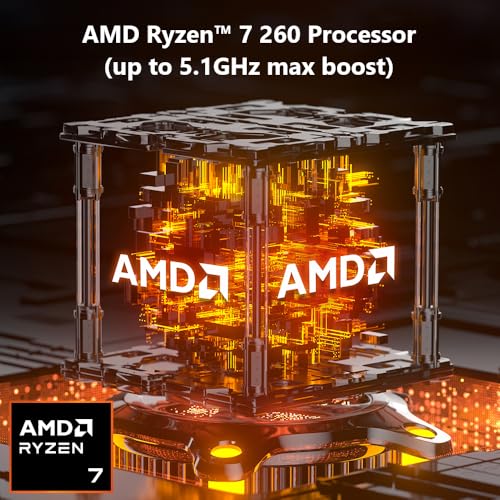
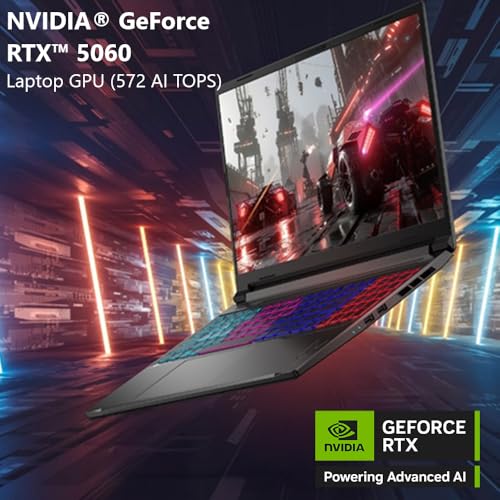
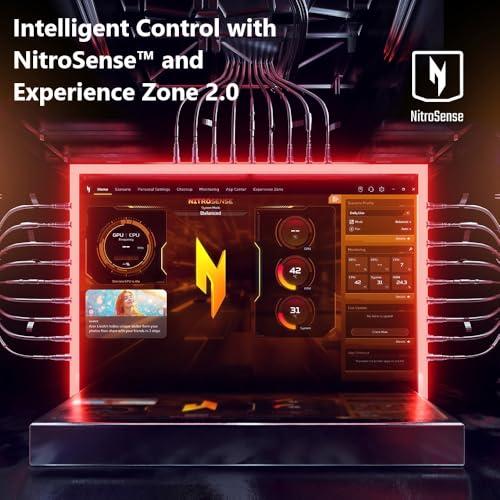
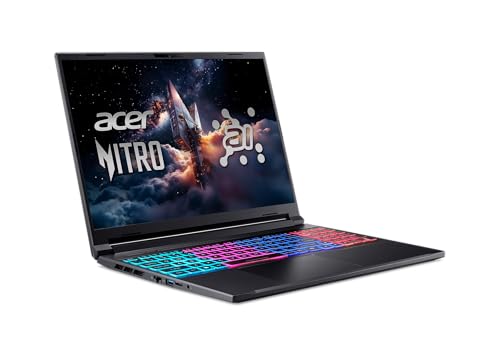
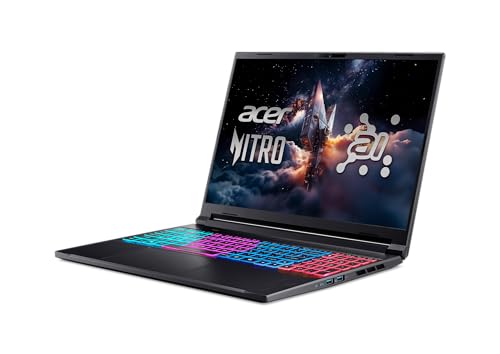
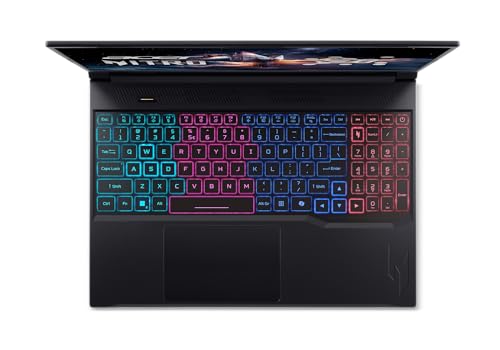
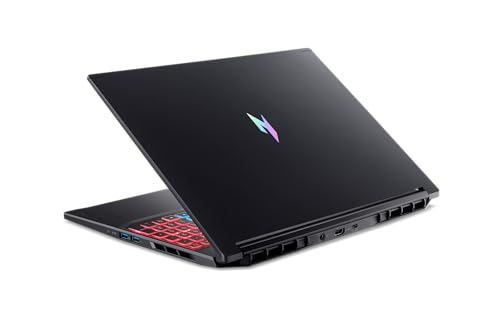
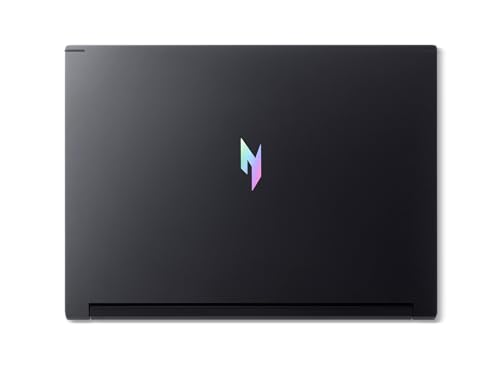
Acer Nitro V 16S AI Gaming Laptop | AMD Ryzen 7 260 Processor | NVIDIA GeForce RTX 5060 Laptop GPU (572 AI Tops) | 16" WUXGA IPS 180Hz Display | 32GB DDR5 | 1TB Gen 4 SSD | Wi-Fi 6 | ANV16S-41-R2AJ





As an Amazon Associate we earn from qualifying purchases. Product prices and availability are accurate as of the date/time indicated.

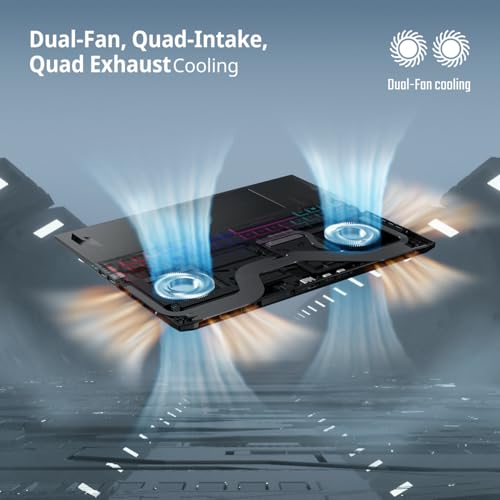
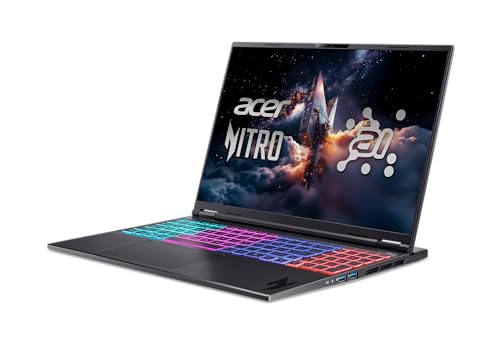
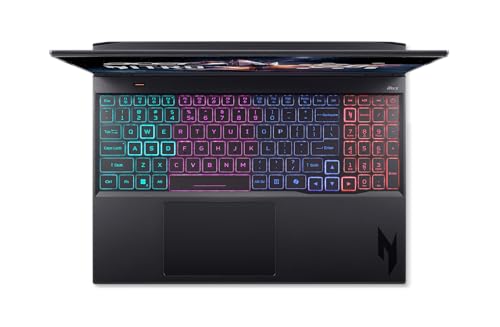
Acer Nitro 16S AI Copilot+ PC Gaming Laptop | AMD Ryzen AI 7 350 Processor | NVIDIA GeForce RTX 5060 Laptop GPU | 16" WUXGA IPS 180Hz Display | 16GB DDR5 | 1TB Gen 4 SSD | Wi-Fi 6E | AN16S-61-R7YL






As an Amazon Associate we earn from qualifying purchases. Product prices and availability are accurate as of the date/time indicated.

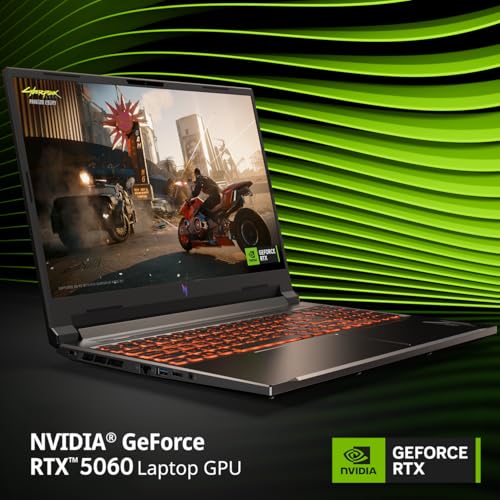
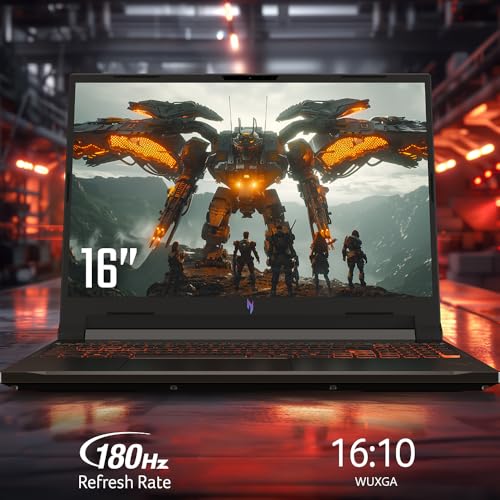
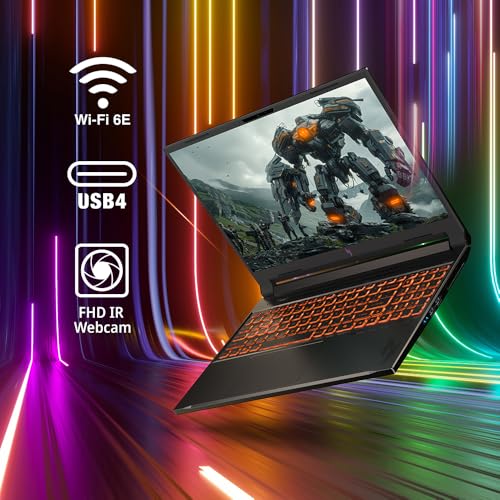
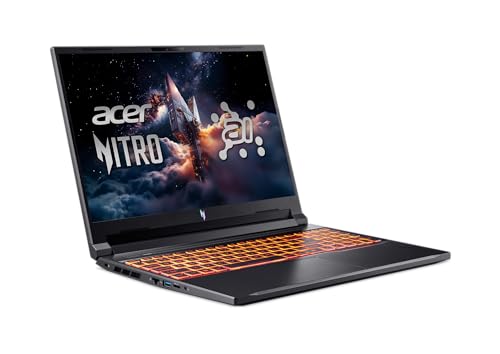
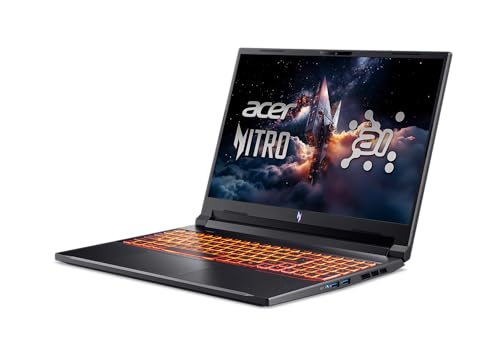
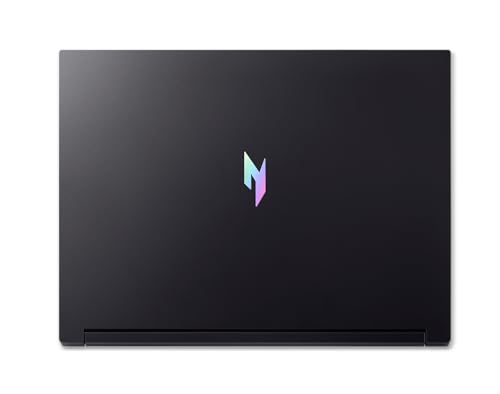
Acer Nitro V 16 AI Copilot+ PC Gaming Laptop | AMD Ryzen AI 5 340 Processor | NVIDIA GeForce RTX 5060 Laptop GPU | 16" WUXGA IPS 180Hz Display | 16GB DDR5 | 512GB Gen 4 SSD | Wi-Fi 6E | ANV16-61-R2QY









As an Amazon Associate we earn from qualifying purchases. Product prices and availability are accurate as of the date/time indicated.

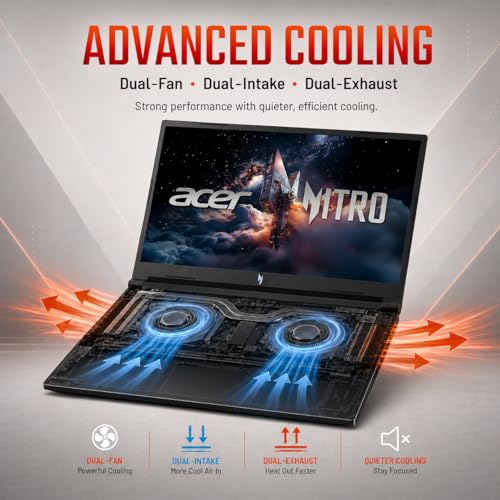
Acer Nitro V 16 AI WUXGA 180Hz IPS Gaming Laptop, Ryzen AI 7 350, NVIDIA RTX 5060 with 8GB GDDR7 VRAM, 16GB DDR5 RAM, 1TB PCIe Gen4 SSD, Copilot PC Laptop, Win 11




As an Amazon Associate we earn from qualifying purchases. Product prices and availability are accurate as of the date/time indicated.

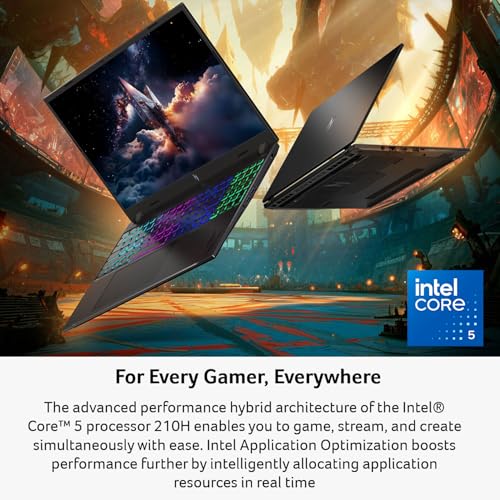
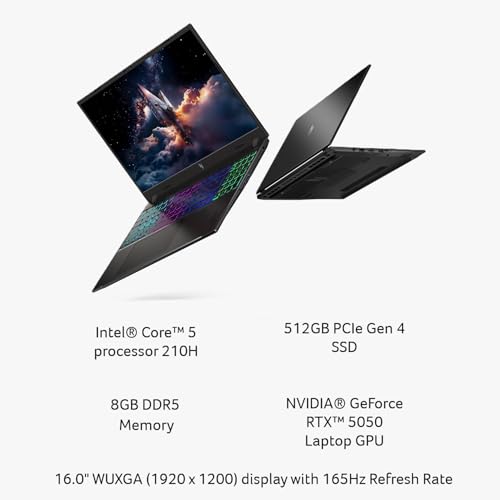
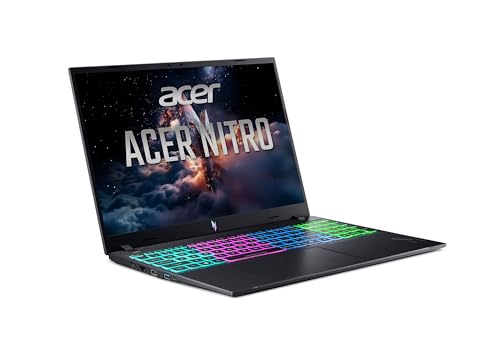
Acer Nitro V Gaming Laptop | Intel Core 5 Processor 210H | NVIDIA GeForce RTX 5050 Laptop GPU | 16" WUXGA IPS 165Hz Display | 8GB DDR5 | 512GB Gen 4 SSD | Wi-Fi 6 | Backlit Keyboard | ANV16-I31-54PT







As an Amazon Associate we earn from qualifying purchases. Product prices and availability are accurate as of the date/time indicated.
Acer Nitro V 16 AI Gaming Laptop 16" WUXGA IPS 180Hz AMD 6-core Ryzen 5 240 16GB DDR5 512GB SSD GeForce RTX 5050 GDDR7 (Up to 421 AI Tops) Backlit Wi-Fi6E Type-C Win11 ICP Acc


As an Amazon Associate we earn from qualifying purchases. Product prices and availability are accurate as of the date/time indicated.

Acer Nitro V Gaming Laptop | Intel Core 7 Processor 240H | NVIDIA GeForce RTX 5050 Laptop GPU | 16" WUXGA IPS 180Hz Display | 16GB DDR5 | 1TB Gen 4 SSD | Wi-Fi 6 | Backlit KB | ANV16-72-73EW



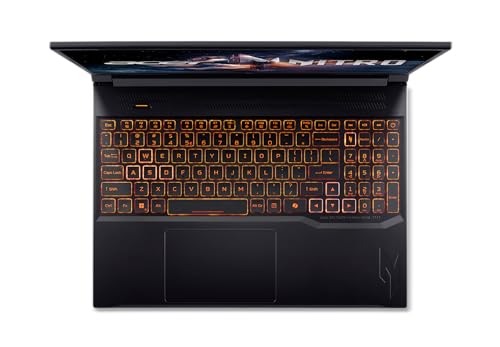
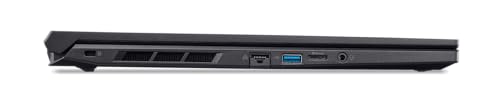
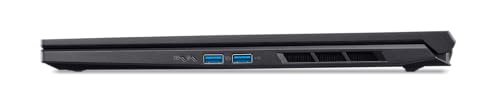

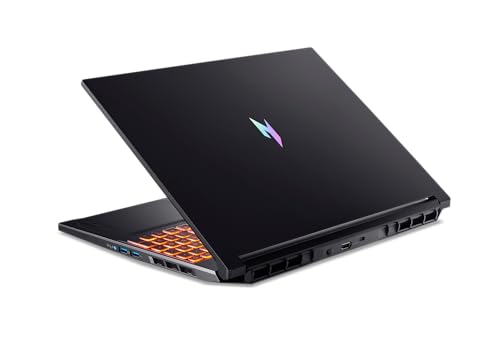
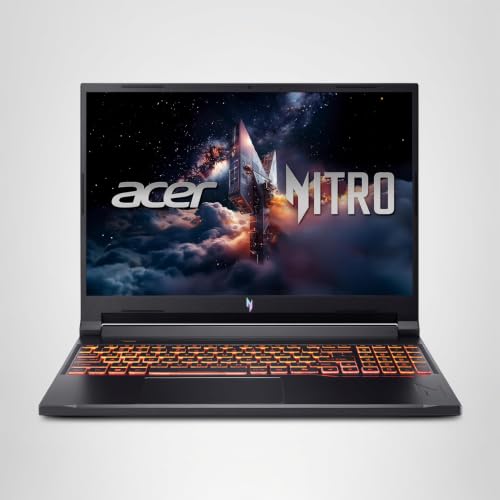
As an Amazon Associate we earn from qualifying purchases. Product prices and availability are accurate as of the date/time indicated.
| Model (code) | Key points from the title | Price tier | Best for |
|---|---|---|---|
| Nitro 16S AI Copilot+ (AN16S-61-R7YL) | Ryzen AI 7 350, RTX 5060, 16GB DDR5, 1TB Gen 4 SSD, 180Hz, Wi-Fi 6E | Mid-range | The closest match to the keyword |
| Nitro V 16S AI (ANV16S-41-R2AJ) | Ryzen 7 260, RTX 5060 (572 AI TOPS), 32GB DDR5, 1TB Gen 4 SSD, Wi-Fi 6 | Premium (top of this set) | Buyers who want 32GB of RAM |
| Nitro V 16 AI (ANV16-61-R2QY) | Ryzen AI 5 340, RTX 5060, 16GB DDR5, 512GB Gen 4 SSD, Wi-Fi 6E | Budget | The lowest price in the set with an RTX 5060 |
| Nitro V 16 AI (B0H4G559VC) | Ryzen AI 7 350, RTX 5060 8GB GDDR7, 16GB DDR5, 1TB PCIe Gen4 | Mid-range | Another 16GB/1TB RTX 5060 option |
| Nitro V (ANV16-I31-54PT) | Core 5 210H, RTX 5050, 8GB DDR5, 512GB, 165Hz, Wi-Fi 6 | Mid-range (weak value) | Rarely the best use of money |
| Nitro V 16 AI (B0GRVNHP3S) | Ryzen 5 240, RTX 5050 GDDR7, 16GB DDR5, 512GB SSD, Wi-Fi 6E | Budget | Entry-level RTX 5050 with 16GB |
| Nitro V (ANV16-72-73EW) | Core 7 240H, RTX 5050, 16GB DDR5, 1TB Gen 4 SSD, Wi-Fi 6 | Mid-range | RTX 5050 with a larger drive |
Tiers are relative inside this group and based on listing prices at the time the data was gathered. Check the current price on each listing.
Who the Nitro 16S AI suits, and who should skip it
The 16S AI listing is aimed at a buyer who wants a mainstream 16-inch gaming laptop with a current RTX 5060 chip, a 180Hz screen, a roomy SSD and Copilot+ branding, without stepping up to the premium tier of the market. That describes a student who games in the evenings, a streamer starting out, or someone replacing an older GTX-era laptop.
It is a less comfortable fit for others:
- Players who want the highest settings at higher resolutions. The WUXGA panel has 1920×1200 pixels, and an RTX 5060 laptop chip is positioned as a mainstream part. For 1440p or 4K gaming, look at a higher tier, such as the MSI Vector 16 HX AI.
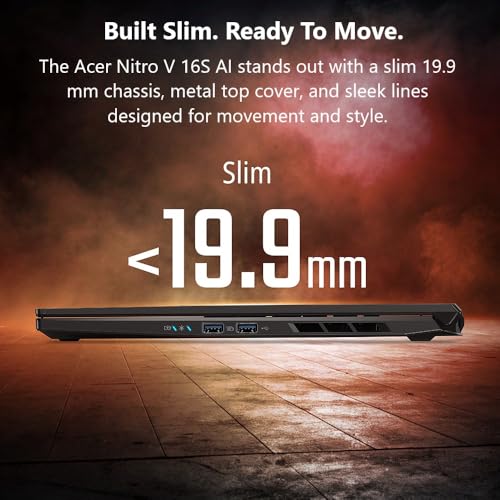
- People who want portability first. A 16-inch gaming laptop is not thin. For something lighter, the MSI Stealth A16 AI+ is aimed at that goal.
- Buyers on a tighter budget. The Acer Nitro V 15 write-up covers the lower-cost configurations in the family.
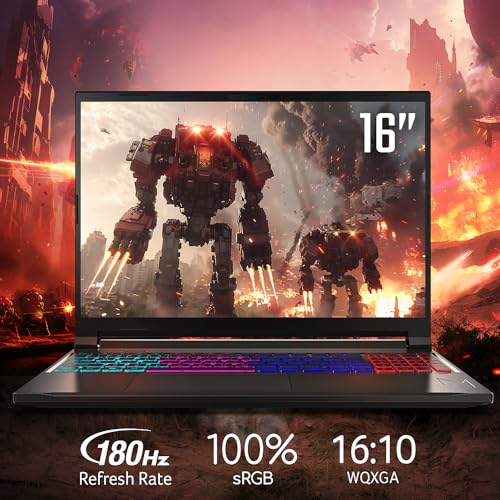
- Anyone who needs a great display for creative work. The titles say IPS and 180Hz, but colour coverage and brightness are not stated.
What the title does and does not tell you
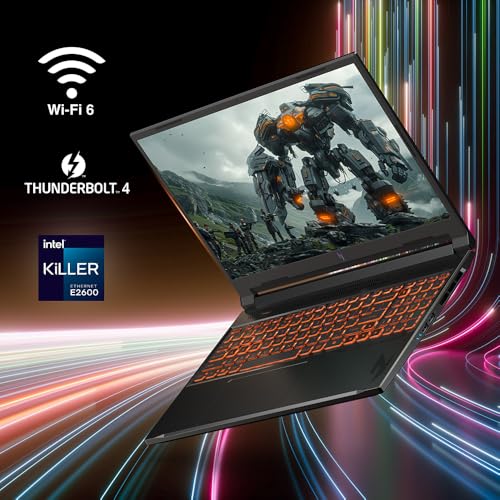
The AN16S-61-R7YL title gives the processor (Ryzen AI 7 350), the graphics (RTX 5060 laptop GPU), the screen (16-inch WUXGA IPS, 180Hz), memory (16GB DDR5), storage (1TB Gen 4 SSD), Wi-Fi 6E and the Copilot+ label. It does not give the following, so verify them on the product page or in Acer documentation:
- Graphics power limit. The same chip name can run at different wattages in different laptops.
- Whether the RAM is upgradeable. The title says 16GB but not whether a slot is free.
- Battery capacity and adapter wattage.
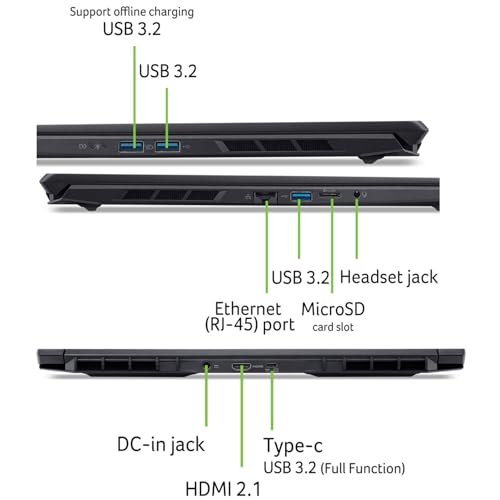
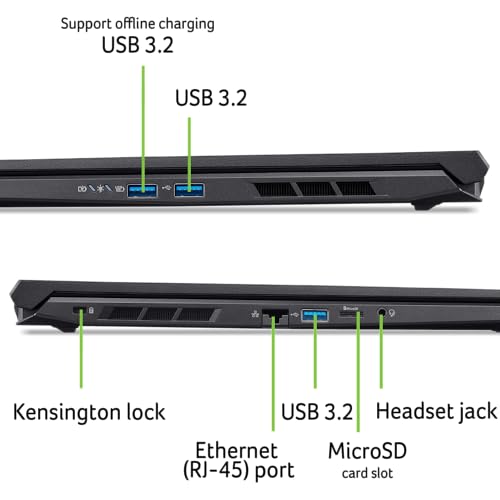
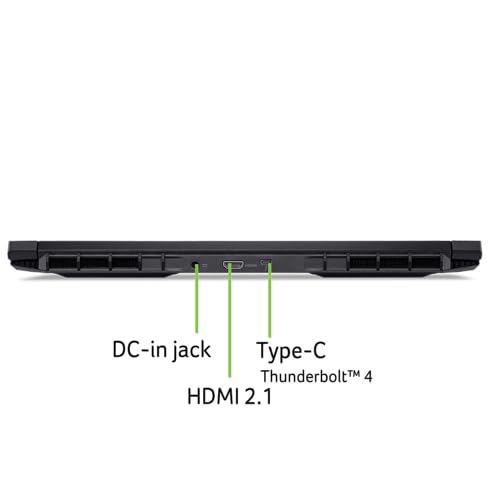
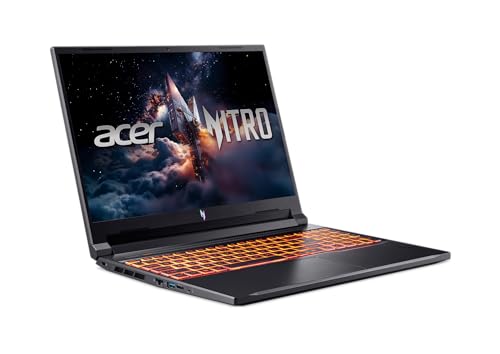
- Port selection, webcam, keyboard lighting and weight.
- Operating system. Titles for this model do not name it, though Copilot+ branding implies a Windows PC, so verify.
The “16S” in the name hints at a variant of the 16-inch Nitro, but the titles do not say what changes. Treat it as a naming clue, not a spec, and check the manufacturer page for any difference in chassis or cooling. The “Copilot+ PC” label refers to a Microsoft program for laptops with on-device AI hardware. It describes features, not gaming speed, and it should not drive your decision.
Spec claims in titles are seller claims. The “572 AI TOPS” figure on the Nitro V 16S AI listing and the “421 AI TOPS” figure on another listing are marketing numbers for the whole system. They say nothing about frame rates, so ignore them when comparing for gaming.
Questions to ask before you buy
- Is the RAM 16GB because it is soldered, or can I add more later?
- Does the listing name the operating system, and is it included?
- Is a 1TB drive enough for my library, or would 512GB feel cramped within a month?
- Who is the seller, and who handles warranty repairs?
- Is the adapter included, and what is its wattage?
- Do I need the 180Hz screen, or would the price difference be better spent on RAM or storage?
The 16S line: two listings
Acer Nitro 16S AI Copilot+ PC (AN16S-61-R7YL)
This is the model the keyword points to. On paper it is a sensible, balanced build: the Ryzen AI 7 350 handles games and everyday multitasking, the RTX 5060 sits at a mainstream level for 1080p-class gaming, 16GB of DDR5 is the common minimum for today’s titles, and 1TB of Gen 4 storage is comfortable. Wi-Fi 6E is a small plus over Wi-Fi 6 on crowded home networks if your router supports it.
The compromise is memory. Sixteen gigabytes is enough for most games, but it leaves less room for a browser with many tabs, a streaming program and a game at once. The sibling listing doubles it. The price tier is mid-range in this set, below the 32GB model.
- Pros: RTX 5060 and 1TB storage both listed, 180Hz screen, Wi-Fi 6E, clear model code.
- Cons: 16GB RAM only, price is higher than the cheapest RTX 5060 option in the set, and “Copilot+” does not help gaming.
- Check the listing for: RAM slot layout, battery size, adapter wattage, warranty.
- Question to ask: will 16GB still feel adequate in a year or two?
Acer Nitro V 16S AI (ANV16S-41-R2AJ)
The Nitro V 16S AI listing is the most expensive in the set. It lists a Ryzen 7 260 processor, an RTX 5060 laptop GPU, 32GB of DDR5, a 1TB Gen 4 SSD and Wi-Fi 6. It shares the same graphics chip name as the AN16S listing, so you are paying for the extra 16GB of RAM and a different processor, not for faster graphics (unless the power limits differ, which the title does not say). It uses the older Wi-Fi 6 standard, and it drops the Copilot+ label.
Is 32GB worth the premium? For gaming alone, probably not for everybody. For people who stream, edit video, run several apps at once or keep a lot of browser tabs open, it may be. Compare the price difference with the cost of adding RAM later, if the laptop supports it.
- Pros: 32GB DDR5, RTX 5060, 1TB drive.
- Cons: highest price tier in the set, Wi-Fi 6 only, same graphics chip as cheaper listings.
- Check the listing for: processor details, memory configuration, and whether the “V” differs from the plain Nitro in chassis and cooling.
Alternatives from the same family
Acer Nitro V 16 AI (ANV16-61-R2QY)
The cheapest RTX 5060 listing here, at the lowest price tier in the set, with a Ryzen AI 5 340, 16GB of DDR5 and a 512GB Gen 4 SSD. The compromise is storage: 512GB fills quickly once you install a few big games. If you are comfortable adding a second drive later (confirm that a slot is free) or relying on external storage, this is the value pick.
- Pros: RTX 5060 at the lowest price tier, 16GB DDR5, Wi-Fi 6E.
- Cons: 512GB storage, lower-tier Ryzen AI 5 340 than the other 5060 listings.
Acer Nitro V 16 AI with Ryzen AI 7 350 (B0H4G559VC)
This listing matches the AN16S specifications closely: Ryzen AI 7 350, RTX 5060 (named with 8GB GDDR7 VRAM), 16GB of DDR5, a 1TB PCIe Gen4 SSD and Copilot PC branding. The title does not list a model code or Wi-Fi standard, so it is harder to check against the manufacturer’s page. If it costs less than the AN16S, it is a reasonable alternative, but ask the seller for the exact model number before you pay.
- Pros: VRAM size stated, 16GB and 1TB, same processor class as the AN16S.
- Cons: no model code or Wi-Fi standard in the title, which makes verification harder.
Acer Nitro V (ANV16-I31-54PT)
The weakest configuration in the set: Intel Core 5 210H, RTX 5050, only 8GB of DDR5 and a 512GB SSD, with a 165Hz panel. Eight gigabytes of RAM is tight for current games and Windows together. At the price we saw in our data, this listing sat in the same band as better-equipped options, including some with an RTX 5060, 16GB and 1TB. Unless the price has dropped sharply when you read this, it is hard to justify.
- Pros: backlit keyboard listed, 165Hz screen.
- Cons: 8GB RAM, 512GB storage, weaker GPU tier, poor value at its listed price.
Acer Nitro V 16 AI with Ryzen 5 240 (B0GRVNHP3S)
A cheaper RTX 5050 option with a 6-core Ryzen 5 240, 16GB of DDR5 and a 512GB SSD, plus Wi-Fi 6E and USB-C. The title is cluttered and ends with an unexplained “ICP Acc”, which may refer to a bundled accessory or a seller code, so ask what it means. It is a reasonable starter laptop if budget is the priority, but the RTX 5050 is a step below the 5060 and 512GB is small.
- Pros: lower price tier, 16GB RAM, Wi-Fi 6E.
- Cons: RTX 5050 graphics, 512GB storage, unclear “ICP Acc” wording.
Acer Nitro V (ANV16-72-73EW)
An Intel Core 7 240H, an RTX 5050, 16GB of DDR5 and a 1TB Gen 4 SSD. The 16GB and 1TB combination fixes the main weaknesses of the cheaper RTX 5050 listings, but you still have the RTX 5050 graphics tier, and the price is close to the AN16S with its RTX 5060. If both are available at similar prices, the 5060 listing is the stronger buy.
- Pros: 16GB and 1TB, backlit keyboard listed, Intel processor option.
- Cons: RTX 5050 graphics, Wi-Fi 6 rather than 6E, close in price to stronger configs.
Naming traps and other mistakes to avoid
With seven near-identical names in one family, the commonest error is buying the wrong listing. These are the mistakes that buyer reviews of laptop families like this tend to highlight, and that this set invites:
- Assuming the same GPU name means the same speed. Two laptops can both say RTX 5060 and perform differently, depending on power limits and cooling. The titles here do not give wattage.
- Paying for AI branding. Copilot+ and AI TOPS labels describe features unrelated to frame rates. A cheaper listing without them may game just as well.
- Ignoring the model code. Codes such as AN16S-61-R7YL or ANV16-72-73EW let you search the manufacturer’s page for the exact ports, battery and warranty. One listing in this set (B0H4G559VC) has no code in the title.
- Buying 8GB of RAM. It is the one spec that tends to age badly, and it is hard to justify at this price level.
- Treating all 180Hz screens as equal. Refresh rate says nothing about brightness, colour accuracy or response time. Look for buyer comments on the display.
- Skipping the return policy. If a laptop runs hot or loud for your taste, you want a clear window to send it back.
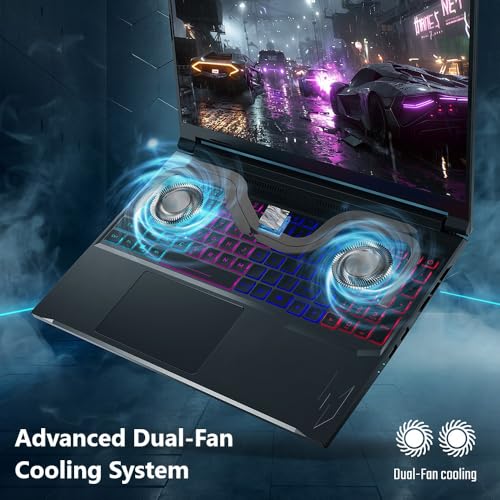
A final reminder on cooling: gaming laptops draw a lot of power under load, and fan noise is a common complaint across the category. If you play in a quiet room, headphones or a cooling-friendly desk setup may matter as much as the model you pick.
Buying checklist, with a worked example
| Spec concept | What to look for | Why it matters |
|---|---|---|
| GPU tier | RTX 5060 vs RTX 5050, and the power limit | Drives frame rates more than any other part |
| RAM | 16GB minimum, 32GB for multitasking | 8GB is tight for current games |
| Storage | 1TB preferred, a free M.2 slot | 512GB fills quickly |
| Display | Refresh rate, resolution, brightness | 180Hz helps only if frames keep up |
| Model code | A full code such as ANV16-72-73EW | Makes warranty and support lookups possible |
Worked example: is 512GB or 1TB the better value?
These figures are assumptions for illustration. Suppose you install four games at an average of 70GB each (280GB), and leave 20% of a 512GB drive free for performance. Windows and apps take about 120GB, so you start with roughly 512 x 0.8 = 410GB usable, minus 120GB, minus 280GB, leaving about 10GB of headroom. One more game and you must uninstall something.
On a 1TB drive the same calculation gives about 800GB, minus 120GB, minus 280GB, which leaves about 400GB of headroom, or five more games of that size. These use nominal capacity; real usable space is a little lower, so treat the headroom as an upper bound. If the price gap between a 1TB listing and its 512GB counterpart is small, the extra storage is likely a better deal than buying a separate drive later. Price differences vary, so work through the math with the actual numbers on the listings.
Before using any gaming laptop, follow the manufacturer’s instructions for the battery and charger. Keep vents clear, avoid using it on blankets or pillows, and stop using it if the battery swells or the case becomes unusually hot.
Verdict
If you want the model that matches the keyword, the AN16S-61-R7YL is a solid, balanced pick: an RTX 5060, 1TB and 180Hz at a mid-range tier, with 16GB of RAM as the one real compromise. Choose the Nitro V 16S AI if 32GB matters to you and the price premium is acceptable. If budget is the priority, the Ryzen AI 5 340 listing is the most affordable RTX 5060 option, and you should plan to add storage. Skip the 8GB Core 5 210H listing unless its price changes dramatically. For all of them, verify seller, model code and warranty first.
Frequently asked questions
What is the difference between the Acer Nitro 16S AI and the Nitro V 16S AI?
Going by the titles, the Nitro 16S AI (AN16S-61-R7YL) lists a Ryzen AI 7 350, 16GB of DDR5 and Wi-Fi 6E, while the Nitro V 16S AI (ANV16S-41-R2AJ) lists a Ryzen 7 260, 32GB of DDR5 and Wi-Fi 6. Both list an RTX 5060 and 1TB of storage. Check the Acer product pages for differences in chassis and cooling, and compare the power adapters, since the titles do not mention them.
Is the RTX 5060 good enough for 1080p gaming?
An RTX 5060 laptop chip is positioned as a mainstream graphics part, and a WUXGA (1920×1200) panel is within its target range. Results depend on the game, the settings and the laptop’s power limit. Nobody on the team has run this unit, so check buyer reviews for the games you play before deciding, and be cautious with any review that does not name the exact model code.
Is 16GB of RAM enough?
For most current games, 16GB of DDR5 is adequate, as long as you keep background apps under control. If you stream, edit video or keep many browser tabs open, 32GB gives more room. Ask the seller whether the memory is upgradeable, because the titles do not say, and check whether the second memory slot is accessible without voiding the warranty.
Does Copilot+ PC help with gaming?
No, not directly. Copilot+ is a Microsoft branding for laptops with on-device AI hardware, and it relates to AI features rather than gaming performance. The AI TOPS numbers in some titles are likewise marketing figures. When comparing for games, focus on the graphics chip and its power limit, RAM, cooling, storage and the screen. Those decide how the laptop performs in games.
Which Nitro listing should I avoid?
The 8GB Core 5 210H listing (ANV16-I31-54PT) is the hardest to recommend: 8GB of RAM, 512GB of storage and an RTX 5050 at a price in the same band as better-equipped laptops. Prices change, so check the current figure, but compare it with the 16GB and 1TB alternatives first. If the price has fallen sharply, it may become a fair budget option for light gaming, but 8GB of RAM remains a limit.
What should I check about the seller and warranty?
Confirm who is selling the laptop, what warranty comes with it, whether it is the full manufacturer warranty, and how returns work. The titles do not state these terms. Keep your receipt, register the product, and follow the manufacturer’s instructions for battery care and charger use. If the seller is a third party, ask how warranty claims are handled and whether the laptop ships with the original packaging.