A backlit keyboard earns its place when you type in a dim bedroom, on a night flight or in a lecture hall with the lights down, and the simplest way to get one is to buy a laptop whose title states it. All nine laptops below do. That leaves the machine around the keys as the real decision: the Dell with a Core Ultra 5 and 16GB suits steady office work, the Lenovo IdeaPad Slim 3 names the strongest processor in the group, a six-core Ryzen 5, and the two low-cost Aurant models fit light use only. A standalone USB keyboard rounds out the list as a labeled runner-up. Titles never say how adjustable the light is, so a checklist later shows what to confirm.
Our Top Picks
Top 3 picks at a glance
Quick picks
As an Amazon Associate we earn from qualifying purchases at no extra cost to you.


- Lenovo IdeaPad Slim 3 (Ryzen 5 5625U) – best for the strongest named processor with 16GB
- Dell 15.6 D15260 (Core Ultra 5 225U) – best for office work on a branded 16GB DDR5 machine
- BIRDPLAY 17.3 (Core i7) – best for a large screen with a numeric pad and 512GB
- HP OmniBook 3 17.3 2K – best for a larger, sharper-claimed screen with 512GB
- HP Omnibook 3 17 (Ryzen 3 30) – best for a 17.3-inch FHD IPS screen on a modest chip
- HP 17.3 Touchscreen – best for touch, a webcam shutter and a fingerprint reader
- WISESWAN 15.6 (Core i3) – best for a student budget with 12GB of RAM
- Aurant 15.6 (Ryzen R5) – best for very light use with a lay-flat hinge
- Aurant 15.6 (Core i3) – best for the same light use on an Intel chip
- TECKNET wired keyboard – runner-up, not a laptop, for adding a backlight to a desk setup
Comparison table
| Model | Screen | Key specs as stated in the title | Best for |
|---|---|---|---|
| Lenovo IdeaPad Slim 3 | 15.6 in FHD | Ryzen 5 5625U 6-core, 16GB, 256GB SSD, Wi-Fi 6 | Everyday multitasking |
| Dell 15.6 D15260 | 15.6 in FHD, 300 nits | Core Ultra 5 225U, 16GB DDR5, 512GB SSD, Wi-Fi 6 | Office work |
| BIRDPLAY 17.3 | 17.3 in | Core i7 (up to 4.5 GHz), 16GB, 512GB SSD, numeric pad | Big screen, spreadsheets |
| HP OmniBook 3 17.3 2K | 17.3 in 2K IPS | Ryzen quad-core, 8GB DDR5, 512GB SSD, Radeon 610M | Large-screen browsing |
| HP Omnibook 3 17 | 17.3 in FHD IPS | Ryzen 3 30, 8GB DDR5, 512GB SSD | Home and study |
| HP 17.3 Touchscreen | 17.3 in touch | Intel quad-core, 8GB, 128GB SSD | Touch, privacy features |
| WISESWAN 15.6 | 15.6 in | Core i3 (2 cores), 12GB, 256GB SSD | Students on a budget |
| Aurant 15.6 Ryzen R5 | 15.6 in FHD IPS | Ryzen R5, 8GB, 128GB SSD | Light use |
| Aurant 15.6 Core i3 | 15.6 in FHD IPS | Core i3, 8GB DDR4, 128GB SSD, Wi-Fi 5 | Light use |
| TECKNET keyboard | Not a laptop | Wired USB, RGB backlit, membrane, spill-resistant | Desk setups |
Lenovo IdeaPad Slim 3, 15.6 inch, Ryzen 5 5625U
This listing names a Ryzen 5 5625U with six cores, up to 4.3GHz, together with 16GB of RAM and a 256GB SSD. That combination gives it the most processing headroom in the group on paper, and it is the natural first stop for anyone who types all day and also keeps many tabs open. A six-core chip with 16GB can handle a document, a video call and a dozen browser tabs at once without feeling stretched, which is the kind of mixed workload a backlit-keyboard buyer usually has. The title also lists Wi-Fi 6, a backlit keyboard and a full HD screen, plus a lightweight, ultra-slim description. Weight and thickness numbers are not in the title, so check the listing if you carry it daily.
- Pro: six-core chip and 16GB named together
- Pro: Wi-Fi 6 stated
- Con: only 256GB of storage; the title does not say if the SSD can be swapped
Who it’s for: office workers and students who want speed over screen size. Who should skip it: anyone storing large media libraries locally.
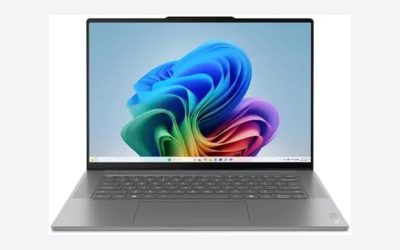
Dell 15.6 Laptop, Core Ultra 5 225U, D15260
The Dell listing is the most completely described one here: FHD, anti-glare, 300 nits, a WVA panel, Intel graphics, DDR5 memory, 16GB, a 512GB SSD, Wi-Fi 6 and a backlit keyboard. Those details answer most questions before you buy, which is useful when you are comparing against vaguer listings. The chip is a low-power Core Ultra 5, so expect office and web performance rather than gaming. The title also calls it business ready, which usually points to a plain, conservative design instead of flashy styling. Confirm the port list on the listing if you need HDMI or a card reader.
- Pro: panel type and brightness stated
- Pro: 16GB DDR5 with 512GB storage
- Con: integrated graphics only
Who it’s for: business users and families wanting a branded machine. Who should skip it: gamers or video editors who need a discrete GPU.
BIRDPLAY 17.3 Inch Laptop, Core i7
BIRDPLAY pairs a 17.3-inch screen with a Core i7 (up to 4.5 GHz), 16GB RAM, a 512GB SSD, Wi-Fi 6, Windows 11 Home, a numeric pad and a backlit keyboard. The title also says expandable storage. The i7 generation is not stated, and “up to 4.5 GHz” is a boost ceiling, so the real-world speed depends on a chip you cannot identify from the title. The “Business and Gaming” label is also broad; no discrete graphics are named. If you want to game, treat the claim with caution and read the graphics line in the specification section first.
- Pro: large screen, 16GB and 512GB together
- Pro: numeric pad for spreadsheet work
- Con: processor generation not given; confirm before buying
Who it’s for: desk users who want a big display. Who should skip it: commuters who want something compact.
HP OmniBook 3 17.3 inch 2K IPS, Ryzen quad-core
This HP lists a 2K IPS 17.3-inch screen, an unnamed AMD Ryzen quad-core processor, 8GB DDR5, a 512GB SSD, Radeon 610M graphics, a 1080p webcam and a backlit keyboard. The sharper screen claim is the main difference from the HP OmniBook 3 17 below, which is a close sibling. The unnamed processor means you should open the listing details and confirm the exact model before comparing it with other chips. Its twin below shares the same chassis family, so the display and chip are the main reasons to choose one over the other. Both are described as business-style large-screen machines.
- Pro: higher-resolution panel claimed
- Pro: 1080p webcam
- Con: 8GB of memory; check the listing for whether it is upgradable
Who it’s for: readers and browsers who value screen sharpness. Who should skip it: people who want 16GB of RAM.
HP Omnibook 3 17 inch, Ryzen 3 30
Treat this as a near-twin of the previous HP, with an FHD IPS screen instead of the 2K claim. The title says “AMD Ryzen 3 30(Beats Ryzen 5 7520U)”, which is unusual wording; the “beats” claim is the seller’s, not a measured result, and the chip name is unclear. Other listed details are 8GB DDR5, 512GB SSD, a 1080p webcam, Windows 11 Home and Microsoft 365 on the web. The Microsoft 365 wording means the web version of Office, so do not assume a desktop Office licence is included.
- Pro: 17.3-inch IPS display, 512GB storage
- Pro: backlit keyboard stated
- Con: processor name is unclear; the comparison claim cannot be verified from the title
Who it’s for: home users who want screen space. Who should skip it: buyers who need a clearly identified chip.
HP 17.3 inch Touchscreen Laptop
This one stands out for its extras: touchscreen, webcam shutter, fingerprint reader, a Copilot key, Microsoft 365 and a backlit keyboard. The processor is only described as an Intel quad-core, and the storage is a small 128GB SSD with 8GB of RAM. It suits someone who values privacy features and touch input over raw specs. The Lavender colour is a styling choice, and the Copilot key is a dedicated shortcut for Microsoft’s assistant. Since the processor is unnamed, check the listing before you assume it matches the faster chips in this guide.
- Pro: webcam shutter and fingerprint reader
- Pro: touchscreen
- Con: 128GB SSD fills quickly, and the CPU model is not named
Who it’s for: shared family laptops. Who should skip it: anyone storing lots of files locally.
WISESWAN 15.6 inch Windows 11 Laptop, Core i3
WISESWAN lists a Core i3 with two cores and four threads (up to 3.4GHz), 12GB RAM, a 256GB SSD, Wi-Fi 6 and a TF card slot said to expand to 2TB. The 12GB figure is more generous than the 8GB on several rivals, though a dual-core chip limits heavy multitasking. The “TF card expandable to 2TB” claim describes a memory card slot, not an upgradable SSD. The title also targets work and college use, so it is aimed at basic productivity, and the lack of a brand-name pedigree means the warranty terms deserve a close read.
- Pro: 12GB RAM and 256GB SSD
- Pro: Wi-Fi 6 stated
- Con: two-core processor
Who it’s for: students with documents, video lessons and web work. Who should skip it: anyone running demanding software.
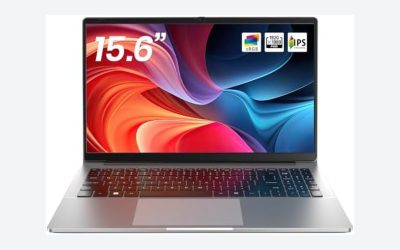
Aurant 15.6 inch Laptop, AMD Ryzen R5
The two Aurant listings are near duplicates in the same chassis, differing mainly in chip. This one lists an AMD Ryzen R5 with no model number, 8GB RAM, a 128GB SSD, an FHD IPS display, a 180-degree lay-flat hinge and TF card support up to 1TB. Because the Ryzen model is not named, you cannot compare it against other chips. Think of it as a basic machine for light tasks. The lay-flat hinge is handy for sharing a screen across a table, and the thin-and-lightweight claim is the seller’s, with no weight figure given. Treat it as an entry-level option and confirm the return terms.
- Pro: lay-flat hinge, FHD IPS panel
- Pro: backlit keyboard stated
- Con: 128GB of storage; the Ryzen model is unspecified
Who it’s for: casual browsing and typing. Who should skip it: anyone planning to keep it for years.
Aurant 15.6 inch Laptop, Core i3
The Intel version of the Aurant lists a Core i3, 8GB of DDR4, a 128GB SSD, Wi-Fi 5 and Bluetooth 4.2, a lay-flat hinge and TF card support up to 1TB. Wi-Fi 5 and Bluetooth 4.2 are older than the Wi-Fi 6 on several other listings here, so this is the more dated platform. The Core i3 generation is not stated. Between the two Aurant listings, the Ryzen version is the newer-sounding platform on wireless, but neither names its exact chip, so the choice often comes down to which has the better seller terms on the day you buy.
- Pro: FHD IPS display and lay-flat hinge
- Pro: backlit keyboard stated
- Con: older wireless standards, small SSD
Who it’s for: a spare or travel laptop for simple tasks. Who should skip it: anyone who wants Wi-Fi 6.
TECKNET Wired Keyboard, RGB Backlit (not a laptop)
Runner-up, not a laptop: it is listed because it answers the same need. The title describes a silent, spill-resistant, slim full-size membrane keyboard with USB plug-and-play for PC, laptop and Mac, and RGB backlighting. If your laptop lacks a backlight or you dock it at a desk, this adds one for a small outlay, though it does nothing for portability.
- Pro: RGB backlight, full-size layout
- Con: wired, so it needs a free USB port
How we picked these
We started from listings whose titles mention a backlit keyboard, then compared processor, memory, storage, screen and wireless claims as stated in each title. We read published specifications, manufacturer documentation and buyer reviews rather than handling the machines. Nobody on the team used or measured these units. Where a title left something out, the table says so and the product block tells you what to confirm. Near-duplicate listings, such as the two Aurant and two HP OmniBook 3 models, are grouped and labeled rather than treated as separate discoveries.
What to look for in a laptop with a backlit keyboard
Backlit, RGB and per-key lighting are different
A backlit keyboard normally means one colour, often white, shining evenly through the key legends. RGB adds colour choice, and per-key or zone RGB adds patterns. None of the titles above claims RGB for the laptop itself, so assume a single-colour light unless the listing images show otherwise. For typing in the dark, a clean white light with a few brightness steps is more useful than effects.
Brightness levels and auto-off
Good implementations offer at least two brightness levels and switch off after idle time to save battery. Titles never state this, so check the product images, the manual PDF or buyer questions. A single on-or-off setting can be glaring in a dark room.
Legend visibility with the light off
Backlighting only helps when the legends are readable. Look at product photos with the light off: grey letters on light grey keys can wash out in bright rooms. This matters on lilac, silver and lavender finishes.
Layout, numpad and key feel
The 17.3-inch models here include a numeric pad, which suits spreadsheets but pushes the main keys off-centre. A 15.6-inch laptop may also include one, so check the images. Key travel and spacing are never in a title; buyer reviews are the best clue to whether the typing feels shallow.
Processor, memory and storage still decide the experience
A good keyboard does not rescue a slow machine. For everyday work, 16GB of RAM and a 256GB SSD or larger is a comfortable floor, while 8GB with 128GB works for light use only. Check whether memory is soldered; thin laptops often solder it, so buy the amount you need up front. If storage is tight, see our guide to SSDs for laptop upgrades and our look at a gaming laptop with upgradeable RAM.
Quick checklist: what the title tells you
| Check | Where to find it | Why it matters |
|---|---|---|
| Backlight colour and levels | Images, manual, buyer questions | Titles rarely say |
| Exact CPU model | Listing details | Names like “Core i7” hide generation |
| RAM type and upgradability | Specifications section | Soldered memory cannot grow |
| SSD size and slot | Specifications section | 128GB fills quickly |
| Windows 11 edition | Title | Home or Pro affects some features |
| Return window and warranty | Seller section | Third-party sellers vary |
For more on picking chip tiers, see our Intel Core laptop comparison.
Mistakes buyers make
The first is treating the word backlit as a quality signal. It only tells you the keys light up, not how well. The second is trusting a chip description such as “Beats Ryzen 5” or “up to 4.5 GHz”, which is marketing wording, not a measurement. The third is buying 128GB of storage and then needing to clear files within months. The fourth is ignoring the seller: several of these listings come from smaller brands, so read the warranty and return terms. The fifth is mixing up expandable storage with an upgradable SSD; a TF card slot only adds a slow card. Finally, do not assume a 17-inch laptop is portable. It suits a desk, not a daily commute.
Verdict
For most people the Lenovo IdeaPad Slim 3 is the safest pick on paper, because it names a six-core Ryzen 5, 16GB of RAM and a backlit keyboard. The Dell is the better choice if you want a fully described branded listing, and BIRDPLAY suits those who want a large screen. The Aurant models and the HP touchscreen are best kept for light use. Confirm every unclear spec in the listing before you buy.
Related guides
- How To Stop Laptop Thermal Throttling In Software
- Gaming Laptop For High School Students
- Screen Refresh Rate For Laptops Explained
Frequently asked questions
Does a backlit keyboard drain the laptop battery noticeably?
The backlight draws a small amount of power compared with the screen and processor, so it rarely decides battery life on its own. It does add up on long unplugged sessions at full brightness. Most laptops let you drop the brightness a step or switch the light off with a function key, and many dim it after a few seconds of inactivity. Check the listing or manual for the exact key combination before you rely on it.
Is a backlit keyboard the same as an RGB keyboard?
No. Backlit usually means a single colour, often white, that lights every key evenly, while RGB means the lighting can show many colours and sometimes per-key or per-zone effects. Every laptop title in this guide says backlit, and none of them claims RGB. If colour or zone lighting matters to you, look for the word RGB or zone lighting in the listing and confirm it in the product images.
Can you add a backlight to a laptop that does not have one?
Not reliably. The light sits under the key layer and is wired into the keyboard assembly, so adding it later would mean replacing the whole keyboard with a compatible backlit part, which many thin laptops do not offer. The practical fix is an external backlit keyboard over USB, like the TECKNET runner-up listed here. It is cheaper and safer to buy a laptop that lists a backlight from the start.
Are the cheapest laptops here fine for everyday use?
For browsing, documents and video calls they can be, but the lowest-spec listings carry small storage and little memory. A 128GB drive fills quickly once Windows updates and a few apps are installed, and 8GB of RAM can feel tight with many browser tabs. If you plan to keep the laptop for several years, the 16GB models with 256GB to 512GB of storage leave much more headroom.
What does expandable storage with a TF card mean?
A TF card is the same format as a microSD card, and some listings say the slot supports cards up to 1TB or 2TB. It adds extra space for files, photos and video, but it is usually slower than the internal SSD and not meant to hold the operating system. Treat it as a convenience slot, and check the listing for whether the internal SSD itself can be replaced or upgraded.