An SSD is the single upgrade that makes a budget laptop feel quick, which is why “best cheap SSD laptops” is such a common search. Boot times drop, apps open faster, and the machine stops stalling when you switch between a browser and a document. The catch is that “SSD” on a listing tells you nothing about how large it is, how much memory sits beside it, or whether the processor is strong enough to keep up.
This guide is for buyers who want solid-state storage without stepping into premium pricing: students, remote workers, and parents buying a home computer. The eight laptops here range from a barely-there 128GB machine to a 512GB model with a modern processor, and one premium outlier from Apple that is worth knowing about. In 2026 the useful questions are capacity, RAM, and processor generation, so the sections below give you thresholds you can check against any listing.
Our Top Picks
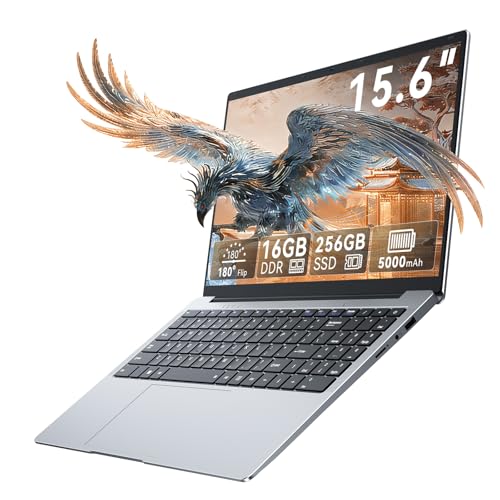 Tylvx 15.6" FHD Laptop Computer16GB+256GB SSD Laptop14.09 x 9.06 x 0.79 inches3.59 poundsCheck on Amazon


Top 3 picks at a glance
Quick Picks
As an Amazon Associate we earn from qualifying purchases at no extra cost to you.




| Product | Best for | Key spec taken from the product title |
|---|---|---|
| 15.6-inch Core i5-7Y57 Laptop | Tinkerers who want to upgrade RAM and SSD | 4GB SO-DIMM RAM, 128GB SSD, upgradeable |
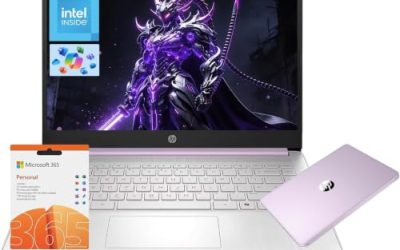
| HP New Everyday Slim | Light office and school work | Intel N150, 128GB SSD, Office 365 |
| HP OmniBook 3 16-inch | Larger touchscreen for everyday use | Ryzen 3 30, 8GB RAM, 512GB SSD, 2K touchscreen |
| 18.5-inch Gaming Laptop | Big-screen buyers who want a battery | Ryzen 7430U, 16GB DDR4, 512GB SSD, 7000 mAh |
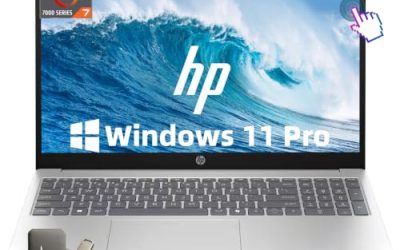
| HP 15.6-inch Touch (Ryzen 7) | Multitasking on a mid-range budget | Ryzen 7 7730U, 16GB DDR4, 512GB SSD |
| MacBook Air 13-inch M5 | Premium buyers who value longevity | M5 chip, 16GB unified memory, 512GB SSD |
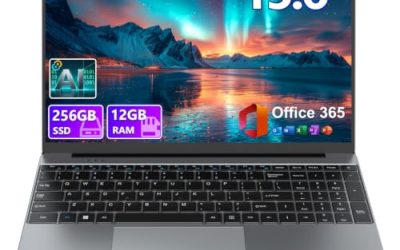
| Tylvx 15.6-inch Laptop | Basic online learning | 16GB RAM, 256GB SSD, dual-core 4425Y |
| HP 15 Slim (Renewed) | Low-cost reliable basics | Intel i3, 8GB, 256GB SSD, renewed |
How to Choose
Capacity thresholds that matter
A 128GB SSD fills quickly once Windows, updates, and a handful of apps are installed, leaving little room for photos or downloads. For a laptop you plan to keep, 256GB is a workable floor and 512GB is comfortable. Some listings pair a small SSD with cloud storage, which helps only when you have steady internet. If you work offline often, prioritize local capacity over a cloud allowance.
It also helps to know what kind of storage module is inside. Some low-tier machines use eMMC or UFS flash rather than a full NVMe drive, and while they count as solid-state, sustained transfer speeds are lower. A listing that names a PCIe or NVMe drive is a better sign than one that only says “SSD.” When the title does not specify, treat the drive as the entry-level type and keep expectations modest for large file copies and app installs.
RAM and processor pairing
A fast SSD cannot rescue a weak processor or too little memory. Look for 8GB of RAM as a minimum and 16GB if you keep many browser tabs open. Among processors, Ryzen 7 and Core i5 or i3 parts offer more headroom than entry-level Intel N-series or older dual-core chips. A listing that pairs 4GB of RAM with a 128GB SSD is built for very light tasks only.
Display and form factor
For daily use, a 15.6-inch Full HD IPS panel is a sensible baseline. Touchscreens add convenience but cost battery life and add weight. Very large screens, such as 16 inches and above, suit desk use more than carrying. Check the stated webcam, USB-C, and HDMI ports, which are the common places where budget laptops economize. If you attend video calls daily, a listed webcam resolution matters more than it seems, and a USB-C port that can also charge the laptop lets you carry one fewer adapter.
Where budget laptops cut corners
Expect plastic bodies, modest speakers, and weak webcams. Some titles bundle subscriptions or cloud storage to look generous, but those are time-limited. A renewed unit can offer stronger components at a lower tier, though warranty terms differ from new. Ignore labels like “gaming” on integrated-graphics machines unless the graphics are clearly specified.
The 8 Best Options
15.6-inch Core i5-7Y57 Laptop
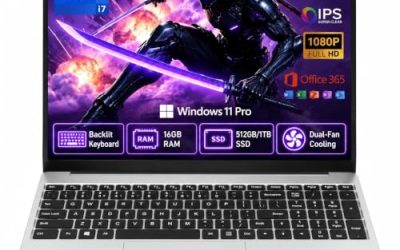
This laptop lists a Core i5-7Y57, 4GB of SO-DIMM RAM, a 128GB SSD, Windows 11, and a 15.6-inch FHD IPS display, with upgradeable RAM and SSD. It also lists a 2MP webcam, a cooling fan, and Type-C and HDMI ports. The upgrade path is its appeal: you can add memory and storage later.
- Strength: both RAM and SSD are described as upgradeable
- Strength: an FHD IPS screen and a cooling fan are listed
- Trade-off: 4GB of RAM and a 128GB SSD are tight from day one
Skip it if you want a ready-to-use machine without any upgrading.
HP New Everyday Slim Laptop
The HP Everyday Slim lists an Intel N150 processor, a 128GB SSD plus 1TB of cloud storage, Microsoft Office 365, long battery life, and Copilot features. It is a straightforward pick for email, documents, and streaming. The software bundle adds convenience, though the cloud storage and Office subscription are time-limited.
- Strength: a well-known brand with Office 365 included
- Strength: long battery life is listed alongside a slim design
- Trade-off: 128GB local storage is limited without relying on the cloud
Skip it if you store large files locally or dislike subscription bundles.
HP OmniBook 3 16-inch Laptop
The OmniBook 3 lists a 16-inch 2K touchscreen, AMD Ryzen 3 30, 8GB of RAM, a 512GB SSD, Radeon 610M graphics, and Windows 11 Home. It balances a generous display with ample storage, which suits a home laptop used mostly on a desk.
- Strength: 512GB SSD gives plenty of local room
- Strength: a 2K touchscreen on a 16-inch panel is roomy for documents and video
- Trade-off: 8GB of RAM may feel limiting with heavy multitasking
Skip it if you want a compact laptop for commuting.
18.5-inch Gaming Laptop
This oversized machine lists an AMD Ryzen 7430U up to 4.3GHz, Radeon RX Vega 7 graphics, 16GB of DDR4 RAM, a 512GB SSD, WiFi 6, USB Type-C, and a 7000 mAh battery. The 18.5-inch screen makes it a desktop-replacement style device. The “gaming” label should be read against its integrated Vega graphics.
- Strength: 16GB RAM and a 512GB SSD give a balanced base
- Strength: WiFi 6 and Type-C add modern connectivity
- Trade-off: its size makes it awkward to carry, and integrated graphics limit demanding games
Skip it if portability matters.
HP 15.6-inch FHD IPS Touch Laptop (Ryzen 7)
This HP lists a Ryzen 7 7730U, 16GB of DDR4 RAM, a 512GB SSD, an FHD IPS touch display, a webcam, Windows 11 Home, and Copilot features. On paper it has the strongest processor and memory combination among the Windows models here, so it fits a buyer who multitasks.
- Strength: Ryzen 7 with 16GB RAM supports heavier multitasking
- Strength: 512GB SSD and a touch FHD IPS display round out the package
- Trade-off: it sits at the upper end of this group’s budget tiers
Skip it if you only need basic browsing and want to spend less.
Apple MacBook Air 13-inch with M5
The MacBook Air lists the M5 chip, a 13.6-inch Liquid Retina display, 16GB of unified memory, a 512GB SSD, and a 12MP Center Stage camera. It is the premium outlier here and not a cheap laptop in the strict sense. It is worth including for buyers who treat cost per year of use as the real measure.
- Strength: 16GB unified memory and 512GB SSD make it well equipped
- Strength: a 12MP Center Stage camera is a standout webcam spec
- Trade-off: it sits in the premium tier, far above the other listings
Skip it if your budget is firmly low and you rely on Windows-only software.
Tylvx 15.6-inch FHD Laptop
The Tylvx lists a 15.6-inch FHD display, 16GB of RAM, a 256GB SSD, Windows 11, and a dual-core 4425Y processor, marketed as a lightweight notebook for student online learning. The 16GB of RAM is generous for the tier, but the processor is modest.
- Strength: 16GB RAM gives room for several browser tabs
- Strength: a 256GB SSD is a workable middle capacity
- Trade-off: a dual-core 4425Y processor will limit heavier work
Skip it if you plan to edit video or run demanding software.
HP 15 Slim Laptop (Renewed)
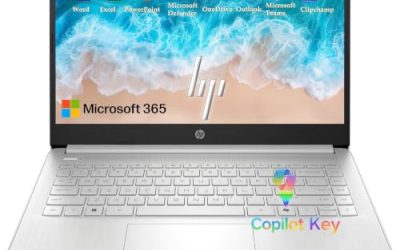
This renewed HP 15 lists an Intel i3 processor, 8GB of RAM, a 256GB SSD, and a 15.6-inch FHD silver body. As a renewed unit it targets buyers who want reliable basics at a lower tier. The specs are balanced for office work and light media.
- Strength: 8GB RAM and a 256GB SSD hit sensible minimums
- Strength: a familiar HP design with a full-size FHD screen
- Trade-off: renewed status means condition and warranty differ from new
Skip it if you want a brand-new device with a full manufacturer warranty.
Which One Fits Your Situation
You want the most capable Windows laptop on the list
Pick the HP 15.6-inch Touch with Ryzen 7. Its 16GB of RAM and 512GB SSD give the best balance of performance and storage.
You need maximum storage for the lowest tier
The HP OmniBook 3 16-inch offers a 512GB SSD at a mid-range level, while the renewed HP 15 Slim keeps a 256GB SSD at a lower tier.
You like to upgrade later
The Core i5-7Y57 laptop is the only listing that explicitly mentions upgradeable RAM and SSD, which lets you start small and expand.
You plan to keep it for many years
The MacBook Air with M5 has the strongest memory and chip combination, though it belongs to the premium tier.
Common Mistakes
- Treating “SSD” as a guarantee of speed when the processor and RAM are weak.
- Buying 128GB of storage and then running out of room after the first round of updates.
- Counting a bundled Office subscription or cloud storage as permanent value.
- Trusting a “gaming” label on a laptop with integrated graphics.
- Ignoring the weight and size of a very large screen when you need to carry it daily.
Related guides
- Gaming Laptop Battery Draining While Plugged In Fix
- How To Stop Laptop Thermal Throttling In Software
- Gaming Laptop For High School Students
Frequently Asked Questions
Is 256GB enough for a cheap laptop?
For documents, browsing, and streaming, yes. If you store photos, games, or large projects locally, 512GB is a safer choice. An external drive or cloud plan can stretch a smaller laptop, but it adds cost and another thing to carry.
How much RAM do I need?
8GB is a reasonable minimum for modern Windows. 16GB helps if you keep many tabs open or run several apps together. Where memory is soldered rather than socketed, you cannot add more later, so buy the amount you expect to need.
Are renewed laptops worth considering?
They can offer better components for the money, but warranty and battery condition vary. Read the return and warranty terms before buying, and plan to check battery health soon after the laptop arrives so any problem surfaces inside the return window.
Does a touchscreen matter?
It is a convenience, not a necessity. It can reduce battery life slightly, so skip it if you mainly use the keyboard and trackpad.