Eight gigabytes of memory is the line where a laptop stops feeling cramped and starts feeling merely adequate. It is enough for a browser with a dozen tabs, a video call, a spreadsheet and a music stream running together, but it leaves very little room for anything heavier. Shopping for an 8GB machine is therefore not about chasing the biggest number. It is about deciding which compromises you can live with: a slower processor, a small solid-state drive, a plain screen, or an operating system that behaves differently from the Windows you know.
This guide is for students, home-office workers, parents buying a shared family laptop, and anyone who wants a dependable machine for web work, documents and streaming without paying for memory they will not use. Every laptop below lists 8GB of RAM in its title, and the differences that matter sit elsewhere: storage size, screen size, processor class and whether the memory is the faster DDR5 type or older DDR4. Read the thresholds in the buying section first, then match them to the reviews.
Our Top Picks

Top 3 picks at a glance
Quick Picks
As an Amazon Associate we earn from qualifying purchases at no extra cost to you.




| Product | Best for | Key spec from the title |
|---|---|---|
| HP 14 N150 | Portable everyday use | 14-inch, Intel N150, 8GB RAM, 128GB UFS |
| Dell 15.6 Core 3 100U | Roomy storage and a better screen | Core 3 100U, DDR5, 512GB SSD, 300 nits |
| HP Everyday 8GB/128GB | Light users who like bundled software | 8GB RAM, 128GB SSD, 1TB cloud storage |
| HP 14 Business Celeron N4500 | Office tasks with extra ports | Celeron N4500, 8GB DDR4, 256GB PCIe SSD |
| VIGSENUP 15.6 | Data entry and a big keyboard | 15.6-inch FHD, numeric keypad, 5000mAh battery |
| HP Chromebook 14 N100 | Schoolwork and web apps | Intel N100, 8GB RAM, 128GB UFS, Chrome OS |
| BWPED 15.6 Celeron N4000 | Color-accurate screen on a tight budget | 8GB RAM, 256GB, 100% sRGB, Windows 11 Pro |
| 15.6-Inch Pentium Windows 11 Pro Laptop | Presentations and travel | Pentium, 256GB SSD, 6H battery, Mini HDMI |
How to Choose
Decide whether 8GB is really enough for you
Eight gigabytes handles browsing, office suites, video meetings and streaming. It starts to strain when you keep more than about fifteen browser tabs open next to a call, edit large photo files, or run virtual machines. If your workload includes any of those, look for a model with upgradeable memory slots or step up to 16GB. If you mostly live in a browser and a word processor, 8GB is a sensible, honest choice and saves money you can spend on storage or a better display.
Storage size and type matter as much as RAM
A 128GB drive sounds fine until Windows updates, an office suite and a few downloaded files fill most of it. For a Windows laptop, treat 256GB as a comfortable floor and 512GB as the level where you stop thinking about space. Also note the type: a PCIe SSD is noticeably quicker at boot and app launch than a UFS or eMMC module, and cloud storage bundled with a laptop is a convenience, not a replacement for local space.
Processor class sets the ceiling
Chips in the Celeron, Pentium and N-series families are built for low power, so expect them to feel fine with a couple of tabs and slow when you stack tasks. A Core-branded processor, such as the Core 3 listed on one model below, sits a step higher. Ignore marketing phrases like “beats an i5” in a title; they are seller claims, not measurements. Judge by the actual chip name and generation instead.
Screen, battery and ports where budget models cut corners
Budget laptops save money on the display first. Look for full HD (1920 by 1080) over plain HD, an anti-glare finish, and a brightness figure around 300 nits or more if you work near windows. For battery, a stated battery capacity or an hours claim in the title helps, but expect real-world results to land lower. Finally, count ports: at least one USB-C, one HDMI or Mini HDMI output, and Wi-Fi 6 will cover most desks and classrooms.
The 8 Best Options
HP 14 N150
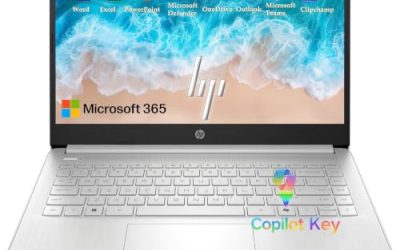
This is the pick for someone who wants a compact 14-inch laptop that slips into a backpack without drama. The title lists an Intel N150 processor, 8GB of RAM, a 128GB UFS drive, Wi-Fi 6 and a year of Office 365, which covers the basics for coursework and light business use out of the box.
- Strength: the 14-inch footprint keeps weight and bulk down for commuters.
- Strength: bundled office software and Wi-Fi 6 mean little setup before real work starts.
- Trade-off: 128GB of UFS storage fills quickly once updates and files accumulate.
Skip it if you plan to store large media libraries or keep many programs installed. The “beats i3” wording in the title is a seller comparison, so judge the N150 on its own terms.
Dell 15.6 Core 3 100U
Among the eight, this is the one with the most balanced spec sheet. The title shows a Core 3 100U processor, DDR5 memory, a 512GB SSD and a 300-nit anti-glare WVA panel on a 15.6-inch screen, plus Wi-Fi 6 and Bluetooth. That combination suits a household that wants one machine for homework, bills and streaming. Bluetooth support rounds out the wireless side.
- Strength: 512GB of SSD storage gives real breathing room for years of files.
- Strength: a 300-nit anti-glare screen is easier to read in bright rooms than basic budget panels.
- Trade-off: 8GB is fixed in the title, so heavy multitasking will still hit a ceiling.
Skip it if you need a small, light travel machine, since the 15.6-inch body is the larger kind.
HP Everyday 8GB/128GB
Aimed at casual users, this model pairs 8GB of RAM with a 128GB SSD, Windows 11 and a Microsoft Office 365 subscription, plus 1TB of cloud storage. The title also mentions fast charge and long battery life, which suits a laptop that moves between couch and desk. It reads as a sensible first laptop for a relative or a younger family member who mostly needs the basics.
- Strength: the bundled cloud storage offsets the modest onboard drive for documents and photos.
- Strength: fast-charge support helps when you only have a short window near an outlet.
- Trade-off: the title names only “Intel Processor” without a model, so you cannot compare its speed to the others.
Skip it if you want to know the exact processor before buying or need more local storage than 128GB.
HP 14 Business Celeron N4500
This 14-inch business-oriented laptop lists a Celeron N4500, 8GB of DDR4, a 256GB PCIe SSD, Wi-Fi 6, Bluetooth 5.4 and a webcam. It also ships with a USB port expander, which is handy because slim laptops tend to offer few ports. Together, these details point to a machine for email, documents and video calls rather than anything demanding, with the extra connectors as the real bonus.
- Strength: the 256GB PCIe SSD is double the capacity of the smallest drives here and faster than UFS storage.
- Strength: the included port expander solves a common annoyance for mouse, drive and dongle users.
- Trade-off: the screen is described as HD rather than full HD, so text and video look softer.
Skip it if display sharpness matters for long reading or photo work.
VIGSENUP 15.6
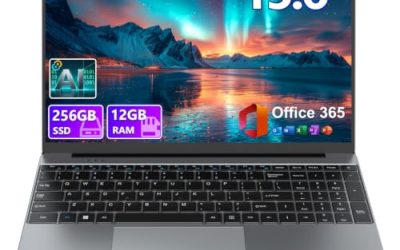
Spreadsheet users should look at this one first. The title lists a 15.6-inch FHD screen, 8GB of RAM, a 256GB SSD, a numeric keypad, a 5000mAh battery and 178-degree viewing angles, along with a webcam and office suite. Together with the bundled office suite and webcam, that makes it a practical desk laptop for remote work or study at home.
- Strength: the full-size numeric keypad speeds up accounting and data entry.
- Strength: wide viewing angles help when two people share the screen.
- Trade-off: the title gives only “up to 3.4GHz” for the CPU, which tells you little about the chip itself.
Skip it if you want a named processor you can research or a very light carry weight.
HP Chromebook 14 N100
This one runs Chrome OS rather than Windows, which is the single biggest decision on the list. With an Intel N100, 8GB of RAM, 128GB of UFS storage and a 14-inch HD display, it favors browser-based work such as email, online documents, video classes and streaming. Chromebooks also tend to start quickly and stay simple to maintain, which is why they remain popular for classrooms and for relatives who just want email and video calls.
- Strength: Chrome OS is lightweight, so 8GB of memory goes further than it would under Windows.
- Strength: the 14-inch size and simple software suit students and shared family use.
- Trade-off: it will not run traditional Windows desktop programs.
Skip it if your job or school requires Windows-only software.
BWPED 15.6 Celeron N4000
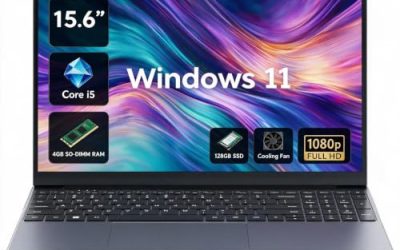
The standout line in this title is the 100% sRGB screen, uncommon at this level and useful for anyone who edits simple graphics or just likes accurate color. It pairs a Celeron N4000 (up to 2.6GHz) with 8GB of RAM, 256GB of storage and Windows 11 Pro. A wider color range can matter more than raw speed for light photo cropping, slide design or simply watching video on a budget machine.
- Strength: the 100% sRGB display claim is a clear advantage for color-sensitive tasks.
- Strength: Windows 11 Pro adds business features such as device encryption options.
- Trade-off: the N4000 is an older, low-power chip, so speed is its weak point.
Skip it if you want snappy multitasking or plan to keep the laptop for many years.
15.6-Inch Pentium Windows 11 Pro Laptop
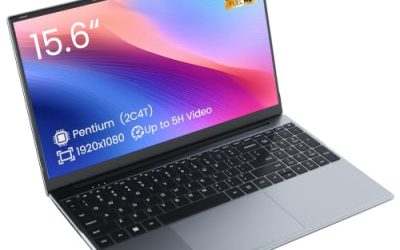
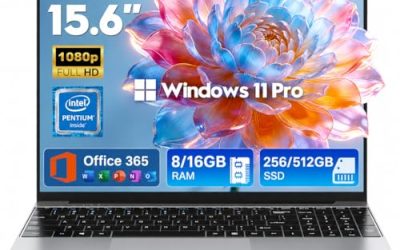
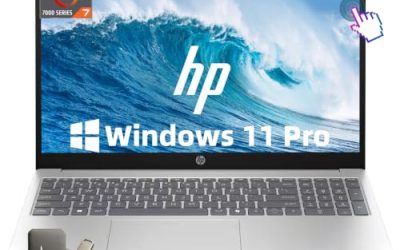
This 15.6-inch model lists an Intel Pentium processor, 8GB of RAM, a 256GB SSD, Windows 11 Pro and Office 365, with a 6-hour battery claim and a Mini HDMI output. The Mini HDMI port is the practical highlight for anyone who presents or uses a second monitor. The camera and microphone mention in the title is a small convenience for video calls, and the portable build suits people who carry a laptop between rooms.
- Strength: Mini HDMI output makes connecting a projector or monitor straightforward.
- Strength: 256GB of SSD storage and bundled Office 365 cover everyday needs.
- Trade-off: the six-hour battery claim is the shortest runtime of any figure given in these titles.
Skip it if you spend long days away from an outlet.
Which One Fits Your Situation
You are a student on a tight budget
Pick the HP Chromebook 14 N100 if your classes run in a browser, or the HP 14 N150 if you need Windows. Both are compact and come with 128GB of storage, which is workable if you keep files in the cloud.
You work from home and live in spreadsheets
The VIGSENUP 15.6 offers a numeric keypad and a full HD screen, while the Dell 15.6 Core 3 100U brings a faster processor class and a 512GB drive. Choose the first for data entry, the second for general office work.
You present or connect to external screens
The 15.6-Inch Pentium Windows 11 Pro Laptop has a Mini HDMI port built in, and the HP 14 Business Celeron N4500 includes a port expander that adds extra connections for adapters and drives.
You care about how the screen looks
Look at the BWPED 15.6 Celeron N4000 for its 100% sRGB panel, or the Dell 15.6 Core 3 100U for its 300-nit anti-glare display. The first favors color accuracy, the second favors readability in bright rooms.
Common Mistakes
- Assuming 8GB is a fixed ceiling: some laptops allow a memory upgrade later, others solder it down, so check before you buy.
- Ignoring storage type: a 128GB UFS drive and a 256GB PCIe SSD are not equivalent in speed.
- Trusting “beats i5” style titles: these are seller claims, so compare the real processor names instead.
- Overlooking the operating system: Chrome OS and Windows run very different software.
- Skipping the display line: HD and full HD panels look very different at 15.6 inches.
Related guides
- Gaming Laptop Battery Draining While Plugged In Fix
- Graphics Cards For Low Wattage Power Supplies
- How To Stop Laptop Thermal Throttling In Software
Frequently Asked Questions
Is 8GB of RAM enough for a laptop in 2026?
For web browsing, documents, streaming and video calls, yes. If you edit large photos, run virtual machines or keep dozens of tabs open, 16GB is a safer target.
Should I choose a Chromebook or a Windows laptop?
A Chromebook is simpler and lighter on resources, which suits web-based work. A Windows laptop is necessary if you rely on desktop software that has no web version.
Is a 128GB drive too small?
It is workable if you lean on cloud storage and install few programs. For Windows machines, 256GB or more gives far more headroom after updates.
Can I play games on an 8GB laptop like these?
Only light games. The processors and integrated graphics listed here suit casual and browser titles rather than demanding modern releases.