A first-year student has an odd shopping problem: you must buy a laptop before you know what your courses will demand. Your major may call for heavy statistics software, or it may mean four years of essays, slides, and online lectures. The sensible approach for “best laptops for college freshmen” is to buy for the common denominator, a machine that survives eight months of note-taking, group projects, video calls, and library sessions, and has enough memory and storage to still feel fast in your sophomore year.
This guide is built for incoming students and parents shopping before move-in day. It ranks nothing by hype; it looks at the specs stated in each listing and flags where a low price hides a limitation, such as 4GB of memory or a 128GB drive that will fill up by midterms. Whether you are starting in 2026 or buying ahead for next fall, the same checklist applies, and it is the one that keeps a student laptop useful through graduation.
Our Top Picks
 Lenovo V15 Ultra Slim College Student Laptop16GB RAM | 256GB SSD14.14 x 9.28 x 0.78 inches0 PoundsCheck on Amazon
 SAGAWHALE 2026 Window 11 Pro Traditional Laptop Computer16GB RAM 丨256GB SSD17 x 13 x 3.5 inches3.5 poundsCheck on Amazon

Top 3 picks at a glance
Quick Picks
As an Amazon Associate we earn from qualifying purchases at no extra cost to you.




| Product | Best for | Key spec from the title |
|---|---|---|
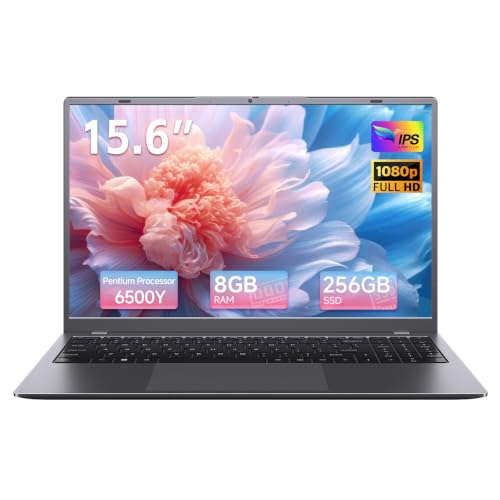
| Windows 11 Pro 15.6-inch laptop, 8GB/256GB | Basic coursework | 8GB RAM, 256GB SSD, Office 365 included |
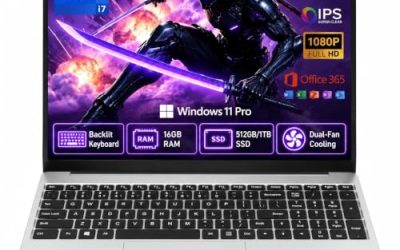
| Windows 11 Pro 15.6-inch laptop, 16GB/512GB | Multitasking on a budget | 16GB RAM, 512GB SSD, 6H battery |
| Lenovo V15 | Lecture halls and glare | Anti-glare FHD, 16GB DDR5, Wi-Fi 6 |
| SAGAWHALE 16GB/256GB | Memory-first buyers | 16GB RAM, 15.6-inch FHD IPS |
| ARCBUC 15.6-inch | Lower-cost everyday use | Pentium Gold, Type-C, HDMI |
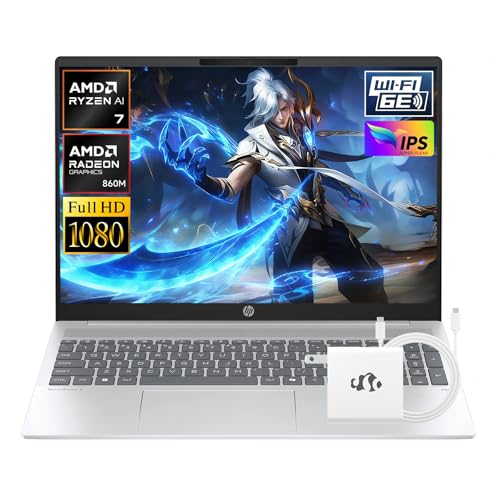
| HP OmniBook 5 16 | Heavier workloads and longevity | Ryzen AI 7 350, 16GB DDR5, 512GB SSD |
| SAGAWHALE 16GB/512GB | Memory plus storage | 16GB RAM, 512GB SSD, FHD IPS |
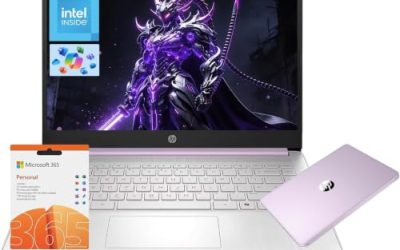
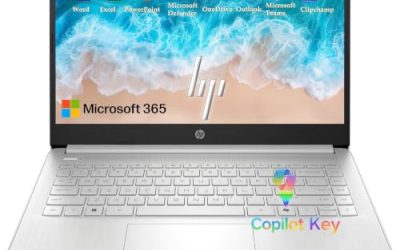
| HP 15.6-inch laptop, 4GB/128GB | Lightest-duty use | Numeric keypad, 10 hours battery |
How to Choose
Memory and storage: the two specs you cannot fix later
Aim for 8GB of RAM at an absolute minimum and 16GB if you can reach it. Modern browsers with a dozen tabs, a video call, and a word processor open at once can push an 8GB machine, and a 4GB laptop will struggle with all of it. For storage, 256GB works for documents and a few programs, but 512GB gives you space for photos, lecture recordings, and software that major-specific courses add. Be wary of 128GB drives, which leave little room once Windows updates install. If the listing does not make upgrades obvious, assume you are stuck with what you buy.
Processor class and what the label promises
Processors vary widely here. Pentium and Pentium Gold chips are entry-level and suit writing, browsing, and streaming, but they slow down when you stack tasks. A quad-core Intel part in the Lenovo steps up a level, and the Ryzen AI 7 350 in the HP OmniBook is a different class entirely, suited to heavier software and years of use. Ignore comparisons like “beats a competitor’s chip” that appear in some titles; they are marketing, and the processor name itself is the more reliable guide. Match the chip to your major: a business or humanities student needs less than an engineering or media student.
Display, size, and portability
Almost every laptop here is a 15.6-inch model with a Full HD panel, and an IPS screen gives wider viewing angles for sharing a screen with a study partner. A 15.6-inch laptop is easy to read but heavier than a 13-inch or 14-inch model, so think about how far you will carry it between dorm, classes, and library. Anti-glare coatings help in bright lecture rooms. The 16-inch HP is bigger still, which favors work at a desk over a long walk across campus. Look for a full-size keyboard if you type long papers, and a numeric keypad if your coursework involves spreadsheets.
Battery life, ports, and where budget models cut corners
A full day of classes without a charger is a realistic goal, and the listings mention 6 hours on some models and 10 hours on one. Treat manufacturer battery numbers as light-use best cases, and plan to charge between sessions if you stream or take notes continuously. Look for a USB-C port, HDMI for presenting, and current Wi-Fi: Wi-Fi 6 is better than Wi-Fi 5 on crowded campus networks. Budget models cut corners on memory, storage, and processor, so a low-priced machine that lists 4GB and 128GB will feel slow within a year.
A few habits stretch any of these laptops further. Keep important files in a cloud folder as well as on the drive, so a lost or damaged laptop never costs you a semester of work. Use a padded sleeve, since the thin bodies in this price range are not built for bumps in a crowded backpack. And before move-in day, run all system updates at home on a fast connection, because dorm networks can be slow in the first week when everyone is online at once.
The 8 Best Options
Windows 11 Pro 15.6-inch laptop (8GB/256GB)
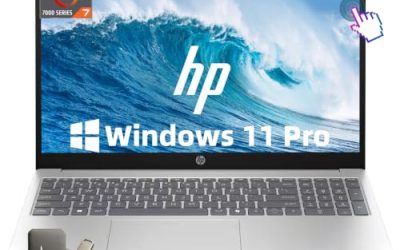
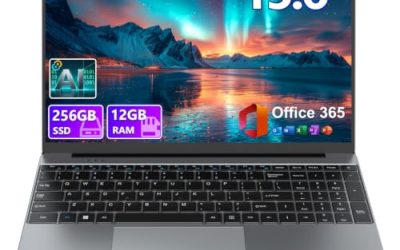
This 15.6-inch laptop lists Windows 11 Pro, Office 365 included, an Intel Pentium processor, 8GB of RAM, a 256GB SSD, a 6-hour battery, and a Mini HDMI port. It is aimed at students who want a basic, affordable machine for essays, research, and video calls.
- Strength: Office 365 included means papers and presentations work from day one.
- Strength: 8GB of RAM and a 256GB SSD hit the entry-level threshold.
- Trade-off: the Pentium processor and 6-hour battery limit heavy multitasking and long days away from an outlet.
Skip it if your major involves demanding software or you want memory headroom.
Windows 11 Pro 15.6-inch laptop (16GB/512GB)
This variant of the same design doubles the memory to 16GB and the storage to 512GB, while keeping Windows 11 Pro, Office 365, the Pentium processor, and the 6-hour battery. It is the better version for students who juggle many tabs and files.
- Strength: 16GB of RAM makes multitasking smoother than on the 8GB version.
- Strength: 512GB of storage gives room for four years of files.
- Trade-off: the processor is still an entry-level Pentium, which limits peak speed.
Skip it if you need a stronger processor for editing or programming.
Lenovo V15
The Lenovo V15 is described as an ultra-slim college laptop with a 15.6-inch anti-glare Full HD display, an Intel quad-core processor, 16GB of DDR5 RAM, a 256GB SSD, and Wi-Fi 6. The anti-glare screen suits bright classrooms and libraries, and DDR5 memory is a modern choice at this tier.
- Strength: an anti-glare Full HD screen is easier to read in bright rooms.
- Strength: 16GB of DDR5 and Wi-Fi 6 are modern features for campus use.
- Trade-off: the 256GB drive is modest if you store a lot of media.
Skip it if you want a large built-in drive from day one.
SAGAWHALE (16GB RAM, 256GB SSD)
This SAGAWHALE model offers Windows 11 Pro, a 15.6-inch Full HD IPS display, 16GB of RAM, a 256GB SSD, and a lightweight design for business, school, and college. It suits students who care more about memory than storage and want a portable build.
- Strength: 16GB of RAM supports comfortable multitasking.
- Strength: the IPS Full HD panel gives wide viewing angles.
- Trade-off: 256GB of storage fills up quickly with video and large files.
Skip it if you plan to store large projects locally.
ARCBUC 15.6-inch laptop
The ARCBUC lists 8GB of RAM, a 256GB SSD, a Pentium Gold processor, a Full HD IPS display, Type-C, HDMI, Wi-Fi 5, and Bluetooth 5.0. It is a straightforward entry-level machine for note-taking, research, and streaming.
- Strength: Type-C and HDMI cover charging, accessories, and presenting.
- Strength: a Full HD IPS panel is a sound display for the category.
- Trade-off: Wi-Fi 5 is older than the Wi-Fi 6 on some other models.
Skip it if you want newer wireless or more than entry-level performance.
HP OmniBook 5 16
The HP OmniBook 5 is the strongest machine in the group, with an AMD Ryzen AI 7 350 processor that runs up to 5GHz, 16GB of DDR5, a 512GB SSD, and Radeon 860M graphics in a Copilot+ design. It fits students in demanding majors or anyone who wants one laptop for all four years.
- Strength: the Ryzen AI 7 350 is a far stronger processor than the entry-level chips here.
- Strength: 16GB of DDR5 and 512GB of storage leave room to grow.
- Trade-off: a 16-inch laptop is heavier to carry across campus.
Skip it if you prioritize the lowest cost or a compact size.
SAGAWHALE (16GB RAM, 512GB SSD)
The larger SAGAWHALE variant keeps the Windows 11 Pro, 15.6-inch Full HD IPS display, and lightweight design, but pairs 16GB of RAM with a 512GB SSD. For many students this is the most balanced of the value models.
- Strength: 16GB and 512GB cover memory and storage together.
- Strength: a lightweight 15.6-inch body suits carrying between classes.
- Trade-off: the listing does not name the processor in the visible title, so verify it before buying.
Skip it if processor class is a priority and you want it spelled out.
HP 15.6-inch laptop (4GB/128GB)
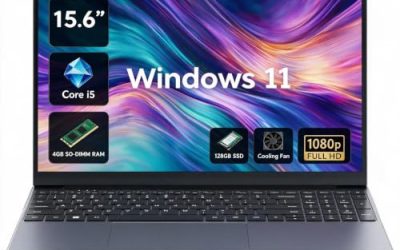
This HP lists 4GB of RAM, 128GB of storage, an Intel processor, Windows 11, a full-size keyboard with a numeric keypad, and 10 hours of battery life in a thin, portable body. It is the lightest-duty machine here, best for browsing, documents, and streaming.
- Strength: a full-size keyboard with a numeric keypad suits long typing sessions.
- Strength: the 10-hour battery claim is the longest listed in the group.
- Trade-off: 4GB of RAM and 128GB of storage are tight for a four-year laptop.
Skip it if you multitask, keep many files, or want the laptop to last through graduation.
Which One Fits Your Situation
You have a demanding major or want one laptop for four years
Pick the HP OmniBook 5 16. Its Ryzen AI 7 350, 16GB of DDR5, and 512GB drive are the only specs here that look ready for heavier software and a long lifespan.
You want solid value without spending much
Pick the SAGAWHALE with 16GB and 512GB, or the Windows 11 Pro 15.6-inch laptop with 16GB and 512GB. Both pair roomy memory and storage with an entry-level price tier.
You study in bright, shared spaces
Pick the Lenovo V15. The anti-glare Full HD display and Wi-Fi 6 are the practical advantages for libraries and lecture halls.
You only need the basics
Pick the ARCBUC or the 8GB Windows 11 Pro laptop for writing, research, and streaming. Treat the HP with 4GB as a last-resort option because its memory and storage leave little headroom.
Common Mistakes
- Buying a laptop with 4GB of RAM and 128GB of storage because the sticker tier looks attractive.
- Assuming a processor name that sounds new is fast when entry-level chips still slow under multitasking.
- Ignoring battery life until the first week of classes, then hunting for outlets.
- Forgetting ports such as USB-C and HDMI that make presenting and charging easier.
- Not asking what software your major requires before choosing a laptop.
Related guides
- Gaming Laptop Battery Draining While Plugged In Fix
- Graphics Cards For Low Wattage Power Supplies
- How To Stop Laptop Thermal Throttling In Software
Frequently Asked Questions
How much RAM does a college freshman need?
8GB is the practical minimum, and 16GB is the comfortable choice for multitasking and longevity. Avoid 4GB unless your use is very light.
Is 256GB of storage enough?
For documents and a few programs, yes. If you keep photos, videos, or large software installs, 512GB gives a safer margin, especially since most laptops cannot be easily upgraded.
Do I need Windows 11 Pro?
Most students do fine with Windows 11 Home. Pro adds features such as drive encryption and remote access, which are useful but not essential for coursework.
Should I buy a 15.6-inch or a smaller laptop?
A 15.6-inch screen is comfortable for reading and multitasking but heavier to carry. If you walk long distances daily, consider a lighter model.