Shopping for a Hewlett Packard laptop means sorting through one of the widest catalogs in computing. The company, now sold under the HP name, ships everything from basic 14-inch machines with 4GB of memory to 17-inch business models with 16GB of RAM and a full numeric keypad. The decision comes down to screen size first and processor class second, because those two choices determine whether the laptop is something you carry daily or something that lives on a desk.
This guide is for buyers who already prefer the HP brand, whether for its familiar keyboard layouts, widespread service network, or simple Windows setup, and want to compare models across the lineup. The seven laptops below include two OmniBook 3 designs, a Core i7 15.6-inch model, three 14 to 17-inch business and student machines, and a compact N150 laptop. Details come from each listing’s title, so double-check the full specifications in 2026 before you order, since near-identical HP names often hide different configurations.
Our Top Picks


Top 3 picks at a glance
Quick Picks
As an Amazon Associate we earn from qualifying purchases at no extra cost to you.


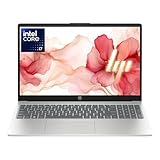

| Product | Best for | Key spec from the title |
|---|---|---|
| HP 17 inch Business Laptop (Ryzen 5) | Spreadsheet-heavy office work | Ryzen 5, 16GB RAM, 512GB SSD, numeric keypad |
| HP OmniBook 3 17.3 (Core Ultra 5) | Large-screen all-round use | Core Ultra 5 225U, 8GB RAM, 512GB SSD |
| HP 14 inch Laptop (N150) | Light, portable basics | N150, 4GB RAM, 128GB UFS, Microsoft 365 for one year |
| HP 14 Ultra-Light Laptop | Students needing extra expansion | N150, 4GB RAM, 128GB plus 128GB SD card |
| HP Core i7 15.6 Laptop | Faster multitasking | Core i7-1255U, 16GB RAM, 1TB PCIe SSD |
| HP 17.3 Business Laptop (Core 5-120U) | Big screen with more memory | 10-core Core 5-120U, 12GB RAM, 256GB SSD |
| HP OmniBook 3 17.3 (Ryzen 3) | Entry-level 17-inch display | Ryzen 3, 8GB RAM, 512GB SSD |
How to Choose
Pick the screen size around your routine
A 14-inch HP weighs less and slides into a bag easily. A 15.6-inch model is the standard compromise. A 17.3-inch laptop gives a bigger workspace and usually a numeric keypad, but it is bulky and tends to stay on a desk. Decide how often the laptop will move before you decide how large the display should be. If the answer is rarely, a 17-inch panel is a pleasure; if it is daily, a 14-inch frame saves your shoulder.
Use processor naming to sort the tiers
In this lineup, the Intel N150 is an entry-level chip for browsing and documents. The Ryzen 3 and Core 5 class sit in the middle, Ryzen 5 and Core Ultra 5 step up again, and the Core i7-1255U is the fastest option listed. Do not judge solely by core counts, because efficiency and clock speed also matter. A 10-core part is not automatically twice as quick as a smaller one.
Treat memory and storage as separate questions
Aim for 8GB of RAM at minimum, and prefer 16GB if you keep many windows open. For storage, a 512GB SSD is the comfortable baseline. Be careful when listings add SD cards to the total capacity: a card is removable, slower, and not a substitute for internal SSD space, even if the title adds the numbers together.
Spot what a listing leaves unsaid
Titles that pile on adjectives like ultra-light or long battery life rarely include a battery capacity or weight. Ignore those words, and look for hard facts: display resolution, port types, Wi-Fi standard, and the exact processor model. Entry-level HP models often use plain HD displays, which look softer than full HD. Also read the port list, since some slim designs trade full-size connections for USB-C.
The 7 Best Options
HP 17 inch Business Laptop (Ryzen 5)
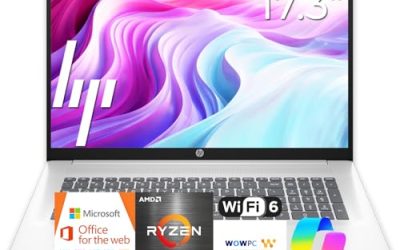
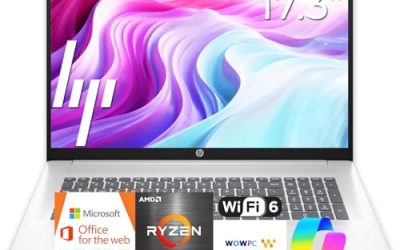
This HP combines a Ryzen 5 processor with 16GB of RAM, a 512GB SSD, a 17.3-inch full HD display, and a numeric keypad. It is aimed at office workers who handle big spreadsheets and want everything visible at once.
- Strength: 16GB of RAM and a 512GB SSD handle multitasking comfortably.
- Strength: the large full HD screen and numeric keypad make data entry faster.
- Trade-off: a 17-inch body is heavy to carry daily.
Skip it if you commute by train or need a light bag. It also makes less sense for casual browsing, where the extra memory and the large body go unused, and a smaller HP would cost less and carry easier.
HP OmniBook 3 17.3 (Intel Core Ultra 5 225U)
The OmniBook 3 lists an Intel Core Ultra 5 225U, 8GB of RAM, a 512GB SSD, Intel graphics, a full HD display, and Windows 11 Home in Glacier Silver. It is the newer-generation Intel choice among the 17-inch models.
- Strength: a Core Ultra processor represents a more modern platform than entry-level chips.
- Strength: the 17.3-inch full HD screen suits split-window work.
- Trade-off: 8GB of RAM is thinner than the 16GB Ryzen 5 model.
Skip it if you plan to keep many heavy applications open at once. Buyers who want the Ultra branding but also want extra memory should look closely at the listing to see whether a higher-memory configuration exists.
HP 14 inch Laptop (Intel N150)
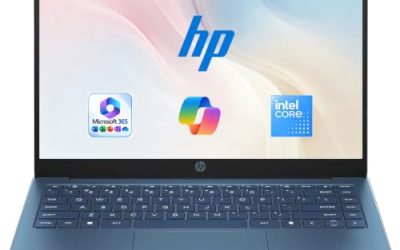
This compact HP lists an Intel N150, 4 GB of RAM, 128 GB of UFS storage, an HD display, and a one-year Microsoft 365 Personal subscription on Windows 11 Home. It is a plain, portable machine for browsing and documents.
- Strength: the 14-inch body is easy to carry.
- Strength: the Microsoft 365 subscription saves a software purchase for the first year.
- Trade-off: the HD display and UFS storage are weaker than full HD and SSD alternatives.
Skip it if you want a sharp screen or plan to install many programs. Because UFS storage and 4GB of memory both limit upgrades, treat this as a machine for the basics rather than a long-term workhorse.
HP 14 Ultra-Light Laptop with SD Card
This HP 14 lists an Intel N150, 4GB of RAM, 128GB of storage plus a 128GB SD card, a one-year Office 365 subscription, and fast charging, aimed at students and home users.
- Strength: the included SD card adds extra space for files and media.
- Strength: fast charging is useful between classes.
- Trade-off: an SD card is slower than the internal drive, so keep important apps off it.
Skip it if you want all your storage inside the machine. Anyone who plans to leave the card in permanently should confirm how it fits in the slot on the listing, and keep a backup of important files elsewhere.
HP Core i7 15.6 Laptop
This model lists an Intel Core i7-1255U running up to 4.7GHz, 16GB of RAM, a 1TB PCIe SSD, a webcam, and a full HD display. It is the power choice among the group for heavier multitasking.
- Strength: the Core i7 with 16GB of RAM offers the strongest processing headroom here.
- Strength: a 1TB PCIe SSD provides fast, spacious storage.
- Trade-off: the Core i7-1255U is an older generation than the Core Ultra chip.
Skip it if you want the newest processor platform or the smallest body. Shoppers who value battery runtime should look for a stated watt-hour figure, since the title only promises long battery life in general terms.
HP 17.3 Business Laptop (Core 5-120U)
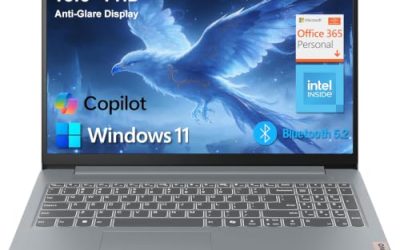
This HP lists a 10-core Intel Core 5-120U, 12GB of RAM, 768GB of combined storage (a 256GB SSD plus a 512GB SD card), AI Copilot, and a Windows 11 edition that the title cuts off. It is aimed at buyers who want a big screen and more memory than entry level.
- Strength: 12GB of RAM sits between the 8GB and 16GB models.
- Strength: the listing points to a business-oriented Windows edition and an AI Copilot label.
- Trade-off: only 256GB is internal SSD space, because the rest is an SD card.
Skip it if you need a large amount of fast internal storage. The title is cut off near the operating system name, so confirm the Windows edition on the product page rather than assuming it, and read the SD card details carefully.
HP OmniBook 3 17.3 (Ryzen 3)
This OmniBook lists a Ryzen 3, 8GB of RAM, a 512GB SSD, Radeon 610M graphics, and a full HD display in Mica Silver. It is the lowest-tier 17-inch option here, and it targets households that want a large screen for streaming, reading, and homework without paying for a faster processor.
- Strength: a 512GB SSD and 8GB of RAM cover everyday tasks.
- Strength: the 17.3-inch screen offers generous workspace for the tier.
- Trade-off: Ryzen 3 is not intended for demanding creative work.
Skip it if you plan on photo editing or heavy multitasking. Shoppers who only want a large display for streaming, reading, and email, however, will find the 17.3-inch panel a roomy canvas.
Which One Fits Your Situation
You work in spreadsheets all day
The HP 17 inch Business Laptop with Ryzen 5, 16GB of RAM, and a numeric keypad is the most practical choice, because the extra width gives you columns of figures and a full numeric pad without needing an external keyboard.
You need more performance for demanding tasks
The HP Core i7 15.6 Laptop combines a Core i7-1255U with 16GB of RAM and a 1TB SSD. That pairing suits video calls alongside large files, and the webcam is already listed.
You carry the laptop to class
The HP 14 Ultra-Light Laptop or the HP 14 inch with the N150 are the lightest options. Pick the first if you want the extra SD card. Both come with a one-year Microsoft subscription, so the savings on software are similar.
You want a big screen without the top tier
The HP OmniBook 3 17.3 with Core Ultra 5 gives a modern platform and a large display for general use, such as a family desk machine that handles school, bills, and streaming.
Common Mistakes
- Adding SD card capacity to SSD capacity as if they were the same.
- Choosing a 17-inch laptop and then carrying it daily.
- Assuming all HP Everyday and business names share the same hardware.
- Overlooking that an HD panel looks softer than full HD.
- Choosing 4GB of RAM for a computer you plan to keep for years.
Related guides
- Gaming Laptop Battery Draining While Plugged In Fix
- Graphics Cards For Low Wattage Power Supplies
- How To Stop Laptop Thermal Throttling In Software
Frequently Asked Questions
Is HP a reliable laptop brand?
HP offers a wide range, with reliability varying by tier. Business and OmniBook lines generally carry better materials than the cheapest models, but warranty terms should be checked on the listing.
What is the difference between OmniBook and regular HP laptops?
OmniBook is a naming line that covers newer HP designs. The specifics still depend on the exact configuration, so rely on the processor and memory rather than the name.
Does an SD card count as storage?
It adds space for files, but it is removable and slower than the internal drive. Treat the SSD size as your real working capacity.
Which HP laptop is best for office work?
Models with 16GB of RAM and a 512GB SSD, such as the Ryzen 5 17-inch, are better suited to office multitasking than the 4GB entry-level machines.