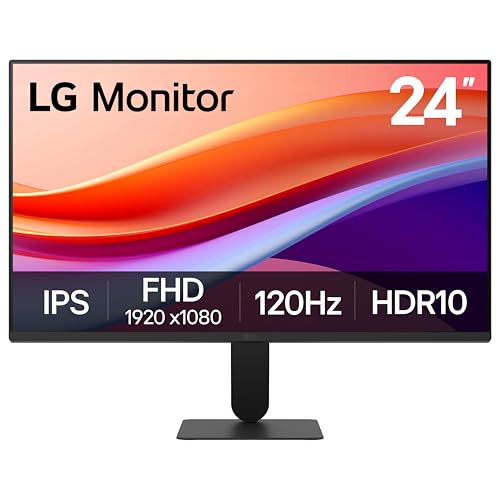
For most players who want a compact 1080p screen for competitive shooters, the LG UltraGear 24GS60F is the stronger choice because it pairs an IPS panel with a 180Hz refresh rate, while the 24GS50F is the lower-cost alternative for buyers who value contrast and budget over colour and viewing angles. Both sit at the entry point of LG’s UltraGear line, both are 23.8-inch Full HD screens, and both target people running mid-range or older graphics cards where 1080p at high frame rates makes more sense than a heavy 1440p load.
As an Amazon Associate we earn from qualifying purchases at no extra cost to you.



Our Top Picks
 LG 24G414B-B 24-inch Ultragear IPS 1080p 144Hz 1ms24 inch8.7 x 21.2 x 16.2 inches7.3 poundsCheck on Amazon
 LG 27G414B-B 27-inch Ultragear IPS 1080p 144Hz 1ms27 inch8.7 x 24.1 x 18.4 inches9.5 poundsCheck on Amazon
 LG 32GS60QC-B Ultragear 32-inch Curved Gaming Monitor QHD32 inch8.9 x 27.6 x 20 inches13 poundsCheck on Amazon
Top 3 picks at a glance
At a Glance: LG UltraGear 24-Inch Models
| Model | Best for | Key stated specs | Limits |
|---|---|---|---|
| 24GS60F-B | Competitive and all-round gaming at a budget-to-mid tier | 23.8-inch IPS, 1920×1080, 180Hz, 1ms GtG (at Faster setting), HDR10 support, 99% sRGB typical, G-SYNC Compatible and FreeSync, 1x DisplayPort 1.4, 1x HDMI | Tilt-only stand, HDR10 is a signal format rather than a true high-brightness HDR experience, 1080p looks soft at larger sizes |
| 24GS50F-B | Tightest budget, dark-room play | 23.8-inch, 1920×1080, up to 180Hz, HDR10 support, FreeSync, DisplayPort and HDMI inputs, three-side borderless design | Spec databases and retail listings disagree on the panel type and response time, so confirm against LG’s own data sheet before buying |
| Older 144Hz and 165Hz UltraGear 24-inch models | Used or clearance buyers | Earlier 24-inch UltraGear generations offered 144Hz or 165Hz refresh rates | Previous generation; stock and exact specs vary, so rely on LG’s product page for any specific model number |
What “UltraGear 24-Inch” Actually Covers
LG uses the UltraGear name across everything from small 1080p screens to large OLED ultrawides. In the 24-inch class the current budget range is the GS series, with the 24GS60F and 24GS50F the two models most shoppers meet first. The panels measure 23.8 inches diagonally, which is the standard 24-inch size, and at 1920×1080 the pixel density works out to roughly 92 pixels per inch. That is sharp enough for fast-paced games at a normal desk distance, but text and fine interface detail will look less crisp than on a 1440p panel of the same size.
The refresh rate is the headline. LG lists 180Hz for the 24GS60F, and reviewers and spec databases report the 24GS50F supports a 48 to 180Hz range. A 180Hz screen only pays off if the graphics card can push frame rates in that region, which is realistic at 1080p in esports titles such as Counter-Strike 2, Valorant, Rocket League and Fortnite with competitive settings, even on mid-range hardware.
LG UltraGear 24GS60F-B
What the maker lists
LG’s product page lists the 24GS60F-B as a 23.8-inch IPS monitor at 1920×1080 with a 180Hz refresh rate and a 1ms (GtG at Faster) response time. It supports HDR10, covers 99% of the sRGB colour space (typical), and carries both G-SYNC Compatible and FreeSync adaptive sync support. Connectivity is one DisplayPort 1.4 input, one HDMI input and a 3.5mm headphone jack. The stand offers tilt adjustment only, and the monitor is compatible with 100 x 100mm VESA mounts. Spec databases report a release in early 2024 and a weight of about 3.5 kg without the stand.
Strengths
- IPS viewing angles: Colours and brightness hold up when you sit off-centre, which matters on a shared desk or when a friend watches over your shoulder.
- High refresh rate for the tier: 180Hz gives a visible smoothness gain over 60Hz and a small gain over 144Hz for players with the frame rates to use it.
- Adaptive sync on both standards: Support for G-SYNC Compatible and FreeSync means Nvidia and AMD owners can both use variable refresh over DisplayPort.
- sRGB coverage: A 99% sRGB rating is good for general use, browsing and casual photo work, not just games.
Limits
- Tilt-only stand: There is no height, swivel or pivot adjustment, so users with specific ergonomic needs should plan for a VESA arm.
- Brightness figures vary between sources: LG-linked spec data and retailer pages quote different typical brightness values, so treat the exact number as approximate.
- HDR10 label: Support for the HDR10 signal does not mean the panel has local dimming or high peak brightness. Do not buy it for HDR.
- 1080p ceiling: Fine at 24 inches, but anyone who plans to upgrade to a high-end graphics card should consider 1440p.
LG UltraGear 24GS50F-B
The 24GS50F-B is positioned below the 24GS60F. LG-sold and retailer pages describe a 23.8-inch Full HD gaming monitor with a 180Hz maximum refresh rate, HDR10 support, AMD FreeSync, HDMI and DisplayPort inputs, and a three-side virtually borderless design. Spec databases report a weight of about 2.95 kg without the stand.
The complication is the panel type. Display specification databases and at least one retailer list the 24GS50F as a VA panel with about 3000:1 static contrast and a response time near 5ms, while another retail listing describes it as IPS with a 1ms motion blur reduction figure. Because these sources contradict each other, the safest reading is that buyers should read the exact data sheet on LG’s product page for their region before ordering. If it is VA, the trade-off is deeper blacks and higher contrast in a dark room against narrower viewing angles and slower dark-transition response compared with the IPS 24GS60F.
Who Should Pick Which
| Pick this if you… | Choose | Why |
|---|---|---|
| Play fast shooters and want the cleanest motion for the money | 24GS60F | IPS panel with the 1ms GtG (Faster) rating and a 180Hz ceiling |
| Use an Nvidia card and want certified adaptive sync | 24GS60F | LG lists G-SYNC Compatible support alongside FreeSync |
| Are on the tightest budget and play in a dim room | 24GS50F | Lower tier; check the data sheet for the panel type and expected contrast |
| Need height or pivot adjustment | Either, plus a VESA arm | Both are tilt-focused designs with 100 x 100mm mounting support listed |
| Want sharper text and plan a GPU upgrade | A 1440p monitor instead | 24-inch 1080p caps pixel density |
Compatibility and Setup Notes
- Cables: Use the DisplayPort input for the full refresh rate on PC. HDMI on budget monitors can be limited in bandwidth, so check the manual for the maximum refresh rate over HDMI.
- Consoles: Current consoles output 1080p at up to 120Hz where the game supports it. A 180Hz monitor can display that, but it cannot use frame rates above what the console sends.
- Turn on the overdrive setting carefully: The 1ms figure is quoted at the fastest response setting. Reviewers of fast monitors commonly report that the fastest mode can add overshoot artefacts, so a middle setting may look cleaner.
- Mounting: The 100 x 100mm VESA pattern fits standard single-monitor arms.
- Desk space: A 24-inch panel suits a desk about 60cm deep or less; sit roughly an arm’s length away.
Budget Tiers and What to Expect
Within a budget tier the two UltraGear 24-inch models cover the low and the low-to-mid range. Above them, LG sells 27-inch 1440p UltraGear models in the mid-range tier and OLED models in the premium tier. If the goal is purely competitive play at 1080p, the 24-inch class is where the value sits; if the monitor will also be used for work, video and game visuals, stepping up to 27 inches at 1440p is a more comfortable long-term pick.
Alternatives to Consider
- ASUS TUF Gaming VG259QM: A 24.5-inch Fast IPS 1080p monitor that ASUS lists at up to 280Hz with 1ms GTG, HDR10 support at a listed 400 cd/m2 peak brightness, 99% sRGB and a fully adjustable stand including pivot. It is the pick for players who want the highest refresh rate at 1080p.
- ASUS TUF Gaming VG249Q1A: A 23.8-inch IPS 1080p screen with a 165Hz refresh range and FreeSync Premium, aimed at a lower budget tier than the LG IPS model.
- A 27-inch 1440p gaming monitor: Better text clarity and desktop space for mid-range and stronger graphics cards, with a lower pixel-density penalty than 27-inch 1080p.
Common Mistakes When Buying a 24-Inch Gaming Monitor
- Chasing refresh rate without the hardware: A graphics card that averages 90 frames per second will not benefit from the difference between 144Hz and 180Hz.
- Trusting the HDR label: Entry-level HDR10 support is a compatibility tag, not a performance rating. Look for a DisplayHDR certification level and local dimming if HDR matters.
- Ignoring the stand: Many budget monitors skip height adjustment. If your desk or chair setup needs it, factor in a monitor arm.
- Skipping the data sheet: As the 24GS50F shows, retail listings can contradict each other. The maker’s regional page is the reference.
Frequently Asked Questions
Is a 24-inch 1080p monitor still worth buying for gaming?
Yes, for competitive play and for mid-range graphics cards. At 23.8 inches, 1080p gives about 92 pixels per inch, which is acceptable for games and keeps frame rates high. If you work with text or spreadsheets a lot, a 1440p monitor will look noticeably sharper.
What is the difference between the LG 24GS60F and 24GS50F?
The 24GS60F is listed by LG as an IPS panel with 1ms GtG (at Faster), 99% sRGB and G-SYNC Compatible support. The 24GS50F is the lower tier, and sources disagree on its panel type, so read LG’s data sheet for your region. In general the 60F is the better choice for colour and viewing angles.
Do I need DisplayPort or is HDMI fine?
DisplayPort is the safer choice on PC because it reliably carries the full refresh rate and variable refresh. HDMI can work, but the supported maximum can be lower on entry-level monitors, so check the manual.
Does the LG 24GS60F work with Nvidia graphics cards?
LG lists it as G-SYNC Compatible as well as FreeSync. That means recent Nvidia cards can use variable refresh over DisplayPort, and AMD cards can use FreeSync.
Can I adjust the height of these LG monitors?
LG lists tilt adjustment only for the 24GS60F. If you need height, swivel or pivot, mount the monitor on a VESA arm using the 100 x 100mm pattern.
Are there 144Hz and 165Hz LG UltraGear 24-inch monitors?
Earlier UltraGear 24-inch generations were sold at 144Hz and 165Hz, and some may still turn up as clearance or used stock. Treat them as previous generation and read the maker’s data sheet for the exact model before buying.
Related guides
More from Amazon
Programs that pair well with the guide above. Offers and eligibility are set by Amazon and may change.
Free shipping on eligible items, Prime Video and more. Eligible new members can start with a free trial.
Start a Prime free trialAd-free music streaming. Eligible new subscribers can start with a free trial.
Try Music Unlimited freeA Prime membership for ages 18-24 with a trial period. Eligibility is set by Amazon.
See Prime for Young AdultsAudiobooks and podcasts to listen to on the go. Eligible new members can start with a free trial.
Try Audible freeAs an Amazon Associate we earn from qualifying purchases.