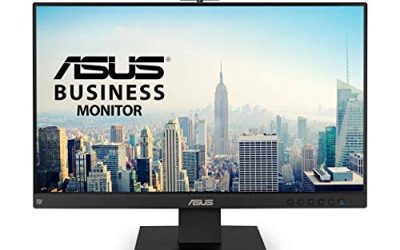
For a 43-inch desk monitor in 2026, the Samsung Odyssey Neo G7 43-inch is the pick for gamers who want 4K at 144Hz with a Mini-LED backlight, the Gigabyte AORUS FV43U suits buyers who want a VA panel with a KVM and USB-C, and the Samsung M70F or M70D smart monitors suit work, streaming and light gaming at 60Hz. The main thing to decide first is whether you need high refresh at all: most 43-inch options that are cheap are 60Hz, and the fast ones are a small group.
As an Amazon Associate we earn from qualifying purchases at no extra cost to you.


Our Top Picks
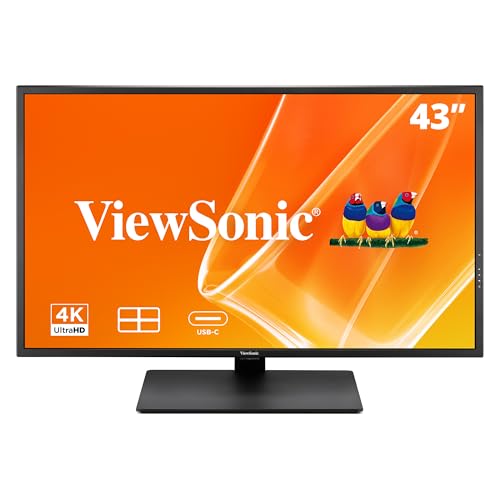 ViewSonic VX4381U-4K 43 Inch 4K UHD Monitor22.3" x 38.5" x 2.3"13.6 x 38.48 x 25.96 inches37.5 poundsCheck on Amazon

Top 3 picks at a glance
What a 43-Inch 4K Monitor Is Like
A 43-inch 16:9 panel at 3840 x 2160 has a pixel density of about 102 PPI, a little below a 27-inch 1440p screen (about 109 PPI) but clearly sharper than a 43-inch 1080p television. In practice it behaves like four 1080p screens in one: text is readable without scaling at normal distance, and you can tile several windows. The trade-offs are physical. These panels are about a metre wide, need a deep desk, and are best viewed from further away than a typical 27-inch monitor. Many users place them 80 to 100 cm from their eyes or mount them on an arm.
The 43-inch class sits between gaming monitors and televisions. Smart monitors from Samsung add streaming apps and remotes, while gaming models add HDMI 2.1, high refresh and variable refresh rate.
43-Inch Options at a Glance
| Model | Panel and backlight | Refresh and response | Key stated specs | Best for | Limits |
|---|---|---|---|---|---|
| Samsung Odyssey Neo G7 43″ (LS43CG702) | Quantum Mini-LED, flat, matte | 4K at 144Hz, 1 ms MPRT | VESA DisplayHDR 600, 400 nits typical, 95% DCI-P3, FreeSync Premium Pro, 2x HDMI 2.1, DisplayPort 1.4, smart apps | Gaming and media on one big screen | 144Hz is modest for the class; smart features add menus; user reports of input-detection issues |
| Gigabyte AORUS FV43U | VA, quantum-dot layer | 4K at 144Hz, 1 ms MPRT | 750 nits, HDR 1000 certified, 97% DCI-P3, 2x HDMI 2.1 (24 Gbps), DisplayPort 1.4 with DSC, USB-C 18W, KVM, speakers | Mixed gaming, work and multiple PCs | VA contrast shift at off-centre angles; sources disagree on HDMI at 144Hz |
| Samsung M70F | VA | 4K at 60Hz, 4 ms | 300 nits, HDR10, USB-C with 65W charging, 20W speakers, Tizen apps, no DisplayPort | Work, streaming, laptop docking | 60Hz; tilt-only stand |
| Samsung M70D | Same class as M70F | 60Hz | 4K, streaming TV, speakers, USB-C, SolarCell remote | Value alternative to the M70F | Lacks the AI features of the M70F |
| ASUS ROG Strix XG438Q | VA-class, 43-inch | 4K at 120Hz | FreeSync 2 HDR600 as listed in an older roundup | Earlier-generation 43-inch gaming option | Availability and current status not confirmed; likely superseded |
| LG 43UN700T | IPS | 60Hz class | 43-inch 4K with USB-C and HDR10 per a roundup | Productivity | Not a gaming panel; specs not confirmed on a maker page |
Samsung Odyssey Neo G7 43-Inch
Samsung’s maker page and retail listings describe the Odyssey Neo G7 43-inch (LS43CG702) as a flat 4K Quantum Mini-LED monitor at 144Hz with 1 ms MPRT, a matte finish and VESA DisplayHDR 600. Typical brightness is listed at 400 nits, with 95% DCI-P3 and 4250:1 static contrast at one retailer. It has two HDMI 2.1 ports and one DisplayPort 1.4, two USB 3.0 ports, 20W speakers, Bluetooth, Wi-Fi and Ethernet, and runs Samsung’s Smart Hub and Gaming Hub, so it can play streaming apps and cloud games without a PC.
Trusted Reviews gave it a strong score for picture quality, but listed the 144Hz limit as a drawback for a screen at this scale. PC Guide notes that to take advantage of 4K at high refresh you will want a strong GPU such as an RTX 5080 or 5090 class card. Samsung’s own page and user reviews mention some users reporting input detection or setup issues, which suggests keeping firmware updated and using the maker’s support for troubleshooting.
Gigabyte AORUS FV43U
The AORUS FV43U is described by the maker as a 43-inch 4K VA monitor at 144Hz with 1 ms MPRT, FreeSync Premium Pro with a 48-144Hz VRR range, 750 nits (1000 nits peak in HDR), a quantum-dot layer covering 97% of DCI-P3 and HDR 1000 certification. Inputs include DisplayPort 1.4 with DSC, two HDMI 2.1 ports, and USB-C (DisplayPort Alt Mode with 18W power delivery); the monitor also includes a KVM switch for sharing keyboard and mouse across two computers, a USB hub and dual 12W speakers.
The two sources reviewed disagree on the HDMI: one reports 24 Gbps ports that need DSC for 4K 144Hz, while Tom’s Hardware reports HDMI limited to 120Hz with Adaptive-Sync, suitable for consoles. Tom’s Hardware calls it the king of the 43-inch class; RTINGS has a review page as well, and TechRadar names it its best big-screen PS5 option. As a VA panel it offers strong contrast but forum users note contrast shift at off-centre angles, which matters more on a screen this wide.
Samsung M70F and M70D: Work and Streaming
These are smart monitors, not gaming panels. Retail and maker listings describe the M70F as a 43-inch 4K VA monitor at 60Hz with 4 ms response, 300 nits, HDR10, USB-C with 65W charging, 20W speakers and Tizen apps, with no DisplayPort and a tilt-only stand. It adds Samsung Vision AI. The M70D has the same core panel and USB-C, adds a SolarCell remote and drops the AI features. Games4Eva picks the M70F as best overall for work, movies and light gaming and the M70D as best value.
Because they lack DisplayPort, a PC connects over HDMI or USB-C; check the maker’s notes on the maximum refresh over each input.
Large 4K Monitors Versus TVs
- Input latency and refresh. Monitors designed for PCs list 144Hz and low latency; TVs offer 120Hz at best and extra processing modes that must be disabled.
- PC features. Monitors add DisplayPort, USB hubs and KVM switches; TVs rarely do, though many are larger and cheaper per inch.
- Brightness and finish. Matte monitor coatings manage reflections at a desk, while TVs vary.
- Burn-in and mounting. Both can be wall or arm mounted; confirm the VESA pattern from the maker.
A 42-to-48-inch OLED TV is a separate path, and some buyers use one as a desk monitor. This guide limits itself to 43-inch LCD monitors; OLED TVs carry burn-in guidance and static-image warnings that apply to desktop use.
Who Benefits Most From 43 Inches
The size suits people who keep several windows open side by side: a spreadsheet, a browser and a chat window can each occupy a quarter of the screen without overlapping. Video editors, traders, programmers and streamers often use large 4K panels this way instead of a two-monitor setup, which removes the bezel gap down the middle. For gaming, the screen fills a large part of your field of view, which many players find immersive in racing, flight and open-world titles. Competitive shooter players usually prefer smaller panels because the whole image is easier to take in at a glance, and a 43-inch screen can be run in a smaller windowed or letterboxed mode if needed. Eye comfort also depends on distance and brightness, so keep the screen at a comfortable viewing distance and adjust brightness to the room; if you have persistent eye strain or headaches, speak to an eye-care professional.
Fit and Setup Notes
- Plan for roughly 95 cm of width and about 10 kg of weight for models like the FV43U (one retailer lists 967 mm wide and 10 kg with stand).
- Use DisplayPort 1.4 for the top PC refresh rate; HDMI behaviour varies by model.
- Scale Windows to 100 to 125 percent and consider window-tiling tools to make use of the area.
- Set the monitor high enough that the top edge is near eye level, and sit far enough back to see corners without turning your head.
Pick a Monitor If…
| Pick this | If you want | Skip it if |
|---|---|---|
| Odyssey Neo G7 43″ | Mini-LED HDR and streaming apps with 144Hz | You need DisplayPort KVM features or a plain monitor |
| AORUS FV43U | Productivity extras (KVM, USB-C) and gaming at 144Hz | You are sensitive to VA viewing-angle shifts |
| Samsung M70F or M70D | A 43-inch screen for work and media at 60Hz | You play fast games |
| A smaller 32-inch 4K | Better pixel density and less desk depth | You want a multi-window workspace |
Alternatives
- 32-inch 4K monitors. Sharper at about 137 PPI and easier to place on a desk.
- Ultrawide 34 to 49-inch monitors. More width without as much height; some are curved.
- A 4K TV with HDMI 2.1. Larger and cheaper per inch for console and couch use, with fewer PC features.
Frequently Asked Questions
Is a 43-inch monitor too big for a desk?
It can be if the desk is shallow. Most users sit around 80 to 100 cm away, and a wide, deep surface helps. An arm or wall mount can give extra distance.
Is 4K enough at 43 inches?
It is about 102 PPI, so text is readable but not as crisp as on a 27-inch 4K screen. Many users find it fine at a normal distance.
Can I use a 43-inch monitor for gaming?
Yes. Models like the Odyssey Neo G7 and AORUS FV43U list 144Hz with HDMI 2.1. You will need a strong GPU to run 4K at high frame rates.
What is the difference between a 43-inch monitor and a TV?
Monitors typically offer DisplayPort, USB hubs, matte coatings and low-latency modes tuned for PCs. TVs focus on apps, tuners and larger sizes.
Which input should I use for 4K 144Hz?
DisplayPort 1.4 with DSC is the most reliable route on the FV43U per the maker’s specs. Check the HDMI notes for your model.
Is the ASUS ROG Strix XG438Q still available?
An older roundup still lists it as a 43-inch 4K 120Hz FreeSync 2 HDR600 model, but its availability could not be confirmed for this guide. Newer 43-inch models have replaced it for most buyers.
Related guides
More from Amazon
Programs that pair well with the guide above. Offers and eligibility are set by Amazon and may change.
Free shipping on eligible items, Prime Video and more. Eligible new members can start with a free trial.
Start a Prime free trialAd-free music streaming. Eligible new subscribers can start with a free trial.
Try Music Unlimited freeA Prime membership for ages 18-24 with a trial period. Eligibility is set by Amazon.
See Prime for Young AdultsAudiobooks and podcasts to listen to on the go. Eligible new members can start with a free trial.
Try Audible freeAs an Amazon Associate we earn from qualifying purchases.