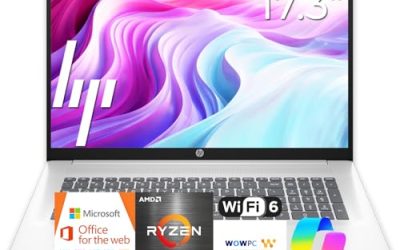
The best cheap laptops under $200 are basic Chromebooks and small Windows notebooks that handle web browsing, email, documents and video calls, and little else. At this level, you are buying a simple everyday tool, not a gaming or editing machine. The eight picks below are the strongest listings we found near that mark, with honest notes on what each one cannot do.
Quick answer: For most people, an Acer Chromebook 315 with a Celeron N4500 is the best cheap laptop under $200. Choose a Chromebook for school and browsing, and a Windows laptop only if you need Windows-only apps. Prices drift, so confirm the live price and condition before buying.
Our Top Picks
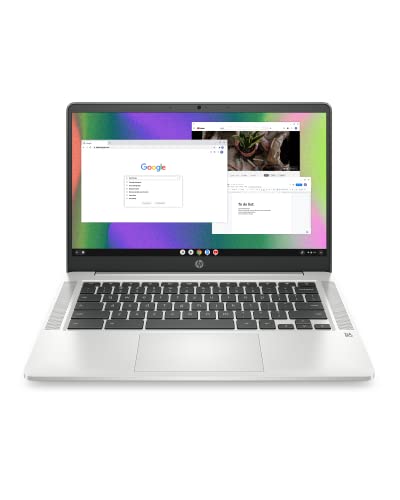

Top 3 picks at a glance
Picks at a Glance
| Laptop | Type | Screen | Memory / storage | Best for |
|---|---|---|---|---|
| Acer Chromebook 315 (N4500) | Chromebook | 15.6-inch Full HD IPS | 4GB / 64GB eMMC | Best overall |
| Lenovo 100e 2nd Gen | Windows 11 | 11.6-inch HD | 4GB / 64GB eMMC | Lowest-cost Windows option |
| Acer Chromebook 315 (N4020) | Chromebook | 15.6-inch HD | 4GB / 64GB eMMC | Long battery, big screen |
| HP Chromebook 14 | Chromebook | 14-inch HD | 4GB / 64GB eMMC | Slim, portable |
| Lenovo IdeaPad 3i Chromebook | Chromebook | 15.6-inch Full HD | 4GB / 64GB eMMC | Full HD on a budget |
| Samsung Chromebook 4 | Chromebook | 11.6-inch HD | 4GB / 32GB eMMC | Small and light |
| ASUS Chromebook CR11 | Chromebook | 11.6-inch | 4GB / 64GB eMMC | Kids and classrooms |
| HP 14 inch Laptop (N150) | Windows 11 | 14-inch HD | 4GB / 128GB UFS | Windows with Microsoft 365 trial |
What You Really Get From a Laptop Under $200
New laptops at this tier use low-power processors such as Intel Celeron and Intel N-series chips, 4GB of memory and small, slow storage. They are built for a few jobs: browsing, streaming, writing, spreadsheets, online classes and video calls. They work well when you use one or two browser tabs at a time and get slow quickly when you open many.
They are not built for modern games, photo or video editing, or heavy multitasking. If gaming is on your list, see our other budget guides rather than stretching this one. The honest rule is that the lower the price, the more you give up in speed, screen quality, storage and build quality.
The 8 Best Cheap Laptops Under $200
1. Acer Chromebook 315 (Celeron N4500): Best Overall
As an Amazon Associate we earn from qualifying purchases at no extra cost to you.

The CB315-4H listing pairs a Celeron N4500 processor with 4GB of LPDDR4X, 64GB of eMMC storage and a 15.6-inch Full HD IPS display. It also lists Wi-Fi 6, DTS audio and a USB Type-C port, running Chrome OS. A Full HD IPS screen is the biggest quality upgrade at this level, because cheap laptops often use dim, low-resolution panels.
- Processor: Intel Celeron N4500
- Memory and storage: 4GB LPDDR4X, 64GB eMMC
- Display: 15.6-inch Full HD IPS
- Extras: Wi-Fi 6, USB Type-C, Chrome OS
Best for: students and families who want a larger screen for browsing and streaming. Skip if: you need Windows or Mac apps.
Pros: Full HD IPS display, Wi-Fi 6, USB-C, large keyboard. Cons: 64GB of storage fills up fast, plastic build, limited to Chrome OS apps.
2. Lenovo 100e 2nd Gen (Windows 11): Lowest-Cost Windows Pick

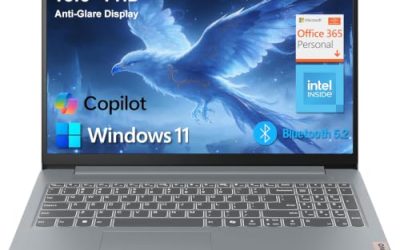
The Lenovo 100e is a small education-style Windows laptop. The listing shows an 11.6-inch HD (1366 by 768) display, an AMD 3015e processor with Radeon graphics, 4GB of RAM, 64GB of eMMC storage and Windows 11. It is an old design sold at a very low cost, so confirm the condition, the seller and the return terms before you buy. It will run basic Windows apps, but it is slow.
- Processor: AMD 3015e with Radeon graphics
- Memory and storage: 4GB RAM, 64GB eMMC
- Display: 11.6-inch HD (1366 x 768)
- Operating system: Windows 11
Best for: a very cheap Windows laptop for light tasks. Skip if: you want a fast laptop or a sharp screen.
Pros: very low cost tier, real Windows, small and light. Cons: slow processor, low-resolution screen, 64GB eMMC storage with Windows takes most of the space.
3. Acer Chromebook 315 (Celeron N4020): Big Screen, Long Battery

This version uses a Celeron N4020 (up to 2.8GHz), 4GB of RAM, 64GB eMMC storage and a 15.6-inch HD display with Intel UHD Graphics. The listing mentions long battery life (12.5 hours), a manufacturer figure that depends on settings. It is a step slower than the N4500 version above and has a lower-resolution screen, but it works for browsing and classwork.
- Processor: Intel Celeron N4020
- Memory and storage: 4GB RAM, 64GB eMMC
- Display: 15.6-inch HD
- Graphics: Intel UHD Graphics
Best for: a larger screen and light daily tasks. Skip if: you can find the Full HD N4500 version near the same cost.
Pros: large screen, long rated battery life, simple Chrome OS. Cons: HD panel only, slower processor, older design.
4. HP Chromebook 14 (Celeron N4120): Best Slim Option

The HP Chromebook 14 (14a-na0226nr) uses a Celeron N4120, 4GB of RAM, 64GB of eMMC and a 14-inch HD display, with Chrome OS, a thin design and a claim of long battery life. A 14-inch body is easier to carry than a 15.6-inch model, which suits students who move between classes.
- Processor: Intel Celeron N4120
- Memory and storage: 4GB RAM, 64GB eMMC
- Display: 14-inch HD
- Operating system: Chrome OS
Best for: carrying to class or the library. Skip if: you want a sharper screen.
Pros: thin and light, N4120 is a step above the N4020, familiar HP keyboard. Cons: HD display, storage is small, plastic build.
5. Lenovo IdeaPad 3i Chromebook (15.6-inch): Full HD on a Budget

The IdeaPad 3i Chromebook offers a 15.6-inch Full HD display, an Intel Celeron N4500, 4GB of memory, 64GB of eMMC storage and Intel UHD Graphics. It sits close to the Acer N4500 model and is a good alternative if you prefer Lenovo keyboards or if that model is not available.
- Processor: Intel Celeron N4500
- Memory and storage: 4GB, 64GB eMMC
- Display: 15.6-inch Full HD
- Graphics: Intel UHD Graphics
Best for: a larger Full HD Chromebook with Lenovo build. Skip if: you want a lighter 14-inch laptop.
Pros: Full HD screen, N4500 processor, Chrome OS simplicity. Cons: only 64GB of storage, not very slim.
6. Samsung Chromebook 4 (11.6-inch): Small and Light

The Samsung Chromebook 4 (XE310XBA) is an 11.6-inch HD laptop with a Celeron N4000, 4GB of RAM, 32GB of eMMC storage and Gigabit Wi-Fi. It is an older model, and its automatic update window may be shorter than newer Chromebooks, so check Google’s support page for the end-of-update date before buying. For a child, a travel spare or a kitchen laptop, the compact size is handy.
- Processor: Intel Celeron N4000
- Memory and storage: 4GB, 32GB eMMC
- Display: 11.6-inch HD
- Connectivity: Gigabit Wi-Fi
Best for: a small second laptop. Skip if: you want years of updates or a lot of storage.
Pros: compact and light, simple to use. Cons: 32GB of storage, older processor, update window may be short.
7. ASUS Chromebook CR11: Best for Kids and Classrooms

The CR11 (CR1104CGA) is a ruggedized 11.6-inch Chromebook with an Intel N100 processor, 4GB of RAM and 64GB of eMMC storage. The listing highlights an antimicrobial guard and a spill-resistant keyboard, features designed for classrooms and younger users. It tends to sit near the top of this price range, so confirm the live price before you buy.
- Processor: Intel N100
- Memory and storage: 4GB, 64GB eMMC
- Display: 11.6-inch
- Build: ruggedized, spill-resistant keyboard, antimicrobial guard
Best for: kids, schools and rough use. Skip if: you want a large screen.
Pros: durable design, N100 processor, spill-resistant keyboard. Cons: small screen, higher cost tier than other Chromebooks here.
8. HP 14 inch Laptop (Intel N150, Windows 11): Windows With a Microsoft 365 Trial

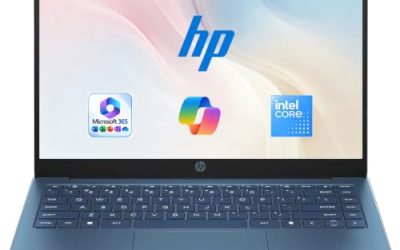
This HP 14-dq6199nr listing has an Intel N150 processor, 4GB of RAM, 128GB of UFS storage, Intel Graphics, a 14-inch HD display and Windows 11 Home. It includes a one-year Microsoft 365 Personal subscription, according to the listing. It is one of the newest low-cost Windows laptops here, and the extra storage helps compared with 64GB models.
- Processor: Intel N150
- Memory and storage: 4GB RAM, 128GB UFS
- Display: 14-inch HD
- Extras: Windows 11 Home, 1-year Microsoft 365 Personal
Best for: a basic Windows laptop for documents and browsing. Skip if: you need more than 4GB of memory.
Pros: newer processor, more storage, Windows apps. Cons: 4GB of RAM, HD screen, often priced above the $200 mark.
Also Consider
- Generic 15.6-inch Windows 11 laptops with Celeron or N4020 chips: several lesser-known brands sell these in the same cost tier, often with 128GB of storage. Check reviews, return terms and warranty carefully, since quality varies.
- Entry Dell 15.6-inch laptops with Core 3 processors: a faster, sturdier choice, but usually priced above this range.
- Refurbished business laptops: older ThinkPad, Latitude or EliteBook laptops from a reputable refurbisher often beat new budget laptops in speed and build. Buy only with a clear warranty.
Chromebook or Windows Laptop?
| Need | Chromebook | Windows laptop |
|---|---|---|
| Browsing, streaming, Google Docs | Excellent | Good |
| School tools and online classes | Excellent | Good |
| Windows-only apps | No | Yes |
| Speed on weak hardware | Faster with Chrome OS | Slower with Windows |
| Security upkeep | Automatic, simple | Needs manual care |
| Offline apps | Limited | Wide |
At this tier, Chrome OS usually feels faster because it asks less of the hardware. Windows 11 can feel slow on 4GB of memory and 64GB of storage.
One more point in favor of Chromebooks: they run Android apps and a growing set of web apps, and many models support Linux tools for students who want to learn to code. Windows laptops at this tier can run desktop programs such as classic Office apps, but expect them to open slowly. If you are unsure, list the three programs you use most. If all three have a web version, a Chromebook is the simpler and faster choice. If one of them only exists as a Windows program, buy a Windows laptop and accept the slower speed.
Are Cheap Laptops Under $100 Real?
Searches for laptops under $100 are common, and the honest answer is that a new, reliable laptop at that level essentially does not exist. At or below that range, you will find old, used or refurbished machines, or very low-quality new laptops. Even the Lenovo 100e above is an old design.
- Cheap Apple laptops under $100: new Apple laptops cost far more. Any MacBook at that price is very old, used or has a problem such as a locked account, so avoid it.
- Windows 10 laptops under $200: Windows 10 reached end of support in October 2025, so choose a laptop that ships with Windows 11 or can run it.
- Where to look: school and library programs, manufacturer outlets and refurbishers with a warranty are safer than classified listings or local marketplaces.
What to Expect by Task
Because every laptop here uses a low-power processor with 4GB of RAM, performance is similar across the group. The table below sets expectations by task so you can decide whether this tier fits your life.
| Task | What to expect |
|---|---|
| Web browsing with a few tabs | Fine, with occasional pauses on heavy pages |
| Streaming video | Works well at 1080p on most; HD screens limit sharpness |
| Online classes and video calls | Works, but keep other apps closed |
| Word processing and spreadsheets | Good for normal documents; large spreadsheets are slow |
| Photo editing | Basic cropping only; heavy editing is not realistic |
| Modern PC games | Not suitable; browser and cloud games only |
| Many browser tabs at once | Slow and may reload; 4GB of RAM is the limit |
New Budget Laptop or Refurbished Laptop?
If your budget stretches only to this tier, a refurbished business laptop is worth a look. Older ThinkPad, Latitude and EliteBook laptops were built for office work, so their keyboards, hinges and processors can feel better than a new low-cost laptop. The trade-off is age: batteries wear out, and the maker may have ended software support.
| Factor | New budget laptop | Refurbished business laptop |
|---|---|---|
| Warranty | Standard maker warranty | Depends on the refurbisher |
| Speed | Slow low-power chip | Often faster older chip |
| Build quality | Plastic, light | Sturdier, heavier |
| Battery | New | May be worn |
| Software support | Current | Check the Windows 11 or Chrome OS support date |
This guide covers new listings, so we do not recommend a specific refurbished laptop. If you go that route, buy from a seller who lists the exact model, the processor generation and the warranty terms in writing.
Check These Before You Pay
- The exact model code. Cheap laptops share names across many versions. The code tells you the processor and memory.
- Condition. Confirm the laptop is new, not renewed, used or an open-box return, unless that is what you want.
- The seller. A listing sold by the maker or a well-known retailer is lower risk than a little-known third party.
- Return window and warranty. Read them before buying. A short or missing return window is a warning.
- Update support. For Chromebooks, check the automatic update date. For Windows laptops, confirm Windows 11.
- Included software. A Microsoft 365 trial helps only for a limited time and may renew at a cost.
Your First Hour With a New Cheap Laptop
A little setup makes a budget laptop feel much better.
- Install all system updates first. They fix bugs and security problems and may improve speed.
- Remove what you do not need. On Windows, uninstall trial software and turn off startup apps you will not use.
- Set up cloud storage. Save documents to the cloud so a small drive does not fill up.
- Add a screen-time or parental profile. On Chromebooks, a supervised account is simple to set up for children.
- Use a lighter browser setup. Keep extensions to a minimum.
- Back up important files. eMMC storage is small and can fail, so keep a second copy.
Accessories That Help
A few low-cost accessories make a cheap laptop easier to live with. An external mouse is the most useful, because small trackpads on budget laptops can be frustrating. A USB drive or SD card adds storage for photos, and a simple sleeve protects a plastic body. If you are shopping for a school laptop, a padded backpack compartment matters more than a thin body.
- Wireless mouse: far easier than a small trackpad for long sessions.
- USB drive or microSD card: extra space for files; check which your laptop accepts.
- Laptop sleeve: protects a plastic chassis from scratches.
- Headphones: built-in speakers on cheap laptops are thin and quiet.
Who Should Spend More Than $200?
A laptop under $200 is a good fit for a child, a spare laptop, a travel companion or anyone with very light needs. It is not a good fit if you work with large files, edit video, run many apps, or need a laptop to last five years. For those users, the next tier up, with 8GB of RAM and a faster processor, is a better investment because it stays useful for longer. The cheapest laptop can cost more over time if you replace it early.
How We Chose
This guide is research-based. We did not use these laptops ourselves. We searched our store for laptops near the $200 level, kept new listings with a clear processor, memory, storage and display, and left out renewed and used items. We favored Full HD screens, newer processors and clear operating systems.
Buying Guide: How to Choose a Laptop Under $200
Thresholds that matter
| Spec | Aim for | Avoid |
|---|---|---|
| Memory | 4GB minimum, 8GB if available | 2GB |
| Storage | 64GB eMMC or more | 32GB with Windows |
| Display | Full HD IPS if possible | Very dim, low-resolution panels |
| Processor | Celeron N4500, N100, N150 or better | Very old Atom-class chips |
| Chromebook updates | Check the update end date | Models past their update window |
Check the Chromebook update date
Every Chromebook receives security updates until an automatic update expiration date, which Google lists on its support page. An older Chromebook can be a bargain that stops being updated soon, so look up the model before you buy.
Storage works differently
Chromebooks keep most files in the cloud, so 64GB is often enough. Windows uses much of a small drive for the system, so choose 128GB or more for Windows, or plan to use cloud storage and an external drive.
Keep expectations realistic
A cheap laptop is a tool for light work. Close extra tabs, avoid heavy apps and use a lighter browser setup, and it will feel better over time.
Tips to Make a Cheap Laptop Feel Faster
- Limit browser tabs and extensions. They consume memory quickly on a 4GB laptop.
- Keep the system updated. Updates fix problems and improve security.
- Use cloud storage. It saves limited local space.
- Add an SD card or USB drive. A cheap external drive extends storage for photos and files.
- Restart weekly. It clears memory and keeps things responsive.
FAQ
What is the best cheap laptop under $200?
The Acer Chromebook 315 with a Celeron N4500 is the best all-round pick here, thanks to a Full HD IPS screen and Wi-Fi 6. Choose a Windows laptop only if you need Windows apps.
Are there cheap laptops for sale under $200 that are new?
Yes, mostly Chromebooks and small Windows notebooks, though prices move and some listings sit slightly above $200. Check the live price and the seller before you buy.
Can I get a laptop under $100?
Not a reliable new one. Laptops that cheap are generally used, refurbished or very old, and they carry more risk.
Are cheap Apple laptops under $100 worth it?
No. Any Apple laptop at that cost is very old or comes with a problem, and new models cost far more.
Is a Windows 10 laptop under $200 a good idea?
Not really. Windows 10 support ended in October 2025, so choose a laptop that ships with Windows 11 or is confirmed to support it.
Can a laptop under $200 play games?
Only simple games, browser games and cloud gaming. These laptops are not made for modern games, so choose a gaming laptop if that is your goal.
Is a Chromebook better than a cheap Windows laptop?
For browsing and school, usually yes, because Chrome OS runs faster on weak hardware. Pick Windows if you need Windows-only apps.
What if the listing says Windows 11 but the laptop feels slow?
That is normal on 4GB of memory. Close background apps, disable startup programs and keep the drive from filling up. If it is still slow, a Chromebook is a better match for the hardware.
Is 64GB of storage enough?
For a Chromebook, usually yes, if you keep files in the cloud. For Windows, 64GB leaves little free room, so 128GB or an external drive is safer.
Do these laptops have good screens?
Mostly basic. Full HD IPS panels such as the Acer Chromebook 315 N4500 and the Lenovo IdeaPad 3i Chromebook are the best in this group; the rest use lower-resolution HD displays.
Which One Should You Buy?
Choose the Acer Chromebook 315 (N4500) for the best overall value, or the Lenovo IdeaPad 3i Chromebook if you prefer Lenovo. Choose the HP Chromebook 14 for portability and the ASUS Chromebook CR11 for kids. For Windows, choose the HP 14 inch Laptop (N150) for the newer processor, and treat the Lenovo 100e as a basic, low-cost option with condition checks.
Sources
- Google Chromebook automatic update policy page
- Acer, HP, Lenovo, Samsung and ASUS Chromebook product pages
- Microsoft Windows 10 end-of-support notice
- Intel Celeron and N-series processor specification pages
Last updated: November 2026
Related guides
More from Amazon
Programs that pair well with the guide above. Offers and eligibility are set by Amazon and may change.
Free shipping on eligible items, Prime Video and more. Eligible new members can start with a free trial.
Start a Prime free trialAd-free music streaming. Eligible new subscribers can start with a free trial.
Try Music Unlimited freeA Prime membership for ages 18-24 with a trial period. Eligibility is set by Amazon.
See Prime for Young AdultsAudiobooks and podcasts to listen to on the go. Eligible new members can start with a free trial.
Try Audible freeAs an Amazon Associate we earn from qualifying purchases.