Disclosure: As an Amazon Associate, we may earn from qualifying purchases made through links on this page, at no additional cost to you.
Best Portable Gaming Mouse
A portable gaming mouse has a different job from a desk mouse. It has to survive a laptop bag, work on a hotel desk or a train table, connect in seconds, and keep running for weeks because the charger is the first thing everyone forgets to pack. Small size alone does not make a mouse portable: the models that travel best combine a compact shell with protected storage for the wireless receiver, a battery that lasts far beyond a trip, and at least two ways to connect, so a dead dongle or a missing port never ends the session.
The four mice in this guide were chosen specifically for travel duty and are all sold on Amazon US. They range from a battery-sipping classic that runs for months on a single AA cell to a magnesium mini with flagship sensor hardware. Specifications below come from each manufacturer’s product page information — dimensions, weight, sensor, battery figure and connection modes — because those are the numbers that decide whether a mouse earns its space in your bag. Later sections explain what to prioritise for travel, how to set the mouse up for life on the road, and the packing mistakes that catch people out.
Our Top Picks

Top 3 picks at a glance

Quick Picks
| Product | ASIN | Best For |
|---|---|---|
| Logitech G305 Lightspeed | B07CMS5Q6P | Travellers who want months of battery and receiver storage |
| Razer Orochi V2 | B0916N2LPZ | The smallest, lightest carry for fingertip play |
| HyperX Pulsefire Haste 2 Mini Wireless | B0CQ53QFRT | Compact shape with modern sensor and USB-C charging |
| Keychron M3 Mini Metal | B0DF2LZNBW | Premium magnesium build and high polling in a mini body |
Logitech G305 Lightspeed (ASIN: B07CMS5Q6P)

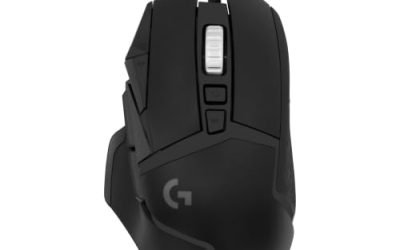
The G305 has been the default travel gaming mouse for years, and the reasons are practical rather than glamorous. The shell is compact at about 117mm long, the USB receiver stores inside the body under the top cover so it cannot rattle around loose in a bag, and a single AA battery delivers up to 250 hours of play at the full 1ms Lightspeed report rate — or months in the switchable endurance mode. Logitech’s HERO sensor tracks up to 12,000 DPI with 400 IPS, which covers fast laptop gaming without complaint.
At 99 grams it is not the lightest mouse here, and the shape is a safe symmetrical design that suits claw and fingertip grips better than a full palm hold. Six programmable buttons are configured in Logitech G HUB, and onboard memory means your settings travel with the mouse between a work laptop and a gaming machine. There is no Bluetooth, so the dongle is your only wireless route; lose it and you are shopping for a replacement rather than switching modes. As a throw-it-in-the-bag tool that simply always works, though, it remains the benchmark.
Highlights
- Up to 250 hours from one AA battery, with an endurance mode for even longer trips
- Receiver stores inside the mouse body for safe transport
- HERO sensor with 12,000 DPI and 400 IPS tracking
- Onboard memory keeps settings across different computers
Considerations
- No Bluetooth fallback if the receiver is lost
- 99 grams is heavier than the mini mice in this guide
- Micro-USB era design means no USB-C charging, since the battery is replaceable instead
Best for: travellers and laptop gamers who value battery life and receiver storage over everything else.
Razer Orochi V2 (ASIN: B0916N2LPZ)
The Orochi V2 is the mouse in this guide that disappears into a bag. Its egg-shaped shell is about 108mm long, and weight drops below 60 grams with a lithium AA battery fitted, or a little more with AAA — cleverly, the battery compartment accepts either size, so you can run whichever cell you can find in an airport shop. Razer’s 5G optical sensor reaches 18,000 DPI, and second-generation mechanical switches are rated for 60 million clicks.
Battery life is the headline: up to 425 hours on the HyperSpeed 2.4GHz connection and up to 950 hours over Bluetooth, figures no rechargeable mouse here can approach. That makes the Orochi V2 ideal for hybrid travel, gaming on the dongle at the hotel and working over Bluetooth on the train. The trade-offs are size and shape: the short, tapered body suits fingertip and claw grips, while palm players and large hands will find it cramped for long sessions. There is no onboard receiver slot as neat as the G305’s, so keep the dongle in the battery compartment when you pack.
Highlights
- Under 60 grams with a lithium battery, the lightest carry in this guide
- Up to 950 hours over Bluetooth and 425 hours on HyperSpeed wireless
- Accepts AA or AAA batteries for easy replacements anywhere
- 18,000 DPI 5G optical sensor in a true mini shell
Considerations
- Small shape cramps large hands and full palm grips
- Replaceable batteries mean no USB-C top-up option
- Receiver storage is less elegant than rivals with a dedicated slot
Best for: minimalists and frequent flyers who want the smallest serious gaming mouse and the longest battery life.
HyperX Pulsefire Haste 2 Mini Wireless (ASIN: B0CQ53QFRT)
HyperX shrank its Haste 2 formula by about a sixth to make the Mini, and the result is a 59-gram mouse that keeps the hardware travellers actually care about. The HyperX 26K sensor tracks natively up to 26,000 DPI at 650 IPS, the main switches are rated for 100 million clicks, and the battery is a rechargeable cell good for up to 100 hours per charge over the 2.4GHz link, topped up by USB-C.
Dual wireless is the travel feature: use the dongle for low-latency gaming, then flip to Bluetooth for a work laptop or tablet without moving the receiver between machines. The solid shell (no honeycomb cut-outs on this model) shrugs off bag dust better than open designs, and the symmetrical shape works for fingertip and claw grips. Six buttons are programmable in HyperX NGENUITY, though that software is Windows-only, so Mac travellers should set profiles before a trip. Compared with the Orochi V2 you trade raw battery hours for a rechargeable cell and a stronger sensor.
Highlights
- 59 grams with a solid shell that keeps dust out in transit
- HyperX 26K sensor with 650 IPS tracking and 100-million-click switches
- 2.4GHz and Bluetooth dual wireless, USB-C rechargeable
- Up to 100 hours per charge
Considerations
- Battery life is far shorter than the AA-powered Orochi V2
- NGENUITY software is Windows-only for configuration
- Mini shape is fingertip and claw territory, not palm
Best for: travellers who want a modern rechargeable mini with a flagship-grade sensor and dual-device wireless.
Keychron M3 Mini Metal (ASIN: B0DF2LZNBW)

The M3 Mini Metal is the premium outlier: a mini mouse whose shell is cast from magnesium alloy, giving it a cool, rigid feel that plastic minis cannot match, at 64 grams. Inside is a PixArt PAW3395 sensor with 26,000 DPI and 650 IPS, Huano micro switches rated for 80 million clicks, and a 4,000Hz polling rate over the 2.4GHz connection — specifications usually reserved for full-size esports mice.
Connectivity is triple-mode: 2.4GHz for gaming, Bluetooth 5.1 for a second device, and wired USB-C, which doubles as the charging cable. The 600mAh battery is smaller than the cells in bigger mice, so heavy 4,000Hz use shortens runtime noticeably; dropping to 1,000Hz stretches it for travel days. Keychron’s Engine software handles macros, DPI and lift-off settings on Windows and Mac. You pay a premium for the metal shell, and the mini dimensions still limit it to fingertip and claw grips, but as a travel mouse that feels like a flagship rather than a compromise, it stands alone here.
Highlights
- Magnesium alloy mini shell at 64 grams with a premium feel
- PAW3395 sensor and 4,000Hz polling over 2.4GHz
- Triple-mode connection: 2.4GHz, Bluetooth 5.1 and wired USB-C
- Switches rated for 80 million clicks
Considerations
- High polling rates drain the small battery quickly
- Metal shell costs more than plastic rivals
- Mini shape does not suit palm grip or very large hands
Best for: travellers who refuse to downgrade on the road and want flagship hardware in a mini metal body.
How to Choose
Prioritise in travel order. First, battery strategy: replaceable AA or AAA cells, as in the G305 and Orochi V2, can be swapped anywhere in the world and deliver the longest runtimes, while rechargeable mice like the Haste 2 Mini and M3 Mini trade that freedom for USB-C convenience and lower weight. Second, receiver management — a mouse that stores its dongle inside the body, or offers Bluetooth as a backup, removes the most common travel failure.
Third, be honest about grip. Mini mice reward fingertip and claw grips; if you palm your desk mouse, a compact-but-not-tiny option like the G305 will feel less foreign. Finally, check the surfaces you will play on. Hotel desks are often glass or glossy laminate, which defeat many optical sensors; pack a thin travel mouse pad and every mouse in this guide will track properly.
Key Specifications Explained
Dimensions matter more than weight for portability: length under roughly 120mm and a low height let a mouse slip into a laptop sleeve pocket, and all four picks qualify. Weight still counts on long days — the spread here runs from under 60 grams (Orochi V2) to 99 grams (G305), and lighter mice reduce wrist strain during fingertip play on small surfaces.
Polling rate describes how often the mouse reports position: 1,000Hz is the gaming standard, and the M3 Mini’s 4,000Hz mode smooths high-refresh play further at a real battery cost. Battery figures are always quoted for a specific mode, so compare like with like — Bluetooth figures are routinely two to ten times longer than 2.4GHz figures on the same mouse. Sensor ceilings (DPI and IPS) are comfortably high on every pick here; for travel, reliable tracking on imperfect desks matters more than headline numbers.
Setup and Settings Tips
Before a trip, save your DPI steps and button maps to onboard memory wherever the mouse supports it, so you are not dependent on software being installed on a borrowed or work machine. Charge rechargeable models the night before, and for AA models, pack one spare cell in the same pouch as the mouse. Set Bluetooth pairing for your laptop in advance and label which mode switch position is which connection; fumbling with pairing menus in an airport lounge is nobody’s idea of fun.
In your software of choice, create a travel profile with a slightly higher DPI than your desk setup — small hotel desks and trackpad-sized mouse areas reward covering ground with less arm movement. Turn off RGB and drop polling to 1,000Hz for battery-critical days, and keep a slim mouse pad in the laptop sleeve so glossy surfaces never decide whether you can play.
Common Mistakes to Avoid
The classic error is packing the mouse but not the receiver, or packing the receiver loose where it vanishes into a bag seam; use the storage slot or the battery compartment every time. Second is assuming a mouse that works at home works everywhere — glass desks defeat optical sensors, so the travel pad is not optional. Third, travellers often buy the smallest mouse available, then discover their palm grip cannot adapt; match the mini shape to a fingertip or claw grip, or step up a size.
Finally, do not judge travel mice by desk standards. A 250-hour battery and a dongle that cannot get lost will matter more across a week of travel than a few grams or a higher DPI ceiling.
FAQ
Can a portable gaming mouse keep up in competitive games?
Yes. Every pick here uses a gaming-grade optical sensor and a low-latency 2.4GHz link with a 1ms or faster report rate, so the connection is not the limiting factor; the mini shapes simply suit some grips better than others.
Which battery type is better for travel, AA or rechargeable?
AA models such as the G305 and Orochi V2 run far longer and can be revived with a shop-bought cell anywhere. Rechargeable models are lighter and use the same USB-C cable as your phone, but need planned top-ups.
Do these mice work on hotel glass desks?
Most optical sensors struggle on clear glass and mirror-gloss surfaces. Pack a thin travel mouse pad; on ordinary laminate, wood and matte desks all four mice track normally.
Is Bluetooth good enough for gaming on the road?
For casual and slower-paced games, yes, and it doubles battery life. For shooters, switch to the 2.4GHz dongle mode, which is what these mice are designed around.
What grip suits a mini mouse?
Fingertip and claw grips adapt best to short shells like the Orochi V2 and Haste 2 Mini. Palm players should choose the largest option here, the G305, or accept a compromise.
Final Verdict
For most travellers, the Logitech G305 remains the safest recommendation: months of battery, a receiver that lives inside the mouse and a shape that offends nobody. The Razer Orochi V2 is the pick when every gram and cubic centimetre counts. The HyperX Pulsefire Haste 2 Mini brings the formula up to date with a rechargeable cell and a stronger sensor, and the Keychron M3 Mini Metal proves a travel mouse can feel like a flagship. Choose by battery strategy first and grip second, and any of the four will earn its place in your bag.
Related guides
More from Amazon
Programs that pair well with the guide above. Offers and eligibility are set by Amazon and may change.
Free shipping on eligible items, Prime Video and more. Eligible new members can start with a free trial.
Start a Prime free trialAd-free music streaming. Eligible new subscribers can start with a free trial.
Try Music Unlimited freeA Prime membership for ages 18-24 with a trial period. Eligibility is set by Amazon.
See Prime for Young AdultsAudiobooks and podcasts to listen to on the go. Eligible new members can start with a free trial.
Try Audible freeAs an Amazon Associate we earn from qualifying purchases.