A 500 dollar laptop budget forces honest trade-offs. At that level you are not buying the thinnest chassis or the brightest screen, you are deciding which corner is acceptable to cut: memory, storage, display quality or processor class. A buyer who writes documents and streams video needs a different machine than one who juggles forty browser tabs, and the wrong choice shows up quickly as stutter, a full drive or a dim, washed-out panel.
One important caveat before the list: product titles do not state what a laptop costs today, and street prices move constantly. We therefore do not claim that any model below sits under 500 dollars. What we can do is sort budget-tier machines by the specs the titles confirm, so you can decide which one deserves a place on your shortlist and then confirm the current listed price against your own limit. Heading into 2026, the main specs worth caring about are 8GB of RAM, a 512GB solid-state drive and a full HD screen, and the six laptops here meet those thresholds to different degrees.
Our Top Picks
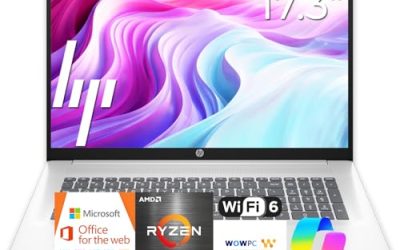
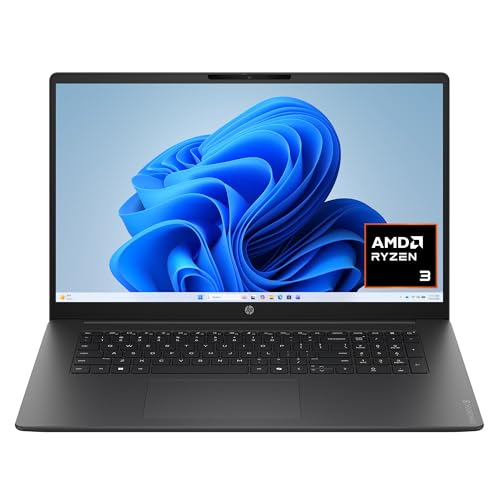 HP OmniBook 3 17.3 inch Laptop PCRyzen3|8GB|256GB|Touch15.65 x 10.09 x 0.65 Inches4.43 poundsCheck on Amazon



Top 3 picks at a glance
Quick Picks
As an Amazon Associate we earn from qualifying purchases at no extra cost to you.




| Product | Best for | Key spec from the title |
|---|---|---|
| Dell 15.6 Ryzen 5 7520U | Smoothest screen in the group | FHD 120Hz IPS, LPDDR5, 512GB SSD |
| Dell 15.6 Core 3 100U | Balanced everyday work | 8GB RAM, 512GB SSD, anti-glare IPS |
| HP OmniBook 3 17.3″ | Big-screen home use | 17.3″ FHD, 8GB RAM, 512GB SSD |
| HP 15.6 Touchscreen | Light tasks with touch input | HD touch, Ryzen 3 7320U, 128GB SSD |
| HP Everyday Student Laptop | Extra storage for files | 128GB storage plus 500GB external drive |
| HP Everyday Slim Laptop | Basic web and Office use | Intel N150, 128GB SSD, Office 365 included |
How to Choose
RAM and Storage Are the Real Limits
8GB of RAM is the working minimum for a current Windows laptop; below that, a browser plus a video call can stall the system. Storage is where budget models separate. A 512GB SSD gives you room for apps, updates and a few years of files. A 128GB drive fills up quickly once Windows updates install, so models with only 128GB should be reserved for light use or paired with cloud storage and an external drive. Ignore “cloud storage” bundles as a substitute for local space; they are subscriptions, not hardware.
Screen Quality Is Where Savings Show
Full HD (1920 by 1080) is the baseline you want. HD panels, which are lower resolution, look soft on a 15.6-inch screen and show less content at once. IPS panels keep colors and brightness consistent from side angles, while cheaper panels wash out. A 250-nit anti-glare screen is fine indoors but dim near a window. A 120Hz refresh rate makes scrolling and cursor motion smoother, a notable perk in this tier.
Processor Tier and Operating System Mode
Entry processors such as Intel N150, AMD Ryzen 3 and Intel Core 3 handle browsing, documents and video playback without trouble but struggle with heavy editing or gaming. A Ryzen 5 sits a step above for multitasking. Watch for “Windows 11 Home in S mode,” which restricts you to Microsoft Store apps unless you switch out of it; the switch is free but adds a step. Treat the processor name as a rough tier, not a precise comparison across brands.
Size, Ports and What to Ignore
Screen size is a lifestyle choice: 15.6 inches balances portability and workspace, while 17.3 inches suits desk use but is bulky to carry. Look for USB-C, HDMI and Wi-Fi 6 if you plan to use the laptop for years; Wi-Fi 5 still works but is a generation behind. Ignore labels like “Copilot AI” or “long battery life” in a title unless a battery figure is stated, because they are marketing phrases rather than specifications. Budget models most often cut corners on storage, screen resolution and build materials.
The 6 Best Options
Dell 15.6 Laptop with Ryzen 5 7520U
This Dell pairs an AMD Ryzen 5 7520U with Radeon 610M graphics, LPDDR5 memory, a 512GB SSD and a 15.6-inch full HD IPS screen with a 120Hz refresh rate. It is the only model in the group that lists a high-refresh display, which makes everyday scrolling feel smoother. Spreadsheet users and web readers tend to notice a high-refresh panel more than a slightly faster chip, since the screen is what you look at all day.
- Strength: 120Hz FHD IPS panel is unusual at the budget tier.
- Strength: Ryzen 5 plus a 512GB SSD handles multitasking and file storage.
- Trade-off: it lists Wi-Fi 5, a generation behind Wi-Fi 6.
Skip it if you need the newest wireless standard or a touchscreen. The RAM amount is not visible in the title, so confirm it is at least 8GB before buying. Wi-Fi 5 is still adequate for most home networks, so that is a minor concern unless your router is new and you transfer large files regularly.
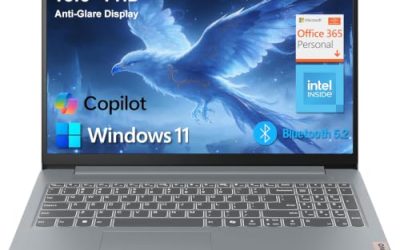
Dell 15.6 Laptop with Intel Core 3 100U
This Dell lists a full HD display with an anti-glare IPS panel at 250 nits, an Intel Core 3 100U processor, 8GB of DDR4 RAM and a 512GB SSD, with Wi-Fi 6 and Bluetooth. It is a balanced, no-surprise everyday machine for a household that wants one dependable laptop for homework, bills and streaming without needing to think about upgrades for a long time.
- Strength: 8GB RAM and 512GB SSD meet the budget-tier spec floor.
- Strength: Wi-Fi 6 and an anti-glare IPS screen suit office and study use.
- Trade-off: 250 nits is not bright, so it struggles beside windows.
Skip it if you work in bright rooms or want a high-refresh screen. It is a good fit for documents, email and video calls, and a sensible default if you want specifications that look the same on paper as most other machines at this tier.
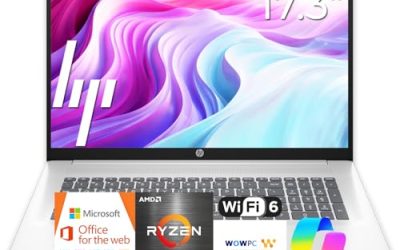
HP OmniBook 3 17.3 Inch Laptop
The OmniBook 3 offers a 17.3-inch FHD display, an AMD Ryzen 3 processor, 8GB of RAM, a 512GB SSD and Radeon 610M graphics, running Windows 11 Home. The large screen is its identity, and it suits anyone who prefers reading side-by-side windows or who has trouble with small text. The Radeon 610M graphics are integrated, so treat it as a productivity and streaming machine rather than a gaming one.
- Strength: a 17.3-inch FHD display gives lots of workspace for a budget machine.
- Strength: 8GB RAM and a 512GB SSD match the recommended floor.
- Trade-off: a 17-inch body is heavy and awkward to carry daily.
Skip it if you commute or move between rooms often. It suits a home desk or a couch setup where the laptop mostly stays put, and not for a student who carries it between classes in a backpack.
HP 15.6 Inch Touchscreen Laptop
This HP lists an HD touchscreen, an AMD Ryzen 3 7320U, 8GB of RAM and a 128GB SSD with Windows 11 Home in S mode. The touch input is nice for browsing, but the specs are the most limited of the group. The S mode setting also matters: it restricts installs to the Microsoft Store until you switch it off, which is fine for a casual user and annoying for someone with specific software.
- Strength: touchscreen and an 8GB RAM allotment for light multitasking.
- Strength: Ryzen 3 7320U handles web, documents and streaming.
- Trade-off: only 128GB of storage and an HD-class screen.
Skip it if you store large files or want a sharp display. It is best for light tasks, with cloud storage for the rest. If you are shopping for a family member who mainly watches video and sends email, the touchscreen is a friendly extra.
HP Everyday Student Laptop
The HP Everyday Student model lists an Intel processor, 128GB of internal storage plus a 500GB external hard drive, one year of Office 365 and Copilot AI features. The external drive adds capacity, though it is slower and less portable than an internal SSD. Treat it as a place for backups, old coursework and media rather than for apps you run daily.
- Strength: bundled 500GB external drive adds backup space.
- Strength: one year of Office 365 suits coursework.
- Trade-off: internal storage is only 128GB, and the specific CPU is not named.
Skip it if you want one self-contained drive or a confirmed processor model. Students on a tight budget who need Office may find the bundle appealing, but they should confirm the processor and RAM in the full listing, since the title leaves both vague.
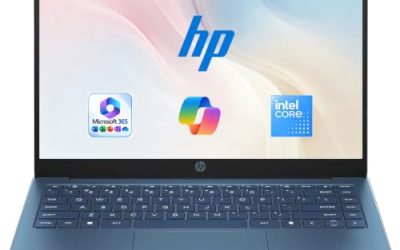
HP Everyday Slim Laptop
This slim HP lists an Intel N150 processor, a 128GB SSD with 1TB of cloud storage, and Microsoft Office 365 included. The N150 is an entry-level chip designed for basic work, which keeps the machine simple and quiet but limits what you can ask of it. The listing’s cloud storage is a subscription benefit rather than extra drive space inside the laptop.
- Strength: Office 365 and cloud storage are included for basic productivity.
- Strength: slim design appeals to light travel.
- Trade-off: the N150 processor and 128GB SSD limit heavy multitasking.
Skip it if you plan to edit photos, run many programs at once or store lots of local files. It is a simple web-and-documents machine, a reasonable second laptop for a kitchen or a spare room where heavy performance does not matter.
Which One Fits Your Situation
You Want Everyday Speed and a Smooth Screen
The Dell with the Ryzen 5 7520U is the one to shortlist, thanks to its 120Hz FHD IPS display and 512GB SSD.
You Need a Balanced Office and Study Laptop
The Dell with the Core 3 100U gives you 8GB of RAM, a 512GB SSD and Wi-Fi 6 in a conventional 15.6-inch body.
You Want a Big Screen at Home
The HP OmniBook 3 17.3 provides the most screen area. It is a desk machine, not a travel companion.
You Mostly Browse and Use Documents
The HP Everyday Slim or the HP touchscreen model is enough for web, email and streaming, provided you accept limited local storage and plan to lean on cloud files.
Common Mistakes
- Assuming a laptop fits your budget without confirming its current listed price against your limit.
- Buying 128GB of storage and then discovering updates and apps fill most of it.
- Ignoring “S mode” and finding you cannot install a favorite program.
- Paying for marketing phrases such as “Copilot AI” rather than real memory and storage.
- Choosing a 17-inch laptop for a daily commute.
Related guides
- Gaming Laptop Battery Draining While Plugged In Fix
- Graphics Cards For Low Wattage Power Supplies
- How To Stop Laptop Thermal Throttling In Software
Frequently Asked Questions
Is 8GB of RAM enough for a budget laptop?
For browsing, documents and video calls, yes. If you keep many tabs and apps open, 16GB is more comfortable, but it is hard to find at this tier.
Is a 128GB drive too small?
It works for basic use with cloud storage, but Windows and updates consume a large share. A 512GB drive is far more comfortable.
What does Windows 11 S mode mean?
It limits installs to the Microsoft Store for security and speed. You can switch out of S mode for free, but the change cannot be reversed.
Are renewed or older business laptops a better deal?
They can offer sturdier builds, but older processors and unknown battery condition are risks. Compare the specs to a new budget model before deciding.