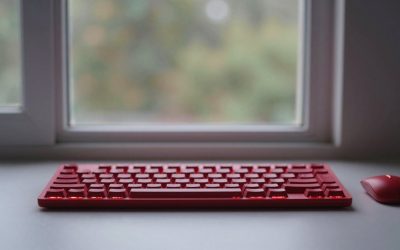
The Wooting 60HE is the best 60% keyboard for competitive gaming in 2026, and the Razer Huntsman V3 Pro Mini is its closest rival if you prefer Razer’s software. For typing comfort and wireless freedom, the SteelSeries Apex Pro Mini Wireless and Logitech G Pro X 60 are better fits, and the Royal Kludge RK61 covers the budget end.
As an Amazon Associate we earn from qualifying purchases at no extra cost to you.


Our Top Picks
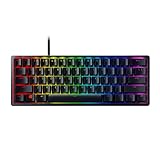
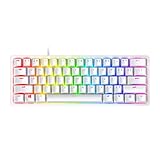
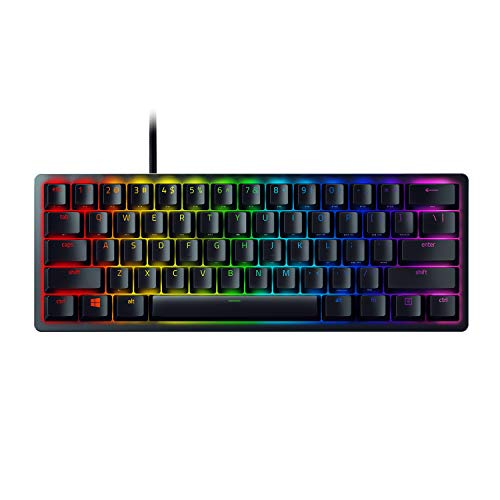 Razer Huntsman Mini 60% Gaming Keyboard11.56x 4.07 x 1.45 inches11.56 x 4.07 x 1.45 Inches1.1 poundsCheck on Amazon

Top 3 picks at a glance
Quick Comparison of the Best 60% Keyboards
| Pick | Best for | Key specs | Price range |
|---|---|---|---|
| Wooting 60HE | Best overall for gaming | Hall effect switches, rapid trigger, 8,000Hz polling mode | Premium |
| Razer Huntsman V3 Pro Mini | Best for esports | Analog optical switches, adjustable 0.1-4.0mm actuation, rapid trigger | Premium |
| SteelSeries Apex Pro Mini Wireless | Best wireless | OmniPoint adjustable switches, 2.4GHz and Bluetooth | Premium |
| Logitech G Pro X 60 | Best for Logitech fans | Wireless, hot-swappable switches, tournament build | Upper-mid |
| Razer Huntsman Mini | Best value optical | Linear or clicky optical switches, wired, Chroma lighting | Mid-range |
| Ducky One 3 Mini | Best for typing feel | Hot-swap PCB, PBT keycaps, many switch choices | Mid-range |
| Royal Kludge RK61 | Best budget | Wireless, hot-swap on many versions, 61 keys | Budget |
Best Overall: Wooting 60HE
The Wooting 60HE uses Hall effect magnetic switches, which measure how far a key is pressed instead of simply registering a click. That enables rapid trigger, where a key resets the instant you start releasing it, and adjustable actuation down to fractions of a millimetre. Professional player surveys on ProSettings.net show the 60HE family among the most-used boards, especially in tactical shooters.
It also supports very high polling rates, up to 8,000Hz in its fastest mode. The trade-offs are the price, the wired-only design, and the lack of a traditional hot-swap socket for classic mechanical switches. If you want one board that rewards precision, this is the one.
Best for Esports: Razer Huntsman V3 Pro Mini
Razer’s V3 Pro Mini uses analog optical switches with actuation you can set between about 0.1mm and 4.0mm, plus rapid trigger and a Snap Tap style feature for resolving opposing key presses. It is a polished choice if you already use Razer Synapse and want deep per-key tuning in a compact body.
Downsides include a premium cost and a lower polling rate than the Wooting. Some reviewers also note that it is not hot-swappable, so you are tied to the switch type that ships on it.
Best Wireless: SteelSeries Apex Pro Mini Wireless
This board combines adjustable OmniPoint switches with 2.4GHz and Bluetooth connectivity, giving a clean desk and still allowing a fast actuation setting. It suits people who move between a gaming PC and a laptop.
Expect to charge it regularly, and note that wireless adds a small amount of latency risk compared with a good wired cable. It is expensive for a 60% board.
Best for Logitech Users: Logitech G Pro X 60
The G Pro X 60 is a tournament-minded wireless board with a stripped-down layout, tactile feel and Logitech’s lightspeed receiver. It is priced against the Razer boards and gives you wireless where Razer’s competitor is wired.
Its main limits are a lack of rapid trigger compared with the magnetic options and limited legend flexibility. Choose it if you want a well-built wireless 60% from a familiar brand.
Best Value Optical: Razer Huntsman Mini
The original Huntsman Mini has not been updated in years, and it lacks rapid trigger, but it remains a quick, well-built wired 60% with optical switches that actuate fast and resist chatter. It is worth buying when it is discounted.
Skip it if you want hot-swap or adjustable actuation; those features belong to the pricier models above.
Best for Typing Feel: Ducky One 3 Mini
Ducky’s One 3 Mini is a favorite among typists because of its PBT keycaps, solid case and many switch options. It is hot-swappable, so you can swap switches without soldering.
It is wired, has fewer gaming-specific features than the Wooting, and the software is basic.
Best Budget: Royal Kludge RK61
The RK61 delivers a 61-key layout, wireless modes and RGB lighting for a small cost. It is a good test of whether you like the 60% format before spending on a premium board.
The trade-offs are plastic construction, a thinner sound and a software suite that is less refined. Version differences exist, so confirm hot-swap support on the listing.
What You Give Up on a 60% Board
A 60% keyboard has 61 to 64 keys. There is no function row, navigation cluster or number pad; arrow keys, Page Up and Delete live on a function layer. The saved width is the real benefit.
A standard full-size board is roughly 440mm wide. A 60% board is about 295mm, so it frees roughly 145mm of desk. If your mouse sweep is 30cm at low sensitivity, that extra space is often what avoids hitting the keyboard.
Worked Example: What Rapid Trigger Gains
Imagine a key with a fixed 1.5mm actuation point and a 1.0mm reset point. To strafe left, then right, your finger must lift roughly 0.5mm past the reset zone before the next input registers. With rapid trigger set to a 0.1mm reset, the same key resets after just 0.1mm of upward travel. That cuts the finger distance by about 0.4mm per direction change, which at fast counter-strafe speeds adds up. Polling also matters: at 1,000Hz the keyboard reports every 1ms, while at 8,000Hz it reports every 0.125ms. The gain is real but small, and your own reaction time dominates.
Which Switch Type Should You Choose?
| Switch type | Best for | Trade-off |
|---|---|---|
| Hall effect (magnetic) | Competitive shooters, rapid trigger | Higher price, often wired |
| Analog optical | Adjustable actuation, durability | Fewer swap options |
| Linear mechanical | Smooth gaming feel | Can cause accidental presses |
| Tactile mechanical | Typing and mixed use | Slightly slower to bottom out |
Mistakes to Avoid When Buying a 60% Keyboard
The most common error is buying a 60% board without checking where the arrow keys live. Many layouts hide arrows behind a function key, which is fine for gaming but frustrating for spreadsheets. If you need dedicated arrows, a 65% layout adds them for only a few extra centimetres of width.
The second mistake is assuming every compact board supports every game feature. Rapid trigger and adjustable actuation only exist on magnetic and analog optical switches, so a standard mechanical board cannot copy them in software. Third, check the keycap legends: some boards print secondary functions on the front of the cap, while others print nothing, which slows the learning curve.
Finally, consider the cable and the case. A detachable USB-C cable is easier to replace than a fixed one, and a heavier aluminum or thick plastic case resists flex during hard keystrokes. If you travel often, a board with a protective case or low-profile design is worth considering.
How to Learn the Function Layer Quickly
Start by mapping the arrow keys to the function layer your board uses, then practise in a text editor for ten minutes a day for a week. Most people adjust within a few days, and programmable boards let you remap anything you struggle with.
Frequently Asked Questions
Is a 60% keyboard good for gaming?
Yes. The compact layout gives you more mouse room and the keys most games use are all present. You just lose dedicated arrow and function keys, which are accessible through a function layer.
Are 60% keyboards good for typing?
They are fine once you learn the layer shortcuts. Programmers and writers who use arrow keys heavily may prefer a 65% board with a dedicated arrow cluster.
What is rapid trigger?
Rapid trigger resets a key the moment it moves back up, instead of waiting for a fixed reset point. That lets you repeat key presses faster and stop movement more precisely.
Is wired or wireless better for a 60% keyboard?
Wired is the safest choice for competitive play. Modern 2.4GHz wireless boards are close, but you must charge them and Bluetooth should be avoided for gaming.
Do I need a hot-swap board?
Not if you buy a board with the switch type you like. Hot-swap helps if you want to try different switches or replace a failed one without soldering.