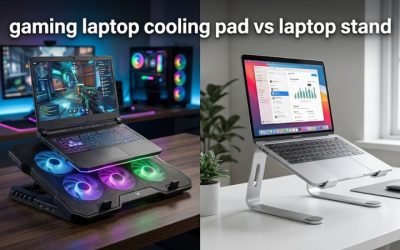
Choosing the best laptop stand for gaming and airflow means balancing chassis support, bottom-intake clearance, cooling performance, and desk stability. This roundup compares passive risers and powered cooling pads for different gaming laptop sizes, helping you choose a setup that supports longer gaming sessions without unnecessary noise or bulk.
How to Choose a Gaming Laptop Stand
A gaming laptop stand should do more than raise the screen. Its platform must support a relatively heavy chassis, leave cooling intakes unobstructed, and remain stable when you connect peripherals or adjust the display. Before choosing a model, consider how your laptop draws air and whether passive elevation or powered fans better suit your setup.
1. Match the Stand to Your Laptop’s Dimensions
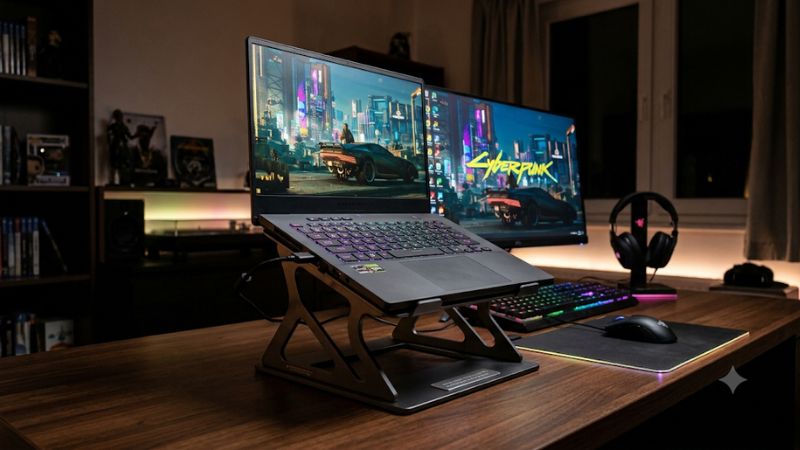
Start with the laptop’s actual width, depth, and weight rather than relying exclusively on its advertised screen size. A 17-inch gaming laptop can have a different chassis footprint from another model with the same display diagonal. Check the stand’s platform dimensions and stated weight capacity before purchasing.
The best laptop stand for gaming and airflow should also accommodate thick rear sections, large hinges, and front-edge support points. Make sure the laptop’s rubber feet sit securely on the platform and that retaining lips do not cover important intake openings.
2. Check Bottom Intake and Exhaust Placement
Most gaming laptops use a combination of bottom intakes and rear or side exhausts. A raised stand can create additional clearance beneath the chassis, allowing the cooling system to draw air without sitting directly against a desk surface. However, the benefit depends on the laptop’s internal airflow design.
Look at the underside ventilation pattern before choosing a stand. Avoid platforms with solid sections or fan housings directly beneath intake openings. A mesh surface or open-frame design can provide useful clearance without requiring additional electrical power.
3. Choose Between Passive and Active Cooling
Passive stands raise the laptop and create space beneath it without adding fans, noise, or USB power requirements. They are suitable for gaming laptops that already have effective cooling systems and primarily need better clearance, screen positioning, or desk organization.
Active cooling pads add powered fans to move air toward the laptop’s underside. They can be useful during sustained gaming workloads, but fan placement and airflow direction matter more than the number of fans. Check whether the cooling pad’s fan positions align with your laptop’s intake vents.
4. Prioritize Stability and Adjustability
Gaming laptops are often heavier than thin productivity notebooks, so a stand needs a rigid platform and secure support points. Aluminum construction, reinforced frames, nonslip pads, and front retaining stops are useful features. A lightweight folding stand may be convenient, but its stability should match the laptop’s weight.
Height and angle adjustment also affect everyday usability. A stand positioned too high can make direct keyboard use uncomfortable, while a steep angle can cause an unsecured laptop to slide. For extended gaming sessions, consider using an external keyboard and mouse.
Top Picks: Gaming Laptop Stands for Airflow
The right choice depends on whether your laptop needs additional fan-assisted airflow or simply more clearance beneath its chassis. These three options cover large gaming laptops, conventional 15–17-inch systems, and adjustable cooling support. Their specifications come from manufacturer information; actual temperature changes will vary by laptop and operating conditions.
1. Thermaltake Massive 20 RGB – Best Overall for Large Gaming Laptops
The Thermaltake Massive 20 RGB is a strong option for users with large gaming laptops. Its 200mm adjustable fan, expansive metal mesh platform, and support for notebooks from 10 to 19 inches make it particularly relevant to oversized gaming chassis. It also provides three viewing angles: 3, 9, and 13 degrees.
Its published specifications include a fan speed of 600–800 RPM, airflow rated at 64 CFM, and noise rated at 30 dBA. The main drawback is its 1,520g weight and relatively large footprint. Choose another option if portability or a compact desk setup matters more than platform size.
2. Kootek Laptop Cooling Pad – Best Value for Adjustable Cooling
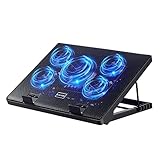
The Kootek Laptop Cooling Pad is worth considering if you want multiple fan configurations without purchasing a separate stand. Its manufacturer specifies compatibility with 12–17-inch laptops, five cooling fans, a metal mesh surface, and six adjustable height settings. This combination suits mainstream gaming laptops that fit its platform.
You can operate one fan, four fans, or all five, depending on your cooling preference. Two USB ports provide additional connectivity, although the cooler itself requires USB power. Its limitation is the 17-inch stated compatibility ceiling, so owners of larger gaming laptops should measure their chassis rather than assume a fit.
3. Thermaltake Massive V20 – Best for a Simple Large Fan
The Thermaltake Massive V20 offers a straightforward alternative for gaming laptop owners who prefer one large fan instead of a multi-fan arrangement. Its 200mm fan sits beneath a broad hexagonal metal mesh surface, while an adjustable speed controller allows users to change fan operation according to their preferences.
Thermaltake lists compatibility with 10–17-inch notebooks, dimensions of 365 × 276 × 42mm, and a weight of 700g. Its published airflow rating is 70.38 CFM, with a noise rating of 31.7 dBA. The limitation is its older, relatively simple design and lack of the larger platform found on the Massive 20 RGB.
Product Comparison Table
| Product | Best For | Key Spec | Compatibility | Watch Out For |
| Thermaltake Massive 20 RGB | Best Overall | 200mm fan, 64 CFM | 10–19 inches | Heavy and bulky |
| Kootek Cooling Pad | Best Value | Five fans, six height settings | 12–17 inches | USB power required |
| Thermaltake Massive V20 | Best Single-Fan Option | 200mm fan, 70.38 CFM | 10–17 inches | Older, basic design |
Specifications are manufacturer-published figures, not independent comparative cooling measurements. Product availability and regional configurations should be checked before purchase.
Which Gaming Laptop Stand Should You Choose?
If you own a large 18-inch or 19-inch gaming laptop, the Massive 20 RGB is the most suitable candidate among these three because its manufacturer explicitly lists support up to 19 inches. Its large platform also provides more room for positioning a wide chassis.
For a conventional 15.6-inch or 17-inch laptop, the Kootek provides more fan configuration choices and adjustable positioning. Meanwhile, the Massive V20 is worth considering if you prefer a simpler cooling pad with a single large fan and a lighter platform. Always verify the actual chassis dimensions and support points before ordering.
FAQ
1. Does a laptop stand improve gaming performance?
A laptop stand can help improve airflow, but it does not automatically increase gaming performance. Raising the chassis creates more space beneath the laptop, potentially reducing airflow restrictions around bottom intake vents. Whether this changes temperatures or clock speeds depends on the cooling design and workload.
If your laptop already maintains acceptable temperatures, a passive stand may provide little measurable performance improvement. If thermal throttling is occurring, investigate temperatures and fan behavior before deciding whether an active cooling pad is worthwhile.
2. Is a cooling pad better than a regular laptop stand?
A cooling pad is better when you want additional fan-assisted airflow, while a regular stand is sufficient when your main priority is chassis clearance and positioning. Active cooling introduces additional noise, USB power requirements, and moving parts.
Neither option is automatically superior. Check your laptop’s bottom intake locations and compare them with the stand’s fan positions. A well-positioned passive stand can be more useful than an active pad with poorly aligned fans.
3. Will a 17-inch laptop fit a stand designed for 17-inch laptops?
Not necessarily, because screen size alone does not establish physical compatibility. Two laptops with the same display diagonal can have different widths, depths, hinge designs, and chassis thicknesses.
Measure your laptop’s external dimensions and compare them with the stand’s usable platform. Also check the position of its retaining lips and rubber supports. This is especially important for thick gaming laptops with large rear exhaust assemblies.
4. Should I use an external keyboard with an elevated gaming laptop?
Yes, an external keyboard and mouse are generally preferable when a stand raises or tilts your laptop significantly. This lets you position the display higher without forcing your hands into an uncomfortable typing position.
For long gaming sessions, adjust the screen to a comfortable viewing height and keep the keyboard at a natural wrist position. Check that the stand remains stable when connecting cables or moving external peripherals around your desk.
Final Thoughts
The best laptop stand for gaming and airflow depends on chassis dimensions, intake placement, and cooling requirements. The Thermaltake Massive 20 RGB suits larger laptops, Kootek offers flexible fan configurations, and the Massive V20 provides simple airflow support. Measure your laptop before choosing, then prioritize unobstructed ventilation and stability.