If you want a wireless Xbox One headset on a budget, the Turtle Beach Stealth 500 for Xbox is the most commonly recommended choice; if you want the lowest cost and zero setup, a wired model such as the Turtle Beach Recon 70, HyperX Cloud Stinger 2 or RIG 400 Gen 2 does the job. Players who want native Xbox Wireless pairing without a dongle can look at the HyperX CloudX Stinger Core Wireless or the official Xbox Wireless Headset. This guide explains how each type connects, what to watch for with an older Xbox One, and who should pick which.
As an Amazon Associate we earn from qualifying purchases at no extra cost to you.

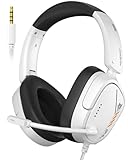


Top 3 picks at a glance
Budget Xbox One Headsets at a Glance
| Model | Connection | Best for | Stated traits | Limits |
|---|---|---|---|---|
| Turtle Beach Stealth 500 (Xbox) | 2.4GHz wireless plus Bluetooth 5.2 | Wireless on a budget | One review lists a 40-hour battery and a light frame; works with Xbox One, Series X|S, PC and mobile | Wireless needs charging |
| HyperX CloudX Stinger Core Wireless | Native Xbox Wireless | No dongle pairing | Up to 17 hours of battery per the review source | Less battery than the Stealth 500 |
| Xbox Wireless Headset (2025) | Xbox Wireless | Official, simple setup | Windows Central lists about 20 hours of battery | Priced above the cheapest wired models |
| Turtle Beach Recon 70 | Wired | Lowest cost, plug and play | Build-pc-guide calls it the best budget Xbox One pick for most people | Basic features |
| HyperX Cloud Stinger 2 | Wired | Cheap and versatile | Tom’s Guide calls it a strong cheap pick; works with Xbox One, Series X|S, PC, PS4, PS5, Switch | Wired cable |
| HyperX CloudX | Wired | No-frills | Windows Central calls it a no-frills budget pick | Few extras |
| RIG 400 Gen 2 | Wired 3.5mm | Cross-platform | Works with PS5, Xbox, Switch, PC and mobile through 3.5mm | No wireless |
| Razer Kraken X | Wired | Light and comfortable | Stuff names it its best budget pick | Basic controls |
| SteelSeries Arctis Nova 3X | Xbox model | Step-up pick | GamesRadar says it replaced the Arctis Nova 5 Wireless as its pick for most players | Above the budget tier |
How Xbox One Headsets Connect
Wired through the controller
The simplest option is a headset with a 3.5mm plug connected to the controller jack. It needs no charging and no pairing. Many budget models, such as the RIG 400 Gen 2, the Cloud Stinger 2 and the Recon 70, work this way. Look for an in-line volume dial and mic mute switch, because Xbox One controllers rely on the console’s own audio menu for balance. Some older Xbox One controllers (those without a built-in headset jack) need an adapter; check which controller you own before buying.
Native Xbox Wireless
Headsets that use native Xbox Wireless connect directly to the console like a controller, with no USB dongle. The HyperX CloudX Stinger Core Wireless and the official Xbox Wireless Headset are in this group. Reviewers like the clean setup, but note that these headsets connect only to Xbox consoles and Windows PCs with the right support, and not all have Bluetooth.
Dongle plus Bluetooth
The Turtle Beach Stealth 500 for Xbox uses a low-latency 2.4GHz connection and Bluetooth 5.2, according to the review source. That means you can take phone calls or play music from your phone while keeping the console link. The trade-off is another small device to keep track of.
What Matters in a Budget Headset
Comfort and weight
Long sessions favor light headbands and soft cushions. The Stealth 500 is described as very light, and the Razer Kraken X is picked by Stuff for its budget comfort. If you wear glasses, look for softer foam and a moderate clamp.
Microphone
Most budget headsets include a boom mic that is fine for party chat. Detachable or flip-to-mute designs are convenient, and a sidetone feature, where listed, lets you hear your own voice and avoid shouting.
Battery life
For wireless models, the numbers reported by reviewers range from about 17 hours (HyperX CloudX Stinger Core Wireless) to about 20 hours (Xbox Wireless Headset) to 40 hours (Stealth 500). Higher figures mean fewer charging breaks. Real battery life varies with volume and features.
Sound profile
Budget headsets tune for punchy bass and clear voice. The Stealth 500 includes a Superhuman Hearing mode aimed at shooters, according to the review source. Equalizer settings on the console and in game audio settings can adjust further.
Compatibility Notes
- Xbox One, Xbox Series X|S and Windows PCs share most Xbox-labeled headsets; check the box for the platform marking.
- Wired 3.5mm headsets also work on PlayStation, Switch and phones, but a headset labeled for Xbox wireless may not work elsewhere.
- Chat audio on an original Xbox One controller needs the headset jack or an adapter; the 2.4GHz and Xbox Wireless models avoid that.
- Bluetooth alone does not pair directly with an Xbox One; the console needs the dongle or native Xbox Wireless mode.
Pick X If You…
| If you… | Pick |
|---|---|
| Want wireless with long battery and phone link | Turtle Beach Stealth 500 (Xbox) |
| Want no dongle and a simple pairing | HyperX CloudX Stinger Core Wireless or the Xbox Wireless Headset |
| Want the lowest cost and instant use | Turtle Beach Recon 70 |
| Want one headset for several consoles | HyperX Cloud Stinger 2 or RIG 400 Gen 2 |
| Want a light, comfy headset | Razer Kraken X |
| Can stretch the budget a bit | SteelSeries Arctis Nova 3X |
Budget Tiers Explained
Lowest tier
Entry-level wired headsets, including no-name brand options sold for Xbox, get you chat and game audio. Expect basic padding and plastic builds. They suit kids, second consoles or backup use.
Mid budget
Wired headsets from HyperX, Turtle Beach, RIG and Razer sit here. They offer better drivers, detachable or better mics, and more durable bands.
Upper budget
Wireless models such as the Stealth 500, the CloudX Stinger Core Wireless and the Xbox Wireless Headset sit in this band, with the Arctis Nova 3X slightly above. The extra cost buys freedom from the cable.
Alternatives
- Earbuds or a PC headset with 3.5mm: If you already own a headset, an in-line mic cable may be enough.
- Previous-generation Turtle Beach models: Older Stealth models appear in discounted tiers; confirm Xbox compatibility before buying.
- Newer Xbox Series headsets: They work on Xbox One too, so you can buy once and carry the headset to a new console later.
Setting Up a Headset on Xbox One
Wired setup
Plug the 3.5mm connector into the controller and open the console’s audio settings to adjust chat mix and microphone monitoring. If you hear no sound, make sure the plug is fully seated. Some headsets have an in-line mute switch; make sure it is not engaged.
Wireless setup
For native Xbox Wireless headsets, hold the pairing button until the console recognizes the headset. For dongle-based headsets such as the Stealth 500, insert the dongle into the console’s USB port and power on the headset. Bluetooth is used for phone connection, so pair it separately.
Chat and game balance
Xbox lets you balance game volume and chat volume. A headset with a good mic and sidetone is easier to use once balance is adjusted. If friends report echo, lower the speaker volume or the mic monitor setting.
Updating firmware
Some wireless headsets receive firmware updates through the console or the maker’s app. Follow the maker’s instructions and keep the device charged during updates.
Comfort, Fit and Durability Notes
- Larger heads may prefer an adjustable steel-reinforced headband; lighter plastic bands can feel tight.
- Leatherette ear cushions block more noise but run warmer than fabric.
- Glasses wearers should favor softer cushions and lighter clamping force.
- Detachable mics reduce the risk of breaking a fixed boom arm.
- Wired cables fray at the plug; a reinforced braided cable lasts longer, if the maker lists one.
Frequently Asked Questions
Can I use any 3.5mm headset on an Xbox One?
Yes, if your controller has a 3.5mm jack. Older original controllers may need an adapter. A headset with a single combined plug works best, and some PC headsets with split plugs need an adapter.
Is a wireless headset worth it on a budget?
If you game on a couch or dislike cables, yes. The Stealth 500 and CloudX Stinger Core Wireless are reviewed as budget-friendly wireless options. For a desk setup, wired is cheaper and never needs charging.
Do these headsets work on Xbox Series X|S too?
Most do. The Stealth 500 for Xbox, the Cloud Stinger 2 and the Xbox Wireless Headset are listed as compatible with both Xbox One and Series consoles, but always read the box label.
Will a headset made for Xbox work on PC?
Many do. The Stealth 500 is listed for PC and mobile as well, and wired 3.5mm models work on nearly any device with a headset jack.
Do I need surround sound?
Not on a budget. Stereo headsets with good tuning are enough for most games. Surround modes can be enabled on the console, and effects vary by game.
How do I keep chat audio clear?
Position the mic near the corner of your mouth, adjust the chat mix in the console audio settings and use the mute switch when not speaking.
Related guides
More from Amazon
Programs that pair well with the guide above. Offers and eligibility are set by Amazon and may change.
Free shipping on eligible items, Prime Video and more. Eligible new members can start with a free trial.
Start a Prime free trialAd-free music streaming. Eligible new subscribers can start with a free trial.
Try Music Unlimited freeA Prime membership for ages 18-24 with a trial period. Eligibility is set by Amazon.
See Prime for Young AdultsAudiobooks and podcasts to listen to on the go. Eligible new members can start with a free trial.
Try Audible freeAs an Amazon Associate we earn from qualifying purchases.


