For most players, the best gaming laptop for ARC Raiders is a 16-inch model with an RTX 5070 Ti Laptop GPU (12GB) at a high power limit, 32GB of RAM and a 2560×1600 screen at 165–240Hz. An RTX 5060 laptop at 1080p is the sensible value floor. RTX 5080 and RTX 5090 machines only pay off if you want maximum settings with ray-traced lighting on a fast 1600p panel. ARC Raiders isn’t a demanding game by 2026 standards, so the GPU’s power limit, the screen and the cooling matter as much as the chip’s name.
As an Amazon Associate we earn from qualifying purchases at no extra cost to you.
![EXCaliberPC [2025] MSI Raider A18 HX A9WIG-082US (AMD Ryzen 9 9955HX3D, 32GB DDR5 RAM, 2TB NVMe SSD, NVIDIA GeForce RTX 5080, 18" UHD+ 120Hz, Windows 11 Pro) Gaming Laptop](https://m.media-amazon.com/images/I/31NznkpvipL._SL160_.jpg)
![EXCaliberPC [2025] MSI Raider 18 HX AI A2XWIG-014US (Intel Core Ultra 9 285HX, 64GB DDR5 RAM, 4TB NVMe SSD, NVIDIA GeForce RTX 5080, 18" UHD+ mini LED, Windows 11) Gaming Laptop](https://m.media-amazon.com/images/I/31wpNaexAXL._SL160_.jpg)


Our Top Picks
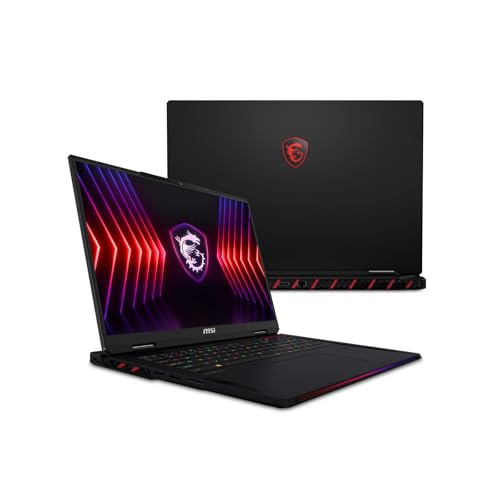


Top 3 picks at a glance
What ARC Raiders asks of a laptop
ARC Raiders is Embark Studios’ third-person PvPvE extraction shooter. It launched on October 30, 2025 and runs on Unreal Engine 5 with DirectX 12. On PC it supports DLSS 4 with Multi Frame Generation, NVIDIA Reflex, and NVIDIA RTXGI for ray-traced global illumination. It also uses kernel-level anti-cheat and needs a constant internet connection. The official requirements are modest:
| Tier | CPU | GPU | RAM |
|---|---|---|---|
| Minimum | Core i5-6600K or Ryzen 5 1600 | GTX 1050 Ti, RX 580 or Arc A380 | 12GB |
| Recommended | Core i5-9600K or Ryzen 5 3600 | RTX 2070, RX 5700 XT or Arc B570 | 16GB |
Every RTX 50 laptop GPU running at a reasonable power limit is above the recommended RTX 2070 class. So the real question isn’t whether a laptop can run the game, but how well it handles high refresh rates, 1600p and the ray-traced lighting option. On RTX 50 laptops at 2560×1600 with maximum settings and ray tracing, NVIDIA’s own figures claim an average 3.2x frame-rate increase from Multi Frame Generation. That’s a vendor number, and real results vary with settings, CPU, power limit and patch.
RTX 50 laptop GPUs mapped to ARC Raiders
| Laptop GPU | CUDA cores | VRAM | Bandwidth | Best fit | Typical laptop price |
|---|---|---|---|---|---|
| RTX 5050 | 2,560 | 8GB GDDR7 | 384 GB/s | 1080p, medium–high, 120–144Hz | usually $900–$1,200 |
| RTX 5060 | 3,328 | 8GB GDDR7 | 384 GB/s | 1080p/1200p high, 144–165Hz | usually $1,100–$1,500 |
| RTX 5070 | 4,608 | 8GB or 12GB GDDR7 | 384 GB/s | 1200p–1600p with DLSS | usually $1,300–$1,800 |
| RTX 5070 Ti | 5,888 | 12GB GDDR7 | 672 GB/s | 1600p high with RTXGI, 165–240Hz | usually $1,800–$2,600 |
| RTX 5080 | 7,680 | 16GB GDDR7 | 896 GB/s | 1600p max settings at 240Hz | usually $2,600–$3,500 |
| RTX 5090 | 10,496 | 24GB GDDR7 | 896 GB/s | Overkill for this game; buy it for other work | often above $3,800 |
The RTX 5070 has an important detail. NVIDIA now lists it with either 8GB or 12GB of memory, and the 12GB version arrived in 2026. If two otherwise similar laptops are priced close together, take the 12GB one. The extra VRAM gives you room for higher textures and frame generation at 1600p.
Why the power limit matters more than the GPU name
Laptop makers set each GPU’s power limit (TGP) themselves, and the same chip can perform very differently depending on that limit. Compare two real machines:
-
ASUS ROG Zephyrus G14 (2025): up to an RTX 5080 rated at 110W with Dynamic Boost, a Ryzen AI 9 HX 370, a 3K 120Hz OLED panel, and a weight of about 1.5kg.
-
ASUS ROG Strix G16 (2025): configurations from RTX 5050 to RTX 5080, with the RTX 5080 rated up to 175W, a Core Ultra 9 275HX, and a 16-inch 2.5K 240Hz panel.
Both can be sold as “RTX 5080 laptops,” but the Strix gives its GPU about 60% more power to work with. In a long raid where the laptop stays at full load for 20–30 minutes, that extra power means higher sustained clocks. The G14 trades that for portability. Before you buy, find the GPU wattage on the spec sheet: about 100W or more for an RTX 5060, and about 115W or more for an RTX 5070 Ti, if you want performance close to what the chip can do.
Worked numbers: resolution, upscaling and battery
A 1600p screen sounds much heavier than 1080p, but DLSS changes the math. At the Quality setting, DLSS renders at about 67% of the output resolution on each axis, which is about 44% of the pixels.
| Screen | Native pixels | DLSS Quality internal resolution | Pixels actually rendered |
|---|---|---|---|
| 1920×1080 | 2.07 million | 1280×720 | 0.92 million |
| 2560×1600 | 4.10 million | 1707×1067 | 1.82 million |
| 2880×1800 | 5.18 million | 1920×1200 | 2.30 million |
A 2560×1600 laptop using DLSS Quality renders fewer pixels than a native 1080p screen, and that’s why an RTX 5070 Ti can drive a 1600p panel comfortably. The cost is memory: the output buffers, frame generation and higher texture settings still scale with the full screen resolution, so 12GB or more is the safer amount for 1600p.
Battery play is a different story. A 90Wh battery in a laptop that draws about 100W while gaming lasts roughly 90 ÷ 100 = 0.9 hours, or under an hour. Most laptops also cut GPU power sharply on battery. Treat ARC Raiders as a plugged-in game, and check that the charger is the full-wattage brick the laptop shipped with, which is often 240W or more for RTX 5070 Ti and higher.
Other things to look for
-
Screen: 16:10, 2560×1600, at 165Hz or higher. ARC Raiders switches between bright open terrain and dark interiors, and an OLED panel’s contrast helps you spot ARC machines and players in shadow. A fast IPS panel with G-Sync is fine too.
-
MUX switch or Advanced Optimus: lets the GPU drive the display directly instead of going through integrated graphics, which raises frame rates and lowers latency.
-
RAM: 16GB meets the recommended spec, but 32GB leaves room for Discord, a browser and map tools. Many thin laptops, including the G14 and the Razer Blade 16, use soldered memory, so choose 32GB when you buy.
-
Storage: at least 1TB NVMe. Live-service shooters grow with every update, and 512GB fills up after a few big games.
-
CPU: any current Core Ultra HX, Core Ultra H or Ryzen AI HX chip is far beyond the recommended Core i5-9600K. CPU choice matters only if you’re targeting 200 fps or more on a 240Hz screen.
Which laptop fits your situation
| Your situation | Pick | Why |
|---|---|---|
| Tight budget, desk play at 1080p | RTX 5060 at 100W+, 1080p 144–165Hz, 16GB (upgradable) | Clears the recommended spec easily; the cheapest tier that holds high settings |
| Best overall value | RTX 5070 Ti at 115W+, 1600p 165–240Hz, 32GB | Enough GPU for RTXGI and high refresh, with 12GB of VRAM |
| Travel and LAN nights | 14-inch class such as the ROG Zephyrus G14 (2025) | Light and quiet enough to carry, at the cost of lower GPU power |
| Maximum settings at 240Hz | RTX 5080 at 150W+, such as an ROG Strix G16 (2025) configuration | Headroom for ray-traced lighting with frame rates to match the panel |
| Thin premium machine for gaming and work | Razer Blade 16 (2026) with RTX 5080 or 5090 | A 14.9mm chassis, QHD+ OLED up to 240Hz, Core Ultra 9 386H |
Settings to start with on any laptop
-
Plug in, set the laptop’s performance or turbo mode, and switch the MUX to the discrete GPU.
-
Turn NVIDIA Reflex on. In a PvP extraction fight, a quicker response matters more than a few extra frames.
-
Use DLSS Quality at 1600p or DLSS Balanced at 3K. On RTX 5050 and 5060 machines, leave RTXGI ray-traced lighting off and put the GPU headroom into frame rate.
-
Turn on Multi Frame Generation only when your base frame rate is already around 60 fps or higher, and only on a 165Hz or faster screen. Below that, it adds delay without making the game feel faster.
Frequently asked questions
Can ARC Raiders run well on a laptop with an RTX 5060?
Yes, an RTX 5060 laptop can run ARC Raiders well at 1080p or 1200p with high settings. Look for a model with the GPU rated at about 100W or more and a 144–165Hz display. On RTX 5060 machines, keep RTXGI ray-traced lighting off and use the available GPU headroom for a higher frame rate.
Is 16GB of RAM enough for ARC Raiders?
Yes, 16GB meets ARC Raiders’ recommended specification, but 32GB is the better choice for a gaming laptop. It leaves room for Discord, a browser and map tools while the game is running. If you are choosing between otherwise similar models, also check whether the memory is soldered, since some thin laptops cannot be upgraded later.
Do I need to play ARC Raiders while plugged in?
Yes, ARC Raiders should be treated as a plugged-in game. A 90Wh battery in a laptop drawing about 100W while gaming lasts roughly 0.9 hours, or under an hour, and most laptops reduce GPU power sharply on battery. Check that the laptop uses the full-wattage charger it shipped with, often 240W or more on higher-power models.
Should I enable Multi Frame Generation in ARC Raiders?
Enable Multi Frame Generation only when the base frame rate is already around 60 fps or higher and the laptop has a 165Hz or faster screen. It can increase displayed frame rates, but below that base frame rate it adds delay without making the game feel faster. NVIDIA’s figures claim an average 3.2x increase, though results vary.
Does a MUX switch make a difference in ARC Raiders?
Yes, a MUX switch or Advanced Optimus can improve laptop gaming performance and latency. It lets the discrete GPU drive the display directly instead of sending frames through integrated graphics. Before playing, plug in the laptop, select its performance or turbo mode, and switch the MUX to the discrete GPU when that option is available.