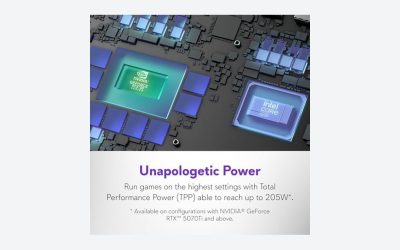
Shopping for a gaming laptop by its graphics chip is trickier than shopping for a desktop card, because the same name can hide very different machines. Two laptops that both say RTX 5070 Ti on the box can perform differently depending on how much power the manufacturer lets the chip draw and how well the chassis cools it. The chip name is where you start, not where you finish.
The problem this guide solves is narrow: you have a rough budget and a rough idea of what you play, and you need to know which laptop GPU tier to look for in the listings. We rank the current RTX 50 laptop chips and the budget RTX 4050, explain what each one is good for, and give you a way to read a listing without being fooled by the badge alone.
As an Amazon Associate we earn from qualifying purchases at no extra cost to you.






Our Top Picks
 HP Victus 15.6" Full HD 144Hz Gaming Laptop16GB | 512GB SSD19 x 12 x 3 inches7 poundsCheck on Amazon
 Khadas Mind Graphics 2 eGPU External Graphics CardRTX 5060 Ti丨16GB GDDR77.83 x 5.24 x 0.1 Inches6.6 poundsCheck on Amazon



Top 3 picks at a glance
Quick Picks
| Product | Best for | Price |
|---|---|---|
| RTX 5090 Laptop GPU (24GB) | Maximum performance, 4K, and creative work | Premium tier; check the listing |
| RTX 5080 Laptop GPU (16GB) | High-end 1440p and capable 4K | High tier; check the listing |
| RTX 5070 Ti Laptop GPU (12GB) | Best balance for 1440p gaming | Upper-mid tier; check the listing |
| RTX 5070 Laptop GPU (8GB) | 1080p and entry 1440p | Mid tier; check the listing |
| RTX 5060 Laptop GPU (8GB) | 1080p on a tighter budget | Lower-mid tier; check the listing |
| RTX 4050 Laptop GPU (6GB) | Cheapest way into RTX gaming | Budget tier; check the listing |
Laptop prices depend on the whole machine, including the CPU, screen, and RAM, so this table shows tiers instead of dollar figures. Compare the specific listing.
How We Picked
The ranking follows Nvidia’s tier order and VRAM capacity, because those are the two facts that stay constant across laptop brands. We looked at the memory on each chip, the feature set, and where each one fits in a buyer’s decision. We did not rely on any single measured result, since laptop performance varies with the power limit and the cooling design. Wherever the article describes performance, it is qualitative and reflects the general pattern reported in launch reviews from outlets such as TechSpot, Tom’s Hardware, and Hardware Unboxed.
The 6 Best Picks
RTX 5090 Laptop GPU
This is the top of the laptop lineup, with 24GB of VRAM and the full RTX 50 feature set, including multi frame generation. It is for people who want the strongest portable machine, whether for high-end gaming or creative work with big scenes. Note that a laptop 5090 is not a desktop 5090 in a smaller box; the two are different products with different performance.
- Most VRAM and speed in any laptop.
- Multi frame generation and modern DLSS features.
- Con: the machines that carry it are heavy, expensive, and hot.
Skip it if you play at 1080p or you value battery life and portability.
RTX 5080 Laptop GPU
The 5080 Laptop has 16GB of VRAM and sits one step below the flagship. It is a strong choice for gamers who want serious 1440p performance and a path to 4K with upscaling. It carries the RTX 50 feature set.
- 16GB of memory gives room for high texture settings.
- Excellent for high-refresh 1440p.
- Con: priced in the premium tier, and the best models are bulky.
Skip it if your screen is 1080p, since you will not use its headroom.
RTX 5070 Ti Laptop GPU
With 12GB of VRAM, the 5070 Ti Laptop is the balance point for most serious gamers. It handles 1440p well and offers modern features. For many buyers, this tier delivers the most gaming per dollar among the high-end chips.
- 12GB is a comfortable amount for 1440p gaming.
- Includes multi frame generation.
- Con: less memory than the 5080 for creative workloads.
Skip it if you need 16GB or more for video or 3D work.
RTX 5070 Laptop GPU
The 5070 Laptop comes with 8GB of VRAM. It is a good fit for 1080p gaming at high settings and workable for 1440p with upscaling. It is a good target for students and gamers who want one machine for class and play.
- Capable 1080p performance with DLSS.
- Available in thinner and lighter laptops.
- Con: 8GB of VRAM can limit texture settings in newer games.
Skip it if you want to hold the laptop for many years of 1440p gaming.
RTX 5060 Laptop GPU
Also 8GB, the 5060 Laptop is the sensible choice for 1080p gaming on a budget. It supports the RTX 50 features and is a fine option for esports and mainstream titles.
- Solid 1080p value and modern features.
- Often found in more affordable machines.
- Con: lower power headroom than higher chips.
Skip it if you plan to connect an external 1440p or 4K monitor for demanding games.
RTX 4050 Laptop GPU
The RTX 4050 Laptop has 6GB of VRAM and is the cheapest route to an RTX laptop. It supports DLSS upscaling and frame generation, which helps it in newer games. It suits casual gaming, esports, and students.
- One of the lowest-cost RTX options, with frame generation support.
- Good for lighter and older games at 1080p.
- Con: 6GB of VRAM is limiting for new releases at high settings.
Skip it if you want to play the latest big-budget games at high settings.
Buying Guide
Read Past the Badge
The same chip name can come with different power limits, and the limit shapes performance. Look for the listing’s stated graphics power, usually given in watts, and compare two machines with the same GPU by that number and by their cooling descriptions. When the listing does not say, check the manufacturer’s spec page.
Mind the VRAM
Memory capacity matters more as games get heavier. The tiers here run from 6GB to 24GB. For 1440p, 12GB or more is more comfortable; for 1080p, 8GB works if you manage texture settings.
Think About the Rest of the Machine
A fast GPU paired with a weak CPU, slow single-channel memory, or a dim 60Hz screen wastes money. Look for a recent processor, at least 16GB of system RAM, and a display refresh rate that matches the GPU’s ability. If you want a cheap laptop with an Nvidia graphics card, accept a lower tier and put the savings into a good screen and enough RAM. Brands such as ASUS, Lenovo, MSI, and Acer build laptops around all of these chips, so compare listings across brands rather than committing to one name.
Our Verdict
For most gamers shopping in 2026, the RTX 5070 Ti Laptop GPU is the best overall balance, with the 5070 and 5060 as sensible value picks. The 5090 and 5080 are for people who want the fastest portable machine and accept the weight and price. The 4050 is a budget entry point when cost matters most.
FAQ
What is the fastest laptop GPU from Nvidia?
The RTX 5090 Laptop GPU with 24GB of VRAM is the top of the lineup. It is a different product from the desktop RTX 5090.
Is a laptop RTX 5070 the same as a desktop RTX 5070?
No. Laptop chips run under tighter power and thermal limits, so performance differs. Treat the names as tiers, not as equal to the desktop cards.
Which laptop GPU is best for a cheap gaming laptop?
The RTX 4050 Laptop or RTX 5060 Laptop are the usual choices at the lower end. Compare listings for the power limit, RAM, and screen.
Does the laptop RTX 5060 support multi frame generation?
Multi frame generation is exclusive to the RTX 50 series, which includes the laptop chips in that family. Check the game’s settings to see whether it is supported.