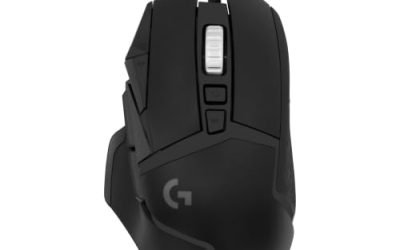
The Razer DeathAdder is a long, palm-friendly mouse, about 127 mm from front to back, and the pad underneath it decides how that shape actually feels in play. A pad that is too small runs out of room halfway through a wide swipe, a surface with the wrong friction fights the glide, and a thin mat lets every bump in the desk reach the sensor. The real choice is not a brand name. It is size, surface friction, and thickness, matched to how far you move the mouse.
This guide is for DeathAdder owners who play shooters at low sensitivity, for players who want steadier aim without changing their mouse, and for anyone whose desk surface is uneven, glossy, or simply too small. Every pad below is a large mouse pad only, chosen from its Amazon listing name and listed specifications, with room for the full length of the DeathAdder and a surface that suits an optical sensor.
Top 3 picks at a glance
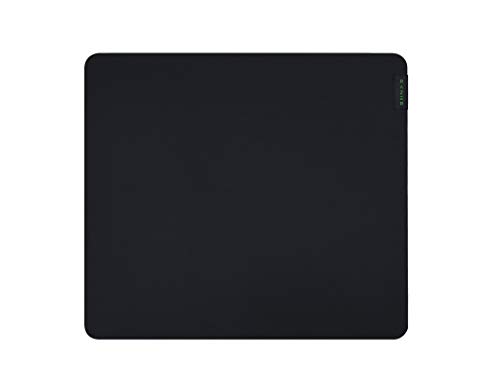

Quick Picks
As an Amazon Associate we earn from qualifying purchases.
| Product | Best for | Key spec from title |
|---|---|---|
| SteelSeries QcK Large | Low-sensitivity players who want the classic cloth pad | Micro-woven cloth surface, optimized for gaming sensors |
| Razer Gigantus V2 Large | A balanced Razer pad for mixed FPS and everyday play | Textured micro-weave cloth surface, thick high-density foam |
| Logitech G640 Large | Control-first aim with a slower, planted glide | Moderate surface friction, optimized for gaming sensors |
| Razer Strider Large | A faster hybrid glide that still rolls up for travel | Firm gliding surface, anti-slip base, rollable and portable |
How to Choose
Start with size, not brand
A DeathAdder measures about 127 mm long, and a low-sensitivity player can move it 30 cm or more in a single flick. A pad around 450 by 400 mm gives that sweep room without the mouse sliding off the edge mid-fight, while a small office pad forces constant lifting and re-centering. Measure the free desk space first, including where the keyboard sits, and check the listed dimensions before ordering. If the keyboard crowds the pad, a desk mat shape may fit better than a square pad, but for mouse-only space, a large pad is the safer starting point.
Match surface friction to your aim style
Cloth pads come in speed and control flavours, and the difference is real. A smooth, low-friction surface lets the DeathAdder glide with little effort, which suits fast flicks and high-sensitivity play. A textured, higher-friction surface adds stopping power, so the mouse halts exactly where the hand stops, which suits precise aiming and low-sensitivity tracking. The DeathAdder uses an optical sensor, and it tracks on the even, matte cloth surfaces in this guide. Avoid glossy or reflective desk surfaces with no pad at all, since uneven reflections are what make an optical sensor behave inconsistently.
Check thickness and the base
Thickness changes comfort more than most buyers expect. A slim 2 mm pad keeps the wrist almost level with the desk and suits players who rest the wrist on the desk edge. A 3 mm pad adds a little cushion and levels out small bumps and seams in the desk underneath. Whatever the thickness, the base matters just as much: a non-slip rubber base keeps the pad from bunching up during a fast swipe, which is the most common reason a pad feels unreliable. If the desk has a visible seam or a raised edge, pick the thicker pad rather than the thinner one.
Look at the edges and how the pad is cleaned
Unstitched cloth edges can fray and peel after months of wrist contact, while stitched edges hold the border together and give a smoother transition for the wrist. A water-resistant surface shrugs off a spilled drink and wipes clean, which matters for a pad that stays on the desk for years. Cloth pads can be washed with mild soap and water, but they need to dry fully flat before use, and a pad that is rolled for travel should unroll without keeping a curl. Check the listing for stitched edges and water resistance before deciding, since these details are easy to miss.
The 4 Best Options
SteelSeries QcK Large

The QcK Large is the default cloth pad the rest of this list is measured against, and it earns that place with a simple formula: a micro-woven cloth surface built for gaming sensors, a non-slip rubber base, and a large footprint that covers a full swipe. It is slim at 2 mm, so the wrist stays close to desk level, and the surface gives a steady, medium glide that suits both fast flicks and controlled tracking. There is nothing extra here, no lighting and no hard coating, which is exactly why it works for so many DeathAdder owners.
Specs
- Micro-woven cloth surface, optimized for optical and laser gaming sensors
- Non-slip rubber base
- Size: 450 x 400 mm
- Thickness: 2 mm
- Colour: Black
Best for: Low-sensitivity players who want a proven, no-frills large cloth pad.
Watch out for: The standard QcK Large has raw, unstitched edges, so the border can show wear where the wrist rests after long use.
Razer Gigantus V2 Large
The Gigantus V2 Large is the natural match for a DeathAdder owner who wants the mouse and pad from the same brand without paying for lighting or a desk-sized mat. Its textured micro-weave cloth surface gives a balanced glide with enough friction to stop precisely, and the thick high-density foam underneath keeps the pad flat over small desk imperfections. At 450 by 400 mm it covers the same wide swipe area as the other large pads here, and the stitched edges protect the border from fraying.
Specs
- Textured micro-weave cloth surface
- Thick, high-density rubber foam
- Non-slip base
- Size: 450 x 400 x 3 mm
- Model: RZ02-03330300-R3U1
Best for: DeathAdder owners who want a balanced Razer pad for mixed FPS and everyday play.
Watch out for: The 3 mm foam adds a small step up from the desk, so players who rest the wrist flat on the desk may notice the edge at first.
Logitech G640 Large
The G640 Large is the control pick in this group. Its moderate surface friction gives a slower, more planted glide than the smoother cloth pads, so the DeathAdder stops where the hand stops instead of sliding past the target. The surface texture is listed as consistent and optimized for gaming sensors, which keeps tracking steady across the whole pad rather than only in the centre. At 460 by 400 mm it is slightly wider than the other large pads here, and the soft rubber base holds it still during sudden movements.
Specs
- Moderate surface friction
- Consistent surface texture, optimized for gaming sensors
- Soft, non-slip rubber base
- Size: 460 x 400 x 3 mm
- Model: 943-000797
Best for: Players who want maximum stopping power and a deliberate, controlled glide.
Watch out for: The moderate friction feels slower than a speed cloth, so fast-flick players who like a near-effortless glide may find it drags.
Razer Strider Large

The Strider Large is the hybrid of the group, pairing a firm gliding surface with a soft, rollable base. The top feels closer to a hard pad, so the DeathAdder moves with less drag than on a standard cloth mat, while the 3 mm base still cushions the wrist and lies flat after being rolled up for travel. Stitched edges protect the border, the grooved rubber underside anchors the pad to the desk, and the water-resistant surface wipes clean after a spill. It is the pick for players who find pure cloth too slow but do not want a rigid hard pad.
Specs
- Hybrid firm gliding surface with a soft base
- Anti-slip grooved rubber base
- Anti-fraying stitched edges
- Water-resistant surface, rollable and portable
- Size: 450 x 400 mm
- Thickness: 3 mm
- Material: Polyester, rubber
- Model: RZ02-03810200-R3M1
Best for: Players who want hard-pad speed in a mat that rolls up and travels.
Watch out for: The firm hybrid surface gives less stopping friction than a control cloth, so precise low-sensitivity tracking takes a short adjustment period.
Which One Fits Your Situation
You play low-sensitivity FPS and sweep wide
Pick the SteelSeries QcK Large. Its 450 by 400 mm surface covers a full arm sweep without the DeathAdder running off the edge, and the medium cloth glide stays predictable from one end of the pad to the other. The slim 2 mm profile also keeps the wrist level with the desk during long sessions.
You want the most control over every stop
Pick the Logitech G640 Large. Its moderate friction is the slowest glide in this group, which means the mouse halts cleanly the moment the hand stops. That planted feel suits precise aiming and tracking, and the extra width gives a little more room than the other large pads. The soft rubber base keeps the pad still through sudden stops, so the feel stays consistent all session.
You want a faster glide and a pad that travels
Pick the Razer Strider Large. The firm hybrid surface moves with less drag than cloth, yet the soft base rolls up for a bag and lies flat again on the desk. The water-resistant surface and stitched edges also make it the most travel-friendly pad in this guide. The firm surface also resists wear from the DeathAdder feet, so the glide stays smooth longer than on a soft cloth mat.
You want one balanced pad that matches the DeathAdder
Pick the Razer Gigantus V2 Large. Its textured cloth sits between speed and control, the 3 mm foam levels out desk bumps, and the stitched edges hold up over time. It is the straightforward choice for mixed FPS, MOBA, and everyday use with a Razer mouse. It needs no extra setup and works straight out of the box, which suits players who want to stop shopping and start playing.
Common Mistakes
- Buying a small pad for a low-sensitivity setup, then running out of room in the middle of a flick and lifting the mouse to re-centre.
- Choosing an ultra-smooth speed surface when the real problem is overshooting targets, and ending up with less stopping power than before.
- Ignoring thickness on an uneven desk, so seams and bumps under a slim pad reach the sensor and make tracking feel inconsistent.
- Assuming every pad labelled Large is the same size, instead of checking the listed dimensions against the free desk space.
- Letting the pad hang half off the desk edge or bunch up during play, then blaming the mouse when the glide turns uneven.
Frequently Asked Questions
What size mouse pad does a Razer DeathAdder need?
A large pad around 450 by 400 mm is the right starting point for most DeathAdder owners. The mouse is about 127 mm long, and low-sensitivity players move it in wide sweeps, so a pad of that size covers full flicks without the mouse sliding off the edge. Smaller pads work only for high-sensitivity players who move the mouse in short strokes.
Does the DeathAdder track well on a cloth pad?
Yes, the DeathAdder uses an optical sensor, and it tracks well on the even, matte cloth surfaces in this guide. The listings for these pads describe surfaces optimized for gaming sensors with a consistent texture. What causes tracking trouble is a glossy, reflective, or uneven desk surface with no pad, rather than cloth itself.
Should I pick a speed or a control surface for the DeathAdder?
Pick a speed surface for fast flicks and high sensitivity, and a control surface for precise aiming and low sensitivity. Speed cloth lets the mouse glide with little effort, while a textured control surface adds friction that helps the mouse stop exactly on target. If unsure, a balanced cloth like the Gigantus V2 sits between the two and suits mixed play.
How thick should a mouse pad be?
A 2 mm pad keeps the wrist almost level with the desk and suits players who rest the wrist on the desk. A 3 mm pad adds cushioning and levels out small bumps or seams in the desk underneath. Thicker pads help on uneven desks, but the step up from the desk can feel noticeable at first, so match thickness to the desk and to how the wrist rests.
Related guides
More from Amazon
Programs that pair well with the guide above. Offers and eligibility are set by Amazon and may change.
Free shipping on eligible items, Prime Video and more. Eligible new members can start with a free trial.
Start a Prime free trialAd-free music streaming. Eligible new subscribers can start with a free trial.
Try Music Unlimited freeA Prime membership for ages 18-24 with a trial period. Eligibility is set by Amazon.
See Prime for Young AdultsAudiobooks and podcasts to listen to on the go. Eligible new members can start with a free trial.
Try Audible freeAs an Amazon Associate we earn from qualifying purchases.