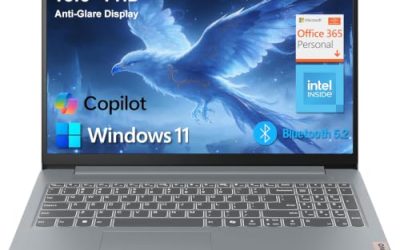
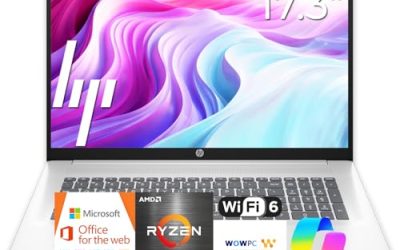
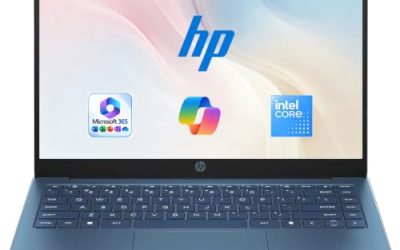
An OLED laptop is a display decision first and a processor decision second. Each pixel produces its own light, so black areas are truly dark, colors look saturated, and HDR content pops in a way a standard IPS panel struggles to match. That is why this keyword attracts photo editors, video watchers, and anyone who spends hours reading a screen in a dim room. The catch is that OLED panels vary widely in resolution, refresh rate, and brightness, and the listings that advertise OLED do not all pair it with the same memory, storage, or chip.
This guide is for buyers who have already decided that an OLED screen is worth chasing and now need to sort a field that runs from ultra-light travel notebooks to a gaming machine. In 2026 the options include Snapdragon, AMD, and Intel platforms, so the notes below stick to what each listing states and flag where memory or storage looks thin. Use the picks as a shortlist, then confirm details against the current product page before buying.
Our Top Picks
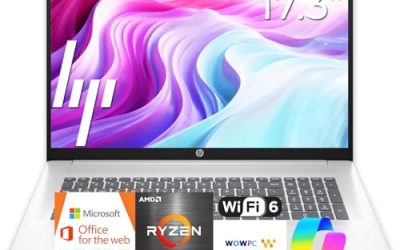
 HP OmniBook 3 AI-Powered Laptop 14" WUXGA OLED16GB RAM | 256GB SSD12.38 x 8.9 x 0.58 Inches3.13 PoundsCheck on Amazon
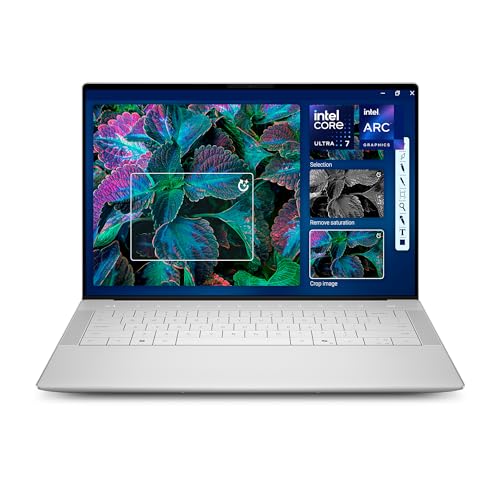 Dell XPS 14 Premium Laptop DA14250-14.5-inch Touch 3.2KXPS14|32GB|1TB8.5 x 12.6 x 0.71 inches3.79 poundsCheck on Amazon

Top 3 picks at a glance
Quick Picks
As an Amazon Associate we earn from qualifying purchases at no extra cost to you.



| Product | Best for | Key spec from the title |
|---|---|---|
| ASUS Zenbook 14 OLED | Light travel and long days | Touchscreen, Ryzen AI 9 465, 16GB RAM, 1TB SSD, 500 nits HDR |
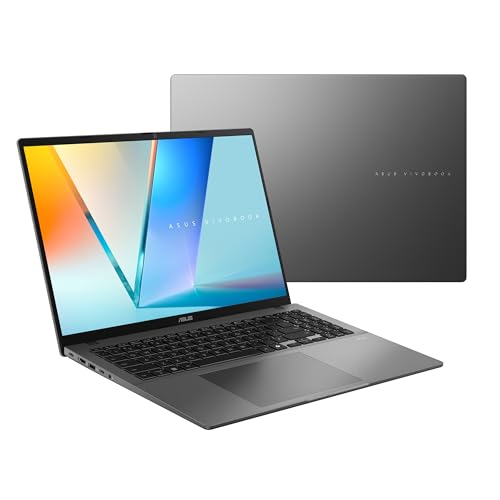
| ASUS Vivobook S16 | Big-screen productivity | 16-inch 16:10 WUXGA OLED, Ryzen AI 7 445, 32GB RAM, 1TB SSD |
| HP OmniBook 3 | Color-focused creative work | 14-inch WUXGA OLED, 100% DCI-P3, Snapdragon X, 16GB RAM |
| Acer Swift Go 16 | Sharp, smooth viewing | 3200×2000 OLED, 120Hz, Core Ultra 5 125H, Intel Evo |
| Dell XPS 14 | Premium all-rounder | 14.5-inch touch 3.2K OLED, 48-120Hz, Core Ultra 7 255H, 32GB RAM |
| Lenovo Legion 5a | Gaming on an OLED panel | 15.3-inch WQXGA 165Hz OLED, RTX 5060, 32GB DDR5 |
How to Choose
Resolution, aspect ratio, and refresh rate
For a 14-inch panel, a WUXGA (1920×1200) screen is already crisp, while 2K and 3.2K panels add extra sharpness for photo and video work at the cost of battery life. A 16:10 aspect ratio gives more vertical room for documents than 16:9. Refresh rate is the other axis: 60Hz is fine for office work, 120Hz makes scrolling and cursor movement feel smoother, and 165Hz targets gaming. Variable ranges such as 48-120Hz help the panel save power when content is still.
Brightness and color coverage
A listing that quotes nits and DCI-P3 coverage gives you something to compare. A figure like 500 nits suggests solid HDR playback, while 100% DCI-P3 matters for color-critical work. If a title mentions neither, you are relying on the manufacturer’s general positioning. OLED glare is another factor: glossy panels look vivid but reflect windows, so a bright room favors higher peak brightness.
Memory, storage, and the processor behind the screen
An OLED display looks wasted on a machine that stutters. Treat 16GB of RAM as a practical floor for multitasking and 32GB as the comfortable choice for editing or heavy browsing. Storage of 512GB is workable, and 1TB removes the need to prune files. Chips with an NPU, such as the Snapdragon X family or Ryzen AI, add on-device AI features and typically emphasize efficiency, which can help battery life.
OLED trade-offs to weigh
OLED screens can show image retention if a static element stays on screen for long stretches, so use auto-hide taskbars and dark mode where practical. Budget OLED models usually cut corners on memory, storage, or ports rather than on the panel. A low-capacity SSD or 8GB of RAM can leave you cleaning up files or closing tabs far sooner than you expect.
The 6 Best Options
ASUS Zenbook 14 OLED
The Zenbook 14 is aimed at people who want a light notebook with a rich display. Its title cites a touchscreen OLED, a Ryzen AI 9 465 chip, 16GB of RAM, a 1TB SSD, a 2K display at 500 nits with HDR, and a backlit keyboard. The ultra-light and long battery life labels frame it as a travel companion, and the specs suggest enough headroom for office work and media. Students, writers, and frequent flyers who live in documents and video calls are the natural audience, because the touch support also makes tablet-style note taking and quick scrolling easier.
- Strength: a 500-nit HDR panel and touch support make media and notes feel vivid and flexible.
- Strength: 16GB of RAM and a 1TB SSD offer comfortable capacity for daily work.
- Trade-off: the 14-inch size limits screen real estate for side-by-side windows.
Who should skip it: buyers who want a large display or a discrete graphics card should look at the bigger models below.
ASUS Vivobook S16
The Vivobook S16 pairs a 16-inch, 16:10 WUXGA OLED display with an AMD Ryzen AI 7 445 processor, Radeon graphics, 32GB of RAM, and a 1TB SSD, and it is labeled a Copilot+ PC. It targets people who want a roomy screen for spreadsheets, documents, and streaming without moving to a heavy gaming laptop. The Copilot+ label and Ryzen AI chip also point to on-device AI features, which appeal to buyers who want a machine that stays relevant as software adds more local assistants and effects.
- Strength: a 16-inch 16:10 OLED provides generous workspace and rich contrast.
- Strength: 32GB of RAM and 1TB of storage are generous for the category.
- Trade-off: a 16-inch chassis is less pocketable than a 14-inch ultraportable.
Who should skip it: frequent travelers who value the smallest footprint may prefer a 14-inch model.
HP OmniBook 3
The OmniBook 3 is the color-accuracy pick of the list. The title lists a 14-inch WUXGA OLED with 100% DCI-P3 coverage, an eight-core Snapdragon X chip with up to 45 NPU TOPS, 16GB of DDR5 memory, 256GB of storage, and Wi-Fi 6E. It is pitched at creators and designers who want a vivid screen in a compact body. The Wi-Fi 6E radio and 16GB of DDR5 memory round out a configuration that looks well suited to photo review, light editing, and presentations on the move, provided the storage is supplemented with an external drive or cloud space.
- Strength: 100% DCI-P3 coverage suits photo and design work.
- Strength: a Snapdragon X chip with a strong NPU rating emphasizes efficient AI features.
- Trade-off: 256GB of storage fills quickly with media and project files.
Who should skip it: anyone who needs large local libraries or Windows apps that depend on traditional x86 processors should check compatibility first.
Acer Swift Go 16
The Swift Go 16 offers a 16-inch OLED panel at 3200×2000 resolution with a 120Hz refresh rate, driven by an Intel Core Ultra 5 125H with 512GB of storage and an Intel Evo certification. The high resolution and smooth refresh make it appealing for people who read, edit, or browse a lot on screen. It fits a reader, a video fan, or a photographer on a mid-range plan who wants a large canvas, as long as the memory limit is acceptable for the way they work.
- Strength: a 3200×2000 panel at 120Hz is sharp and smooth for a 16-inch display.
- Strength: Intel Evo certification signals a focus on responsiveness and mobile use.
- Trade-off: the listing shows 8GB of RAM, which feels tight for heavy multitasking.
Who should skip it: buyers who keep many browser tabs and apps open should prioritize models with more memory.
Dell XPS 14
The XPS 14 is the premium option here. The title lists a 14.5-inch touch display with a 3.2K OLED panel and a 48-120Hz range, an Intel Core Ultra 7 255H, Intel Arc graphics, 32GB of memory, and a 1TB SSD. It suits professionals who want a high-end, well-specified notebook for work and entertainment. The touch panel, Arc graphics, and variable refresh range hint at a design that balances creative tasks with everyday battery use, which is what executives and designers often want from a single machine.
- Strength: a 3.2K OLED with a variable refresh range balances sharpness and efficiency.
- Strength: 32GB of memory and a 1TB SSD cover demanding multitasking.
- Trade-off: a premium configuration like this usually sits at the top of the cost range.
Who should skip it: buyers focused on cost or on running demanding games should consider other options.
Lenovo Legion 5a
The Legion 5a is the outlier because it is a gaming laptop with an OLED display. The title lists a Ryzen 7 250, a GeForce RTX 5060, a 15.3-inch WQXGA (2560×1600) 165Hz OLED display, 32GB of DDR5 memory, a 1TB SSD, and Wi-Fi 7. It targets gamers who want contrast and fast refresh together. The WQXGA resolution is sharper than the full HD panels common on gaming notebooks, and Wi-Fi 7 adds networking headroom for online play and large downloads.
- Strength: a 165Hz OLED panel combines fast motion with deep blacks.
- Strength: an RTX 5060 and 32GB of DDR5 memory give real gaming headroom.
- Trade-off: gaming laptops are typically heavier and shorter on battery life than ultraportables.
Who should skip it: commuters who value a light bag and all-day battery should choose a thin notebook.
Which One Fits Your Situation
You travel often and want a light screen with great contrast
The ASUS Zenbook 14 OLED leans on its ultra-light and long-battery positioning, with a touch-capable HDR panel and plenty of RAM and storage.
You edit photos and care about color coverage
The HP OmniBook 3 states 100% DCI-P3, and the Dell XPS 14 pairs a 3.2K OLED with 32GB of memory. Pick the HP for a compact build and the Dell for more headroom.
You want a big workspace for documents and streaming
The ASUS Vivobook S16 and the Acer Swift Go 16 both use 16-inch OLED panels. Choose the Vivobook for 32GB of RAM and the Acer for the higher-resolution, 120Hz panel.
You play games and want OLED contrast
The Lenovo Legion 5a is the only gaming-class pick, with an RTX 5060 and a 165Hz OLED panel. It works as a desk-bound machine that also doubles as a media screen, so plan on keeping the charger close.
Common Mistakes
- Paying for an OLED panel and accepting 8GB of RAM or a small SSD that limits everyday use.
- Assuming every OLED laptop has the same brightness, color coverage, and refresh rate.
- Ignoring the processor platform and discovering compatibility issues with older Windows software on Snapdragon models.
- Leaving static elements on screen for hours, which can encourage image retention.
- Choosing a gaming laptop for travel and being surprised by its weight and battery limits.
Related guides
- Gaming Laptop Battery Draining While Plugged In Fix
- Graphics Cards For Low Wattage Power Supplies
- How To Stop Laptop Thermal Throttling In Software
Frequently Asked Questions
Is OLED better than IPS for a laptop?
OLED offers deeper blacks, stronger contrast, and vivid color, which benefits media and creative work. IPS panels can be brighter in some conditions and carry less risk of image retention.
Does an OLED screen drain the battery faster?
It depends on content. Dark interfaces use less power on OLED, while bright, white-heavy screens use more. Variable refresh rates, such as 48-120Hz, help trim consumption.
How much RAM should I pair with an OLED display?
Treat 16GB as a floor for general use and 32GB for editing or heavy multitasking. An 8GB configuration can feel limiting despite a premium screen.
Are Snapdragon OLED laptops a good choice?
They emphasize efficiency and on-device AI features. Check that the apps you rely on run well on that platform before committing.