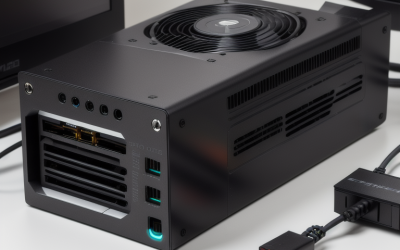
To get a quiet gaming PC, choose an efficient CPU and GPU that do not need much cooling, a roomy case with large, slow-spinning fans, a heatsink or cooler sized well above the chip’s heat output, and a power supply that stays near-silent at moderate loads. Then tune the fan curves so the fans ramp gently. Noise is mostly a result of how hard fans must work, so lowering heat is the first step and quiet fans are the second.
Step 1: Understand where PC noise comes from
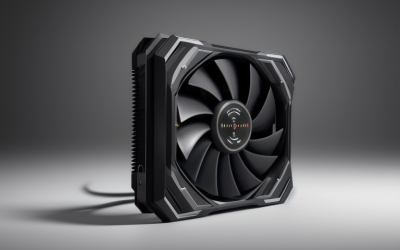
Most gaming PC noise comes from a handful of sources: the graphics card fans, the CPU cooler fan or pump, case fans, the power supply fan, and mechanical hard drives if you use them. Coil whine, an electrical buzz from some GPUs and power supplies, is a separate issue and varies from unit to unit. A fan’s noise rises steeply with speed, which is why many quiet-PC guides, including material from fan maker Noctua, emphasise larger fans running slowly rather than small fans running fast.
| Noise source | What drives it | Quiet-build approach |
|---|---|---|
| GPU fans | GPU power draw and cooler size | Efficient card with a large triple-fan cooler |
| CPU cooler | CPU heat and cooler size | Large tower air cooler or 280 to 360 mm liquid cooler |
| Case fans | Airflow needs and fan size | 140 mm fans, mesh front, balanced intake and exhaust |
| Power supply | Load and efficiency | Higher-capacity, efficient unit with a semi-passive mode |
| Storage | Spinning platters | SSDs only, or isolate hard drives |
| Coil whine | Component electrical behaviour | Frame-rate cap; return or swap if intrusive |
Step 2: Pick efficient components
Less heat means quieter cooling. When comparing graphics cards, power draw is a rough guide to how much cooling the card needs, and reviewers often publish noise measurements next to temperatures. Current Nvidia GeForce RTX 50 series and AMD Radeon RX 9000 series cards span a wide range of power levels, so a mid-range card with a large cooler is generally easier to keep quiet than a flagship pushed to its limits. On the CPU side, the maker’s listed power ratings differ a lot between models. Some AMD Ryzen 9000 chips are listed with relatively modest power limits compared with high-end alternatives, which makes them simpler to cool, though you should read the maker’s specification page for the exact model.
Undervolting or power limiting a GPU can reduce noise, but it is an advanced tweak. It can cause instability if overdone and may affect your warranty depending on the maker, so make small changes, test with games you play and follow the manufacturer’s guidance.
Step 3: Choose a case for airflow and sound
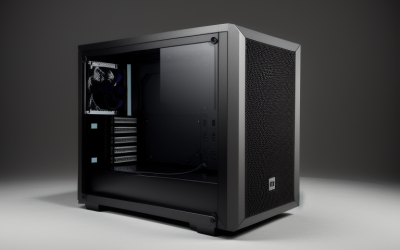
Cases fall into two broad camps. Mesh-front cases favour airflow, letting fans run slower for the same temperatures, though they pass more fan noise outward. Sound-dampened cases with solid panels and foam trap noise but can restrict airflow, so they need larger fans and a cooler that is well sized. A common compromise is a case with a removable or perforated front panel and sound-absorbing material on the side panels. Space also matters: room for 140 mm fans and a tall CPU cooler helps keep speeds low.
- Prefer cases that support several 140 mm fans.
- Check the maker’s maximum CPU cooler height and GPU length against your parts.
- Keep cable runs tidy so air flows freely.
- Leave the PC on a desk or shelf with ventilation space, not in a sealed cabinet.
Step 4: Cooling the CPU quietly
A large dual-tower air cooler or a premium air cooler with a big fan can keep many CPUs cool at low rpm. Liquid coolers with 280 mm or 360 mm radiators also work, but pumps add their own sound, and some users find them more audible than a strong air cooler at idle. Whichever you choose, pick a cooler rated well above your CPU’s heat output, because an oversized cooler can run slowly. Check the cooler maker’s compatibility list for your socket, whether AM5 or Intel LGA 1851, and your case.
Step 5: Choose the graphics card cooler and fan behaviour
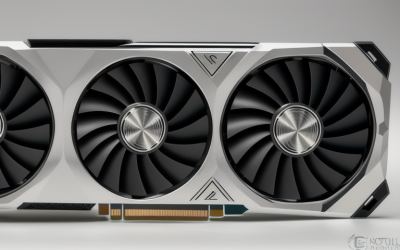
Many modern graphics cards stop their fans at low loads. Makers describe this as a zero-RPM or fan-stop mode, so the card is silent during desktop use. Under gaming load, larger coolers with three fans typically spin more slowly for the same heat. Reviewers who publish noise level charts are the best source for comparing specific models, because two cards using the same GPU can sound very different.
Step 6: Power supply and storage
Select a power supply with a capacity comfortably above your needs so it runs at a lower load, where fans spin slowly or stop in semi-passive mode. Do not open a power supply, as dangerous voltages can remain inside after unplugging; if one makes unusual noise, contact the maker. For storage, solid-state drives are silent. Mechanical drives add spin and seek noise, so use them only for bulk storage and consider rubber mounts.
Step 7: Tune fan curves
Most motherboards let you set fan curves in the BIOS or in the maker’s software. Menu names vary by maker, so use your motherboard manual. A quiet profile keeps fans at a low, steady speed until temperatures rise, rather than ramping up and down for short spikes. Setting a small delay or smoothing for the CPU fan response prevents the revving that annoys many users. Keep settings conservative, as extremely low fan speeds can lead to overheating, thermal throttling and shorter component life. Watch temperatures after changing them.
Quick decision table
| If you want | Choose | Trade-off |
|---|---|---|
| Near-silent desktop use | GPU with fan-stop mode, semi-passive power supply, SSD only | Fans start once load rises |
| Quiet gaming at 1080p or 1440p | Efficient mid-range GPU, large air cooler, mesh-front case | Less raw performance than a flagship |
| Quiet and powerful | Premium GPU with a very large cooler, big case, tuned curves | Size and cost |
| Small form factor | Low-power parts, low-profile cooler | Harder to keep quiet |
Common mistakes
- Buying a sealed, foam-lined case and small fans. Heat builds and fans speed up anyway.
- Choosing the smallest cooler that fits. Headroom lets the fan run slowly.
- Judging by decibel ratings alone. The type of noise matters; a hum or whine can be more annoying than a steady airflow sound.
- Ignoring coil whine. It varies between samples; if it is loud, ask the retailer or maker about a swap.
- Setting fans too low. Silence is not worth high temperatures.
Frequently Asked Questions
Does a quiet gaming PC give up performance?
Not necessarily. You can choose strong parts and cool them with bigger, slower fans. The trade-off is usually size and cost, not frame rate, though some flagship components are difficult to keep silent under full load.
Are liquid coolers quieter than air coolers?
Not always. A large air cooler can match or beat a liquid cooler for noise, and pumps add a constant sound of their own. Reviewers compare specific models, so look at their noise charts.
What causes the buzzing sound from my graphics card?
This is commonly called coil whine, an electrical vibration that can change with frame rate. It varies by unit, and capping frame rates can reduce it. If it is bothersome, contact the maker or seller about options.
Is 140 mm fan better than 120 mm for quiet operation?
A larger fan can move the same air at a lower speed, which is the reason many quiet builds favour 140 mm fans where the case allows them. Fan design also matters, so reviewer measurements remain useful.
Can I make my current PC quieter?
Often, yes. Clean dust, replace noisy fans, adjust fan curves in the BIOS and consider a frame-rate cap. Unplug the PC before opening it, and avoid touching the power supply interior.
Related guides
More from Amazon
Programs that pair well with the guide above. Offers and eligibility are set by Amazon and may change.
Free shipping on eligible items, Prime Video and more. Eligible new members can start with a free trial.
Start a Prime free trialAd-free music streaming. Eligible new subscribers can start with a free trial.
Try Music Unlimited freeA Prime membership for ages 18-24 with a trial period. Eligibility is set by Amazon.
See Prime for Young AdultsAudiobooks and podcasts to listen to on the go. Eligible new members can start with a free trial.
Try Audible freeAs an Amazon Associate we earn from qualifying purchases.