Choosing between these GPUs depends on more than the model name. RTX 5070 laptop vs RTX 5070 Ti laptop comes down to gaming performance, VRAM capacity, power limits, and price. The Ti model has more graphics resources and memory, making it better suited to demanding games, while the standard RTX 5070 can offer better value for 1080p gaming.
How to Choose Between These Laptop GPUs
The most important distinction is that these are different laptop GPU configurations, not interchangeable versions of the same chip. NVIDIA’s specifications establish a substantial hardware advantage for the RTX 5070 Ti, but the laptop’s cooling system, graphics power limit, processor, and display resolution influence how much of that advantage you experience.
1. GPU specifications and architecture
Both GPUs belong to NVIDIA’s Blackwell-based GeForce RTX 50 laptop family. The RTX 5070 Laptop GPU has 4,608 CUDA cores, while the RTX 5070 Ti Laptop GPU has 5,888. That gives the Ti approximately 27.8% more CUDA cores, although this percentage does not translate directly into an equivalent FPS improvement.
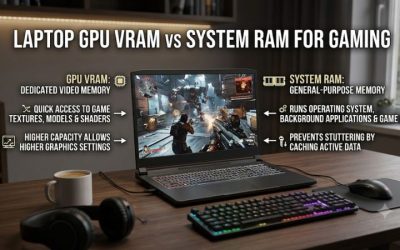
The memory difference is equally important. The RTX 5070 Laptop GPU comes with 8GB of GDDR7 VRAM and a 128-bit memory interface. The RTX 5070 Ti Laptop GPU has 12GB of GDDR7 and a 192-bit interface. More memory can help with high-resolution textures, ray tracing, and demanding creative workloads, especially when a game approaches the smaller GPU’s memory capacity.
2. Laptop GPU power limits and cooling
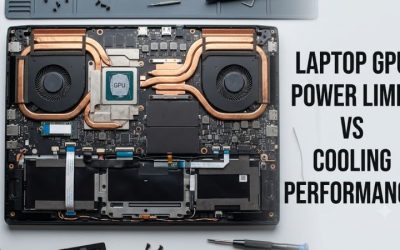
NVIDIA lists a GPU subsystem power range of 50–100W for the RTX 5070 Laptop GPU and 60–115W for the RTX 5070 Ti Laptop GPU. These ranges describe supported laptop implementations, not a promise that every laptop will operate at the maximum. Manufacturers configure power according to the chassis, cooling design, and overall system limits.
When comparing two laptops, check the manufacturer’s maximum graphics power specification and whether it includes Dynamic Boost. A higher power limit can help sustain performance, but it does not automatically make one laptop faster in every game. Cooling capacity, fan profiles, CPU power sharing, and sustained clock speeds all matter.
3. Resolution, graphics settings, and VRAM
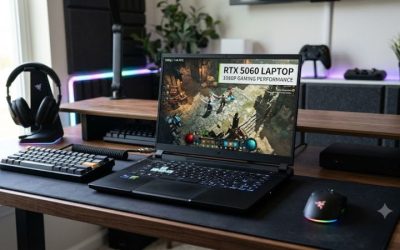
The standard RTX 5070 is a sensible option for gamers who prioritize 1080p performance and are comfortable adjusting demanding graphics settings when necessary. Its 8GB of VRAM is sufficient for many current games, but high-resolution textures, ray tracing, and certain newer releases can create memory pressure that limits settings or causes inconsistent performance.
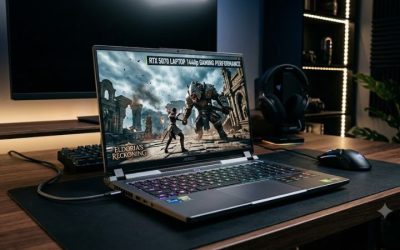
The RTX 5070 Ti is more attractive for 1440p-class laptop displays, including 2560 × 1600 panels. Its additional VRAM and wider memory interface provide more headroom for demanding graphics workloads. However, the Ti badge does not make every game suitable for maximum settings; actual performance still depends on the game, resolution, power configuration, and available upscaling features.
4. Budget and the complete laptop configuration
A GPU comparison should never ignore the rest of the machine. A laptop with the standard RTX 5070 may include a better display, more memory, a larger SSD, or a stronger processor for the same budget. Those advantages can matter more than the GPU difference for some buyers, particularly students and gamers who also use demanding productivity applications.
Compare complete configurations at their current US retail prices rather than relying on launch pricing or a model family’s starting price. Check RAM capacity, SSD size, display resolution, warranty, cooling, and upgrade options. If the RTX 5070 Ti configuration costs only a little more, its additional VRAM can make the premium worthwhile. A substantial price gap makes the standard model more competitive.
RTX 5070 Laptop vs RTX 5070 Ti Laptop: Performance and Value
Independent benchmark results support the Ti model’s performance advantage, but the size of the gap varies with the laptop and workload. The following comparison separates official GPU specifications from real-world performance observations so buyers can judge what matters for their own games instead of treating one benchmark result as a universal guarantee.
1. Side-by-side GPU specifications
| Specification | RTX 5070 Laptop GPU | RTX 5070 Ti Laptop GPU |
| Architecture | NVIDIA Blackwell | NVIDIA Blackwell |
| CUDA cores | 4,608 | 5,888 |
| Dedicated VRAM | 8GB GDDR7 | 12GB GDDR7 |
| Memory interface | 128-bit | 192-bit |
| Memory bandwidth | 384 GB/s | 672 GB/s |
| GPU subsystem power range | 50–100W | 60–115W |
| Best fit | Value-focused gaming | More demanding gaming |
The specifications show why the Ti is more than a minor clock-speed upgrade. Its 50% greater VRAM capacity and 75% greater listed memory bandwidth can be important in memory-intensive games, while its additional CUDA cores provide more processing resources. Actual FPS gains vary with workload and laptop power settings.
2. What independent gaming benchmarks show
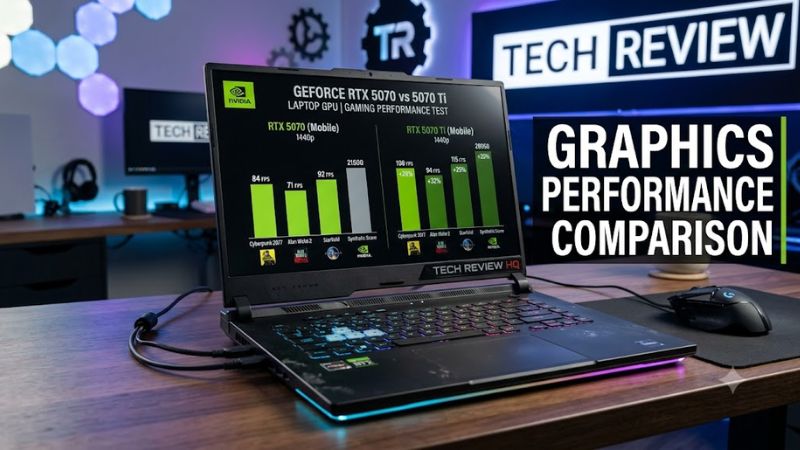
Notebookcheck’s April 2025 comparison reported that the RTX 5070 Ti Laptop GPU averaged approximately 40% higher gaming performance than the RTX 5070 Laptop GPU in its tested game selection. Its Cyberpunk 2077 result at 1920 × 1080 using the Ultra preset with FSR disabled was 126.7 FPS for the Ti configuration. The test used an XMG Pro 16 engineering sample with a Core Ultra 9 275HX and a 140W GPU power configuration, including Dynamic Boost.
That figure should not be treated as a direct FPS prediction for every laptop. Notebookcheck’s comparison also included an RTX 5070 configuration with a different laptop and processor, and the review notes that power limits affect results. Use the reported advantage as evidence that the Ti can be substantially faster, not as a fixed uplift for every game or machine.
3. Ray tracing, DLSS, and demanding games
Both GPUs support NVIDIA’s RTX features, including ray tracing and DLSS 4 technologies. These features can improve image quality or increase displayed frame rates in supported games, but their availability and impact depend on the title and settings. Frame generation should not be confused with native rendering performance or treated as a substitute for adequate base FPS.
The Ti’s additional processing capacity and 12GB VRAM make it the stronger choice when combining demanding graphics settings with ray tracing. The standard RTX 5070 remains viable if you are willing to lower selected settings or use DLSS Super Resolution. For either GPU, check whether the particular game supports the relevant feature and compare native and upscaled results separately.
4. Choosing the right GPU for your games
For competitive titles at 1080p, the standard RTX 5070 can be a sensible purchase if the laptop has a good display and the price is attractive. Games that run at high frame rates with relatively modest graphics demands may not benefit enough from the Ti to justify a large price premium. CPU performance and the laptop’s cooling system can also become important at high refresh rates.
For demanding single-player games, ray-traced titles, and 1600p displays, the Ti is the safer long-term choice between these two GPUs. Its extra VRAM provides more room for demanding assets and future releases. Nevertheless, buyers should consider a lower graphics preset or upscaling where necessary rather than assuming either GPU will sustain maximum settings in every new game.
FAQ
Is the RTX 5070 Ti Laptop GPU worth the extra money?
Yes, if you play demanding games, use ray tracing, or want more VRAM headroom. Its 12GB of GDDR7 memory and additional processing resources make it more capable than the standard RTX 5070. However, the standard model may offer better value if the Ti version requires a substantial price premium.
Is the RTX 5070 Laptop GPU enough for 1440p gaming?
Yes, the RTX 5070 Laptop GPU can handle many games at 1440p, but demanding titles may require reduced graphics settings or DLSS. Its 8GB of VRAM is a consideration for games with high-resolution textures and ray tracing. Performance also depends on the laptop’s power limit and cooling.
Does the RTX 5070 Ti Laptop GPU always deliver higher FPS?
No, the RTX 5070 Ti Laptop GPU does not deliver the same performance advantage in every laptop or game. Its stronger specifications favor higher performance, but GPU power limits, cooling, CPU bottlenecks, and game settings influence the result. Compare benchmarks from similarly configured systems whenever possible.
Should I choose more RAM or the RTX 5070 Ti?
Choose the RTX 5070 Ti when gaming performance and graphics memory are your priorities, but do not neglect system RAM. A laptop with insufficient system memory can struggle with multitasking and demanding games regardless of its GPU. Compare upgrade options and total cost before deciding between a stronger GPU and a better-balanced configuration.
Final Thoughts
The RTX 5070 laptop vs RTX 5070 Ti laptop decision favors the Ti for demanding gaming, ray tracing, and higher-resolution displays, thanks to its 12GB VRAM and stronger specifications. The standard RTX 5070 remains attractive for budget-conscious 1080p gaming. Compare actual laptop power limits and current US prices before purchasing.