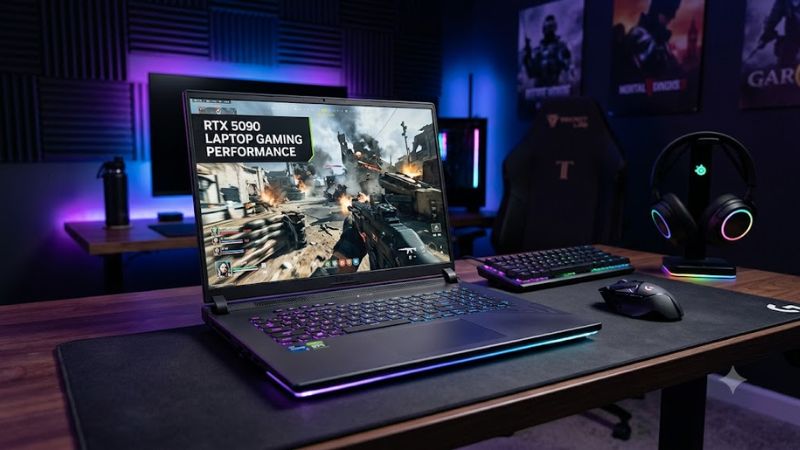
The RTX 5090 laptop gaming performance story is more nuanced than its flagship GPU label suggests. NVIDIA’s mobile Blackwell GPU delivers high-end gaming power, 24GB of GDDR7 memory, and DLSS 4 Multi Frame Generation, but actual results depend on laptop cooling, GPU power limits, resolution, and game settings.
What RTX 5090 Laptop Gaming Performance Really Comes Down To
The GeForce RTX 5090 Laptop GPU targets gamers who want high settings, demanding ray tracing, and high-resolution gameplay in a portable system. It is not equivalent to the desktop RTX 5090, and its advantage over the previous generation varies with the game, laptop design, and rendering settings.
1. Mobile GPU specifications and power limits
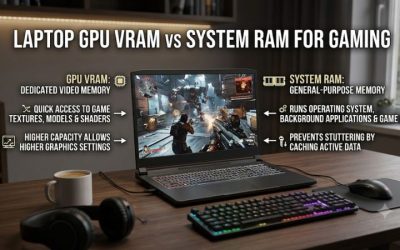
NVIDIA lists 10,496 CUDA cores, 24GB of GDDR7 memory, and memory bandwidth of 896 GB/s for the RTX 5090 Laptop GPU. These specifications provide substantial graphics and memory resources for modern games, high-resolution textures, ray tracing, and other GPU-intensive workloads.
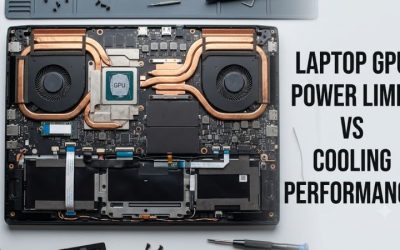
However, the same GPU name can appear in laptops with different cooling systems and power configurations. A thinner chassis may prioritize portability, while a larger gaming laptop can allocate more space to cooling. Consequently, specifications alone cannot establish which RTX 5090 laptop will deliver the highest sustained frame rates.
2. Resolution and graphics settings
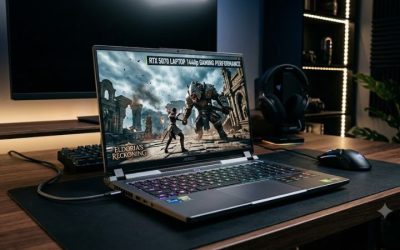
At 1440p, the RTX 5090 Laptop GPU is well suited to demanding games with high or ultra graphics settings. At 4K, the larger rendering workload can reduce frame rates considerably, particularly when ray tracing or path tracing is enabled. Performance therefore depends on the combination of resolution, effects, and rendering technology.
For competitive games, lowering demanding settings may produce better responsiveness than maximizing every visual option. For cinematic single-player games, higher-quality lighting and textures may matter more than reaching extremely high frame rates. Choose settings around your preferred experience rather than assuming the GPU can run every game at maximum quality without assistance.
3. DLSS 4 and Multi Frame Generation
NVIDIA’s RTX 50-series laptop GPUs support DLSS 4 features, including Multi Frame Generation in compatible games. These technologies can increase displayed frame rates by generating additional frames, while DLSS Super Resolution reconstructs an image from a lower internal rendering resolution.
The distinction between rendered and generated frames matters. A large frame-rate counter does not necessarily mean input response improves by the same proportion. Multi Frame Generation is most attractive when the underlying game already runs at a reasonable frame rate, particularly in visually demanding single-player titles. Competitive players should prioritize responsiveness and consider the latency trade-off.
4. CPU, cooling, and the rest of the laptop
The graphics processor is only one part of the gaming system. CPU performance can limit frame rates in simulation-heavy games, large multiplayer matches, and other workloads that depend heavily on individual CPU cores. Memory configuration, background applications, and the laptop’s performance profile can also influence results.
Cooling determines how consistently a laptop can sustain its operating limits during long gaming sessions. Fan noise, surface temperatures, and power consumption vary by chassis and manufacturer settings. When comparing configurations, look beyond the GPU badge to independent reviews of the exact laptop model, including sustained performance and acoustic behavior.
How RTX 5090 Laptop Gaming Performance Looks in Real Games
Independent results show that the RTX 5090 Laptop GPU can lead previous-generation mobile graphics, but the size of the improvement depends on the laptop and workload. Notebookcheck’s analysis of the Razer Blade 16 and XMG Neo 16 A25 illustrates why power configuration, native rendering performance, and frame generation should be considered separately.
1. Benchmark results: What the numbers tell you
Notebookcheck’s Cyberpunk 2077: Phantom Liberty results provide a useful example of how settings change performance. In its QHD test at Ultra settings, native rendering averaged 98.6 FPS, while 4K Ultra averaged 50.7 FPS. These results describe the specific RTX 5090 laptop test configuration, not every laptop using this GPU.
| Game and settings | Resolution | Rendering configuration | Average FPS |
| Cyberpunk 2077: Phantom Liberty, Ultra | QHD | Native, no FSR | 98.6 |
| Cyberpunk 2077: Phantom Liberty, Ultra | 4K | Native, no FSR | 50.7 |
| Cyberpunk 2077: Phantom Liberty, RT Overdrive | QHD | Native | 26.8 |
| Cyberpunk 2077: Phantom Liberty, RT Overdrive | 4K | Native | 12.6 |
Source: Notebookcheck, RTX 5090 Laptop GPU analysis. QHD refers to 2560 × 1440 and 4K to 3840 × 2160. Results are specific to the reported test setup.
The demanding path-tracing results are particularly important. Even flagship mobile hardware can struggle when the most intensive lighting effects run at native resolution. Lowering settings or enabling upscaling can make a larger practical difference than simply choosing the highest GPU tier.
2. RTX 5090 laptop versus RTX 4090 laptop
The RTX 5090 Laptop GPU adds 24GB of VRAM compared with 16GB on the RTX 4090 Laptop GPU, giving it more memory capacity for demanding textures and supported GPU workloads. However, additional VRAM does not automatically translate into proportionally higher FPS when a game fits comfortably within the older GPU’s memory capacity.
Notebookcheck’s synthetic benchmark comparisons show that the 5090’s advantage changes by test and power configuration. The outlet also found that a higher-power RTX 5080 Laptop configuration could outperform the lower-power RTX 5090 in some synthetic tests. This reinforces the importance of comparing complete laptop systems instead of GPU names alone.
3. Understanding DLSS and generated frame rates
With DLSS Super Resolution, the GPU renders internally at a lower resolution and reconstructs the output. Multi Frame Generation can create additional frames between conventionally rendered frames, improving perceived motion smoothness in supported titles. These features are especially relevant when demanding effects would otherwise produce low native frame rates.
Notebookcheck reported 4K Cyberpunk 2077 results of 84.5 FPS with DLSS Auto, 130.9 FPS with DLSS and 2x frame generation, and 219.9 FPS with DLSS and 4x frame generation under its Ultra preset. These are different rendering configurations, not equivalent measures of native rendering performance. Generated frames also do not remove the latency associated with a low underlying frame rate.
4. Choosing settings for your gaming target
For a high-refresh 1440p display, start with the game’s High preset and adjust individual settings according to performance. If frame rates are lower than expected, check whether the game is CPU-limited before reducing every graphics option. Ray tracing, shadows, and volumetric effects can be useful settings to adjust in demanding titles.
For 4K gaming, use native rendering when image clarity is the priority and performance permits it. Enable DLSS when maintaining a playable frame rate matters more than rendering every pixel natively. Use Multi Frame Generation selectively, especially in single-player games, and assess visual artifacts and responsiveness rather than judging the experience from the FPS counter alone.
FAQ
Is the RTX 5090 Laptop GPU good for 4K gaming?
Yes, the RTX 5090 Laptop GPU is capable of 4K gaming, but demanding titles may require DLSS or reduced graphics settings to maintain smooth performance. Native 4K with intensive path tracing can remain demanding even on this flagship mobile GPU.
Is RTX 5090 laptop gaming performance much better than RTX 4090?
The improvement varies by game, laptop power limits, and rendering settings. The RTX 5090 offers more VRAM and newer DLSS 4 Multi Frame Generation capabilities, but raw FPS gains over the RTX 4090 Laptop GPU are not consistently large enough to justify upgrading solely for higher frame rates.
Does the RTX 5090 Laptop GPU support DLSS 4?
Yes, the RTX 5090 Laptop GPU supports DLSS 4 features, including Multi Frame Generation in compatible games. Availability and results depend on the game, its implementation, driver support, and the selected settings.
Can an RTX 5090 gaming laptop run at full performance on battery?
No, you should not expect the same gaming performance on battery as when connected to the supplied power adapter. Laptop power management and battery limitations can reduce performance, and demanding games can drain the battery quickly. Use the manufacturer’s recommended adapter and performance profile for sustained gaming.
Final Thoughts
The RTX 5090 laptop gaming performance advantage is clearest when you need high-end graphics, substantial VRAM, and advanced rendering features in a mobile system. It is not a guarantee of maximum settings at every resolution. Before buying, compare independent benchmarks for the exact laptop, its GPU power configuration, cooling, and display resolution.