A business laptop does not need to be flashy, but it does need to start fast, run office software without stalling, keep video calls stable, and survive years of daily use. The budget ceiling in this search, under 1000 dollars, is generous. It is enough to buy a very solid work machine, which makes the cheapest listings in the category worth examining critically. A low sticker price can hide a small memory configuration, a slow processor, or a restricted operating-system mode that gets in the way of real office work.
This guide is for freelancers, small-office owners, students with part-time jobs, and anyone setting up a home workstation who wants to compare listed specs rather than marketing adjectives. Five laptops from the results are labeled as business or office machines and are reviewed below: two 17-inch HP models, two 14-inch HP models, and one 15.6-inch HP. Three other listings in the same results are marketed as gaming or general laptops with no business positioning, so they are left out. Everything here is judged from the spec lines in the titles, and the 2026 model year does not change the basic checklist: memory, storage, screen, and software license.
Our Top Picks

Top 3 picks at a glance
Quick Picks
As an Amazon Associate we earn from qualifying purchases at no extra cost to you.

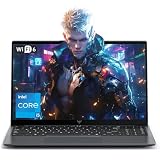



| Product | Best for | Key spec from the title |
|---|---|---|
| HP 17 Ryzen 5 Business PC | Heavy multitasking on a big screen | 6-core Ryzen 5, 32GB RAM, 1TB SSD + 500GB external |
| HP 17 Business (Core i3) | Office work with extra storage | 8-core Intel i3, 16GB RAM, 500GB SSD + 500GB external |
| HP 14 Business (Win 11 Pro) | Light, portable document work | 4-core Intel CPU, 4GB DDR5, Win 11 Pro, Office |
| HP 14 Ultra-Portable | Travel and note-taking | 4-core Intel CPU, 4GB RAM, 128GB UFS + 500GB external |
| HP 15.6 Business | Entry-level email and web tasks | Intel N200, 4GB RAM, 128GB SSD, Win 11 Home S Mode |
How to Choose
Memory is the first number to check
For office suites, a browser with a dozen tabs, and a video-call app open at once, 8GB is the realistic floor and 16GB is the comfortable level. Three of the five laptops here list only 4GB, which is thin for modern business software and leaves little room when a spreadsheet, a browser, and a messaging app run together. A useful way to think about it: the operating system and security software already claim a large share of 4GB before you open anything, so the remaining space shrinks quickly. Buyers who plan to keep a laptop for four or five years should treat 16GB as the target, and anything lower as a deliberate trade for a smaller budget tier.The two 17-inch models list 16GB and 32GB, which is the range where a laptop keeps feeling quick after a couple of years of updates.
Storage type and total capacity
Look for a real SSD as the internal drive. A configuration such as 128GB of internal storage plus a 500GB external drive can look like a large total, but the external piece sits on a cable, can be forgotten at the office, and does not run the operating system. The 17-inch models with a 500GB or 1TB internal SSD are easier to live with. If a title shows a combined number like 628GB, treat the internal portion as the number that really matters for apps and updates. Windows feature updates, Office, a browser cache, and a few client folders can use up 128GB faster than most people expect, and a nearly full system drive slows everything down. UFS storage, which appears on one listing, is a phone-style flash format; it can work for light use, but an SSD is the more familiar and upgradeable choice for a work laptop.
Operating system and software license
Windows 11 Pro adds business features such as device encryption management and domain join support that Home does not. A laptop shipping in Win 11 Home S Mode can install apps only from the Microsoft Store until you switch out of S Mode, which can block specialized accounting or CRM software. Bundled Office licenses are worth reading closely: “lifetime” language and bundled suites vary by seller, so confirm what the license covers before relying on it for client work.
Screen size, ports, and where budget models cut corners
A 17.3-inch screen is excellent for spreadsheets and side-by-side windows but heavy to carry; a 14-inch model is far easier on a commute. An IPS panel is the better display type because it keeps colors and text readable from an angle, and Full HD is the resolution to look for on a 14 to 17-inch screen. The cheapest models cut corners on memory, internal storage, and processor class, and often skip features such as a fingerprint reader. Ignore phrases like “beats” a competitor chip, which are not a spec. Also check for a webcam, Wi-Fi 6 support, and a USB-C or HDMI port if you present from your laptop or connect to an external monitor; a business machine that cannot drive a second screen becomes frustrating quickly. Since the budget ceiling is high, remember that spending a little closer to it usually buys a noticeably better memory and storage configuration, so the cheapest listing is rarely the best long-term value.
The 5 Best Options
HP 17 Ryzen 5 Business PC
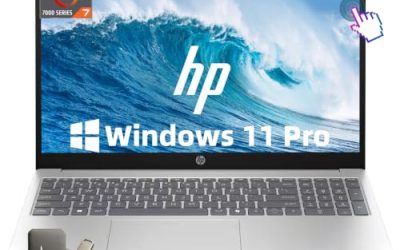
This is the strongest configuration of the group on paper: a 17.3-inch IPS Full HD display, a 6-core AMD Ryzen 5, 32GB of RAM, and 1.5TB of total storage (a 1TB SSD plus a 500GB external drive), running Windows 11 Pro. It suits people who keep many programs open at once and want a roomy screen at a mid-range cost.
- Strength: 32GB of RAM is far above what the other listed laptops offer.
- Strength: a 1TB internal SSD and Windows 11 Pro cover business software and local files.
- Trade-off: a 17.3-inch chassis is bulky for daily commuting.
Skip it if you carry your laptop on foot every day or need a thin travel machine.
HP 17 Business (Core i3)
This 17.3-inch HD+ model lists an 8-core Intel i3, 16GB of RAM, a 500GB SSD with a 500GB external drive, Wi-Fi 6, and a lifetime Office bundle. It is for small-office users who want a large screen and a software package out of the box.
- Strength: 16GB of RAM is a healthy amount for office suites and browsers.
- Strength: Wi-Fi 6 helps in a busy shared office network.
- Trade-off: the HD+ display is a lower resolution than the Full HD IPS panel on the Ryzen model.
Skip it if sharp text and wide viewing angles matter, or if you want a larger internal drive.
HP 14 Business (Win 11 Pro, 4GB DDR5)
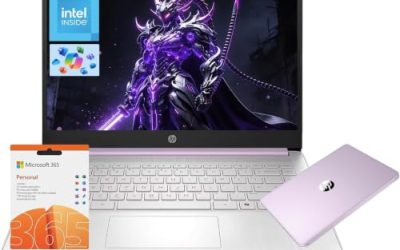
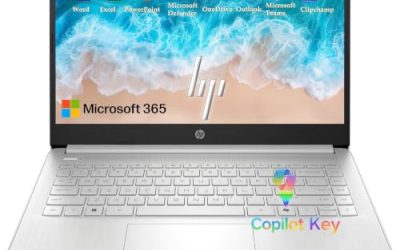
This 14-inch model lists an Intel 4-core CPU, 4GB of DDR5 RAM, Windows 11 Pro, Copilot AI features, and MS Office, with 628GB of combined storage that includes a 128GB internal drive plus external space. It is targeted at students and light business users who value a compact size.
- Strength: Windows 11 Pro and a bundled Office suite are included for light productivity.
- Strength: the 14-inch size is easy to carry.
- Trade-off: 4GB of memory is a real limit for multitasking, and the internal drive is small.
Skip it if you run several apps at once, video-call all day, or plan to keep it for many years.
HP 14 Ultra-Portable
This sibling lists the same type of Intel 4-core CPU, 4GB of RAM, and 628GB of total storage (128GB UFS plus an external 500GB), with MS Office and Copilot AI features. It is pitched as an ultra-portable for student and business use, where weight matters more than raw performance.
- Strength: a compact 14-inch form factor suits meetings and travel.
- Strength: it sits in the budget tier while including software.
- Trade-off: UFS internal storage and 4GB of RAM are modest for demanding workloads.
Skip it if you handle large spreadsheets, photo editing, or heavy browser use.
HP 15.6 Business (Intel N200)
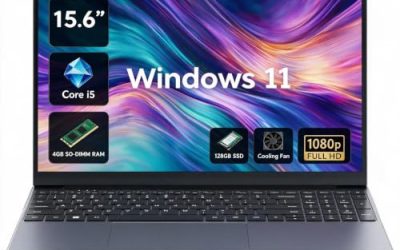
This 15.6-inch model lists an Intel 4-core N200, 4GB of RAM, a 128GB SSD, a long-battery-life claim, and Windows 11 Home in S Mode. It is aimed at email, browsing, and document tasks for buyers who want the lowest practical cost.
- Strength: a real SSD and a 15.6-inch screen give a familiar, usable layout.
- Strength: the battery-life claim suits light daily use away from an outlet.
- Trade-off: S Mode restricts software to the Microsoft Store, and 4GB of RAM is limited.
Skip it if you rely on desktop business programs or need Windows Pro features.
Which One Fits Your Situation
You run a small office and keep many windows open
Choose the HP 17 Ryzen 5 Business PC. Its 32GB of RAM, 6-core processor, and 1TB SSD leave the most headroom for accounting software, browsers, and calls running together. It is also the safest choice if the laptop will serve as the main workstation, since you will be less likely to outgrow it in two or three years.
You need a roomy screen at a lower cost
The HP 17 Business with the Core i3 gives a 17.3-inch display, 16GB of RAM, and a bundled Office license. It is a sensible compromise when the Ryzen model feels like too much.
You commute and mostly write documents and email
The HP 14 Business with Windows 11 Pro is the better choice because it avoids the S Mode restriction and carries easily. Use cloud storage to compensate for the small internal drive, and keep large files on the external disk at home rather than carrying it everywhere. Expect to stay within document, email, and browser work rather than anything memory-hungry.
You want the lowest entry cost for basic tasks
The HP 15.6 Business with the N200 fits as long as you confirm the apps you need run in S Mode or you are willing to switch out of it. For the same light use in a smaller body, the HP 14 Ultra-Portable is the alternative.
Common Mistakes
- Counting external drive space as if it were internal storage when comparing totals.
- Buying a 4GB model for work that involves large spreadsheets or many browser tabs.
- Overlooking S Mode, which blocks installing desktop business programs until it is switched off.
- Trusting phrases such as “beats” a rival processor instead of reading the actual CPU name and core count.
- Assuming a bundled Office license is the same as a full subscription without reading the seller’s terms.
Related guides
- Gaming Laptop Battery Draining While Plugged In Fix
- Graphics Cards For Low Wattage Power Supplies
- How To Stop Laptop Thermal Throttling In Software
Frequently Asked Questions
Is 8GB of RAM enough for a business laptop?
For basic office tasks, 8GB works, but 16GB is more comfortable for a multi-year lifespan. Models with 4GB can feel slow once several programs and a browser are open together.
Should I choose Windows 11 Pro or Home?
Pro adds management and security features that matter for work devices. Home is fine for personal use, but Home in S Mode is more restrictive than standard Home.
Does a 17-inch laptop make sense for work?
It does if the machine mostly stays on a desk and you want side-by-side windows. If you commute, a 14-inch model is far easier to carry.
Are bundled external drives a good deal?
They add portable storage, but they do not replace a larger internal SSD. Treat them as a backup or archive space, not as part of the system drive.