The Redragon K552 Kumara is the best budget keyboard under 50 dollars for most gamers in 2026, thanks to genuine mechanical switches and a metal top plate at a low price. If you want a hot-swappable board, look at the Keychron C3 Pro; if you need quiet, the HyperX Alloy Core is a membrane alternative; and for office work, Logitech’s K380 or MK270 are safer bets.
As an Amazon Associate we earn from qualifying purchases at no extra cost to you.



Our Top Picks
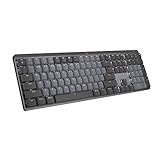
 Logitech MX Mechanical Wireless Illuminated Keyboard TactileFull Size17.9 x 5.9 x 2.1 inches2.55 poundsCheck on Amazon
 Logitech MK270 Full Size Wireless Keyboard and Mouse1 Pack20.08 x 6.22 x 1.81 inches1.05 PoundsCheck on Amazon


Top 3 picks at a glance
Quick Comparison of the X
| Pick | Best for | Key specs | Price range |
|---|---|---|---|
| Redragon K552 Kumara | Best overall value | Tenkeyless, mechanical switches, metal top plate | Budget |
| Keychron C3 Pro | Best hot-swap | Hot-swappable switches, tenkeyless, gasket-style typing feel | Budget |
| Royal Kludge RK61 | Best compact wireless | 60% layout, Bluetooth and 2.4GHz modes, RGB | Budget |
| Logitech G413 SE | Best build quality | Aluminum top plate, tactile switches, PBT keycaps | Budget to mid (watch sales) |
| HyperX Alloy Core RGB | Best quiet membrane | Full-size, soft-touch keys, spill resistance | Budget |
| Logitech K380 | Best for office and travel | Bluetooth, three-device switching, slim body | Budget |
| Logitech MK270 | Best keyboard and mouse combo | Wireless receiver, full-size, spill-resistant | Budget |
Best Overall Value: Redragon K552 Kumara
The K552 is a tenkeyless board, meaning it drops the number pad to save desk space. It uses real mechanical switches, a metal top plate and a wired connection, so there is no pairing or charging to manage. It has been a budget staple for years and is often recommended in value guides for that reason.
The trade-offs: switches are not hot-swappable, the base model has single-color lighting, and the stock keycaps are ABS plastic that will shine over time. If you want a no-fuss first mechanical keyboard, it is the safest place to start.
Best Hot-Swap: Keychron C3 Pro
The C3 Pro lets you pull out and replace switches without soldering, which is rare at this price. That means you can change the feel later instead of replacing the keyboard. Its typing sound is also softer than many budget boards.
It is wired and the lighting is simpler than the heavily RGB-focused rivals. Choose it if you like to tinker or care about typing feel.
Best Compact Wireless: Royal Kludge RK61
The RK61 offers a 61-key layout with Bluetooth and a 2.4GHz receiver, so you can use it with a PC, a tablet and a phone. Its small footprint leaves plenty of room for mouse movements.
It lacks arrow keys and function row on the main layer, so you will use function-layer combinations. Build quality is plastic, and software support is basic.
Best Build Quality: Logitech G413 SE
The G413 SE has an aluminum-alloy top plate, tactile switches, PBT keycaps and white backlighting. It feels sturdier than most boards in this bracket and is built for years of use.
It often sits above the budget ceiling and only dips below it on sale, so check the current price before buying. It is wired and lighting is white only.
Best Quiet Membrane: HyperX Alloy Core RGB
The Alloy Core is a full-size membrane keyboard with soft-touch keys, RGB lighting and a spill-resistant design. It is a good fit for shared spaces, because it is much quieter than a mechanical board.
It does not offer the crisp key feel of a mechanical switch, and membrane boards are harder to repair. Pick it for office, late-night use and mixed gaming.
Best for Office and Travel: Logitech K380
The K380 is a slim Bluetooth keyboard that pairs with up to three devices and switches between them with one key. It is the pick for people who use a laptop, tablet and phone together.
It is not made for gaming: keys are low-profile and it lacks backlighting. For writing, spreadsheets and travel, it is excellent.
Best Keyboard and Mouse Combo: Logitech MK270
The MK270 is a full-size wireless keyboard and mouse bundle using a single USB receiver. It is a simple choice for a family computer or a second desk. It has a long battery life and a spill-resistant design.
The mouse is basic and the keyboard has a membrane feel. It is built for general use, not for gaming.
Worked Example: Switch Force and Typing Fatigue
Linear red-style switches usually need about 45 grams of force to actuate, while heavier tactile switches need around 55 to 60 grams. If you type 8,000 key presses in a day, a 45-gram switch means roughly 360 kilograms of cumulative finger force, against about 460 kilograms at 57 grams. The difference of roughly 100 kilograms across a day is why lighter switches suit long typing sessions, while heavier tactile switches reduce accidental presses in games.
How to Choose Under a Strict Budget
| Your need | Choose | Why |
|---|---|---|
| First mechanical board for gaming | Redragon K552 Kumara | Metal plate, proven design |
| Want to change switches later | Keychron C3 Pro | Hot-swap sockets |
| Small desk, multiple devices | Royal Kludge RK61 or Logitech K380 | Compact, wireless |
| Quiet household | HyperX Alloy Core RGB | Membrane, soft keys |
| Long-term durability | Logitech G413 SE | Aluminum plate and PBT caps |
| Family or office PC | Logitech MK270 | Keyboard and mouse included |
Features That Matter More Than RGB
- Anti-ghosting: look for n-key rollover or at least 6-key rollover on gaming boards.
- Keycap material: PBT resists shine; ABS wears quicker.
- Layout: tenkeyless saves space; full-size suits data entry.
- Cable or battery: wired means no charging; wireless means desk freedom.
Mistakes to Avoid on a Tight Budget
The first mistake is chasing the lowest price without checking the layout. A 60% board is fantastic for gaming but frustrating for spreadsheets, and a full-size board takes up desk space you may not have. The second is paying extra for RGB effects while skipping basics such as PBT keycaps, a detachable cable or hot-swap sockets, which extend the life of the board.
Third, beware of unbranded listings that claim mechanical switches but ship with membrane domes under a mechanical-style cap. Check that the product page names the switch type and manufacturer. Finally, wireless budget boards often rely on a battery that cannot be replaced, so factor in how long it will last after a few years of charging.
Simple Ways to Improve a Cheap Keyboard
Add a little lubricant to the stabilizers on larger keys such as the space bar to remove rattle. Place a thin foam sheet or a desk mat under the board to dampen sound. If the board is hot-swappable, try a different switch set before replacing the whole keyboard.
Frequently Asked Questions
Can you get a good mechanical keyboard for on a very small budget?
Yes. Budget boards from Redragon and Keychron use real mechanical switches and survive daily use. You lose premium features such as wireless and aluminum cases.
Is membrane or mechanical better for gaming?
Mechanical boards are typically more responsive and durable, and are preferred by most gamers. Membrane boards are quieter and cheaper.
What is a tenkeyless keyboard?
A tenkeyless board omits the number pad, saving about 100mm of width. It gives more mouse room and suits most games.
Are cheap wireless keyboards laggy?
2.4GHz receivers are usually fine for general use and casual games. Bluetooth adds more delay, so use a wired connection for fast-paced competitive play.
How long does a budget keyboard last?
Mechanical switches are commonly rated for tens of millions of presses, so the keyboard usually outlasts other parts of the setup. Keycap shine and loose connectors are the typical early problems.