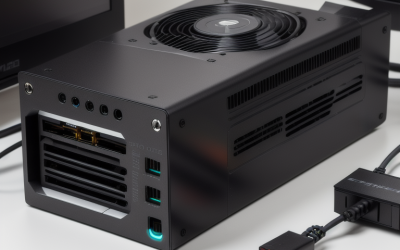
A good gaming PC for Fortnite is a balanced machine with a recent six-core or better processor, a mid-range graphics card from the last few generations, 16 GB of RAM and an SSD. Players chasing the highest frame rates in competitive matches should put the budget into the CPU and a high-refresh monitor, while players who want the polished Unreal Engine 5 visuals need a stronger graphics card. The game is free to play, so the hardware question is really about how smooth you want it to feel.
The Short Answer by Player Type
Fortnite scales across a very wide range of hardware. Epic Games publishes minimum and recommended specifications on its support pages, and those figures are deliberately modest because the game includes a Performance rendering mode designed for older machines. That mode drops visual features in exchange for speed, which is why a PC that barely meets the minimum can still run matches. The recommended figures describe a comfortable 1080p experience, not a competitive one at very high refresh rates. Treat the maker’s list as the floor and build above it according to your goals.
| Player type | Target | What matters most | Typical build class |
|---|---|---|---|
| Casual, plays with friends | 1080p at a steady 60 fps | Reliable CPU, 16 GB RAM, SSD | Entry-level discrete graphics card |
| Competitive, ranked and tournaments | 1080p at 144 fps or higher | Fast CPU single-core speed, low settings, high-refresh monitor | Mid-range CPU and mid-range graphics card |
| Visual quality seeker | 1440p with Nanite, Lumen and high detail | Graphics card power and video memory | Upper mid-range or high-end graphics card |
| Streamer | Game plus encoding | More CPU cores, good hardware encoder on the card | Mid-range to high-end build |
Why the CPU Matters More Than Most Newcomers Expect
Fortnite is a large online game with many players, building structures and fast camera movement. Reviewers who cover competitive shooters regularly point out that when settings are lowered for maximum frame rate, the graphics card stops being the limit and the processor takes over. A modern six-core chip from the AMD Ryzen 5 or Intel Core i5 families is a sensible starting point, and chips with large cache, such as the Ryzen X3D parts, are often singled out by reviewers for gaming workloads in general. You do not need a flagship processor for a good experience, but a weak or very old CPU will cause stutter even when the graphics card looks idle.
Memory also plays a part. Sixteen gigabytes of RAM is the practical standard for a gaming PC in 2026, and running it in a dual-channel configuration (two matched sticks) helps processors that are sensitive to memory bandwidth. Eight gigabytes can launch the game, but background applications, a browser and a voice chat client leave very little headroom.
Graphics Card Choices and Rendering Modes
Fortnite offers more than one rendering path. The Performance mode targets low-end systems, DirectX 11 is the long-standing compatibility mode, and DirectX 12 unlocks the newer Unreal Engine 5 features. The game also supports hardware ray tracing on compatible cards, which is optional and demanding. The maker lists which graphics cards are required for each path, and it is worth reading that list before buying, because a card that handles the game at low settings might not handle the high-fidelity settings at all.
- Entry class: Older discrete cards, or the latest integrated graphics, can manage the Performance mode at 1080p. Expect compromises on shadows and effects.
- Mid-range class: Current-generation GeForce RTX 50-series and Radeon RX 9000-series cards at the lower end of each range suit 1080p and 1440p at balanced settings. Previous-generation cards in the same class remain capable.
- High-end class: Needed mostly for 4K, maximum Lumen lighting quality or ray tracing. Competitive players rarely need this tier because they lower settings on purpose.
Upscaling technologies such as NVIDIA DLSS, AMD FSR and Intel XeSS are supported in the game according to Epic, and they let a modest card reach a higher resolution without as large a performance penalty. Frame generation options exist on some cards but add latency, so competitive players generally avoid them. Check which options your chosen card supports before relying on them.
Storage, Display and Network
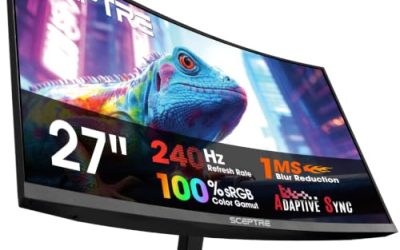
Fortnite installs are large, and the game receives frequent updates, so an NVMe or SATA solid-state drive makes loading and patching far more pleasant than a mechanical drive. A 1 TB drive leaves room for the game and a few others. For the monitor, a 144 Hz or 240 Hz panel does more for the feeling of smoothness than a bigger jump in graphics card tier, provided the PC can actually feed it frames. Finally, a wired Ethernet connection reduces the spikes that Wi-Fi can introduce in a game where timing matters; a good Wi-Fi 7 setup works, but cable remains the safer choice.
Sample Build Priorities
- Pick the monitor refresh rate you want to hit first, because it defines the frame-rate target.
- Choose a CPU with strong single-core speed and at least six cores.
- Choose a graphics card that reaches the target at your resolution on the settings you intend to use.
- Install 16 GB of dual-channel DDR5 or DDR4 depending on the platform.
- Add an SSD and a power supply with a quality rating from a known maker, sized to the graphics card’s stated requirement.
Pick This If You Are Deciding Between Options
| If you want… | Choose… | Why |
|---|---|---|
| Lowest possible input delay | Strong CPU, lower graphics settings, 240 Hz monitor | Frame rate and latency come from CPU speed and low settings, not from graphics fidelity |
| The most attractive visuals | Stronger graphics card with plenty of video memory | Lumen, Nanite and virtual shadows lean on the GPU |
| A budget-friendly start | Recent entry-level card plus 16 GB RAM | The Performance mode keeps the game accessible |
| Streaming while playing | Eight or more CPU cores and a modern encoder | Encoding competes with the game for resources |
Common Mistakes
- Overspending on the graphics card and pairing it with an old CPU. The processor then limits frame rate in busy fights.
- Buying a 60 Hz monitor. A powerful PC cannot show its frame rate on a display that refreshes slowly.
- Running a single stick of RAM. Dual-channel memory is the cheap fix for many stutter complaints.
- Ignoring storage. Installing on a slow hard drive lengthens loading and update times.
- Chasing ray tracing for competitive play. It lowers frame rate and gives little advantage in matches.
- Skipping the maker’s requirements page. Epic lists the supported cards for each rendering path.
Alternatives to a Full Desktop
A gaming laptop with a current mobile graphics chip handles the game well, though cooling limits sustained performance. A compact small-form-factor PC suits tight desks. Cloud gaming services also offer the game, which can work for casual sessions if your connection is stable, but competitive players generally prefer local hardware for the lower latency.
Frequently Asked Questions
Can Fortnite run on integrated graphics?
Newer integrated graphics can run the game at low settings, particularly in the Performance mode. Older integrated chips struggle and may stutter. If you plan to play regularly, even an entry-level discrete card is a noticeable step up.
How much RAM does a Fortnite PC need?
Sixteen gigabytes is the sensible target for 2026, since the operating system, game and background apps all share it. Eight gigabytes can work for light use but leaves little room. Consult the maker’s recommended specification for the baseline figure.
Is a high-end graphics card necessary for competitive play?
No. Competitive players usually lower settings to raise frame rate and reduce distractions, which shifts the load toward the CPU. A mid-range card paired with a fast processor is usually enough for high refresh rates at 1080p or 1440p.
Does Fortnite need an SSD?
The game can be installed on a hard drive, but an SSD shortens loading and speeds up the frequent updates. Most builders treat a solid-state drive as standard for any current gaming PC.
Is DirectX 12 better than DirectX 11 for Fortnite?
DirectX 12 enables the newer Unreal Engine 5 visual features, while DirectX 11 and the Performance mode are often preferred by players who want maximum frame rate on modest hardware. Reviewers and players report that results vary by system, so try each mode on your own machine.
Should I buy a prebuilt or build my own?
Either route works. Prebuilt systems save time and include a warranty, but compare the CPU, RAM configuration and power supply quality, which are the parts most often cut. Building yourself gives control over those details.
Related guides
More from Amazon
Programs that pair well with the guide above. Offers and eligibility are set by Amazon and may change.
Free shipping on eligible items, Prime Video and more. Eligible new members can start with a free trial.
Start a Prime free trialAd-free music streaming. Eligible new subscribers can start with a free trial.
Try Music Unlimited freeA Prime membership for ages 18-24 with a trial period. Eligibility is set by Amazon.
See Prime for Young AdultsAudiobooks and podcasts to listen to on the go. Eligible new members can start with a free trial.
Try Audible freeAs an Amazon Associate we earn from qualifying purchases.