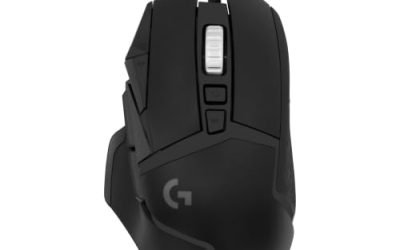
Shopping for an MSI gaming mouse comes down to a shape decision first and a connection decision second. The Clutch line uses light, ambidextrous shells built for fast flick aim, while the Versa line uses a contoured right-handed body with a thumb rest for longer sessions. Picking the wrong shape means fighting the mouse in every match, no matter how strong the sensor inside it is.
This guide covers five MSI mice for competitive FPS players, hybrid work-and-play users, and anyone building an all-MSI desk setup. Every pick below is drawn from the name and specifications on its Amazon listing, so you can match the sensor, weight, switch type, and battery to the way you actually play before you place an order.
Top 3 picks at a glance


Quick Picks
As an Amazon Associate we earn from qualifying purchases
| Product | Best for | Key spec from title |
|---|---|---|
| MSI Clutch GM41 Lightweight Wireless | Wireless FPS play with a dock | 20,000 DPI, 80-hour battery, charging dock |
| MSI Clutch GM51 Lightweight Wireless | Long wireless sessions with Bluetooth backup | 26K DPI, 150-hour battery, 2.4G and Bluetooth |
| MSI Clutch GM41 Lightweight | Wired flick aim at a light weight | 16,000 DPI, 65 g, 60M Omron switches |
| MSI Clutch GM41 Lightweight V2 | Wired play with a low-drag cable | 16,000 DPI, FriXionFree cable, 65 g |
| MSI Versa 300 W | Ergonomic grip with tri-mode connection | 8,000 DPI, 30M+ Kailh switches, 60 g |
How to Choose
Shape First: Ambidextrous Clutch or Ergonomic Versa
MSI sells two distinct shapes, and the shape decides comfort more than any specification. The Clutch GM41 and GM51 use symmetrical, ambidextrous shells that suit fingertip and claw grips, with a low profile that lets the hand move the mouse rather than rest on it. The Versa 300 W uses a contoured right-handed body with a thumb rest, which supports the palm during long workdays that stretch into evening games. Left-handed players should stay with the Clutch models, since the Versa shape is built for the right hand only. Measure your hand and grip style before comparing sensors, because a mouse that cramps your hand will lose to a comfortable one every time.
Wired, Wireless, or Both
Connection type changes daily use more than most buyers expect. The GM41 and GM51 wireless models run on 2.4 GHz wireless with a charging dock in the box, so the mouse tops up between sessions without a cable hunt. The GM51 adds Bluetooth, which helps when switching the same mouse between a desktop and a laptop. Wired Clutch models remove charging from the routine entirely and keep latency at a steady 1 ms, which suits players who never want to think about battery. The Versa 300 W covers all three modes, with 2.4 GHz wireless, Bluetooth, and wired use, so it adapts when a setup changes.
Sensor, DPI, and Polling Rate
Every mouse here uses an optical sensor, but the ceiling differs across the range. The GM51 and Versa Pro family reach 26,000 DPI, while the wired GM41 models top out at 16,000 DPI and the Versa 300 W at 8,000 DPI. In practice, most players use far less than the maximum, so treat the ceiling as headroom rather than a target. Polling rate matters more for feel: the wireless Clutch models report at 1 ms over 2.4 GHz, and the wired models hold a 1,000 Hz polling rate. Check the DPI steps on the listing before buying, since a mouse with coarse steps can make fine sensitivity tuning awkward.
Battery, Dock, and Software
Battery life separates the wireless picks by a wide margin. The GM41 Lightweight Wireless runs up to 80 hours on a charge, with a 10-minute top-up adding hours of play, while the GM51 stretches to 150 hours. Both ship with a charging dock, which keeps the mouse ready without occupying a USB port with a dangling cable. Wired models skip this question completely. All five mice work with MSI Center for button remapping, DPI stages, and RGB control through Mystic Light. Before buying, confirm that the software features you want are available for your operating system, since some tuning options are Windows-only.
The 5 Best Options
MSI Clutch GM41 Lightweight Wireless
The GM41 Lightweight Wireless is the classic MSI esports mouse: a 74 g ambidextrous shell with a 20,000 DPI Pixart sensor, 60M Omron switches, and a charging dock in the box. Its symmetrical shape suits claw and fingertip grips, and the 80-hour battery means a full week of evening sessions between charges for most players. The 1 ms wireless link keeps response tight in fast shooters, while the dock turns charging into a habit rather than a chore.
Specs
- 20,000 DPI Pixart PAW-3370 optical sensor
- 74 g ultra-lightweight design
- 60M Omron switches
- Up to 80-hour battery life with fast charging
- 2.4 GHz wireless with 1 ms latency
- Charging dock included
- 6 programmable buttons
- RGB Mystic Light
Best for: Competitive FPS players who want a light wireless mouse with a dock.
Watch out for: The symmetrical shell offers little palm support, so palm-grip players should check the shape first.
MSI Clutch GM51 Lightweight Wireless
The GM51 Lightweight Wireless is the step up for players who want the longest battery and the most connection options in an MSI mouse. Its 26,000 DPI optical sensor, 60M Omron switches, and 150-hour battery cover marathon sessions, while 2.4 GHz wireless plus Bluetooth lets one mouse serve a desktop and a laptop. The charging dock is included, and the 85 g body stays light enough for fast aim despite the larger battery inside.
Specs
- 26,000 DPI optical sensor
- 85 g lightweight design
- 60M Omron switches
- Up to 150-hour battery life with fast charging
- 2.4 GHz wireless and Bluetooth
- Charging dock included
- 5 programmable buttons
- RGB lighting
Best for: Players who want maximum battery life and Bluetooth alongside 2.4 GHz wireless.
Watch out for: At 85 g it is heavier than the GM41 Wireless, so weight-chasers should compare the two side by side.
MSI Clutch GM41 Lightweight
The wired GM41 Lightweight is the simplest way into MSI esports mice: a 65 g ambidextrous shell with a 16,000 DPI Pixart 3389 sensor and 60M Omron switches. With no battery to manage, it is always ready on the desk, and the 1 ms polling rate keeps wired response consistent. The symmetrical shape and soft rubber grips suit claw and fingertip players who want the lightest possible wired mouse from MSI.
Specs
- 16,000 DPI Pixart 3389 optical sensor
- 65 g ultra-lightweight design
- 60M Omron switches
- Wired USB connection
- 1 ms polling rate
- 6 programmable buttons
- RGB Mystic Light
Best for: FPS players who want a light wired mouse with no charging routine.
Watch out for: The cable adds drag on some pads, so pair it with a bungee or a smooth surface if that bothers you.
MSI Clutch GM41 Lightweight V2

The GM41 Lightweight V2 revises the wired GM41 with a FriXionFree cable that drags less across the pad in daily play, keeping the same 65 g shell, 16,000 DPI Pixart PMW-3389 sensor, and 60M Omron switches. It is the wired pick for players who liked the original GM41 but found the cable stiff during long sessions. The ambidextrous shape, six programmable buttons, and RGB Mystic Light carry over unchanged from the first version.
Specs
- 16,000 DPI Pixart PMW-3389 optical sensor
- 65 g ultra-lightweight design
- 60M Omron switches
- Wired USB 2.0 connection
- FriXionFree cable
- 1 ms polling rate
- 6 programmable buttons
- RGB Mystic Light
Best for: Wired players who want the lightest cable feel in the GM41 line.
Watch out for: It shares the sensor and weight of the original GM41, so owners of that model gain little beyond the cable.
MSI Versa 300 W

The Versa 300 W is the ergonomic outlier in this lineup, with a contoured right-handed body, a thumb rest, and tri-mode connectivity across 2.4 GHz wireless, Bluetooth, and wired use. Its 8,000 DPI sensor and 30M+ Kailh switches sit below the Clutch models on raw specifications, but the shape and 60 g weight make it the comfortable pick for mixed work and play. It is the only mouse here built for palm support first.
Specs
- 8,000 DPI optical sensor
- 60 g ultra-lightweight design
- 30M+ Kailh switches
- 2.4 GHz wireless, Bluetooth, and wired modes
- Ergonomic right-handed shape with thumb rest
- RGB lighting
Best for: Right-handed players who want an ergonomic shape for workdays and evening games.
Watch out for: The 8,000 DPI ceiling and right-handed shape rule it out for left-handed players and high-DPI users.
Which One Fits Your Situation
Competitive FPS on a Wireless Setup
Choose the Clutch GM41 Lightweight Wireless when the priority is fast aim without a cable. Its 74 g shell, 20,000 DPI sensor, and 1 ms wireless link suit flick-heavy shooters, and the charging dock keeps it topped up between matches. The GM51 is the alternative when longer battery life matters more than shaving grams.
A Wired Mouse for Flick Aim
Choose the Clutch GM41 Lightweight V2 when the setup stays at one desk and the cable can be managed. The FriXionFree cable drags less than the original, the 65 g shell moves fast, and there is no battery to watch. The original GM41 Lightweight is the same idea with a standard cable.
Long Workdays That Turn Into Evening Games
Choose the Versa 300 W when the mouse stays in hand at the same desk for hours beyond gaming. Its thumb rest and contoured right-handed shape support the palm during documents and browsing, then switch to 2.4 GHz wireless for games. Bluetooth covers a laptop on the side without swapping receivers.
A First MSI Mouse for an All-MSI Desk
Choose the Clutch GM51 Lightweight Wireless when the goal is one mouse that does everything in a single setup: desktop gaming over 2.4 GHz, laptop use over Bluetooth, and RGB that matches other MSI gear through Mystic Light. The 150-hour battery and included dock make it the lowest-maintenance pick of the five here.
Common Mistakes
- Buying the Versa 300 W for a left hand: its ergonomic shell is right-handed only.
- Choosing by DPI ceiling alone: most players use a fraction of the maximum, while shape and weight affect every minute of use.
- Ignoring the charging dock: wireless Clutch models need a home on the desk, or the battery habit falls apart.
- Assuming every Clutch model is wireless: the GM41 Lightweight and V2 are wired-only.
- Skipping software checks: button remapping and RGB tuning run through MSI Center, which is Windows-focused.
Frequently Asked Questions
Which MSI gaming mouse is best for FPS games?
The Clutch GM41 Lightweight Wireless is the strongest FPS pick here, with a 74 g ambidextrous shell, a 20,000 DPI sensor, and a 1 ms wireless link. Claw and fingertip players get fast flick aim without cable drag, and the charging dock keeps the battery ready between matches.
Are MSI Clutch mice good for small hands?
The ambidextrous Clutch shells suit small to medium hands in claw and fingertip grips, since the low profile and light weight let the fingers drive the mouse. Palm-grip players with small hands may find the symmetrical shape offers too little support and should consider the Versa 300 W instead.
Do MSI wireless mice include a charging dock?
The GM41 Lightweight Wireless and GM51 Lightweight Wireless both ship with a charging dock in the box, according to their Amazon listings. The Versa 300 W does not list a dock, so it charges over a cable instead of a dock.
Can one MSI mouse work for both work and gaming?
Yes. The Versa 300 W is built for that split, with an ergonomic shape for long work sessions across the whole day and tri-mode connectivity for gaming. The GM51 also covers it, with Bluetooth for a laptop and 2.4 GHz wireless for a desktop.
Related guides
More from Amazon
Programs that pair well with the guide above. Offers and eligibility are set by Amazon and may change.
Free shipping on eligible items, Prime Video and more. Eligible new members can start with a free trial.
Start a Prime free trialAd-free music streaming. Eligible new subscribers can start with a free trial.
Try Music Unlimited freeA Prime membership for ages 18-24 with a trial period. Eligibility is set by Amazon.
See Prime for Young AdultsAudiobooks and podcasts to listen to on the go. Eligible new members can start with a free trial.
Try Audible freeAs an Amazon Associate we earn from qualifying purchases.