The best gaming microphone for most players is a USB dynamic or condenser mic such as the Elgato Wave:3 or HyperX QuadCast 2, while streamers who want room to grow should buy a hybrid USB and XLR mic like the Shure MV7+ or MAONO PD300X. Pick USB for plug-and-play simplicity, choose a dynamic mic if your room is noisy, and only move to XLR with an audio interface when you want a broadcast chain with a very low noise floor.
As an Amazon Associate we earn from qualifying purchases at no extra cost to you.



Our Top Picks
 FIFINE AmpliGame AM8 USB/XLR Dynamic Microphone for Gaming3.35 x 4.96 x 9.65 inches1.7 poundsCheck on Amazon
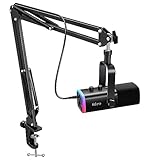
 TONOR Gaming Microphone Set with Boom Arm518.4 cubic inches16 x 6 x 5.4 inches1 poundsCheck on Amazon


Top 3 picks at a glance
Quick comparison of the picks
| Pick | Best for | Key specs (per maker listings) | Price range |
|---|---|---|---|
| Elgato Wave:3 | Best USB mic for most people | USB condenser, cardioid, 24-bit/96 kHz, Wave Link software, clip-guard | Mid |
| HyperX QuadCast 2 | Best value with patterns | Three 14 mm condenser capsules, four polar patterns, 24-bit/96 kHz, shock mount and pop filter included | Mid |
| Razer Seiren V3 Chroma | Best for RGB desks | Supercardioid, 16 mm capsule, 24-bit/96 kHz, USB-C, RGB lighting | Mid |
| Shure MV7+ | Best noisy-room, USB plus XLR | Dynamic mic, USB and XLR outputs, directional pickup | Premium |
| MAONO PD300X | Best mid-range hybrid | Dynamic, USB and XLR outputs | Budget to mid |
| FIFINE AM8 | Best budget | Dynamic, USB and XLR, entry-level price | Budget |
| Shure SM7dB with an audio interface | Best broadcast chain | XLR dynamic mic with built-in preamp, needs interface and boom arm | Premium |
Specs reflect maker listings and published roundups, and may vary by version, so confirm details on the exact model.
Best USB for most people: Elgato Wave:3
The Wave:3 is a small cardioid condenser that sounds clean for voice, with clip-guard protection that prevents distortion during loud shouts. Its software mixer is helpful for balancing game audio and chat. It suits Discord, co-op games and casual streams. The trade-off is a single polar pattern and a lack of a built-in shock mount, so use a boom arm and a pop filter for the best results.
Best value with patterns: HyperX QuadCast 2
This revision of the classic QuadCast uses three 14 mm condenser capsules and offers four polar patterns, including omnidirectional and bidirectional for interviews or two-person podcasts. It ships with a shock mount and a mesh pop filter, which saves accessory costs. It is large and heavy for small desks, so plan for a boom arm.
Best for RGB desks: Razer Seiren V3 Chroma
The Seiren V3 Chroma pairs a supercardioid 16 mm capsule with RGB lighting controlled in Razer Synapse and a capacitive mute button. Supercardioid pickup rejects more side noise than cardioid, which is useful when you type loudly. It connects over USB-C. Stronger sensitivity means it still picks up some room reflections, so a rug or panels help.
Best for noisy rooms: Shure MV7+
The MV7 family uses a dynamic capsule with a directional pickup, which keeps background noise lower than a condenser. The MV7+ supports both USB and XLR outputs, so you can start with USB today and move to an interface later. It is expensive, and a dynamic mic wants to be close to your mouth, around 2-4 inches, to deliver its full tone.
Best mid-range hybrid: MAONO PD300X
The PD300X is a dynamic mic with both USB and XLR outputs at a lower price than the Shure. It suits streamers who share a room with a PC fan or a noisy keyboard. Tonal quality is good for its price, though its software and build are not at premium level.
Best budget: FIFINE AM8
The AM8 gives a dynamic capsule and both outputs at an entry-level price. It is a sensible first mic for voice chat and early streams. Expect plastic construction and a simpler mount.
Best broadcast chain: Shure SM7dB with an interface
The SM7 line is a long-time streaming staple; the SM7dB adds a built-in preamp so it does not need a gain-boosting inline device with many interfaces. You still need an interface, an XLR cable and a boom arm, which raises the total cost well above a USB mic. Choose this when you want a studio-style rig.
How to choose: connection, pattern and room math
- USB versus XLR. USB needs only a cable and gives excellent quality at moderate cost. XLR needs an interface that adds cost but allows upgrades and multiple mics.
- Dynamic versus condenser. Dynamic mics reject background noise; condensers capture more detail in quiet rooms.
- Distance rule. Dynamic mics work best 2-4 inches from your mouth, condensers at about 6-8 inches. Halving the distance roughly raises the voice level by 6 dB relative to room noise, so closer placement improves clarity.
- Sample rate. 24-bit/96 kHz is common on USB mics and more than enough for voice.
| Your situation | Best choice |
|---|---|
| Quiet room, simple setup | Elgato Wave:3 or HyperX QuadCast 2 |
| Noisy room, mechanical keyboard | Dynamic: Shure MV7+, MAONO PD300X, FIFINE AM8 |
| Two-person podcast or interview | HyperX QuadCast 2 (bidirectional) |
| Future upgrade path | Hybrid USB and XLR mic |
| Full broadcast rig | Shure SM7dB plus interface |
Mistakes to avoid
Do not leave the mic on the desk near the keyboard: use a boom arm to reduce vibration. Do not turn gain up to compensate for a distant mic; move closer instead. Do not mix the mic with speakers playing game audio, since the mic will pick it up. A cheap foam pop filter and a few seconds of gain adjustment before every stream will improve results more than upgrading to a pricier mic.
Setting up for clean voice
Start with the mic about a hand-width from your mouth and slightly off-axis to avoid plosives. Set the input gain so your normal speaking voice peaks near the middle of the meter and loud moments stay below the top. In your streaming or chat software, add a noise gate and a light compressor, but keep them gentle. Record a short test, listen on headphones and adjust. Positioning matters more than expensive plugins: a dynamic mic 3 inches from the mouth in a carpeted room will beat a condenser at arm’s length every time.
Console and headset compatibility
PlayStation consoles accept many USB class-compliant mics, while Xbox support is more limited and may require a USB adapter or headset. Check the maker’s compatibility list and note that some features, like software mixers and RGB control, work only on PC. If you play on console, the simplest route is a headset with a boom mic; a standalone mic is for streamers and creators.
Frequently Asked Questions
Is a USB or XLR mic better for gaming?
USB is easier and sounds great for most players. XLR is better when you want upgradeable gear, a lower noise floor or multiple mics.
Do I need a boom arm?
It is strongly recommended. A boom arm places the mic near your mouth and isolates it from desk vibration, improving clarity more than many upgrades.
Dynamic or condenser for a noisy room?
Dynamic. Mics like the Shure MV7+ and MAONO PD300X pick up less background noise than sensitive condensers.
Can I use a gaming microphone on a console?
Many USB mics work on PlayStation and PC, and some on Xbox with restrictions. Check the maker’s compatibility list before buying.
Do I need an audio interface?
Only for XLR-only mics such as the Shure SM7dB. Hybrid mics can connect directly via USB.
Related guides
More from Amazon
Programs that pair well with the guide above. Offers and eligibility are set by Amazon and may change.
Free shipping on eligible items, Prime Video and more. Eligible new members can start with a free trial.
Start a Prime free trialAd-free music streaming. Eligible new subscribers can start with a free trial.
Try Music Unlimited freeA Prime membership for ages 18-24 with a trial period. Eligibility is set by Amazon.
See Prime for Young AdultsAudiobooks and podcasts to listen to on the go. Eligible new members can start with a free trial.
Try Audible freeAs an Amazon Associate we earn from qualifying purchases.