A prebuilt gaming PC that costs under 1000 dollars sits in an awkward spot. The ceiling is high enough to buy a genuinely capable machine, yet low enough that every listing hides a compromise somewhere: a graphics card with modest memory, an older processor generation, a small SSD, or a power supply that leaves no room to grow. The trick is knowing which compromise you can live with, because the ones that hurt are rarely the ones the product photo shows.
This guide sorts nine prebuilt desktops by how their listed graphics card, processor, memory and storage stack up, from the strongest GPU tiers down to the leanest entry builds. All details come from the product titles, so confirm the exact case, power supply and warranty on each page. If you want smooth 1080p play in current games through 2026, the machines near the top are the safest bets. If you mostly play esports titles and older libraries, the cheaper builds near the bottom can stretch your budget further.
Our Top Picks




Top 3 picks at a glance
Quick Picks
As an Amazon Associate we earn from qualifying purchases at no extra cost to you.


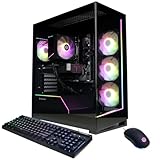

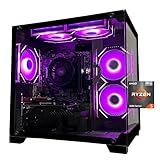

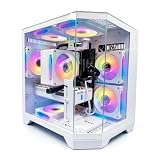
| Product | Best for | Key spec from the title |
|---|---|---|
| KOTIN Gaming PC (Ryzen 7 8700F) | Newest-generation features | RTX 5060 Ti 8GB, 16GB DDR5, 1TB SSD, WiFi 7 |
| CyberPowerPC Gamer Master | Established brand with the same core | Ryzen 7 8700F, RTX 5060 Ti 8GB, 16GB DDR5, 1TB PCIe 4.0 SSD |
| Olialia Gaming PC | Strong GPU on a lean platform | RTX 3060 Ti, Ryzen 5 5500, 16GB RAM, 600W power |
| Evounic Gaming PC | Liquid-cooled all-rounder | RTX 4060, i7-11700F, 16GB DDR4, 1TB NVMe |
| LXZ Prebuilt Gaming PC | DDR5 platform with a mid GPU | Ryzen 7 8700F, RTX 5060, 16GB DDR5, 650W PSU |
| YAWYORE Gaming PC (Ryzen 7 5700X) | Memory-rich mid-range build | RTX 5060, 32GB DDR4, 1TB NVMe |
| SKYESEV Prebuilt Gaming Desktop | Entry build with extra RAM | Ryzen 5 5600, RTX 3050 6GB, 32GB DDR4 |
| ZYNEEX Prebuilt Gaming Desktop | Entry esports play | Ryzen 5 5500, RTX 3050 6GB, 16GB DDR4 3200MHz |
| YAWYORE Gaming PC (Ryzen 5 5600GT) | Lowest-cost entry machine | R5 5600GT, 16GB DDR4 3200MHz, 1TB NVMe, 550W 80PLUS PSU |
The 9 Best Options
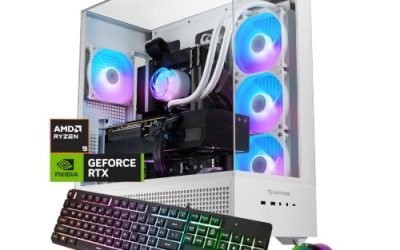
KOTIN Gaming PC (Ryzen 7 8700F, RTX 5060 Ti)
This is the pick for a buyer who wants the freshest platform available within the budget and plans to keep the machine for several years. It pairs a modern eight-core processor with a current-generation graphics card, which makes it a natural fit for 1080p high-refresh play and light 1440p.
The title lists a Ryzen 7 8700F, an RTX 5060 Ti 8GB, 16GB of DDR5 memory, a 1TB SSD, WiFi 7, Windows 11 Home, DLSS 4 support and ARGB cooling in a tower case. That adds up to a modern-feeling spec sheet for the money.
- A current-generation graphics card with DLSS 4 support helps frame rates in supported games.
- DDR5 memory on an AM5-class platform leaves a cleaner upgrade path than older DDR4 systems.
- WiFi 7 is listed, which is uncommon at this tier and useful if your router supports it.
- 8GB of video memory is on the tighter side for the highest texture settings in new releases.
- 16GB of system memory is adequate but leaves little room for heavy multitasking.
Skip it if you want 32GB of RAM out of the box or plan to play at high resolutions with maxed textures. Compared with the CyberPowerPC next, it offers a similar core with different extras, so the final choice often comes down to warranty and case design.
CyberPowerPC Gamer Master (Ryzen 7 8700F, RTX 5060 Ti)
The Gamer Master suits buyers who prefer a long-established prebuilt brand with a recognizable support network. It targets the same sweet spot as the KOTIN: a strong 1080p machine that can handle 1440p when settings are tuned.
The listing shows an AMD Ryzen 7 8700F, a GeForce RTX 5060 Ti 8GB, 16GB of DDR5, a 1TB PCIe 4.0 SSD, WiFi Ready status and Windows 11 Home, with the model number cut off at the end of the title.
- The PCIe 4.0 SSD is named explicitly, which signals a modern storage drive.
- Same processor and graphics core as the KOTIN, so performance should be comparable by specification.
- A well-known builder name can make warranty claims and support easier to navigate.
- WiFi Ready wording suggests the wireless setup may need an adapter or antenna, so check the product page.
- The 8GB graphics memory carries the same limits as the other 5060 Ti build.
Skip it if wireless is essential and the page does not confirm it is built in. It is the safer-brand twin of the KOTIN, while the Olialia that follows trades platform age for a stronger older graphics card.
Olialia Gaming PC (RTX 3060 Ti, Ryzen 5 5500)
This build is for shoppers who want maximum graphics muscle from the previous generation without paying for a new platform. It pairs a still-capable 3060 Ti with an entry six-core processor, a combination that favors games limited by the GPU.
The title lists an RTX 3060 Ti, a Ryzen 5 5500, 16GB of RAM, a 512GB SSD, RGB lighting, WiFi 6, a 600W power supply and Windows 11, inside a panoramic tower.
- A 3060 Ti is a stronger graphics tier than the 3050 and 4060-class entries in this guide, at least by name.
- WiFi 6 and a panoramic glass design suit a display-style build.
- Six cores are enough for most current games at 1080p.
- A 512GB SSD fills quickly with modern game installs, so plan an extra drive.
- The AM4 platform and DDR4 memory offer less long-term upgrade room.
Skip it if you want lots of built-in storage or a modern platform. Against the Evounic below, it leans on a stronger graphics card, while the Evounic leans on a bigger SSD and liquid cooling. If you already own a spare SSD, the Olialia becomes more attractive, because the stronger GPU is the part that is hardest to upgrade cheaply later.
Evounic Gaming PC (RTX 4060, i7-11700F)
The Evounic is for buyers who want a Windows-ready machine with a recognizable Nvidia GPU and an Intel processor, plus the visual flair of many fans. It suits a gamer who values a complete package including wireless and VR readiness.
According to the listing, it combines an RTX 4060, an Intel Core i7-11700F, 16GB of DDR4, a 1TB NVMe SSD, WiFi 6 and Bluetooth 5.4, liquid cooling, nine ARGB fans and Windows 11, marked as VR ready.
- 1TB of NVMe storage gives breathing room for a game library.
- Liquid cooling is listed, which can help keep the older eight-core Intel chip calm.
- Bluetooth 5.4 is a modern wireless detail for controllers and headsets.
- The 11th generation processor is older, and it uses a platform with a dead-end upgrade path.
- Nine ARGB fans suggest style focus, which can add noise.
Skip it if you want the newest platform or a quiet machine. Compared with the LXZ later in the list, it uses a prior-generation processor and DDR4, while the LXZ moves to DDR5 and a newer graphics tier. Shoppers who value storage and cooling over platform age will find the Evounic easier to live with than the Olialia, which ships with half the SSD space.
LXZ Prebuilt Gaming PC (Ryzen 7 8700F, RTX 5060)
This one targets buyers who want a DDR5 platform without stretching to a 5060 Ti. It keeps the same processor as the two leaders, drops one graphics tier and aims to save money for other upgrades.
The title lists a Ryzen 7 8700F, an RTX 5060, 16GB of DDR5 and a 1TB SSD, plus six RGB fans, a 650W power supply and a port list of seven USB 2.0 and three USB 3.0 connections.
- A 650W power supply gives headroom for the graphics card and future upgrades.
- DDR5 and the Ryzen 7 8700F match the stronger builds above.
- Plenty of USB ports are listed for peripherals and accessories.
- The port list is heavy on USB 2.0, which is slow for external drives.
- The title does not name the SSD interface, wireless or Windows edition.
Skip it if you need verified wireless or a documented NVMe drive. It sits between the premium 5060 Ti builds and the YAWYORE 5700X that follows, which swaps DDR5 for more RAM. The title also leaves out the storage interface, so a careful buyer should open the full listing and confirm the drive type before ordering, since that detail separates a fast NVMe drive from a slow one.
YAWYORE Gaming PC (Ryzen 7 5700X, RTX 5060)
This build suits players who care more about memory capacity than platform age. Pairing a current graphics card with an older eight-core processor and 32GB of RAM makes it a flexible choice for gaming plus streaming or browser-heavy multitasking.
The listing names a Ryzen 7 5700X, a GeForce RTX 5060, 32GB of DDR4 RAM, a 1TB M.2 NVMe SSD, ARGB fans and WiFi plus Bluetooth.
- 32GB of RAM is generous at this tier and helps with multitasking.
- The RTX 5060 is a current-generation graphics card, so modern features are available.
- An eight-core processor offers more headroom than the six-core entries.
- DDR4 and the AM4 platform limit future processor upgrades.
- The power supply is not named in the title, so confirm its wattage and quality.
Skip it if you want a DDR5 platform. Compared with the LXZ, it favors RAM capacity and a longer-lived core count, while the LXZ favors platform freshness. The cheaper SKYESEV below shares the DDR4 formula with a weaker GPU. Anyone who streams, edits or keeps many tabs open will see the biggest gain from this model’s memory and core count rather than from its graphics card alone, so weigh it against your actual daily use.
SKYESEV Prebuilt Gaming Desktop (Ryzen 5 5600, RTX 3050 6GB)
The SKYESEV is for the budget-conscious gamer who plays popular esports titles and older libraries at 1080p. The standout is its 32GB of memory, unusual for an entry build.
The title lists a Ryzen 5 5600, a GeForce RTX 3050 6GB, 32GB of DDR4 at 3200MHz, a 1TB NVMe SSD, ARGB air cooling and Wi-Fi in a tower case.
- 32GB of RAM is rare at this level and helps with background apps.
- A Ryzen 5 5600 is a competent six-core processor.
- 1TB of NVMe storage covers a modest game library.
- The RTX 3050 6GB is the weak link for newer, demanding games.
- 6GB of video memory limits texture settings.
Skip it if you want to play recent releases at high settings. It beats the ZYNEEX on memory and processor, while the ZYNEEX keeps the same GPU tier with less RAM. Since both use the same entry graphics card, the extra memory is the main reason to pick this one, and it is a useful safety margin if you often keep a browser and a chat app open during play.
ZYNEEX Prebuilt Gaming Desktop (Ryzen 5 5500, RTX 3050 6GB)
This is a straightforward entry build for younger players, esports fans and anyone upgrading from a laptop or aging desktop. It prioritizes a working package over standout specifications.
The listing shows a Ryzen 5 5500, a GeForce RTX 3050 6GB, 16GB of DDR4 at 3200MHz, a 1TB NVMe SSD, ARGB air cooling and Wi-Fi in a tower case.
- 1TB of NVMe storage is generous for the tier.
- Wi-Fi is included, so no adapter is needed.
- Air cooling keeps the build simple and quiet at lower loads.
- The 3050 6GB limits demanding games.
- 16GB of memory leaves less room than the SKYESEV.
Skip it if you can afford a stronger graphics card. It is nearly the same as the SKYESEV with a slightly weaker processor and less RAM, and the final YAWYORE removes the discrete GPU entirely. Buyers who want a simple, quiet machine for lighter games and school or office work may find that trade-off perfectly acceptable, and the Wi-Fi and large SSD make setup easy.
YAWYORE Gaming PC (Ryzen 5 5600GT)
This is the leanest option and a stepping stone, not a destination. It suits buyers who want a working PC now and plan to add a graphics card later, or who mostly play light titles.
The title lists an R5 5600GT, 16GB of DDR4 3200MHz, a 1TB M.2 NVMe PCIe drive, a 550W 80PLUS power supply, WiFi and Bluetooth. It does not name a dedicated graphics card.
- A 550W 80PLUS power supply leaves room for a modest graphics card later.
- 1TB of NVMe storage and 16GB of RAM are solid basics.
- Integrated graphics keep the initial outlay low.
- No discrete GPU is named, so demanding games will run poorly.
- A 550W unit limits the choice of future graphics cards.
Skip it if you want to play modern games right away. It is the budget floor of this guide, and any of the 3050-class builds above is a better pure gaming choice. Its real value is as a base for a later graphics purchase, and the roomy SSD and 16GB of memory mean the rest of the system will not need attention for a while.
Why Buy a Prebuilt Under 1000 Dollars
Convenience and a Warranty Behind One Name
A prebuilt arrives assembled, with Windows installed and a single warranty to call about. For a first-time buyer, that removes compatibility guesses and cable routing from the equation. It also means one box to return if something is wrong, which matters more than most people expect when a graphics card, memory kit and power supply all come from different makers. Support teams for a prebuilt can also replace a faulty part without you diagnosing which one failed, a real relief for newcomers.
Graphics Cards Are Still Hard to Source at Fair Terms
Buying a graphics card and the rest separately can be tricky when stock is uneven or when newer cards sell above their intended level. Prebuilts often include a current-generation card as part of the bundle. That is why several machines here list 5060-class GPUs that would otherwise require careful shopping across multiple retailers.
What You Give Up
Builders trade control for convenience: generic power supplies, standard motherboards and limited upgrade information are common. The best defense is to read the full listing for the power supply wattage, motherboard model and RAM configuration before ordering, and to keep the box and packing in case a return is needed. Savings from a bundled system can then go toward a monitor, a keyboard or a second drive, which a bare tower does not include.
How to Choose
Begin With the Graphics Card Tier
For gaming, the GPU decides most of what you see on screen, and the listing title usually states it near the front. An RTX 5060 or 5060 Ti handles 1080p comfortably and can reach 1440p with tuned settings. A 4060 or 3060 Ti sits in a similar tier by name. A 3050 6GB is an entry card for esports and older titles, and a machine with no discrete GPU is limited to light games. Rank your shortlist by this one factor before anything else, then use memory and storage as tie-breakers. Between two machines with the same card, prefer the one with the faster processor and the better-documented power supply.
Treat VRAM as a Real Limit
Newer games use a lot of video memory, and the amount is printed in the graphics card name for most models. An 8GB card can struggle at the highest texture settings, and a 6GB card hits that limit sooner. If you play new releases at high settings, favor the 8GB or better options and be ready to lower textures one notch. If you mainly play older or competitive titles, 6GB is workable, but it leaves little margin for the next few years. Remember that features such as upscaling and frame generation help frame rates but do not add video memory, so they cannot fully rescue a card that runs out of space.
Look for 16GB of RAM at Minimum
16GB of DDR4 or DDR5 is the baseline for modern gaming, and anything less will stutter in newer open-world titles. 32GB helps when you stream, keep many browser tabs open or run background tools. DDR5 platforms leave a smoother upgrade path, while DDR4 systems are usually cheaper but end with the current memory generation. Also confirm that the memory runs as two sticks, because single-stick setups lose speed. Memory speed matters less than capacity at this tier, so a 3200MHz DDR4 kit or a standard DDR5 kit is perfectly acceptable.
Check Storage Size and Interface
A 1TB NVMe SSD is the practical minimum for a game library, and it should be the first thing you look for after the graphics card. A 512GB drive fills quickly because single games can exceed 100GB, and updates need free space too. NVMe over PCIe 4.0 is plenty fast for games, and the title should name the drive type, not just say SSD. If the listing is vague, treat the drive as a possible budget model. Drives without a cache can slow down badly during large installs, so a named interface and a recognizable controller family are reassuring signs.
Verify the Power Supply
Look for a named wattage and an efficiency certification such as 80PLUS. A 550W unit suits an entry card, while 650W or more leaves room for stronger GPUs. If the title hides the power supply, check the product page before buying. A weak or unnamed unit is the single most common reason a prebuilt cannot take a graphics upgrade. Ask whether the unit has the 8-pin or 12-volt high-power connector that newer cards use, and whether there is a spare lead for it.
Where Budget Prebuilts Cut Corners
Expect generic motherboards, basic power supplies, a single RAM stick in some models, plain air coolers and cases with limited airflow. Ignore RGB fan counts, which add style but rarely performance. Also be wary of vague wording such as WiFi Ready or SSD without an interface, because these can hide missing parts. A short warranty or unclear support contact is another sign that corners were cut. One more thing to ignore is the Windows edition label and bundled accessories, which add little to gaming. Spend your attention on the processor core count, the cooler type and the case airflow, because those determine noise and longevity. A six-core chip is the realistic minimum, an eight-core chip adds comfort for streaming, and a tower with a mesh front keeps both the processor and the graphics card cooler.
New vs Older Platforms: AM5 DDR5 or AM4 DDR4
Within this budget you will meet two generations of hardware side by side, and the choice between them shapes how long the machine stays useful.
| Factor | AM5 with DDR5 | AM4 or older with DDR4 |
|---|---|---|
| Examples here | KOTIN, CyberPowerPC, LXZ | Olialia, Evounic, YAWYORE, SKYESEV, ZYNEEX |
| Upgrade path | Longer, newer processors possible | Limited to the last supported chips |
| RAM capacity listed | 16GB | 16GB to 32GB |
| Graphics tier listed | RTX 5060 and 5060 Ti | RTX 3050 to 5060 |
Why the Newer Platform Wins on Longevity
An AM5 board accepts newer processors, and DDR5 memory will remain current for longer. If you plan to keep the machine for five or more years, the extra platform life matters. Replacing just the processor later can stretch the build without replacing the whole PC, and the memory you buy today will still be useful in that future system. The newer boards also tend to include faster USB and storage connections, which makes later add-ons easier.
Why the Older Platform Still Makes Sense
DDR4 builds often bundle more RAM or a stronger graphics card for the same budget. If you need 32GB now or a faster GPU today and do not plan to upgrade the processor, the older platform offers more immediate performance. It is a sensible choice for players who replace whole systems every few years anyway, and it often comes with a bigger discount on the same performance tier. In practice, the performance gap between a DDR4 build and a DDR5 build in games is small when the graphics card is the limit.
Setup, Compatibility and Upgrade Tips
What to Check Before Buying
Read the full listing for the power supply, motherboard model, case dimensions and warranty terms. Confirm that Wi-Fi is built in, not just ready for an adapter. Check that the case has front USB ports you can reach, and plan to connect your monitor to the graphics card, not the motherboard. Also confirm that a keyboard, mouse and Windows license are handled the way you expect, and check whether the seller includes a Wi-Fi antenna in the box.
What to Upgrade First
If the machine ships with 16GB of RAM in a single stick, add a matching second stick to enable dual-channel mode. Next, add a second SSD for games, since storage fills before anything else does. Only after that consider a graphics upgrade, and only if the power supply and case can handle it. Updating graphics drivers and Windows right after unboxing also avoids early glitches. Finally, keep the original packing for a few weeks in case a return is needed, and register the warranty with the seller promptly.
Common Compatibility Traps
Smaller power supplies limit graphics upgrades, and small cases can block long cards. Proprietary motherboards in some branded systems use unusual connectors that complicate swaps. Finally, remember that integrated graphics machines need a PCIe power connector for many new cards, which a basic 550W supply may not provide without an adapter. Dust filters matter too, because blocked intakes raise temperatures and noise in the busy rooms where many of these towers end up.
Which One Fits Your Situation
You Want the Strongest Build Under 1000 Dollars
Choose the KOTIN Gaming PC with the Ryzen 7 8700F and RTX 5060 Ti, or the CyberPowerPC Gamer Master if you prefer its brand and PCIe 4.0 SSD detail. Both give a DDR5 platform and a current-generation graphics card, so the decision between them is mostly about support and wireless details.
You Stream and Multitask
The YAWYORE Gaming PC with the Ryzen 7 5700X and 32GB of RAM gives the memory and eight cores that background tasks like, along with a current RTX 5060 for the games themselves.
You Play Esports and Older Games
The SKYESEV Prebuilt Gaming Desktop covers 1080p play in popular titles and brings 32GB of memory with a Ryzen 5 5600 for the same entry budget as simpler machines.
You Plan to Add a Graphics Card Later
The YAWYORE Ryzen 5 5600GT machine is the cheapest way in, with a 550W power supply and 1TB of NVMe storage as a base. Just confirm that the supply has the connectors a future card needs.
Common Mistakes
- Ignoring the graphics card tier and buying on RGB lighting and fan count.
- Choosing a 512GB SSD and running out of space within weeks.
- Assuming WiFi Ready means Wi-Fi is built in.
- Skipping the power supply wattage and later failing to upgrade.
- Paying for 32GB of RAM while accepting a very weak GPU.
- Expecting maxed texture settings from a 6GB or 8GB graphics card.
Related guides
- Gaming Laptop Battery Draining While Plugged In Fix
- Graphics Cards For Low Wattage Power Supplies
- How To Stop Laptop Thermal Throttling In Software
Frequently Asked Questions
Is 16GB of RAM enough for gaming?
Yes, for most games today. If you stream or keep many apps open, 32GB is more comfortable. Two sticks in dual-channel mode also help performance, so check how the memory is installed.
Is an RTX 3050 6GB good enough?
It handles esports titles and older games at 1080p. Newer, demanding releases will require lower settings. It is an entry card, so set expectations accordingly and treat it as a baseline you can upgrade.
Does the 8GB on an RTX 5060 Ti matter?
It can limit texture quality in the newest games. For 1080p play, it is workable, and lowering textures one notch usually solves any shortage. Buyers who want maximum texture settings should look at cards with more memory.
Can I upgrade a prebuilt later?
Usually yes, for RAM, storage and the graphics card. Check the power supply wattage and case size first, because they limit what fits. Some branded boards use proprietary parts that are harder to swap.
Is DDR5 worth it at this budget?
It is worth it if you want a longer upgrade path. For immediate performance, DDR4 builds with a stronger graphics card or more RAM can be just as good in many games.
Do I need an SSD larger than 1TB?
1TB covers most libraries, and you can add a second drive later. Large installs can exceed 100GB each, so plan for expansion if you keep many titles installed at once.
Final Words
The best prebuilt under 1000 dollars is the one whose weak spot you can live with. Choose a 5060-class card for modern games, 16GB of RAM as a floor, and a 1TB NVMe drive for storage. Pick DDR5 if you plan to keep the machine for years, or a DDR4 build with more RAM if value is the goal. Read each listing for the power supply, wireless and warranty, and treat any vague wording as a reason to double-check the full page before you order. A machine you can upgrade is a machine you can keep, and that matters more than any single spec in the title.