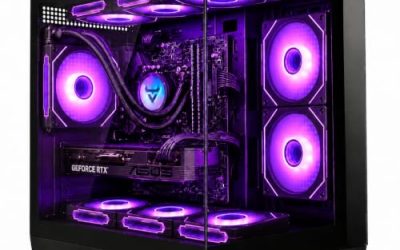
Without a budget cap, choosing the best gaming PC stops being a question about money and becomes a question about balance. Nearly every prebuilt in this field spends its budget the same way: a graphics card sets the tier, a processor and memory kit support it, and a power supply and cooler keep the whole thing stable. Pick the wrong balance and you end up with a flagship graphics card held back by a weak processor, or a powerful processor paired with a card that cannot use it. The ten desktops below span entry-level RTX 5060 machines to RTX 5080 towers, so the first job is deciding which graphics tier fits your monitor.
All details here come from the product titles, ordered from the strongest graphics card down to the leanest build. That means we describe what each listing states, such as the CPU, GPU, RAM, SSD and power supply, and we flag what it leaves out. If your target is high-refresh 1440p or entry-level 4K in 2026, the top half of the list is where to look. If you mainly play at 1080p, the lower tiers give nearly the same result in many games for far less money.
Our Top Picks
 iBUYPOWER Element Gaming PC Desktop Computer AMD Ryzen20 x 9.1 x 17.4 inches36 poundsCheck on Amazon



Top 3 picks at a glance
Quick Picks
As an Amazon Associate we earn from qualifying purchases at no extra cost to you.




| Product | Best for | Key spec from the title |
|---|---|---|
| Skytech Gaming PC (Ryzen 7 9850X3D, RTX 5080) | Top-tier 4K and high-refresh play | RTX 5080, 32GB, 2TB SSD, 850W GOLD ATX 3 PSU, 360 AIO |
| Skytech Gaming PC (Ryzen 7 9800X3D, RTX 5070 Ti) | Gaming-first processor with a strong GPU | RTX 5070 Ti, 32GB, 2TB SSD, DDR5 6000, 360 ARGB AIO |
| KOTIN Gaming PC (Ryzen 7 9700X, RX 9070 XT) | AMD graphics fans | RX 9070 XT 16GB, 32GB DDR5, 11.3-inch smart display, WiFi 7 |
| iBUYPOWER Element | Gaming plus heavy multitasking | Ryzen 9 7900X, RTX 5070 12GB, 32GB DDR5, 1TB NVMe |
| CyberPowerPC Gamer Xtreme | High core count with a brand name | Ryzen 9 9900X, RTX 5070 12GB, 32GB DDR5, 1TB PCIe 4.0 |
| msi Codex Z2 | Roomy storage on a 5070 build | Ryzen 7 8700F, RTX 5070, 32GB DDR5, 2TB SSD |
| Alienware Gaming Desktop | Intel Ultra platform and fast networking | Ultra 7 265F, RTX 5060 Ti, Killer 2.5Gb Ethernet, Wi-Fi 7 |
| CyberPowerPC Gamer Master | Sensible mid-range 1080p and 1440p | Ryzen 7 8700F, RTX 5060 Ti 8GB, 16GB DDR5 |
| Skytech Gaming PC (Core i5 14400F, RTX 5060) | Intel mid-range with a roomy PSU | i5 14400F, RTX 5060, 16GB, 750W GOLD PSU |
| YAWYORE Gaming PC (Ryzen 7 5700X, RTX 5060) | Memory-rich value | RTX 5060, 32GB DDR4, 1TB NVMe |
The 10 Best Options
Skytech Gaming PC (Ryzen 7 9850X3D, RTX 5080)
This is the machine for a buyer who wants to stop thinking about whether a game will run well. It is aimed at high-refresh 1440p and 4K players who are willing to spend for the strongest graphics card in this guide and a gaming-focused processor.
The title lists a Ryzen 7 9850X3D, an RTX 5080, 32GB of RAM, a 2TB SSD, Windows 11, NVMe storage, DDR5 6000, an 850W GOLD ATX 3 power supply, a 360 ARGB AIO and Wi-Fi. That is a complete, well-matched list with named power and cooling.
- The RTX 5080 is the top graphics tier in this guide and gives the most headroom for new releases.
- An X3D-series processor is built with gaming in mind, which helps when the graphics card is not the limit.
- An 850W GOLD ATX 3 supply and a 360mm AIO are named, so the foundation is clearly specified.
- It sits at the premium tier, which is more than most 1080p players need.
- The title is cut off, so confirm the exact motherboard and case on the page.
Skip it if you play at 1080p or only occasionally. Compared with the 9800X3D build next, it adds a stronger GPU for a clear step in capability, though the rest of the platform looks similar. At this level the listing reads like a build sheet, so buyers can compare it line by line against any custom parts list, which makes the value easy to judge. It also leaves the most room to grow into future games without a hardware change.
Skytech Gaming PC (Ryzen 7 9800X3D, RTX 5070 Ti)
This build suits the player who wants the gaming-first processor without paying the top graphics tier. It is a sensible target for 1440p at high settings, where the 5070 Ti has plenty to give and the processor never becomes the bottleneck.
The listing names a Ryzen 7 9800X3D, an RTX 5070 Ti, 32GB of RAM, a 2TB SSD, Windows 11, Gen4 NVMe storage, DDR5 6000, an 850W GOLD ATX 3 power supply and a 360 ARGB AIO.
- A 9800X3D is a gaming-oriented processor, which pairs well with a 5070 Ti.
- 2TB of Gen4 NVMe storage holds a big library without extra drives.
- DDR5 6000 memory matches the speed commonly paired with Ryzen platforms.
- Cost climbs quickly compared with 5070 and 5060 Ti machines.
- Lighting and an AIO add style, but some buyers prefer quieter air cooling.
Skip it if your monitor is 1080p. It sits one graphics tier below the 5080 build and above the KOTIN, which swaps the Nvidia card for an AMD one. Players who care about upscaling and ray tracing features will find the Nvidia card familiar, and the large SSD means a long game list can stay installed. It is the pick when the processor, not the card, is your main concern.
KOTIN Gaming PC (Ryzen 7 9700X, RX 9070 XT)
The KOTIN is for buyers who like AMD graphics and want a talking-point case. It targets 1440p players who value 16GB of video memory and a novel feature, a built-in display on the chassis.
According to the title, it combines a Ryzen 7 9700X, an RX 9070 XT with 16GB, 32GB of DDR5, a 1TB SSD, a prebuilt tower, an 11.3-inch smart display, a 360mm liquid cooler, WiFi 7, with the rest of the title cut off.
- 16GB of video memory is generous for texture-heavy games.
- A 360mm liquid cooler and WiFi 7 are listed for a complete package.
- 32GB of DDR5 leaves room for multitasking.
- A smart display is a styling gimmick that does not improve frame rates.
- The brand is less established than larger builders, so check warranty terms.
Skip it if you want Nvidia features such as DLSS or if you prefer a conventional look. Against the iBUYPOWER next, it offers more video memory but a smaller brand footprint. The display on the case is the sort of feature that either delights or annoys, so think about whether you would actually look at it, and read the warranty details carefully before ordering.
iBUYPOWER Element Gaming PC (Ryzen 9 7900X, RTX 5070)
This one is for gamers who also work on their machines. A twelve-core processor is overkill for games alone but helpful for rendering, compiling code and running virtual machines alongside a game.
The listing shows a Ryzen 9 7900X, an NVIDIA GeForce RTX 5070 12GB, 32GB of DDR5, a 1TB NVMe SSD and Windows 11 Home, in a gaming desktop from a well-known builder.
- A Ryzen 9 provides strong multi-core performance for mixed workloads.
- 32GB of DDR5 and a 1TB NVMe drive cover most needs.
- 12GB of video memory on the RTX 5070 suits 1440p play.
- The title does not name the power supply or cooler, so confirm them.
- Only 1TB of storage is listed, which fills quickly.
Skip it if you only game, since the extra cores will go unused. It overlaps with the CyberPowerPC Xtreme below, which swaps the processor for a newer 9000-series chip. Buyers who want to compare the two should look at storage, cooling and the power supply name on each full page, since those details decide the long-term ownership more than the processor generation does.
CyberPowerPC Gamer Xtreme (Ryzen 9 9900X, RTX 5070)
The Xtreme mirrors the iBUYPOWER with a newer processor generation. It suits buyers who prefer a large, established prebuilt brand and want strong multi-core muscle alongside 1440p gaming.
The title lists a Ryzen 9 9900X, a GeForce RTX 5070 12GB, 32GB of DDR5, a 1TB PCIe 4.0 SSD, WiFi Ready status and Windows 11 Home, with the model number cut off.
- A 9000-series Ryzen 9 is the newer of the two twelve-core options.
- The PCIe 4.0 SSD is named explicitly.
- 32GB of DDR5 matches the tier.
- WiFi Ready wording suggests a possible adapter requirement.
- 1TB of storage is on the smaller side for the cost tier.
Skip it if you only game, because a gaming-oriented chip may serve better. Compared with the msi Codex, it trades a faster processor for half the storage. If you edit video or run virtual machines on the side, the extra cores will earn their keep, and a second SSD is easy to add later. For pure gaming, the cores will mostly idle.
msi Codex Z2 (Ryzen 7 8700F, RTX 5070)
The Codex Z2 is a balanced build for a player who wants strong 1440p graphics and plenty of storage without paying for a flagship. It is VR-ready according to its title, which will interest headset owners.
The listing shows an AMD R7-8700F, an RTX 5070, 32GB of DDR5, a 2TB SSD, USB Type-C, VR readiness and Windows 11 Home, with a model number ending A8NVP.
- 2TB of storage is the most generous at this graphics tier.
- 32GB of DDR5 pairs well with the RTX 5070.
- A recognized hardware brand adds familiarity.
- The 8700F is a mid-range processor, so it is not the strongest match for the graphics card.
- No cooler or power supply details appear in the title.
Skip it if you want a more powerful processor. It offers a better storage deal than the Ryzen 9 machines above, while the Alienware that follows drops to a 5060 Ti. Buyers with a VR headset should note the VR-ready label, though they should still confirm the exact ports needed for their model. The generous SSD also means you can keep several large games installed at once.
Alienware Gaming Desktop (Core Ultra 7 265F, RTX 5060 Ti)
Alienware is for buyers who like the brand’s styling and want an Intel platform with modern networking. It targets players on faster home networks who value wired and wireless speed.
The title shows an RTX 5060 Ti, an Intel Core Ultra 7 265F, Windows 11 Home, a 1TB SSD, 16GB of DDR5, Killer 2.5Gb Ethernet, Wi-Fi 7 BE200 and Bluetooth.
- Killer 2.5Gb Ethernet and Wi-Fi 7 are listed for fast networking.
- An Intel Ultra 7 265F provides strong all-round performance.
- Brand design and support are a draw for many shoppers.
- 16GB of RAM and a 1TB SSD are modest for the tier.
- Brand premiums can mean fewer parts per unit of spending than value builders offer.
Skip it if you want the most hardware for the money. Against the CyberPowerPC Gamer Master next, it adds networking polish and an Intel chip, while the Gamer Master leans on AMD and a PCIe 4.0 SSD. If you value a quiet desk setup and a brand with a recognizable design, the Alienware appeals more than the value builders, but expect to give up some raw hardware for it.
CyberPowerPC Gamer Master (Ryzen 7 8700F, RTX 5060 Ti)
This is the sensible middle of the field for 1080p and tuned 1440p play. It suits buyers who want modern graphics features on a DDR5 platform without stepping up to a 5070.
The listing names an AMD Ryzen 7 8700F, a GeForce RTX 5060 Ti 8GB, 16GB of DDR5, a 1TB PCIe 4.0 SSD, WiFi Ready status and Windows 11 Home.
- The PCIe 4.0 SSD is stated clearly.
- DDR5 on a current platform leaves upgrade room.
- The 5060 Ti suits mainstream monitors well.
- 8GB of video memory limits the highest texture settings in new games.
- 16GB of RAM is a minimum, not a comfort level.
Skip it if you want 4K gaming. It is a step above the Skytech Intel build below because of its DDR5 platform and newer graphics tier. Buyers who plan to add 16GB more memory later will find the upgrade path simple, and the PCIe 4.0 drive named in the title is a good sign for load times. It also pairs well with a 1080p high-refresh monitor.
Skytech Gaming PC (Core i5 14400F, RTX 5060)
The Archangel 5 is an Intel-based mid-range build with a notably strong power supply for its tier. It suits shoppers who want upgrade headroom for the graphics card later.
The title lists an Intel i5 14400F, an RTX 5060, 16GB of RAM, a 1TB SSD, Windows 11, an NVMe drive, DDR5 6000, a 750W GOLD PSU and Wi-Fi, in the Archangel 5 Series.
- A 750W GOLD supply leaves room for a larger card later.
- DDR5 6000 is named, which suggests a modern memory kit.
- NVMe storage and Wi-Fi are listed.
- An i5 14400F is a mid-range processor, modest for a system pitched at the upper tier.
- 16GB of RAM is a floor, not a ceiling.
Skip it if you want a top-tier processor. It outranks the YAWYORE in platform age and power supply, but the YAWYORE brings more memory. If you plan to play at 1080p for a few years and then upgrade the graphics card, this is a sensible base, since the 750W supply will cope with a stronger card when the time comes. Dust filters and airflow are worth checking on the page.
YAWYORE Gaming PC (Ryzen 7 5700X, RTX 5060)
The YAWYORE closes the list as a memory-rich value build. It suits players who stream or multitask and who accept an older platform in return for more RAM.
The title shows a Ryzen 7 5700X, a GeForce RTX 5060, 32GB of DDR4, a 1TB M.2 NVMe SSD, ARGB fans and Wi-Fi plus Bluetooth.
- 32GB of RAM is generous at this tier.
- An eight-core processor provides multitasking headroom.
- The RTX 5060 offers current graphics features.
- The AM4 and DDR4 platform limits the upgrade path.
- The power supply is not named in the title.
Skip it if you want a long-lived platform. It is the entry point of this guide, and every machine above it improves on platform age or graphics. Even so, 32GB of RAM and an eight-core processor make it a comfortable choice for someone who streams or keeps many programs open, and the cost of entry is lower than the DDR5 machines. Treat it as a stepping stone rather than a final purchase.
Who Should Buy a Prebuilt Gaming PC Now
Players Moving Up From a Console or Laptop
If you are leaving a console or a gaming laptop, a prebuilt desktop is the least stressful way to get a big jump in graphics and upgradability. You plug in a monitor, install Windows updates and play, without ordering ten separate parts. Later you can add RAM and storage easily, which a laptop rarely allows, and the desktop cooling keeps performance steady during long sessions.
Buyers Who Want One Warranty
A single seller covers the whole system, which simplifies returns and repairs. This matters most for first-time buyers who cannot diagnose which part failed. A larger builder often gives longer support windows and a phone number to call, which is why brand names appear so often near the top of this list.
When a Custom Build Is Better
Seasoned builders can often match a prebuilt’s performance with better parts such as a named power supply and a quieter cooler. If you enjoy assembling hardware and can wait for sales on individual components, a custom build offers more control over every choice. For everyone else, the convenience of a ready system is worth a small premium.
How to Choose
Match the Graphics Card to Your Monitor
Resolution and refresh rate decide the tier. A 1080p monitor is well served by an RTX 5060 or 5060 Ti. A 1440p high-refresh monitor suits an RTX 5070 or RX 9070 XT. For 4K or very high refresh rates, look at the 5070 Ti and 5080. Buying more graphics than your monitor can use wastes money, while buying less leaves you lowering settings in every new release. Write down your monitor’s resolution and refresh rate before you open a single listing. If you plan to buy a new monitor soon, choose the card for the monitor you are about to own, not the one on your desk today. Higher refresh rates such as 165Hz or 240Hz also reward a stronger processor, so the two choices are linked.
Pair It With a Sensible Processor
For gaming, a six or eight-core processor is enough with mid-range cards, while X3D chips shine with high-end cards. A twelve-core Ryzen 9 helps if you also work on the machine. Avoid pairing a flagship card with an entry-level chip, because the processor will hold frame rates back in demanding games, especially at high refresh rates where the processor has to prepare more frames each second.
Get 32GB of RAM if You Can
16GB of DDR5 is the baseline, but 32GB is more comfortable for current games, streaming and background apps. DDR5 platforms leave a better upgrade path than DDR4. Check that the memory is two sticks for dual-channel speed, and treat a single 16GB stick as a reason to add a second one right away. Memory speed such as DDR5 6000 is a pleasant bonus, not a requirement. Ignore marketing about overclocked profiles unless the listing names a specific kit, because the box speed only applies when the profile is enabled in the BIOS.
Look for 1TB at Minimum, 2TB if Possible
Modern games often exceed 100GB. A 1TB NVMe drive fills in a few months, so a 2TB drive is a worthwhile feature, and two of the machines here include one. PCIe 4.0 is fast enough for games, and the title should name the drive interface instead of just saying SSD. If it does not, assume a budget drive and plan to replace it eventually. Keep Windows and your game library on two separate drives when you can, which keeps loading snappy and makes reinstalling Windows painless.
Check the Power Supply and Cooling
Prefer machines that name the power supply wattage and efficiency, such as 750W GOLD or 850W GOLD ATX 3. The ATX 3 label matters for newer graphics cards that use the high-power connector, and it suggests the supply handles short power spikes better than older designs. A 360mm AIO or a good tower cooler keeps a strong processor quiet. Titles that hide these items deserve extra scrutiny, and you should read the full page before buying. Pay attention to the processor cooler too: an included tower cooler suits mid-range chips, while the Ryzen 7 9850X3D and 9800X3D builds here use a 360 ARGB AIO, which suits their performance tier.
Where Prebuilts Cut Corners
Common savings include unnamed power supplies, basic motherboards, single-stick RAM, slow SSDs and cases with poor airflow. Ignore fan counts and lighting, which add style but rarely performance. Also be wary of vague wording such as WiFi Ready or SSD with no interface, because these can hide weaker parts. A short warranty or hard-to-find support contact is another warning sign worth taking seriously. If a seller lists no motherboard model, treat that as a prompt to ask before buying, since the board decides how many drives and memory slots you will have later.
X3D Processors vs Standard Processors for a Gaming PC
High-end buyers face one comparison above the rest, because the list mixes cache-heavy gaming chips with conventional processors.
| Factor | X3D gaming chips | Standard Ryzen or Intel |
|---|---|---|
| Examples here | 9850X3D, 9800X3D | 7900X, 9900X, 9700X, 8700F, Ultra 7 265F, i5 14400F |
| Best at | Gaming, especially with strong GPUs | Mixed gaming and multi-core work |
| Pairing | RTX 5070 Ti and above | RTX 5060 to 5070 |
| Typical tier | Premium | Mid-range to upper mid-range |
When an X3D Processor Pays Off
X3D chips carry extra cache aimed at gaming. They matter most when the graphics card is strong and the game is limited by the processor, such as high-refresh play in competitive or simulation titles. If you own an RTX 5070 Ti or better, an X3D chip is a logical partner, and it makes the graphics card’s extra power easier to use.
When a Standard Chip Is the Smarter Buy
If you also edit video, compile code or run many applications at once, a higher-core chip such as a Ryzen 9 may serve you better. For 1080p play with a mid-range card, a standard processor is plenty, and the savings can go to RAM or storage. Many players never notice the difference outside a handful of processor-bound games.
Setup, Compatibility and Upgrade Tips
What to Check Before Buying
Read the full listing for the motherboard, power supply wattage, cooler type and warranty. Verify that the case has the front ports you need, and confirm that Wi-Fi is built in when the title says only WiFi Ready. Also check that your monitor cable matches the graphics card outputs, and measure the desk space, since a tall tower with a 360mm radiator is bigger than it looks in photos.
What to Upgrade First
If the machine ships with 16GB of RAM, add a second matching kit or replace it with 32GB. Then add a second NVMe drive for games. Keep the graphics card for later, and only upgrade it if the power supply has headroom. Updating the BIOS and graphics driver right after unboxing also prevents many early problems.
Common Compatibility Traps
Proprietary motherboards or power supplies in some branded systems limit swaps. Large graphics cards need space and power connectors, and a small case can block them. Make sure the power supply has the connector type a future card needs before buying one. Finally, dust filters and fan placement matter, because blocked intakes raise temperatures and noise over time.
Which One Fits Your Situation
You Want 4K and Maximum Headroom
Choose the Skytech Gaming PC with the Ryzen 7 9850X3D and RTX 5080, which pairs a gaming-focused processor with the strongest graphics card in this guide and names its 850W GOLD ATX 3 supply.
You Game and Work on the Same Machine
The iBUYPOWER Element with a Ryzen 9 7900X gives twelve cores and 32GB of DDR5, so work tasks run comfortably between gaming sessions, and the RTX 5070 12GB covers 1440p play.
You Want Strong 1440p and Lots of Storage
The msi Codex Z2 pairs an RTX 5070 with a 2TB SSD and 32GB of DDR5, which suits a big library and leaves room for capture files.
You Play at 1080p and Want Value
The CyberPowerPC Gamer Master gives an RTX 5060 Ti and a DDR5 platform, which covers most games at a sensible tier and leaves a path to upgrade later.
Common Mistakes
- Buying a flagship graphics card for a 1080p monitor.
- Pairing a high-end card with an entry-level processor.
- Ignoring the power supply name and wattage in the listing.
- Choosing 1TB of storage and running out within months.
- Assuming WiFi Ready means wireless is built in.
- Paying extra for fan count and lighting while skipping RAM.
Related guides
- Gaming Laptop Battery Draining While Plugged In Fix
- Graphics Cards For Low Wattage Power Supplies
- How To Stop Laptop Thermal Throttling In Software
Frequently Asked Questions
How much graphics card do I need?
Match it to your monitor. An RTX 5060 or 5060 Ti suits 1080p, an RTX 5070 or RX 9070 XT suits 1440p, and the 5070 Ti or 5080 suits 4K or very high refresh rates.
Is 16GB of RAM enough?
It runs most games, but 32GB is more comfortable for streaming and multitasking. DDR5 leaves a smoother upgrade path.
Are X3D processors worth it?
They help most in high-refresh gaming with a strong graphics card. If you also do heavy productivity work, a higher-core chip may suit you better.
Is 8GB of video memory a problem?
It can limit texture settings in the newest games at high resolutions. For 1080p play it is workable, and lowering textures one notch usually helps.
Can I upgrade a prebuilt later?
Usually, yes, for RAM, storage and the graphics card. Check the power supply wattage and case size first because they limit what fits.
Is liquid cooling better than air?
A 360mm AIO moves more heat and suits hot processors, while a good air tower is quieter and has fewer failure points. Choose based on the processor and the case, and remember that bigger radiators need compatible case mounts.
Final Words
The best gaming PC is the one that matches your monitor, not the one with the longest spec list. Choose the graphics tier first, pair it with a sensible processor, aim for 32GB of RAM and at least 1TB of NVMe storage, and favor listings that name their power supply and cooler. Because this guide relies on the titles alone, read the full product page for the motherboard, warranty and case before you commit. A balanced build will serve you for years, and a clear plan beats any single headline spec. Keep the shortlist to two or three machines, compare their full pages line by line, and choose the one whose documented parts you trust most.