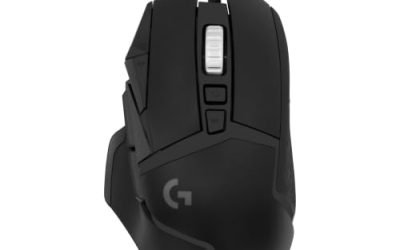
A white wireless mouse is rarely just a colour decision. It is the one part of an all-white build that your hand covers for hours every day, so the real question is whether the white version of a mouse keeps the same sensor, switches and battery as the black one, and whether its coating survives sweat and friction without turning yellow or shiny. Plenty of white editions are older models in a fresh shell, and some brands only sell the white variant in certain regions.
This guide is for three kinds of buyers: competitive FPS players building a clean white setup, palm-grip players who want an ergonomic shape that is not black, and desk minimalists who need one mouse for gaming and a laptop. Every pick below is a true white wireless variant, chosen from the names and specifications printed on its Amazon product page rather than from a colour filter.
Top 3 picks at a glance


Quick Picks
As an Amazon Associate we earn from qualifying purchases.
| Product | Best for | Key spec from title |
|---|---|---|
| Razer Viper V3 Pro (White) | Competitive FPS and fingertip grip | 55 g with a 35K DPI optical sensor |
| Logitech G PRO X Superlight 2 (White) | LIGHTSPEED fans who charge over USB-C | 60 g with a 44K DPI HERO 2 sensor |
| Razer DeathAdder V3 Pro (White) | Palm grip and larger hands | 64 g ergonomic shell, 30K sensor |
| Glorious Model O 2 Wireless (White) | Bluetooth pairing and RGB honeycomb fans | 68 g with 2.4 GHz and Bluetooth modes |
How to Choose
Confirm the ASIN is actually the white variant
White and black versions of the same mouse are separate listings with separate ASINs, and marketplace sellers sometimes attach the wrong colour to a familiar product name. Before ordering, check that the colour field on the listing itself says White and that the model number matches the white edition, for example RZ01-05120200-R3U1 for the white Viper V3 Pro. This matters for returns too: if a black mouse arrives in a white box photo, the mismatch is in the listing variant, not in your order. Treat any listing that shows a white mouse but lists the colour as black as a different product.
Match the shape to your grip before the colour
White lineups are smaller than black ones, so it is tempting to buy whichever white mouse is in stock. Resist that. A symmetrical shell like the Viper V3 Pro suits claw and fingertip grips, while the DeathAdder V3 Pro is a right-handed ergonomic shape built for palm grip and longer fingers. If your current black mouse already fits your hand, the safest move is usually the white version of that same shape rather than a new silhouette. Switching shape and colour at the same time makes it impossible to tell which change your aim is reacting to.
Check what the polling rate does to battery life
Headline polling rates on white esports mice now reach 8,000 Hz, but that figure is quoted alongside a much lower battery number. The Viper V3 Pro lists up to 95 hours, and the DeathAdder V3 Pro up to 90 hours, both at standard polling; raising the polling rate with a high-polling dongle cuts runtime sharply. Decide which mode you will actually run. If you play at 1,000 Hz, battery life is a non-issue on any pick here. If you want 4,000 or 8,000 Hz wireless, plan on charging weekly and keep the cable or dongle within reach of your desk.
Plan for how white shells age
A white mouse shows wear differently from a black one. Glossy coatings pick up shine and grime fastest, while the matte finishes on these four picks hide fingerprints better and clean up with a dry microfiber cloth. Oils from your hand can yellow lighter plastics over time, especially on the main clicks where contact is constant. If you eat at your desk or use hand cream before playing, expect to wipe a white mouse down more often. Buyers who know they will not do that upkeep are usually happier with an ergonomic shape whose contact points are easier to clean.
The 4 Best Options
Razer Viper V3 Pro (White)

The white Viper V3 Pro is the competitive default in this colour: a symmetrical 55 g shell with Razer’s Focus Pro 35K optical sensor and Gen-3 optical switches. It suits claw and fingertip players who flick from the wrist and want the lightest white option that still ships with high-polling wireless support. Razer lists up to 95 hours of battery at standard polling, so it also works for players who hate charging cables on a white desk. If your setup is built around fast, flat aim rather than comfort sculpting, this is the pick.
Specs
- Colour: White
- Weight: 55 g
- Sensor: Razer Focus Pro 35K optical
- Polling rate: up to 8,000 Hz wireless with the HyperPolling dongle
- Switches: Razer Optical Mouse Switches Gen-3
- Buttons: 8 programmable buttons
- Battery life: up to 95 hours at 1,000 Hz polling
- Connectivity: Razer HyperSpeed Wireless and wired USB-C
- Model number: RZ01-05120200-R3U1
Best for: FPS players with a claw or fingertip grip who want the lightest white esports mouse.
Watch out for: the symmetrical shape offers little palm support, and 8,000 Hz polling drains the battery far faster than the headline 95 hours.
ASIN: B0CW25XR5S
Logitech G PRO X Superlight 2 (White)
Logitech’s white Superlight 2 is the pick for players already in the LIGHTSPEED ecosystem who want USB-C charging instead of the older micro-USB port. At 60 g it is slightly heavier than the Viper, with a smoother, rounder symmetrical shell that many palm-claw hybrid players prefer. The current listing quotes a HERO 2 sensor at up to 44K DPI and an 8 kHz report rate, plus five programmable buttons. It is the white mouse to choose if you value a familiar shape and Logitech’s G Hub software over the absolute lowest weight.
Specs
- Colour: White
- Weight: 60 g
- Sensor: HERO 2 optical
- Maximum DPI: 44,000 (per current listing title)
- Polling rate: up to 8 kHz report rate
- Buttons: 5 programmable buttons
- Charging: USB-C
- Connectivity: LIGHTSPEED wireless and wired
- Model number: 910-006636
Best for: players who want a proven symmetrical shape, LIGHTSPEED wireless and USB-C charging in white.
Watch out for: only five buttons, so MMO and MOBA players who map many abilities should look at the DeathAdder or a dedicated many-button mouse instead.
ASIN: B09NBWQDKX
Razer DeathAdder V3 Pro (White)
The DeathAdder V3 Pro is the ergonomic entry in this roundup: a right-handed shell, 128 mm long, shaped for palm grip and medium-to-large hands. The white listing quotes 64 g, a Focus Pro 30K sensor with 750 IPS tracking and Gen-3 optical switches rated for 90 million clicks. Battery life is listed at up to 90 hours over HyperSpeed Wireless. Choose it if every symmetrical mouse leaves your ring finger and pinky dragging, or if long sessions make a flat esports shell uncomfortable. It is also the easiest white mouse here to find in regional Amazon stores.
Specs
- Colour: White
- Weight: 64 g (per listing title)
- Sensor: Razer Focus Pro 30K optical
- Maximum speed: 750 IPS
- Maximum acceleration: 70 G
- Switches: Razer Optical Mouse Switches Gen-3, 90-million-click lifecycle
- Buttons: 5 programmable buttons
- Battery life: up to 90 hours at 1,000 Hz polling
- Size: 128 x 68 x 44 mm
- Model number: RZ01-04630200-R3U1
Best for: palm-grip players and larger hands that want an ergonomic white mouse without giving up esports hardware.
Watch out for: the shape is right-handed only, and the included wireless dongle in the box is black, which slightly breaks an all-white theme.
ASIN: B0B6Y52YXB
Glorious Model O 2 Wireless (White)

The Model O 2 Wireless is the flexible option: a matte white honeycomb shell with RGB lighting, a BAMF 2.0 sensor up to 26,000 DPI, and three connection modes. Its Bluetooth 5.2 mode stretches battery life to a listed 210 hours with RGB off, which makes it the natural pick for a white desk that doubles as a work setup with a laptop. In 2.4 GHz mode the listing quotes up to 110 hours. The perforated shell will not suit everyone, but for buyers who want visible RGB through a white shell, nothing else in this guide offers it.
Specs
- Colour: Matte White
- Weight: 68 g
- Sensor: Glorious BAMF 2.0 optical, up to 26,000 DPI
- Maximum speed: 650 IPS
- Maximum acceleration: 50 G
- Connectivity: 2.4 GHz wireless, Bluetooth 5.2 and wired
- Battery life: up to 110 hours (2.4 GHz), up to 210 hours (Bluetooth, RGB off)
- Buttons: 6 buttons
- Switches: Glorious switches rated for 80 million clicks
- Feet: 100 percent PTFE G-Skates
- Model number: GLO-MS-OWV2-MW
Best for: players who want Bluetooth for a second device, visible RGB and a honeycomb shell in a white build.
Watch out for: the open honeycomb shell lets in dust and crumbs, and at 68 g it is the heaviest mouse in this guide.
ASIN: B0BLFMS36J
Which One Fits Your Situation
You play tactical FPS and aim with your fingertips
Take the Viper V3 Pro. Its 55 g white shell, flat sides and 8,000 Hz wireless polling are built for quick flicks and hard stops, and it is the lightest option here by a clear margin. The Superlight 2 is the fallback if you prefer a rounder hump under your palm, but for pure fingertip control the Viper’s shape and weight win.
Your hand cramps on flat esports mice
Choose the DeathAdder V3 Pro. The sculpted right-handed shell fills the palm, the 128 mm length supports longer fingers, and the listed 90-hour battery means the cable stays off your white desk for weeks of evening sessions. It gives up nothing important in sensor terms: the Focus Pro 30K tracks at 750 IPS, well beyond what human flicks reach.
One mouse for a gaming PC and a work laptop
The Model O 2 Wireless handles this best. Keep the 2.4 GHz receiver in your gaming PC, pair Bluetooth to the laptop, and switch modes on the underside. The listed 210-hour Bluetooth runtime means it will not die mid-week, and the white honeycomb shell with RGB still looks like gaming gear when you switch back at night.
You are finishing an all-white build and hate visible cables
Either Razer pick or the Superlight 2 keeps the desk clean, since all three run for weeks per charge at 1,000 Hz polling. The Superlight 2 has the most understated look, with no RGB and a plain white shell. Just remember the charging cables and dongles in most boxes are black, so route them behind the monitor if the theme really matters to you.
Common Mistakes
- Buying a white mouse by colour filter alone, then discovering the listing was for the black variant or an older wired model with a similar name.
- Assuming the white edition shares the black edition’s ASIN, firmware and price history; they are separate listings and stock runs out independently.
- Chasing 8,000 Hz polling and then blaming the mouse when battery life drops to a fraction of the headline figure quoted at 1,000 Hz.
- Choosing a symmetrical esports shell for palm grip because it was the only white mouse in stock, then fighting the shape for months.
- Never cleaning the shell; skin oil yellows white plastic gradually, and by the time the discolouration is obvious it no longer wipes off.
Frequently Asked Questions
Is the white version of a gaming mouse identical to the black one?
In hardware terms, yes for the mice in this guide: the white Viper V3 Pro, Superlight 2 and DeathAdder V3 Pro use the same sensors, switches and batteries as their black counterparts. What differs is the listing itself. Each colour has its own ASIN, stock and sellers, so always order from the listing whose colour field matches the mouse you want.
Do white gaming mice turn yellow over time?
They can, mainly where your fingers rest, because skin oil and UV light slowly discolour lighter plastics. Matte coatings like the ones on these four mice hide it far better than glossy shells. Wiping the mouse weekly with a dry microfiber cloth and keeping it out of direct sunlight delays the effect significantly, but no white mouse stays factory-bright forever.
Does 8,000 Hz polling actually matter for wireless mice?
For most players, no. The jump from 1,000 Hz to 8,000 Hz trims a fraction of a millisecond of input delay, which is hard to feel outside of high-refresh competitive play. It also cuts battery life sharply on the mice that support it. Treat high polling as an optional mode for tournament-style sessions, not a reason to pick one white mouse over another.
Which white wireless mouse is best for large hands?
The DeathAdder V3 Pro. At 128 mm long with a tall ergonomic hump, it is the only pick here shaped for a full palm grip on a larger hand. The Superlight 2 and Viper V3 Pro are medium symmetrical shells that larger hands usually end up claw-gripping, and the Model O 2 is a similar medium size with a lower profile.
Related guides
More from Amazon
Programs that pair well with the guide above. Offers and eligibility are set by Amazon and may change.
Free shipping on eligible items, Prime Video and more. Eligible new members can start with a free trial.
Start a Prime free trialAd-free music streaming. Eligible new subscribers can start with a free trial.
Try Music Unlimited freeA Prime membership for ages 18-24 with a trial period. Eligibility is set by Amazon.
See Prime for Young AdultsAudiobooks and podcasts to listen to on the go. Eligible new members can start with a free trial.
Try Audible freeAs an Amazon Associate we earn from qualifying purchases.