As an Amazon Associate we earn from qualifying purchases.
A MacBook is a capable gaming machine, but the mouse Apple ships with it was never built for games. Its flat shape and touch surface make it a poor fit for fast shooters, strategy games and anything that needs extra buttons. A wireless gaming mouse fixes that without adding a cable.
Picking one for a MacBook is not the same as picking one for a Windows desktop. A MacBook has USB-C ports only, so a wireless dongle with a USB-A plug needs an adapter. macOS runs most gaming mice as plug-and-play pointing devices, but the companion software that unlocks DPI steps, button remapping and lighting is not always available on a Mac. Bluetooth is built into every MacBook, yet a dedicated 2.4GHz dongle still wins on latency for competitive play.
Top 3 picks at a glance


Why a MacBook Needs a Different Shortlist
A gaming mouse built for Windows assumes spare USB-A ports and a Windows app for settings. A MacBook breaks both: current models ship with USB-C ports only, so any USB-A receiver needs a USB-C adapter or a hub, and a dongle dangling from an adapter can snag.
Software is the second difference. Logitech G HUB runs on macOS, so Logitech mice can be configured directly on a MacBook. Razer Synapse is Windows-only, so a Razer mouse keeps its factory settings on a Mac unless its profiles were set up on a Windows machine first and saved to onboard memory.
The third difference is the games. macOS has a smaller native game library than Windows, so many MacBook gamers play cross-platform titles, Mac-native games or cloud streaming. Those games still benefit from a fast sensor and extra buttons, but comfort, battery life and a steady connection matter at least as much as raw DPI numbers.
Bluetooth or a 2.4GHz Dongle
Every MacBook has Bluetooth built in, and it is the simplest way to connect: pair once and no port is used at all. For casual play, strategy games and single-player titles, Bluetooth is good enough. The downside is latency: Bluetooth typically polls at a lower rate than a dedicated 2.4GHz dongle, and in a fast shooter that gap can show up as a slightly delayed response.
A 2.4GHz dongle uses a dedicated radio link that polls faster and holds a steadier connection in a room full of other wireless devices. It is the connection competitive players choose. The cost on a MacBook is a port: the dongle is almost always USB-A, so it needs a USB-C adapter. Some mice offer both — Bluetooth for travel and a dongle for serious sessions — and only one pick in this guide does.
Software on macOS
Check what the companion software does on a Mac before buying. Logitech G HUB has a macOS version, so the three Logitech picks here can have their DPI steps, button assignments and lighting changed directly on a MacBook.
Razer Synapse has no macOS version for the mice in this guide. A Razer mouse still works the moment it connects, but changing DPI steps, remapping buttons or adjusting lighting needs Synapse on a Windows machine, after which the settings save to onboard memory and carry over to the Mac. Without a Windows PC, a Razer mouse runs on its factory settings. A DPI button on the mouse helps: every pick here has one, so sensitivity can be cycled without any software.
1. Logitech G PRO X Superlight 2

The Superlight 2 is the lightest mouse in this guide and the one built most directly for competitive play. At 60 grams it suits fast flicks and long sessions. The HERO 2 sensor tracks up to 44,000 DPI, LIGHTSPEED wireless polls at up to 8 kHz, and LIGHTFORCE hybrid switches combine optical and mechanical parts. It carries five programmable buttons in a symmetrical right-handed shape.
On a MacBook, two things matter. First, the listing names Windows and macOS as supported operating systems, and G HUB runs on macOS, so DPI steps and button assignments can be changed directly on a MacBook. Second, there is no Bluetooth — the mouse connects by LIGHTSPEED only, and the receiver is USB-A, so a MacBook needs a USB-C adapter. The box includes a USB-A to USB-C cable, a USB LIGHTSPEED adapter and an adapter extension, plus optional grip tape. Battery life is up to 95 hours per charge, the shortest figure here and the trade-off for the 60-gram shell and high polling rate.
Specs
- Brand: Logitech G
- ASIN: B09NBWL8J5
- Product: G PRO X Superlight 2 Wireless Gaming Mouse, Black
- Model number: 910-006628
- Weight: 60 grams
- Sensor: HERO 2, up to 44,000 DPI
- Wireless: LIGHTSPEED, up to 8 kHz polling, no Bluetooth
- Switches: LIGHTFORCE hybrid optical-mechanical
- Buttons: 5 programmable
- Battery: up to 95 hours per charge, USB-C charging
- Operating systems on listing: Windows, macOS
- In the box: USB-A to USB-C cable, USB LIGHTSPEED adapter and adapter extension, optional grip tape
- Warranty: 1-year limited hardware warranty
Watch out for: no Bluetooth, so the USB-A dongle needs a USB-C adapter on a MacBook. Battery life is the shortest in this guide.
2. Logitech G502 X Lightspeed
The G502 X Lightspeed is the most button-rich mouse in this guide. It carries 13 buttons, including a dual-mode scroll wheel with an infinite-scroll toggle, and LIGHTFORCE hybrid optical-mechanical switches. The HERO 25K sensor tracks up to 25,000 DPI, and the listing gives battery life of up to 140 hours. The mouse is PowerPlay wireless charging capable.
The ergonomic right-handed shape has a thumb rest and a textured side grip, suiting palm and claw grips. The listing names PC, macOS and Windows compatibility, and G HUB runs on macOS, so all 13 buttons and the DPI steps can be configured on a MacBook. Connection is LIGHTSPEED only with a USB-A receiver, so a MacBook needs a USB-C adapter, and there is no Bluetooth. The mouse charges over USB-C. Weight is not published in the listing text read.
Specs
- Brand: Logitech G
- ASIN: B092CRH1RX
- Product: G502 X Lightspeed Wireless Gaming Mouse, Black
- Sensor: HERO 25K, up to 25,000 DPI
- Switches: LIGHTFORCE hybrid optical-mechanical
- Buttons: 13, including dual-mode scroll wheel with infinite-scroll toggle
- Battery: up to 140 hours per charge, USB-C charging, PowerPlay capable
- Wireless: LIGHTSPEED, no Bluetooth
- Operating systems on listing: PC, macOS, Windows
- Weight: not published in the listing text read
- Shape: ergonomic right-handed, thumb rest
Watch out for: no Bluetooth, so the USB-A dongle needs a USB-C adapter on a MacBook. Weight is not published in the sources read.
3. Logitech G305 Lightspeed
The G305 is the simplest and longest-lasting mouse in this guide. It runs on a single AA battery and the listing gives battery life of up to 250 hours, the longest figure here by a wide margin — a strong pick for a travelling MacBook, since there is no charging cable to remember. The HERO 12K sensor tracks up to 12,000 DPI, and the mouse carries six programmable buttons with onboard memory.
The compact, symmetrical shape weighs 99 grams and suits smaller hands and claw or fingertip grips. The listing names PC and Mac compatibility, and G HUB runs on macOS. The trade-offs: the mouse is not rechargeable, so it never charges over USB-C and needs a spare battery for long trips; and there is no Bluetooth, so the USB-A receiver needs a USB-C adapter. The receiver stores inside the mouse body.
Specs
- Brand: Logitech G
- ASIN: B07CMS5Q6P
- Product: G305 Lightspeed Wireless Gaming Mouse, Black
- Sensor: HERO 12K, up to 12,000 DPI
- Buttons: 6 programmable, onboard memory
- Battery: up to 250 hours on a single AA battery, not rechargeable
- Wireless: LIGHTSPEED, no Bluetooth
- Weight: 99 grams
- Operating systems on listing: PC, Mac
- Receiver: USB-A, stores inside the mouse body
Watch out for: AA battery only, no USB-C charging. No Bluetooth, so the USB-A receiver needs a USB-C adapter on a MacBook.
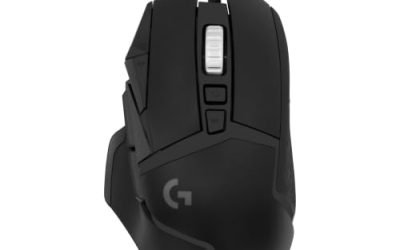
4. Razer Basilisk V3 Pro

The Basilisk V3 Pro is the only mouse in this guide with three connection modes: HyperSpeed 2.4GHz, Bluetooth and wired USB-C. That makes it the most flexible pick for a MacBook: Bluetooth pairs directly with the laptop and uses no port, while the HyperSpeed dongle is there for sessions where latency matters most. The Focus Pro 30K optical sensor tracks up to 30,000 DPI, and the HyperScroll tilt wheel scrolls in both directions and tilts for side scrolling.
The mouse carries 11 programmable buttons according to the product title, and the listing also describes 13 programmable controls in another spot — this guide uses the 11-button figure and flags the conflict, so confirm the button count on the listing. Thirteen-zone Chroma RGB lighting runs through the body and underglow, and the ergonomic right-handed shell has a thumb rest. Battery life is up to 150 hours, the longest rechargeable figure here.
The Mac limitation is software. Razer Synapse is Windows-only, so DPI steps, button remapping and lighting cannot be changed from a MacBook. The mouse still works the moment it connects, but adjusting settings needs Synapse on a Windows machine, after which they save to onboard memory and carry over to the Mac. Without a Windows PC, it runs on factory settings. The listing gives no weight figure in the text read.
Specs
- Brand: Razer
- ASIN: B0B6Y3XYFG
- Product: Basilisk V3 Pro Wireless Gaming Mouse, Black
- Model number: RZ01-04620100-R3U1
- Sensor: Focus Pro 30K optical, up to 30,000 DPI
- Wireless: HyperSpeed 2.4GHz, Bluetooth, wired USB-C — three modes
- Wheel: HyperScroll tilt wheel
- Lighting: 13-zone Chroma RGB
- Buttons: 11 programmable per the product title; the listing also describes 13 programmable controls in another spot
- Battery: up to 150 hours per charge
- Weight: not published in the listing text read
- Shape: ergonomic right-handed, thumb rest
Watch out for: Razer Synapse is Windows-only, so settings cannot be changed on a MacBook; use onboard memory set up on a Windows machine, or run factory settings. Button count differs between the product title and another spot in the listing.
5. Razer DeathAdder V3 HyperSpeed

The DeathAdder V3 HyperSpeed is the lightest ergonomic mouse in this guide at 55 grams, with a compact right-handed shape that suits medium and smaller hands. The Focus X 26K optical sensor tracks up to 26,000 DPI, and Gen-3 optical switches sit under the main buttons. The listing names Mac and PC as the hardware platforms, and the mouse carries eight programmable controls.
Battery life is up to 100 hours per charge, and the mouse charges over USB-C, so the same cable that charges a MacBook can top it up. The listing notes it can be upgraded to 8,000 Hz polling with the Razer HyperPolling Wireless Dongle, a separate purchase. Two limits need stating. First, there is no Bluetooth: it connects by HyperSpeed 2.4GHz dongle only, or wired over USB-C, and the dongle is USB-A, so a MacBook needs a USB-C adapter. Second, full configuration needs Razer Synapse, which is Windows-only. It keeps a single onboard profile, so settings made on a Windows machine carry over to the Mac, but on a MacBook alone it runs on factory settings.
Specs
- Brand: Razer
- ASIN: B0D4RF55QK
- Product: DeathAdder V3 HyperSpeed Wireless Gaming Mouse, Black
- Model number: RZ01-05140100-R3U1
- Weight: 55 grams
- Sensor: Focus X 26K optical, up to 26,000 DPI
- Switches: Gen-3 optical
- Buttons: 8 programmable controls
- Battery: up to 100 hours per charge, USB-C charging
- Wireless: HyperSpeed 2.4GHz dongle only, no Bluetooth; wired USB-C also possible
- Hardware platforms on listing: Mac, PC
- Onboard memory: single onboard profile
Watch out for: no Bluetooth, so the USB-A dongle needs a USB-C adapter on a MacBook. Razer Synapse is Windows-only; only one onboard profile is stored. The 8,000 Hz polling figure needs the HyperPolling dongle, sold separately.
How the Five Picks Compare
| Mouse | Connection | Sensor | Buttons | Battery | Weight | Mac software |
|---|---|---|---|---|---|---|
| Logitech G PRO X Superlight 2 | LIGHTSPEED only | HERO 2, 44K DPI | 5 | Up to 95 hours, USB-C | 60 grams | G HUB on macOS |
| Logitech G502 X Lightspeed | LIGHTSPEED only | HERO 25K | 13 | Up to 140 hours, USB-C | Not published | G HUB on macOS |
| Logitech G305 Lightspeed | LIGHTSPEED only | HERO 12K | 6 | Up to 250 hours, AA battery | 99 grams | G HUB on macOS |
| Razer Basilisk V3 Pro | HyperSpeed, Bluetooth, wired | Focus Pro 30K | 11 | Up to 150 hours | Not published | Synapse is Windows-only |
| Razer DeathAdder V3 HyperSpeed | HyperSpeed dongle only | Focus X 26K | 8 | Up to 100 hours, USB-C | 55 grams | Synapse is Windows-only |
The three Logitech mice are the easy Mac choices: G HUB runs on macOS, so every setting can be changed on the MacBook itself. The two Razer mice offer strong hardware — the Basilisk has the only Bluetooth in the guide, and the DeathAdder is the lightest ergonomic shell here — but their settings need a Windows machine. If you have occasional access to a Windows PC, onboard memory carries the settings to the Mac; if the MacBook is your only computer, a Logitech pick is simpler. On battery, the G305 leads with up to 250 hours on one AA battery, and the Basilisk leads among rechargeable mice with up to 150 hours.
Setting Up a Wireless Gaming Mouse on a MacBook
For Bluetooth mice, open the Bluetooth pane in System Settings, put the mouse in pairing mode and select it. For dongle mice, plug the receiver into a USB-C adapter first, then plug the adapter into the MacBook. macOS should recognize the mouse immediately, with no driver install needed.
Next, sort out the buttons. macOS lets you swap the primary and secondary buttons and set the scroll direction in System Settings. Anything deeper — DPI steps, side-button commands, lighting — needs the companion app. On a Logitech mouse, install G HUB for macOS. On a Razer mouse, set up the profiles in Synapse on a Windows machine first, save them to onboard memory, then move the mouse to the MacBook. Finally, confirm a live offer on the listing, and confirm the listing states macOS or Mac support for the exact model and color.
Frequently Asked Questions
Do wireless gaming mice work on a MacBook?
Yes. Every mouse in this guide works on a MacBook the moment it connects, by Bluetooth or by a 2.4GHz dongle through a USB-C adapter. The difference is how much software can be adjusted on macOS: Logitech G HUB runs on macOS, so Logitech mice can be fully configured on a MacBook, while Razer Synapse is Windows-only, so Razer mice run on factory settings unless profiles were set up on a Windows machine and saved to onboard memory.
Is Bluetooth or a 2.4GHz dongle better for gaming on a MacBook?
A 2.4GHz dongle is better for competitive play because it polls faster and holds a steadier connection. Bluetooth is better for travel because it pairs directly with the MacBook and uses no port. Only the Basilisk V3 Pro here offers both, so it is the most flexible pick. For casual games, Bluetooth is good enough.
Can I change DPI and buttons on a MacBook without Windows software?
On the three Logitech picks, yes: G HUB has a macOS version, so DPI steps and button assignments can be changed directly on the MacBook. On the two Razer picks, no: Synapse is Windows-only, so changes need a Windows machine, after which the settings save to onboard memory and carry over to the Mac. Every pick here also has a DPI button on the mouse itself, so sensitivity can be cycled without any software.
Do I need a USB-C adapter for a wireless gaming mouse on a MacBook?
For any mouse that connects by a USB-A dongle, yes. All five mice here ship with a USB-A receiver, and MacBooks have USB-C ports only, so a USB-C adapter or a hub is needed. The exception is Bluetooth: the Basilisk V3 Pro can pair over Bluetooth with no adapter and no port used. The DeathAdder V3 HyperSpeed has no Bluetooth, so it always needs the adapter for wireless play, though it can also run wired over USB-C.
Final Thoughts
For most MacBook owners, the Logitech G502 X Lightspeed is the safest all-round pick: 13 buttons, a long battery, USB-C charging and full macOS software support. Players who want the lightest possible mouse should look at the Superlight 2 for competitive play or the DeathAdder V3 HyperSpeed for a light ergonomic shape, keeping in mind the Razer software limit. Travellers should look at the G305 for its 250-hour AA battery life, or the Basilisk V3 Pro for Bluetooth. Whichever pick you choose, confirm the listing states Mac support for the exact model, confirm a live offer, and have a USB-C adapter ready for the dongle.
Related guides
More from Amazon
Programs that pair well with the guide above. Offers and eligibility are set by Amazon and may change.
Free shipping on eligible items, Prime Video and more. Eligible new members can start with a free trial.
Start a Prime free trialAd-free music streaming. Eligible new subscribers can start with a free trial.
Try Music Unlimited freeA Prime membership for ages 18-24 with a trial period. Eligibility is set by Amazon.
See Prime for Young AdultsAudiobooks and podcasts to listen to on the go. Eligible new members can start with a free trial.
Try Audible freeAs an Amazon Associate we earn from qualifying purchases.