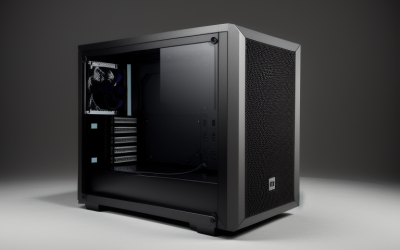
For most gamers the right size is a mid tower that matches an ATX or Micro-ATX board; go smaller (Mini-ITX) only if space or portability is a priority, and go bigger (full tower) only if you need E-ATX support or serious liquid cooling. The case you pick follows from your motherboard size, your graphics card length and how much room you want for upgrades.
As an Amazon Associate we earn from qualifying purchases at no extra cost to you.


Our Top Picks
 MUSETEX ATX PC Case 7 PWM ARGB Fans16.73"D x 8.35"W x 18.5"H16.73 x 8.35 x 18.5 inchesCheck on Amazon


Top 3 picks at a glance
Start With the Motherboard Size
Case names such as mini, mid and full tower describe how big a box is, but the real rule is which motherboard it accepts. Guides from Corsair, NZXT and Micro Center describe the same ladder, and the mounting holes are standardized so a small board fits a larger case but not the reverse.
| Board | Approx. size (inches) | Expansion slots | Cases that take it |
|---|---|---|---|
| E-ATX | 12 x 13 | Typically 7 | Full tower, some mid towers |
| ATX | 12 x 9.6 | Up to 7 | Mid tower, full tower |
| Micro-ATX | 9.6 x 9.6 | Up to 4 | Mini tower and larger |
| Mini-ITX | 6.7 x 6.7 | 1 | All sizes, including small form factor |
E-ATX is not a strict standard, so the width varies between makers. Check a board’s listed dimensions against the case maker’s page.
The Four Common Case Sizes
| Size | Boards supported | Best for | Main limit |
|---|---|---|---|
| Small form factor | Mini-ITX | Tiny desks, LAN trips | Tight GPU, cooler and power supply limits |
| Mini tower | Micro-ATX, Mini-ITX | Compact but not extreme builds | Fewer slots and fans |
| Mid tower | ATX, Micro-ATX, Mini-ITX | Most gamers | Larger footprint than small cases |
| Full tower | E-ATX and smaller, some XL-ATX | Workstations, custom loops | Size, weight, cost |
Step 1: Check the GPU
The graphics card is usually the part that decides whether a case works. Comparison guides report that Mini-ITX cases typically fit cards in the range of 320 to 330 mm, with some newer designs listing around 357 or 360 mm, while mid towers list roughly 355 to 430 mm. Find the card maker’s stated length, thickness and height, then compare them with the case’s listed limits. Leave some margin for front fans or radiators that reduce usable length.
Step 2: Check the CPU Cooler
Published ranges show mid towers allowing coolers around 170 to 180 mm tall, whereas Mini-ITX cases range from low-profile to roughly 155 mm. Layout matters: in one popular small case, using a vertical GPU bracket lowers the air-cooler height limit sharply. If you want an all-in-one liquid cooler, check the radiator sizes the case lists, since mid towers commonly handle 360 mm while full towers may take 420 or 480 mm.
Step 3: Check the Power Supply
Mid and full towers use standard ATX power supplies. Mini-ITX cases often need SFX or SFX-L, which guides say cost more for the same wattage. Pick a unit that meets your GPU maker’s recommended wattage, and follow the PSU and GPU makers’ instructions for the 12VHPWR / 12V-2×6 connector.
Step 4: Think About Airflow and Noise
A larger case has more room for air, and fans can run slower for the same cooling. Small cases rely on clever airflow and can be louder when a hot GPU is installed. Mesh fronts and side vents generally improve airflow, but they pull in more dust, so plan to clean the filters regularly.
Step 5: Think About the Desk and Your Habits
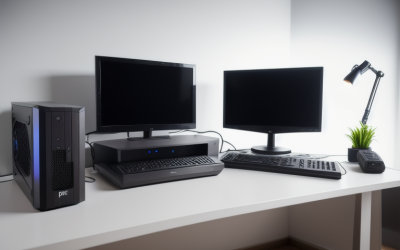
Measure the space where the PC will live. A mid tower can be tall and deep; full towers can be heavy, with one guide giving about 40 pounds empty compared with around 17 for a mid tower. If you travel to events or share a desk with a monitor stand and speakers, a compact case makes sense.
Which Size for Which Gamer
| If you are… | Choose |
|---|---|
| Building your first gaming PC | Mid tower with an ATX or Micro-ATX board |
| Tight on desk space | Micro-ATX mini tower or Mini-ITX case |
| Planning a large GPU and big air cooler | Mid tower |
| Using an E-ATX board or several radiators | Full tower |
| Taking the PC to LANs | Small form factor |
| Wanting easy upgrades for years | Mid tower |
| Building a quiet living-room PC | Compact case with good airflow and a cool, efficient GPU |
Common Mistakes
- Choosing the case by looks first. Always check board, GPU, cooler and PSU limits.
- Assuming “mid tower” means the same everywhere. Dimensions and limits vary by model.
- Overbuying size. A full tower rarely improves gaming performance.
- Forgetting the power supply format. SFX and ATX are not interchangeable in most small cases.
- Ignoring cable and drive plans. Count M.2, SSD and hard drive bays you need.
- Not planning for dust. Open mesh fronts need filter cleaning on a schedule.
Quick Sizing Checklist
- Note your motherboard size.
- Write down the GPU’s length, thickness and height.
- Note the CPU cooler height or radiator size.
- Confirm the power supply format.
- Count drives and fans you want.
- Measure the desk or shelf.
- Compare everything with the case maker’s spec page and a reviewer’s airflow notes.
Common Scenarios Worked Through
Suppose you pair an ATX board with a large triple-fan graphics card and a tower air cooler: a mid tower is the natural fit, since typical listed limits (roughly 355 to 430 mm for GPUs and around 170 to 180 mm for coolers) cover that combination. Suppose instead you want a PC that sits beside a TV: a compact Mini-ITX or micro-ATX case with good airflow, an SFX power supply and a card the case maker lists as compatible would suit. If you plan a custom liquid loop with several radiators, a full tower is where the space is.
Do Not Forget Dust and Upkeep
Whatever size you choose, look for removable dust filters on the intake fans and the power supply. Clean them on a schedule that fits your home, and follow the case manual when removing panels. Smaller cases fill with dust faster, so easy access to filters matters more there.
Cases Change, Standards Stay
Board sizes such as ATX, Micro-ATX and Mini-ITX have stayed stable for many years, which is why starting from the board size is reliable. GPU length and cooler height are the numbers that shift most, so re-check them against the card maker’s dimensions whenever you upgrade.
Frequently Asked Questions
What is the best case size for a gaming PC?
A mid tower is the most common choice. It takes ATX, Micro-ATX and Mini-ITX boards and has room for large cards and coolers.
Can a smaller case run the same GPU?
Often yes, if the card’s dimensions fit the case’s stated limits. Cooling and noise are the main trade-offs.
Do I need a full tower?
Only for E-ATX or XL-ATX boards, multiple large radiators or many drives. Most gamers do not.
Does case size affect FPS?
Not directly. It affects cooling and noise, which can influence boost clocks under sustained load.
Is Mini-ITX cheaper or more expensive?
Guides say it often costs more because of SFX power supplies and specialty parts.
Should I leave room for upgrades?
Yes. If you might change the GPU or cooler later, pick a case with generous listed clearances so the upgrade is not blocked.
Related guides
More from Amazon
Programs that pair well with the guide above. Offers and eligibility are set by Amazon and may change.
Free shipping on eligible items, Prime Video and more. Eligible new members can start with a free trial.
Start a Prime free trialAd-free music streaming. Eligible new subscribers can start with a free trial.
Try Music Unlimited freeA Prime membership for ages 18-24 with a trial period. Eligibility is set by Amazon.
See Prime for Young AdultsAudiobooks and podcasts to listen to on the go. Eligible new members can start with a free trial.
Try Audible freeAs an Amazon Associate we earn from qualifying purchases.