An 18-inch gaming laptop is designed for shoppers who want a desktop-like screen without building a desktop PC. The larger chassis can make room for high-performance processors, discrete graphics, larger cooling systems, multiple storage slots, and full-size keyboards. For gaming, the extra display area is especially useful in strategy games, RPGs, simulation titles, and competitive games where a fast refresh rate and clear motion matter.
The strongest options in this roundup are the configurations built around Intel’s Core Ultra 9 275HX and an NVIDIA GeForce RTX 5070 or RTX 5070 Ti. The MSI Crosshair 18 HX AI models combine a 2560×1600 IPS panel, a 240Hz refresh rate, 32GB of memory in their listed configurations, and an RTX 5070 with 8GB of GDDR7 memory. Acer’s Predator Helios Neo 18 steps up to an RTX 5070 Ti, G-SYNC, a 3ms overdrive response time, and a 2TB Gen 4 SSD, but it should be checked carefully against your spending limit before purchase.
There are also less expensive big-screen machines that take a different approach. The 18.5-inch Ryzen listing and the KAIGERR laptop are better understood as large-screen general-purpose computers with gaming capability, not direct competitors to RTX-equipped laptops. They may suit lighter games and everyday work, but shoppers expecting modern AAA performance should prioritize a discrete GPU, adequate graphics memory, and a high-refresh display. Because listings, configurations, and availability can change, verify the current price, exact screen size, operating system, warranty, and return terms on the product page before ordering.
As an Amazon Associate we earn from qualifying purchases at no extra cost to you.



Our Top Picks
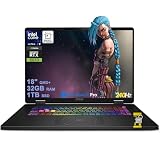
 msi Crosshair 18 HX AI 18" 2560x1600 240Hz32GB RAM I 1TB SSD15.9 x 1.17 x 11.02 inches6.83 PoundsCheck on Amazon
Pros & cons
- 18-inch 240Hz QHD+ display suits gaming and content creation
- Webcam privacy shutter adds a simple layer of security
- 24-zone RGB keyboard with 99 anti-ghost keys for precise input
- Nearly 7 pounds, bulky for carrying outside the home
- No optical drive, so older physical media will not work
 msi Crosshair 18 HX AI Gaming Laptop 18"32GB DDR5 I 1TB SSD11.02 x 15.9 x 1.17 inches6.83 poundsCheck on Amazon
 msi Raider 18" QHD+ 240Hz Gaming Laptop64GB DDR5 | 4TB SSD21 x 16 x 4 inches15 poundsCheck on Amazon

Top 3 picks at a glance
Quick Answer: Our Top Picks
- MSI Crosshair 18 HX AI, RTX 5070, 32GB RAM, 1TB SSD — Best overall balance of CPU performance, display quality, memory, and graphics capability.
- MSI Crosshair 18 HX AI, RTX 5070, 32GB RAM, 2TB SSD — Best for large game libraries and users who want more internal storage immediately.
- 18.5-inch AMD Ryzen 7430U laptop — A large-screen budget candidate, but its detailed specifications should be confirmed before purchase.
- KAIGERR Ryzen 7430U laptop — Best suited to everyday computing and light gaming, with 16GB of RAM and a 512GB SSD.
How We Compared This Guide
This guide is based on the specifications and manufacturer or seller information shown for each listing, together with the practical patterns shoppers should consider when comparing large gaming laptops. We prioritized the components that most directly affect gaming: processor class, discrete GPU, graphics memory, display resolution, refresh rate, memory capacity, and SSD storage. We also considered useful ownership details such as wireless standards, webcam privacy features, keyboard design, expansion options, and included accessories when those details were available.
We did not treat every product as an equal gaming machine. An RTX-equipped laptop has a fundamentally different performance profile from a system using integrated graphics, so the rankings reflect intended use as well as hardware. The MSI and Acer models have specifications associated with demanding gaming and content creation. The Ryzen 7430U systems may be more appropriate for general productivity, older games, esports titles, streaming media, or buyers who value a large display over maximum graphics performance.
Some listings provide incomplete information. The 18.5-inch Ryzen listing does not include a full feature set, while several MSI listings do not provide complete details about their ports, memory configuration, or expansion options. For those products, the responsible approach is to identify what needs checking rather than fill gaps with assumptions. Product pages should be reviewed for exact GPU wattage, panel technology, battery capacity, charger specifications, upgradeability, and warranty coverage.
How to Choose an 18-Inch Gaming Laptop
1. Start With the Graphics Processor
For gaming, the GPU is usually the most important component after the display. A discrete NVIDIA GeForce RTX GPU has dedicated graphics memory and hardware designed for modern rendering, ray tracing, and AI-assisted features. The MSI Crosshair systems use an RTX 5070 with 8GB of GDDR7 memory, while the Acer Predator Helios Neo 18 uses an RTX 5070 Ti. Those are the clearest choices in this group for demanding games, high-resolution gaming, and graphics-intensive creative applications.
Look for a discrete GPU if you expect to play current AAA games, use ray tracing, connect an external high-resolution monitor, or keep the laptop for several years. An integrated graphics solution can be adequate for everyday work, older games, browser-based titles, and many esports games, but it shares system memory and is not a direct substitute for an RTX laptop. The KAIGERR listing, for example, specifies integrated UHD graphics rather than a dedicated gaming GPU.
A common mistake is judging a laptop by the processor name alone. A powerful CPU paired with integrated graphics may still deliver much lower gaming performance than a system with a less ambitious processor and a strong discrete GPU. Also check the laptop GPU’s power configuration where the listing provides it; the same GPU name can perform differently depending on cooling and power limits.
2. Match the Processor to Your Workload
The Intel Core Ultra 9 275HX appears in the leading MSI and Acer configurations. The listed specifications identify 24 cores and a 2.1GHz to 5.4GHz operating range for the MSI models. This class of processor is a strong fit for users who game while streaming, edit video, compile software, run virtual machines, or regularly perform other heavily threaded tasks.
For gaming alone, the processor should be balanced with the GPU rather than treated as the only measure of speed. A high-end CPU is valuable, but it cannot compensate for weak graphics hardware in GPU-limited games. Lower-power processors such as the AMD Ryzen 7430U can make sense for casual gaming and general use, especially when battery life, heat, or a lower system cost matters more than maximum frame rates.
Do not assume that a model marketed as “AI” will automatically accelerate every application. The Acer listing identifies up to 13 NPU TOPS and describes AI features such as background removal and audio optimization, but application support varies. Confirm that the software you use supports the relevant AI features before making them a deciding factor.
3. Evaluate Resolution, Refresh Rate, and Panel Features Together
An 18-inch screen makes display quality particularly important because you will spend more time looking at it than at a compact laptop panel. The MSI Crosshair 18 HX AI models list a 2560×1600 IPS display with a 240Hz refresh rate and 100% DCI-P3 color gamut. The Acer Predator Helios Neo 18 lists an 18-inch WQXGA display with a 16:10 aspect ratio, 240Hz refresh rate, up to 100% DCI-P3 coverage, 3ms overdrive response time, G-SYNC, and Advanced Optimus.
For competitive gaming, a 240Hz panel can make fast camera movement and input feel smoother than a standard 60Hz screen, provided the GPU can produce sufficiently high frame rates. For single-player games, a sharp 2560×1600 or WQXGA panel can make text, textures, and interface elements look more detailed. A 16:10 aspect ratio also gives additional vertical space compared with a traditional 16:9 screen, which can benefit productivity and some game interfaces.
Color coverage matters if you edit photos or video, but a wide-gamut display does not guarantee factory calibration or professional color accuracy. Check the listing for brightness, color calibration, response-time method, adaptive-sync support, and display finish. Avoid focusing on refresh rate while ignoring resolution and GPU capability: a very high refresh rate is less useful if the graphics hardware cannot drive the games at that frame rate.
4. Choose Enough RAM, and Check Its Upgrade Path
For a modern gaming laptop, 16GB is a practical starting point, while 32GB is more comfortable for demanding games, multitasking, content creation, and long-term use. The leading MSI configurations list 32GB of DDR5-5600 memory, and the Acer lists 32GB of DDR5-6400 memory in dual-channel form. Acer also specifies two DDR5 slots and support for up to 64GB.
The MSI configuration with 16GB may suit shoppers who want the Core Ultra 9 and RTX 5070 platform while keeping the initial configuration simpler, but its upgrade options should be verified on the listing. Memory may be installed as one module or two, and that difference can affect performance and future upgrade flexibility.
Do not confuse storage capacity with system memory. A 1TB SSD gives the operating system and games room to operate, but it does not replace RAM. Before buying, check whether the laptop uses accessible SO-DIMM slots, whether both slots are occupied, and what maximum capacity the manufacturer supports. If you plan to edit high-resolution video, run several applications at once, or use demanding creative software, 32GB is the safer target.
5. Treat SSD Capacity as a Major Buying Decision
Modern games can consume substantial storage, and the operating system, updates, recordings, and creative files use additional space. The MSI Crosshair options are offered with either a 1TB or 2TB NVMe SSD. The 2TB version is the more convenient choice for shoppers who keep many large games installed at once, while a 1TB model can be sensible if you use an external drive or plan to upgrade later.
The Acer configuration lists a 2TB PCIe Gen 4 SSD and two PCIe M.2 slots, with the listing indicating that no slots are available in that configuration. That detail is important: two slots do not necessarily mean an empty slot. Verify whether the second bay is occupied, whether the drive can be replaced, and whether the laptop supports a particular SSD size or side.
Check for an optical drive only if you specifically need one; the MSI descriptions state that there is no optical drive. Also confirm whether the operating system and recovery partition reduce usable capacity. A common mistake is choosing a lower-capacity configuration because the processor and GPU look identical, then discovering that the cost and effort of a future storage upgrade are inconvenient or restricted.
6. Account for Cooling, Weight, and Desk Space
An 18-inch gaming laptop is a large portable computer, not a lightweight everyday notebook. The larger chassis can support high-performance components, but it also takes up more room in a backpack and on a small table. A powerful CPU and discrete GPU generate more heat than the components in an office laptop, so the system may be most comfortable when used on a hard, unobstructed surface.
Specifications alone do not establish fan noise, surface temperatures, sustained performance, or battery endurance. Those details depend on the power profile, cooling design, firmware, ambient conditions, and the game being played. Read current owner feedback for recurring comments about fan behavior, thermal throttling, sleep and wake behavior, and charger size, but separate repeated patterns from isolated complaints.
Avoid buying an 18-inch performance laptop solely because it appears portable in a product photograph. Check the physical dimensions, weight, included power adapter, hinge design, and ventilation layout. If you frequently commute, travel by air, or work away from outlets, a smaller or lower-power system may be more practical even if it gives up some screen size and graphics performance.
7. Check Ports, Networking, and External-Display Support
Large gaming laptops are often used as desktop replacements, so connectivity can matter as much as internal hardware. The MSI listings specify Intel Wi-Fi 6E AX211 and Bluetooth 5.3, while the Acer listing specifies Killer Wi-Fi 6E. The MSI 16GB configuration specifically mentions Thunderbolt, and the 2TB configuration includes a ZYN HDMI cable. These details may be useful for external displays, docks, storage, controllers, and wired accessories.
Verify the actual port layout before buying. Look for the number and type of USB ports, HDMI version, USB-C display support, Thunderbolt support where applicable, Ethernet, an audio jack, and a card reader. The Acer listing identifies a microSD card reader, which can be helpful for cameras and portable storage, but a microSD slot is not a substitute for a full-size SD slot if your workflow requires one.
Wireless specifications also need context. Wi-Fi 6E requires compatible network equipment and suitable regional support. Wi-Fi 7, listed for the MSI Raider 18, may be attractive for shoppers with a compatible network, but it should not outweigh a better GPU, display, or storage configuration if your current network does not support it.
8. Consider the Keyboard, Webcam, Audio, and Everyday Usability
Gaming performance is only part of the ownership experience. The MSI Crosshair descriptions include a SteelSeries 24-zone RGB backlit keyboard with 99 anti-ghost keys and a multi-touch trackpad. They also list a 720p webcam with a privacy shutter, Wi-Fi 6E, Bluetooth 5.3, and a Dynaudio speaker system with dedicated woofers. These features can make the laptop more useful for school, work, streaming, and video calls.
The KAIGERR model lists a webcam cover slide, USB 3.2, USB Type-C, Wi-Fi 6, and a 16-inch display despite its product title referring to a 16.0-inch machine. This is a reminder to confirm the exact screen size and configuration in the listing rather than relying only on a headline. Its listed 16GB DDR4 memory and 512GB SSD are sufficient for general computing, but its integrated UHD graphics place it in a different gaming category from the RTX models.
For any model with incomplete specifications, check keyboard layout, RGB controls, webcam resolution, speaker configuration, microphone quality, touchpad size, and whether the charger is included. A laptop can have excellent gaming hardware and still be frustrating if the keyboard does not suit your typing style or the webcam is inadequate for your calls.
Common Mistakes to Avoid
- Assuming every 18-inch listing is an equivalent gaming laptop: Confirm whether the system has a discrete GPU or integrated graphics.
- Buying by CPU branding alone: Gaming performance depends heavily on the GPU, its power configuration, and cooling.
- Ignoring the exact configuration: The same laptop family may be sold with different RAM, SSD, operating system, GPU, and connectivity options.
- Overlooking storage limitations: Check usable capacity, M.2 slot occupancy, and whether upgrades are supported before choosing a 1TB or 512GB drive.
- Paying for a high refresh rate without enough GPU performance: A 240Hz panel is most useful when the games and settings can take advantage of it.
- Assuming AI features work everywhere: NPU and DLSS-related features depend on software, game, driver, and application support.
- Forgetting the physical footprint: Compare dimensions, weight, ventilation, and charger size with your normal travel and desk setup.
- Skipping listing verification: Confirm current pricing, seller information, warranty, return policy, included accessories, and exact specifications before checkout.
Detailed product breakdowns
1. MSI Crosshair 18 HX AI with RTX 5070, 32GB RAM, and 1TB SSD
The top-ranked MSI Crosshair 18 HX AI is the strongest all-around choice for shoppers who want a genuinely high-end 18-inch gaming laptop without moving to the most expensive flagship configurations. Its combination of a 24-core Intel processor, RTX 5070 graphics, 32GB of memory, and a fast 240Hz QHD+ display gives it a balanced specification sheet for gaming, streaming, content creation, and general desktop replacement use.
Key specifications: The laptop uses an Intel Core Ultra 9 275HX with 24 cores, a stated 2.1GHz to 5.4GHz range, 32GB of DDR5-5600 memory in a 16GB-by-2 configuration, and a 1TB NVMe SSD. Graphics are handled by an NVIDIA GeForce RTX 5070 with 8GB of GDDR7 memory. Its 18-inch IPS panel has a 2560×1600 resolution, 240Hz refresh rate, and 100% DCI-P3 color gamut. Other listed features include Wi-Fi 6E, Bluetooth 5.3, a 720p webcam with privacy shutter, Dynaudio speakers with woofers, and a SteelSeries 24-zone RGB keyboard with 99 anti-ghost keys.
Strengths: The 24-core processor provides substantial headroom for demanding multitasking and CPU-heavy creative applications. The RTX 5070 and 8GB of GDDR7 are better suited to modern gaming than integrated graphics, while the high-refresh QHD+ panel is designed for smooth motion and detailed images. The color-gamut specification also makes the display more appealing for video and image work than a basic gaming panel.
Trade-offs: A 1TB SSD can become restrictive when several large games, media projects, and applications are installed. The listing specifies that there is no optical drive. Buyers should verify the laptop’s available storage expansion options, power requirements, physical dimensions, and the exact port layout before purchase.
Best for: Gamers who want a large, fast display and a strong CPU/GPU combination, as well as creators who can work within the included storage capacity.
Skip it if: You need more than 1TB immediately, require a different webcam resolution, or prioritize maximum graphics performance over overall configuration balance.
View the MSI Crosshair 18 HX AI with 1TB SSD
2. MSI Crosshair 18 HX AI with RTX 5070, 32GB RAM, and 2TB SSD
This second MSI Crosshair configuration uses the same central performance platform as the top pick but doubles the included solid-state storage. It is an especially practical option for buyers who maintain a large game library or store substantial video, photo, and project files locally. The listing also includes a ZYN HDMI cable, although the larger SSD is the more meaningful difference between the two models.
Key specifications: The system has an Intel Core Ultra 9 275HX processor with 24 cores and a stated 2.1GHz to 5.4GHz range, 32GB of DDR5-5600 RAM, and a 2TB NVMe SSD. It includes an RTX 5070 laptop GPU with 8GB of GDDR7. The 18-inch IPS display runs at 2560×1600 and 240Hz and covers 100% of the DCI-P3 color gamut. Listed connectivity and convenience features include Wi-Fi 6E, Bluetooth 5.3, a 720p webcam with privacy shutter, Dynaudio audio hardware, and a 2W-by-2 speaker and woofer arrangement.
Strengths: The 2TB SSD provides substantially more room for modern game installations than the 1TB version. The processor, memory, graphics, and display remain well matched, so buyers do not have to trade gaming performance for additional capacity. The 240Hz refresh rate and RTX graphics target demanding gaming use, while the wide color-gamut panel can suit creative work.
Trade-offs: The included HDMI cable may not be important to shoppers who already have the necessary cable. As with the 1TB model, the listing does not provide complete information about upgrade access, battery capacity, weight, cooling design, or every port. Those details should be verified if portability or future expansion matters.
Best for: Players who install many large games, creators who keep active projects on the internal drive, and anyone who wants the Crosshair platform without immediately planning an SSD upgrade.
Skip it if: You use external storage, plan to replace the included drive yourself, or would rather allocate the budget toward a different graphics tier.
View the MSI Crosshair 18 HX AI with 2TB SSD
3. 18.5-inch gaming laptop with AMD Ryzen 7430U and 7,000mAh battery
This listing is positioned as a large-screen, lower-cost alternative to the RTX-equipped machines above. The available product information identifies an 18.5-inch display, an AMD Ryzen 7430U processor, a stated maximum processor speed of 4.3GHz, and a 7,000mAh battery. However, the feature data is limited, so buyers should treat this as a general-purpose or light-gaming laptop until the full product page confirms its graphics hardware and other specifications.
Key specifications: The title lists an 18.5-inch screen, AMD Ryzen 7430U, up to 4.3GHz, and a 7,000mAh battery. The listing does not identify the RAM capacity, SSD capacity, display resolution, refresh rate, graphics solution, operating system, wireless standard, webcam details, or ports.
Strengths: The larger-than-18-inch-class screen may appeal to shoppers who want desktop-like viewing space. The listed Ryzen processor and battery specification suggest a different priority from the high-performance MSI and Acer systems: everyday computing and lighter workloads rather than maximum graphics throughput.
Trade-offs: The absence of confirmed graphics information is the major concern for a gaming purchase. Buyers should verify whether the laptop has discrete graphics or relies on integrated graphics, along with the panel’s refresh rate and resolution. Battery capacity alone also does not establish real-world battery life; processor power limits, display brightness, software, and battery configuration all matter.
Best for: Buyers who primarily want a large display for schoolwork, browsing, media, and lighter games and who are comfortable confirming the missing specifications before ordering.
Skip it if: You need reliable RTX-class performance, a confirmed high-refresh panel, or detailed upgrade and connectivity information.
View the 18.5-inch AMD Ryzen gaming laptop
4. Acer Predator Helios Neo 18 AI with RTX 5070 Ti
The Acer Predator Helios Neo 18 AI is the most performance-focused option in this ranking, with a step-up RTX 5070 Ti, 32GB of fast DDR5 memory, and a 2TB SSD. Its specification set is aimed at shoppers who want stronger graphics capability and display features for demanding games, especially those interested in ray tracing and NVIDIA’s AI-assisted rendering features.
Key specifications: Acer lists an Intel Core Ultra 9 275HX processor with up to 13 NPU TOPS, an NVIDIA GeForce RTX 5070 Ti laptop GPU based on Blackwell architecture, 32GB of DDR5-6400 memory, and a 2TB PCIe Gen 4 SSD. The 18-inch, 16:10 WQXGA display supports a 240Hz refresh rate, up to 100% DCI-P3 coverage, a stated 3ms overdrive response time, NVIDIA G-SYNC, and Advanced Optimus. The laptop has two DDR5 slots with a stated maximum of 64GB, two PCIe M.2 slots with no slots available according to the listing, a microSD card reader, and Killer Wi-Fi 6E.
Strengths: The RTX 5070 Ti is the clearest graphics upgrade in this group, while the 240Hz G-SYNC panel is designed to reduce tearing and provide smooth motion. The 2TB SSD and 32GB of RAM are appropriate for a premium gaming system. The documented memory limit and M.2 layout are also useful for buyers evaluating future serviceability.
Trade-offs: This model sits outside the stated target category if the buyer is enforcing a strict under $2,500 limit. The listing uses extensive AI and ray-tracing claims, but actual game performance varies by title, settings, power profile, and whether DLSS or frame generation is supported. Buyers should also confirm weight, battery capacity, port selection, and whether the stated storage configuration leaves no open M.2 slot.
Best for: Enthusiasts who prioritize graphics performance, ray tracing, high-refresh gaming, and a large internal SSD over strict budget compliance.
Skip it if: Your maximum budget is firm or your games do not benefit from the additional GPU capability.
View the Acer Predator Helios Neo 18 AI
5. MSI Crosshair 18 HX AI with Windows 11 Pro and 1TB SSD
This MSI Crosshair listing appears to be another 18-inch RTX 5070 configuration built around Intel’s 24-core Core Ultra 9 275HX. Its title identifies Windows 11 Pro, 32GB of DDR5 memory, a 1TB SSD, and a QHD+ 240Hz display. Because the listing does not provide a full feature list, it should be compared carefully with the better-documented Crosshair configurations rather than assumed to have identical ports, keyboard features, or expansion options.
Key specifications: The product title lists an 18-inch QHD+ display with a 240Hz refresh rate and 100% DCI-P3 coverage, an Intel 24-core Core Ultra 9 275HX processor, 32GB of DDR5 memory, a 1TB SSD, an RTX 5070 GPU with a stated “up to 798 AI TOPS” claim, an RGB backlit keyboard, Wi-Fi 6E, and Windows 11 Pro.
Strengths: The configuration combines substantial memory with a current RTX 5070 and a fast, wide-gamut display. Windows 11 Pro may be useful to buyers who need Pro-specific management, security, virtualization, or business features. The 1TB drive keeps the configuration straightforward for users who already use external storage or plan a future upgrade.
Trade-offs: The available data does not confirm the SSD interface, memory speed, webcam, speakers, battery, physical construction, or number and type of ports. “Up to” AI-performance figures should not be treated as a direct substitute for game benchmarks. Verify whether this listing’s chassis and cooling configuration match the other Crosshair 18 models.
Best for: Creators, professionals, and power users who specifically want Windows 11 Pro alongside strong CPU and GPU hardware.
Skip it if: You do not need Windows 11 Pro or if the more fully documented Crosshair configuration offers the same hardware and better-confirmed features for your needs.
View the MSI Crosshair 18 HX AI with Windows 11 Pro
6. KAIGERR laptop with Ryzen 7430U, 16GB RAM, and 512GB SSD
The KAIGERR is a budget-oriented notebook that is listed among large-screen gaming options, but its listed specifications identify a 16-inch display rather than an 18-inch panel. It is better understood as an affordable general-purpose laptop with light-gaming potential, not as a direct substitute for the high-performance 18-inch RTX systems.
Key specifications: The system uses an AMD Ryzen 7430U with six cores and 12 threads and a maximum stated speed of 4.3GHz. It has integrated UHD graphics, 16GB of DDR4 memory, and a 512GB M.2 SSD. The display is listed as 16 inches with a thin bezel, while connectivity includes Wi-Fi 6, USB 3.2, and USB Type-C. Other features include a webcam cover, support for a 64GB TF card, a replaceable SSD with stated support up to 2TB, and a 38Wh battery. The listing claims up to eight hours of battery life, depending on use.
Strengths: The six-core Ryzen processor, 16GB of RAM, and SSD provide a more capable everyday platform than entry-level Celeron-based systems. The replaceable SSD and stated 2TB support give the laptop useful storage flexibility. Wi-Fi 6, USB 3.2, Type-C, and the webcam cover are practical features for school, office, and travel use.
Trade-offs: Integrated UHD graphics are not comparable with an RTX 5070 or RTX 5070 Ti. The 16-inch screen also does not meet the literal 18-inch target. The 38Wh battery is modest, and the stated battery life should be treated as usage-dependent rather than a gaming estimate. Buyers should verify the exact panel resolution, refresh rate, Type-C capabilities, and upgrade procedure.
Best for: Students and casual users who want light gaming, productivity, and expandable storage in a relatively affordable notebook.
Skip it if: You require an 18-inch display, modern AAA gaming performance, ray tracing, or a high-refresh QHD+ panel.
View the KAIGERR Ryzen 7430U laptop
7. MSI Crosshair 18 HX AI with 16GB RAM and Thunderbolt
This Crosshair variant uses the same broad performance formula as the other MSI models: an 18-inch QHD+ 240Hz display, Intel’s 24-core Core Ultra 9 275HX, and an RTX 5070. Its distinguishing listed features are 16GB of DDR5 memory, a 1TB SSD, and Thunderbolt connectivity. It may suit buyers who want a high-end CPU and GPU while accepting a smaller memory configuration.
Key specifications: The title identifies an 18-inch QHD+ display with 240Hz refresh and 100% DCI-P3 coverage, an Intel 24-core Core Ultra 9 275HX processor, 16GB of DDR5 RAM, a 1TB SSD, an NVIDIA GeForce RTX 5070 with a stated “up to 798 AI TOPS” figure, an RGB backlit keyboard, Thunderbolt, and Windows 11.
Strengths: Thunderbolt can be valuable for compatible docks, displays, and high-speed peripherals, although the exact implementation should be confirmed. The RTX 5070 and 240Hz display provide a much stronger gaming foundation than integrated-graphics laptops. The 24-core processor also gives the system considerable CPU headroom.
Trade-offs: 16GB is less comfortable than 32GB for heavy multitasking, content creation, and some demanding modern games. The listing does not specify memory speed, whether the RAM is upgradeable, the webcam, speakers, battery, or complete port selection. Verify Thunderbolt version and capabilities rather than assuming every USB-C feature is supported.
Best for: Gamers who value Thunderbolt and plan to add memory later, provided the upgrade path is confirmed.
Skip it if: You want 32GB immediately, do not need Thunderbolt, or prefer a listing with more complete specifications.
View the MSI Crosshair 18 HX AI with Thunderbolt
8. MSI Raider 18 with RTX 5090, 64GB RAM, and 3TB storage
The MSI Raider 18 is the uncompromising flagship in this comparison. It is included as a reference point for buyers who want the highest listed graphics tier, much more memory, and expanded storage rather than a system optimized around the under $2,500 target. Its hardware is substantially beyond the needs of many players, but it may appeal to enthusiasts and professionals with demanding workloads.
Key specifications: The listing identifies an 18-inch QHD+ display with a 240Hz refresh rate, an Intel Core Ultra 9 285HX processor, an NVIDIA GeForce RTX 5090 laptop GPU with 24GB of GDDR7, 64GB of DDR5 memory, and 3TB of storage described as a 2TB SSD plus a 1TB docking station. It also lists a backlit keyboard, Copilot, Wi-Fi 7, Windows 11, and a black finish.
Strengths: The RTX 5090 and 24GB of GDDR7 provide the highest stated graphics specification in this roundup. The 64GB memory capacity is well suited to heavy creative applications, large projects, virtual machines, and intensive multitasking. Three terabytes of listed storage also gives this configuration more local capacity than the other fully specified premium models.
Trade-offs: The title does not clarify the display resolution beyond QHD+, the panel technology, color gamut, response time, battery, ports, dimensions, or upgrade options. The storage description is unusual because it combines a 2TB SSD with a 1TB docking station; buyers should verify whether all 3TB is internal, how the docking station works, and what is included in the box. The flagship-level hardware may also be excessive for casual gaming.
Best for: Enthusiasts, professional creators, and users who need maximum listed GPU memory, system RAM, and storage capacity in an 18-inch format.
Skip it if: You are enforcing the under $2,500 limit, prefer a lighter or simpler system, or will not benefit from RTX 5090-class graphics and 64GB of memory.
18-Inch Gaming Laptop Comparison
The table below compares the listed configurations using only the specifications provided. Several listings do not include enough information to verify the display, graphics hardware, memory, storage, or operating system, so those fields are marked “Check listing.” In particular, an 18-inch screen alone does not confirm that a laptop is suitable for modern AAA gaming; the dedicated GPU, display resolution, cooling design, and power limits matter just as much.
| Rank | Model and configuration | Processor | Graphics | Display | Memory | Storage | Connectivity and extras | Best fit |
|---|---|---|---|---|---|---|---|---|
| 1 | MSI Crosshair 18 HX AI | Intel Core Ultra 9 275HX; 24 cores; 2.1–5.4 GHz | NVIDIA GeForce RTX 5070; 8GB GDDR7 | 18-inch IPS; 2560×1600; 240Hz; 100% DCI-P3 | 32GB DDR5-5600; 16GB × 2 | 1TB NVMe SSD | Wi-Fi 6E, Bluetooth 5.3, 720p webcam with privacy shutter, SteelSeries 24-zone RGB keyboard, Dynaudio speakers and woofers | Balanced high-performance gaming and content creation |
| 2 | MSI Crosshair 18 HX AI, 2TB | Intel Core Ultra 9 275HX; 24 cores; 2.1–5.4 GHz | NVIDIA GeForce RTX 5070; 8GB GDDR7 | 18-inch IPS; 2560×1600; 240Hz; 100% DCI-P3 | 32GB DDR5-5600; 16GB × 2 | 2TB NVMe SSD | Wi-Fi 6E, Bluetooth 5.3, 720p webcam with privacy shutter, Dynaudio speakers and woofers; includes ZYN HDMI cable | Large game libraries and media storage |
| 3 | 18.5-inch AMD Ryzen gaming laptop | AMD Ryzen 7430U, up to 4.3GHz; core count and thread count check listing | Check listing | 18.5-inch; resolution, refresh rate, and panel type check listing | Check listing | Check listing | 7000mAh battery; other ports and wireless standards check listing | Buyers prioritizing a large screen and battery specification |
| 5 | MSI Crosshair 18 HX AI, Windows 11 Pro | Intel Core Ultra 9 275HX; 24 cores | GeForce RTX 5070; listing states up to 798 AI TOPS | 18-inch QHD+; 240Hz; 100% DCI-P3 | 32GB DDR5 | 1TB SSD | RGB backlit keyboard, Wi-Fi 6E, Windows 11 Pro; other details check listing | Professional users who specifically need Windows 11 Pro |
| 6 | KAIGERR Ryzen 7430U laptop | AMD Ryzen 7430U; 6 cores/12 threads; up to 4.3GHz | Integrated UHD graphics, up to 1200MHz | 16-inch thin-bezel display; resolution is described as 1920P FHD in the listing; refresh rate check listing | 16GB DDR4 | 512GB M.2 SSD; listing states support for a replacement drive up to 2TB and a 64GB TF card | Wi-Fi 6, USB 3.2, USB Type-C, webcam cover, 38Wh battery; advertised up to 8 hours | Everyday computing, schoolwork, and light gaming |
| 7 | MSI Crosshair 18 HX AI, 16GB | Intel Core Ultra 9 275HX; 24 cores | GeForce RTX 5070; listing states up to 798 AI TOPS | 18-inch QHD+; 240Hz; 100% DCI-P3 | 16GB DDR5 | 1TB SSD | RGB backlit keyboard, Thunderbolt, Windows 11; other details check listing | High-end graphics with a lower starting memory capacity |
| 8 | MSI Raider 18 | Intel Core Ultra 9 285HX | GeForce RTX 5090; 24GB GDDR7 | 18-inch QHD+; 240Hz | 64GB DDR5 | 3TB total; 2TB SSD plus 1TB docking station | Backlit keyboard, Copilot, Wi-Fi 7, Windows 11; other ports and panel details check listing | Maximum listed GPU memory and multitasking headroom |
Best Pick by Need
Best overall balance: MSI Crosshair 18 HX AI with 32GB and 1TB
The first MSI Crosshair configuration is the most balanced choice for shoppers who want a genuinely high-performance 18-inch gaming laptop without moving to the largest listed hardware tier. Its Core Ultra 9 275HX, RTX 5070, 32GB of DDR5 memory, and 2560×1600 240Hz display cover demanding gaming, streaming, multitasking, and many creative workloads. The 1TB NVMe SSD is the main limitation: it may require careful game-library management, an external drive, or a future storage upgrade.
Best for a large installed game library: MSI Crosshair with 2TB
The second MSI Crosshair has the same listed processor, graphics card, memory capacity, and display as the top configuration, but doubles storage to 2TB. That difference is meaningful for buyers who install several large games, keep video projects locally, or prefer not to rely on external storage. The included HDMI cable may be useful for a second screen or television, but it should not be the deciding factor if you already have a suitable cable.
Best for ray tracing and competitive display features: Acer Predator Helios Neo 18 AI
The Acer is the most compelling choice for buyers who place graphics performance first. Its RTX 5070 Ti sits above the RTX 5070 configurations in this lineup, while the 240Hz WQXGA panel adds G-SYNC, Advanced Optimus, up to 100% DCI-P3 coverage, and a stated 3ms overdrive response time. The 32GB of DDR5-6400 memory and 2TB Gen 4 SSD are also strong. However, verify the current listing details and total purchase cost carefully if you need to stay under $2,500 overall.
Best for Windows 11 Pro: MSI Crosshair with 32GB and 1TB
The Windows 11 Pro MSI Crosshair is the appropriate option among these listings when Pro-specific operating-system features are important for work, administration, or organizational requirements. It retains the Core Ultra 9 275HX, RTX 5070, 32GB of DDR5, and 240Hz QHD+ display. The available information does not identify every port, expansion detail, or panel specification beyond those headline features, so confirm those items before ordering.
Best for Thunderbolt connectivity: MSI Crosshair with 16GB and 1TB
The 16GB MSI Crosshair configuration stands out because its product description specifically mentions Thunderbolt. That can matter for compatible docks, displays, and high-speed accessories. Its RTX 5070 and 18-inch QHD+ 240Hz display make it far more gaming-focused than the integrated-graphics laptops in this guide. The key trade-off is memory: 16GB may be adequate for gaming, but buyers who stream, edit video, run virtual machines, or keep many applications open should investigate upgrade options.
Best for everyday use and light gaming: KAIGERR Ryzen 7430U
The KAIGERR is not a direct performance alternative to the RTX-equipped models. Its Ryzen 7430U uses integrated UHD graphics, and the listing itself advises closing background programs when running games. That makes it better suited to schoolwork, web browsing, office applications, media, and lighter games than demanding modern releases. The 16GB of RAM, 512GB M.2 SSD, Wi-Fi 6, Type-C connectivity, webcam cover, and stated storage expansion support give it a practical everyday configuration.
Best for the largest listed memory and GPU capacity: MSI Raider 18
The MSI Raider 18 has the highest listed hardware tier: a Core Ultra 9 285HX, RTX 5090 with 24GB of GDDR7, 64GB of DDR5, and 3TB of combined storage. It is the natural choice for buyers who need substantial GPU memory and multitasking capacity rather than the best value. The listing describes the storage as a 2TB SSD plus a 1TB docking station, so confirm exactly how that second storage component connects and whether it is internal, attached, or separately housed.
Setup and Care Tips
- Confirm the exact configuration before checkout. Several products share the Crosshair 18 HX AI name but differ in RAM, storage, operating system, connectivity, or bundled accessories. Match the processor, GPU, memory, SSD, and operating system in the listing to the configuration you intend to buy.
- Use the included power adapter for demanding gaming. High-performance laptop GPUs and CPUs are designed around substantial power delivery. Battery operation may reduce performance, and gaming will generally use battery capacity quickly.
- Keep air intakes and exhausts unobstructed. Use a firm, level surface rather than a bed, blanket, or soft couch. Dust buildup and blocked vents can restrict cooling and contribute to thermal throttling.
- Update Windows, graphics drivers, and manufacturer utilities. Driver updates can improve game compatibility, display behavior, wireless connectivity, and support for features such as DLSS, G-SYNC, or Advanced Optimus. Create a restore point before major system changes.
- Set the display to its intended refresh rate. A 240Hz panel does not automatically mean Windows or every game is using 240Hz. Check the operating-system display settings and the game’s video menu after setup.
- Manage storage early. Keep free space available for operating-system updates, shader caches, game patches, and creative projects. The 1TB systems may need more active library management than the 2TB or 3TB configurations.
- Use the correct graphics mode for each task. Battery-saving hybrid graphics can be useful for everyday work, while a discrete-GPU mode may be preferable when gaming. Features such as Advanced Optimus depend on the specific configuration and installed software.
- Protect the screen and keyboard during transport. An 18-inch gaming laptop is large, and its display should not be pressed by accessories stored in the same compartment. Use a properly padded sleeve or laptop compartment.
- Back up important files. An SSD is fast storage, not a backup strategy. Keep schoolwork, work files, save data, and creative projects on a separate backup device or trusted cloud service.
Frequently Asked Questions
Is every laptop in this guide suitable for modern AAA gaming?
No. The MSI Crosshair, Acer Predator, and MSI Raider configurations include dedicated NVIDIA graphics processors intended for demanding gaming. The KAIGERR uses integrated UHD graphics, and the available information for the 18.5-inch Ryzen listing does not identify its GPU. Check the game requirements and the laptop’s complete graphics specification before buying for new AAA releases.
Which specification matters more for gaming: the processor or the graphics card?
Both matter, but the graphics card usually has the greater influence on rendering performance at the laptop’s native resolution. The processor affects frame-rate consistency, simulation-heavy games, streaming, and background tasks. The high-end options listed here pair powerful Core Ultra processors with RTX graphics, while the Ryzen 7430U models use integrated graphics and target lighter workloads.
Is 16GB of RAM enough for an 18-inch gaming laptop?
It can be sufficient for gaming and everyday use, but 32GB provides more room for modern multitasking, streaming, content creation, browser tabs, and background applications. The 16GB MSI Crosshair is therefore more configuration-sensitive than the 32GB versions. Before purchasing, check whether the memory is replaceable, how many slots are available, and the maximum supported capacity.
Should I choose the 1TB or 2TB MSI Crosshair?
Choose 2TB if you expect to keep several large games, recordings, or creative files installed simultaneously. Choose 1TB if you are comfortable uninstalling older games, using external storage, or checking whether a future SSD upgrade is practical. The two MSI Crosshair listings otherwise share the main processor, GPU, memory, and display specifications.
Does a 240Hz display guarantee higher frame rates?
No. It sets the panel’s maximum refresh capability, but the actual frame rate depends on the game, graphics settings, resolution, GPU, CPU, and power mode. A 240Hz panel is most useful when the system can produce high frame rates, particularly in competitive games. Features such as G-SYNC can also help coordinate display refresh with rendered frames, but they do not create additional performance.
What does 100% DCI-P3 mean for gaming and creative work?
It describes a wide color-gamut target that can benefit games, video, photography, and other content with a broad color range. It is not a complete picture of display quality: brightness, contrast, viewing angles, calibration, response behavior, and factory variance also matter. Verify the full panel information in the listing if color-sensitive work is a priority.
Can I use an 18-inch gaming laptop as a desktop replacement?
Yes, particularly with the RTX-equipped models and a suitable external keyboard, mouse, and display setup. Their large screens, powerful processors, and substantial memory make them practical desktop replacements. Remember that portability, battery life, acoustics, and upgradeability can differ from a desktop, and confirm the ports you need before purchasing.
What should I check when a listing does not provide complete specifications?
Check the exact screen size and resolution, refresh rate, GPU model and VRAM, RAM type and upgrade limits, SSD capacity, operating system, battery details, wireless standard, ports, warranty terms, and included accessories. Also confirm whether a stated storage total is internal or includes a dock or external component. If a specification is central to your decision and the listing does not confirm it, contact the seller or choose a configuration with clearer documentation.
Final Verdict
The MSI Crosshair 18 HX AI with 32GB of RAM and a 1TB SSD is the strongest all-around recommendation in this comparison because it combines a 24-core Core Ultra 9 275HX, RTX 5070 graphics, 32GB of memory, and a 2560×1600 240Hz display. It is a well-rounded choice for gaming, streaming, multitasking, and creative work, provided 1TB of storage is enough.
The 2TB MSI Crosshair is the better practical pick for large game libraries, while the Acer Predator Helios Neo 18 AI is the performance-focused alternative with an RTX 5070 Ti, G-SYNC, Advanced Optimus, and a 3ms overdrive specification. Buyers who need Windows 11 Pro or Thunderbolt should select the corresponding MSI configuration rather than assuming every Crosshair listing has the same features.
The Ryzen-based listings serve a different audience. The KAIGERR is an everyday laptop with integrated graphics, not a substitute for an RTX gaming machine. The 18.5-inch Ryzen listing may appeal to buyers focused on screen size and its stated 7000mAh battery, but its missing specifications make careful listing verification essential. Finally, the MSI Raider 18 is the no-compromise hardware option, with the largest listed GPU memory, system memory, and storage combination, but it should be considered only by buyers who specifically need that level of capacity.
Related guides
More from Amazon
Programs that pair well with the guide above. Offers and eligibility are set by Amazon and may change.
Free shipping on eligible items, Prime Video and more. Eligible new members can start with a free trial.
Start a Prime free trialAd-free music streaming. Eligible new subscribers can start with a free trial.
Try Music Unlimited freeA Prime membership for ages 18-24 with a trial period. Eligibility is set by Amazon.
See Prime for Young AdultsAudiobooks and podcasts to listen to on the go. Eligible new members can start with a free trial.
Try Audible freeAs an Amazon Associate we earn from qualifying purchases.