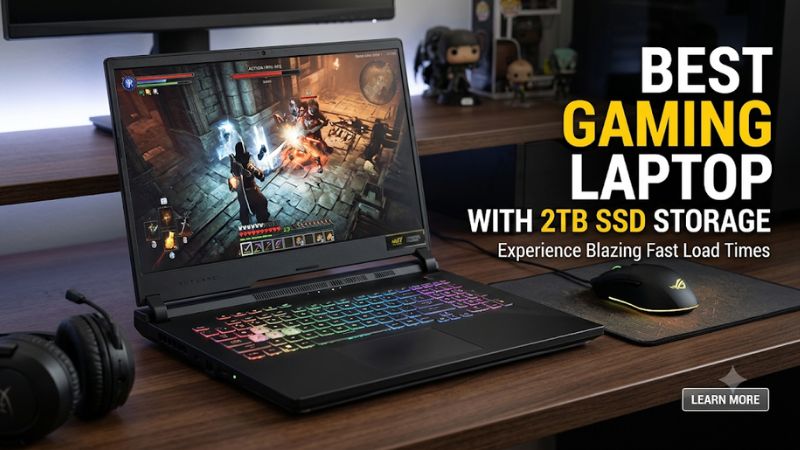
A large game library can fill a 1TB drive faster than expected, especially when you also keep recordings and creative files locally. The best gaming laptop with 2TB SSD combines generous NVMe storage with a capable GPU, sufficient RAM, effective cooling, and a display suited to your games.
How to Choose a Gaming Laptop With 2TB SSD
Choosing a laptop with 2TB of storage is only the beginning. The processor, graphics power, cooling system, memory configuration, and screen determine whether the machine is worth its price. These four criteria help separate genuinely capable gaming systems from laptops that simply advertise a large SSD.
1. Match the GPU to Your Gaming Requirements
The GPU should be your primary performance consideration. NVIDIA GeForce RTX 5070, RTX 5070 Ti, RTX 5080, and RTX 5090 Laptop GPUs occupy different performance tiers, so consider the games and resolution you actually use rather than choosing based on storage capacity alone.
For demanding AAA games, an RTX 5070 Ti or better is worth considering. RTX 5080 and RTX 5090 configurations suit buyers targeting higher graphics settings and demanding resolutions. However, laptop GPU power limits and cooling differ between chassis, even when the GPU names match.
2. Choose the Right CPU and RAM
A powerful graphics processor needs an appropriate CPU and sufficient system memory. Modern Intel Core Ultra HX processors are common in high-performance gaming laptops, while AMD Ryzen HX processors are another option for demanding gaming and productivity workloads.
Aim for 32GB of RAM if you regularly play demanding games while running voice chat, browsers, or recording software. Sixteen gigabytes can still suit less demanding gaming, but 32GB offers more flexibility. Check whether the laptop uses replaceable SO-DIMM memory or soldered memory before purchasing.
3. Understand SSD Type and Upgrade Options
A 2TB NVMe SSD offers substantial space for modern games, applications, and media files. PCIe Gen 4 drives already provide fast storage for typical gaming workloads, while PCIe Gen 5 models offer higher theoretical transfer speeds for workloads that benefit from them.
Also check the number of M.2 slots. A laptop with two storage slots can offer a convenient future expansion path, but the supported drive length and PCIe generation matter. A manufacturer’s maximum supported capacity does not necessarily mean the retail configuration includes that amount.
4. Consider Display, Cooling, and Portability
A high-refresh-rate display makes sense for competitive games, while a sharper panel can improve the experience in visually demanding single-player titles. QHD or QHD+ is a practical balance for many 16-inch gaming laptops, whereas 4K makes more sense when the GPU can support the intended settings.
Cooling and portability deserve equal attention. Large gaming laptops can accommodate more substantial cooling systems, but they are less convenient to carry. Check the battery capacity, power adapter weight, chassis dimensions, and cooling design rather than assuming a premium specification guarantees comfortable everyday use.
Top Gaming Laptops With 2TB SSD: 2026 Picks
These selections prioritize identifiable 2TB configurations, graphics capability, display quality, and upgrade flexibility. The recommendations distinguish factory-listed storage from configurable upgrades because a laptop family may offer several different specifications under the same model name.
| Product | Best For | Key Spec | Compatibility | Watch Out For |
| ASUS ROG Strix SCAR 18 (2026) | Best Overall | RTX 5090, 2TB SSD, 4K 240Hz | Windows 11 Pro | Large chassis |
| Lenovo Legion 9i Gen 10 (18-inch) | Premium gaming and creation | RTX 5090, 2TB PCIe Gen 5 | Windows 11, DDR5 | Expensive premium configuration |
| MSI Vector 16 HX AI | Performance-focused value | RTX 5080, 32GB RAM, 2TB SSD | Windows 11, dual M.2 support | Heavy performance-oriented design |
| Dell Alienware 16 Area-51 | Customizable premium option | RTX 5070–5090, optional 2TB Gen 5 | Windows 11, configurable storage | 2TB upgrade costs extra |
1. ASUS ROG Strix SCAR 18 (2026) – Best Overall
The ASUS ROG Strix SCAR 18 is a strong choice for gamers who want high-end graphics and a large display without purchasing a separate storage upgrade. The US-listed G835LXG-XB97 configuration includes an Intel Core Ultra 9 290HX Plus, GeForce RTX 5090 Laptop GPU, and 2TB PCIe 4.0 NVMe SSD.
2TB|Laptops For Gaming|ASUS USA+1
Its 18-inch 4K display runs at 240Hz, making it particularly interesting for users who want a high-resolution gaming and entertainment screen. The included 2TB drive provides substantial room for a large installed game collection, while Windows 11 Pro is included in the listed configuration.
The main drawback is portability. An 18-inch flagship gaming laptop is not ideal for frequent travel, and demanding games at 4K can place considerable pressure on the graphics hardware. Buyers who prioritize a lighter system or a more practical QHD display should consider a 16-inch alternative.
2. Lenovo Legion 9i Gen 10 – Best Premium Workstation-Style Gaming
The Lenovo Legion 9i Gen 10 is worth considering if you need a powerful gaming machine that can also handle demanding creative workloads. Its official specifications list configurations with an NVIDIA GeForce RTX 5090 Laptop GPU with 24GB GDDR7, up to 64GB DDR5 memory, and a 2TB M.2 PCIe Gen 5 SSD.
18-inch gaming laptop for developers+1
The 18-inch model also supports multiple storage drives, with four M.2 slots and up to four 2TB SSDs according to Lenovo’s specifications. This gives users considerable room for expansion, although supported drive configurations should be checked against the exact regional SKU.
Its limitations are primarily cost and size. This is a premium machine rather than an economical way to obtain 2TB of storage. Buyers who mainly play competitive multiplayer games may find a smaller, less expensive laptop more practical.
3. MSI Vector 16 HX AI – Best Performance-Focused Value
The MSI Vector 16 HX AI is an interesting option for users who prioritize gaming hardware over a particularly thin chassis. One US retail configuration, the Vector 16 HX AI A2XWIG-058US, lists an Intel Core Ultra 9 275HX, RTX 5080 Laptop GPU, 32GB DDR5 memory, and a 2TB PCIe Gen 4 NVMe SSD.
MSI-US Official Store+1
Its 16-inch QHD+ display supports a 240Hz refresh rate, making it suitable for users who want a balance between resolution and refresh rate. MSI’s specifications also identify two M.2 storage positions, one supporting PCIe Gen 4 and another compatible with PCIe Gen 5 SSDs. Memory support reaches 96GB DDR5 across two slots.
Born for Performance
The trade-off is its performance-oriented design. It weighs approximately 5.95 pounds according to the listed US configuration, before adding its power adapter. Buyers looking for a lightweight everyday laptop should consider a more portable alternative.
4. Dell Alienware 16 Area-51 – Best Customizable Premium Option
The Alienware 16 Area-51 offers an alternative for buyers who prefer choosing individual hardware options. Dell lists processor options including the Intel Core Ultra 9 290HX Plus, graphics configurations ranging from RTX 5070 to RTX 5090, and a 16-inch WQXGA OLED display with a 240Hz refresh rate.
Dell USA+1
Storage requires particular attention. Dell’s US configuration page lists a 1TB M.2 2230 PCIe Gen 4 SSD as the selected option, with a 2TB M.2 2280 PCIe Gen 5 SSD available as an additional $1,000 configuration upgrade. This means the 2TB version is configurable rather than the standard specification.
Dell USA
The OLED panel, customizable graphics, and storage options make it appealing to premium buyers. However, the additional storage cost is substantial. Compare the complete configured price with laptops that already include 2TB before deciding.
FAQ
1. Is a 2TB SSD Enough for Modern PC Gaming?
Yes, a 2TB SSD provides enough capacity for a substantial collection of modern PC games, applications, and personal files. It is a practical choice for players who regularly install large AAA titles rather than uninstalling games whenever storage runs low.
However, usable capacity will be lower than the advertised figure because Windows, installed applications, recovery partitions, and other files occupy space. Keep some free capacity for updates and additional installations.
2. Does a 2TB SSD Make Games Run Faster?
No, a larger SSD does not automatically increase gaming FPS. Storage capacity determines how much data you can keep installed, while GPU performance, CPU capability, and system memory have a much greater influence on frame rates.
An NVMe SSD can provide fast loading and file transfers, but upgrading from a good PCIe Gen 4 SSD to a Gen 5 model does not necessarily produce a noticeable improvement in everyday gaming.
3. Can I Upgrade a Gaming Laptop From 1TB to 2TB?
Yes, many gaming laptops support SSD upgrades, but compatibility depends on the specific model. Check the M.2 slot count, supported drive dimensions, PCIe generation, and maximum supported capacity before purchasing an SSD.
For example, the MSI Vector 16 HX AI supports two M.2 storage positions. Some Lenovo Legion configurations also provide multiple expansion slots. Always consult the exact model’s service documentation before opening the chassis.
4. Should I Choose 2TB or 4TB for a Gaming Laptop?
A 2TB SSD is the more practical starting point for most gamers, while 4TB is worth considering if you maintain a large collection of installed games, recordings, and creative projects.
Compare the price of a factory-installed 4TB configuration with the cost of adding a compatible second SSD later. Remember that RAID 0 configurations combine drives for performance and capacity but do not provide data redundancy.
Final Thoughts
The best gaming laptop with 2TB SSD should balance storage, graphics performance, cooling, and display quality rather than prioritize capacity alone. ASUS and Lenovo lead the premium choices, while MSI offers a compelling performance-focused alternative. Compare exact configurations before making your purchase.
Related guides
More from Amazon
Programs that pair well with the guide above. Offers and eligibility are set by Amazon and may change.
Free shipping on eligible items, Prime Video and more. Eligible new members can start with a free trial.
Start a Prime free trialAd-free music streaming. Eligible new subscribers can start with a free trial.
Try Music Unlimited freeA Prime membership for ages 18-24 with a trial period. Eligibility is set by Amazon.
See Prime for Young AdultsAudiobooks and podcasts to listen to on the go. Eligible new members can start with a free trial.
Try Audible freeAs an Amazon Associate we earn from qualifying purchases.