Choosing the best gaming laptop with 64GB RAM means looking beyond memory capacity. GPU performance, cooling, processor power, and display quality have a greater impact on gaming experience. This roundup compares four high-end 2026 laptops, highlighting their configurations, upgrade options, limitations, and suitability for demanding gaming and productivity.
How to Choose a Gaming Laptop With 64GB RAM
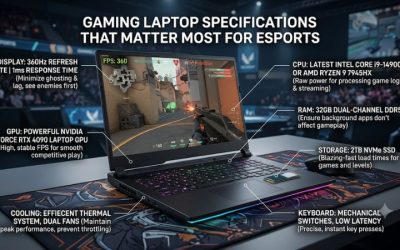
A 64GB configuration makes the most sense for gamers who also run demanding applications, virtual machines, development environments, or content creation software. However, not every laptop with 64GB delivers the same gaming performance. Before choosing a model, consider its graphics processor, memory architecture, thermal design, and display rather than paying extra for capacity alone.
1. Choose the Right GPU Before Prioritizing RAM
The graphics processor has a much greater influence on gaming performance than moving from 32GB to 64GB RAM in most modern games. NVIDIA GeForce RTX 5080 and RTX 5090 Laptop GPUs are particularly relevant for buyers targeting demanding 1440p or 4K gaming, ray tracing, and DLSS-supported titles.
Also examine GPU power limits. Two laptops using the same RTX GPU can deliver different results because of their cooling systems and configured graphics power. An RTX 5090 laptop with appropriate thermal capacity is a stronger gaming-oriented choice than a machine that prioritizes memory capacity while compromising graphics performance.
2. Check Memory Configuration and Upgradeability
The best gaming laptop with 64GB RAM should ideally use two matched memory modules rather than an unusual single-module configuration. A 2 x 32GB DDR5 arrangement provides a practical starting point for demanding multitasking and applications that benefit from additional memory bandwidth.
Check whether the manufacturer ships the laptop with 64GB or simply advertises 64GB or higher as its maximum supported capacity. SO-DIMM slots, supported DDR5 speeds, firmware compatibility, and the maximum module capacity all matter when upgrading. Never assume that every laptop supports the same memory modules.
3. Evaluate Cooling and Sustained Performance
High-performance gaming laptops generate considerable heat when their processors and graphics cards operate under sustained workloads. A capable cooling system helps maintain operating performance without excessive thermal limitations. Look for vapor chambers, multiple heat pipes, substantial exhaust ventilation, and manufacturer-documented cooling features.
Large 18-inch gaming laptops generally have more physical room for cooling hardware than thin gaming notebooks. Nevertheless, chassis size alone does not establish thermal performance. Consider independent reviews that measure CPU and GPU temperatures, sustained power consumption, fan noise, and performance under comparable workloads.
4. Match the Display to Your Gaming Needs
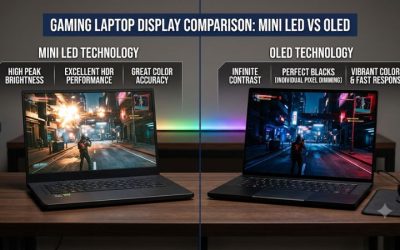
A powerful GPU deserves a display that suits the games you play. An 18-inch 2560 x 1600 panel with a high refresh rate is attractive for competitive gaming, while a 3840 x 2400 Mini LED display provides more resolution and potentially better HDR presentation for visually demanding games.
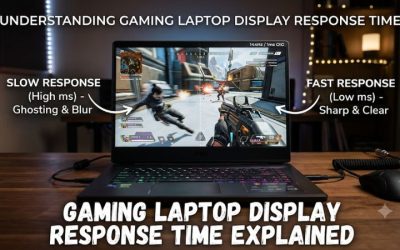
Refresh rate, response time, brightness, color coverage, and adaptive sync are all important. Remember that running games at 4K requires substantially more graphics processing than playing at 1600p. A high-resolution display does not automatically mean every demanding game will run at its maximum refresh rate.
Top Picks: Best Gaming Laptop With 64GB RAM
The following four laptops offer manufacturer-documented 64GB memory configurations or upgrade support. They target different purchasing priorities, from premium gaming performance to large-screen desktop replacement systems. Configuration availability varies by market, so distinguish factory-installed memory from upgrade capacity when comparing listings.
1. Razer Blade 18 (2026) – Best Overall
Best for premium gaming and high-end multitasking
The Razer Blade 18 (2026) is a compelling choice for buyers seeking a powerful gaming laptop with premium construction. Its available configurations include an Intel Core Ultra 9 290HX Plus processor and NVIDIA GeForce RTX 5090 Laptop GPU with 24GB GDDR7 memory. The system supports DDR5-6400 SO-DIMM memory.
Razer documents factory configurations with 64GB and support for up to 128GB RAM. Its 18-inch dual-mode display offers UHD+ at 240Hz or FHD+ at 440Hz, providing flexibility between high resolution and competitive refresh rates. These specifications make it particularly attractive for demanding gaming and creative workloads.
The main limitation is its premium pricing, which makes it difficult to justify for someone who primarily plays conventional PC games. Buyers should also consider its large chassis and the potential for substantial heat under demanding workloads.
Verdict: Choose the Blade 18 if premium construction, a versatile display, and high-end GPU options matter more than minimizing cost. Its 64GB configuration is especially appropriate for users combining gaming with professional applications.
2. MSI Titan 18 HX AI – Best for Heavy Workloads
Best for gaming, rendering, and demanding multitasking
The MSI Titan 18 HX AI is designed for buyers who want desktop-replacement performance. Depending on the configuration, it combines an Intel Core Ultra 9 285HX processor with an NVIDIA GeForce RTX 5080 or RTX 5090 Laptop GPU. Selected US configurations include 64GB DDR5-6400 memory in a dual-module arrangement.
Its 18-inch display options include UHD+ resolution, with a Mini LED variant offering a 120Hz refresh rate. MSI also documents a four-slot M.2 storage arrangement, including PCIe Gen 5 support, making this system attractive for users managing large game libraries and professional files.
One important consideration is portability. The Titan weighs approximately 3.6kg before accounting for its substantial power adapter. Its premium hardware and large chassis also make it a poor choice for buyers who regularly travel with a lightweight laptop.
Verdict: The Titan 18 HX AI is an excellent candidate for users who combine gaming with rendering, editing, and other memory-intensive workloads. Consider the RTX 5080 configuration if the RTX 5090 upgrade does not fit your budget.
3. ASUS ROG Strix SCAR 18 (2026) – Best for High-Refresh Gaming
Best for demanding games and premium Mini LED visuals
The ASUS ROG Strix SCAR 18 (2026) combines an Intel Core Ultra 9 290HX Plus processor with graphics options reaching the NVIDIA GeForce RTX 5090 Laptop GPU. ASUS documents support for up to 128GB DDR5-6400 memory through two SO-DIMM slots, making a 64GB configuration straightforward to plan.
Its standout feature is the 18-inch 4K Mini LED display with a 240Hz refresh rate, more than 2,000 dimming zones, and 100% DCI-P3 coverage. ASUS also lists Thunderbolt 5 connectivity, Wi-Fi 7, and expandable PCIe storage. These features make the laptop suitable for high-end gaming and demanding creative workflows.
However, buyers should distinguish between the advertised maximum memory and the RAM included with each configuration. Some US models ship with 32GB, meaning a separate upgrade may be necessary. The large chassis and premium hardware also make this a substantial investment.
Verdict: Choose the SCAR 18 if display quality, high refresh rates, and upgrade flexibility are priorities. Confirm the exact memory configuration before purchasing rather than assuming every model includes 64GB.
4. Alienware 18 Area-51 – Best for Desktop Replacement
Best for large-screen gaming and configurable hardware
The Alienware 18 Area-51 is another strong option for users who prefer a large gaming system with substantial upgrade flexibility. Dell offers configurations with up to an NVIDIA GeForce RTX 5090 Laptop GPU and 64GB DDR5-6400 memory using two 32GB modules.
Its 18-inch WQXGA display supports a 300Hz refresh rate, 500-nit brightness, and 100% DCI-P3 coverage. Dell also documents two SO-DIMM memory slots and a maximum supported capacity of 64GB for this particular model. That makes factory-installed 64GB a sensible choice for buyers who want the full supported memory capacity.
The primary drawback is its limited memory ceiling compared with the Razer and ASUS alternatives. Users who expect to expand beyond 64GB should consider another laptop. Its large dimensions also make it better suited to a permanent gaming desk than frequent travel.
Verdict: The Alienware 18 Area-51 is a practical option for buyers who want a powerful 18-inch gaming laptop with factory-configured 64GB RAM. Its memory ceiling is worth considering before making a long-term investment.
Gaming Laptop Comparison Table
| Product | Best For | Key Spec | Compatibility | Watch Out For |
| Razer Blade 18 (2026) | Best Overall | RTX 5090, 64GB DDR5-6400 option | Up to 128GB, 2 SO-DIMM slots | Premium price |
| MSI Titan 18 HX AI | Heavy workloads | RTX 5080/5090, 64GB DDR5-6400 options | Up to 96GB, 2 SO-DIMM slots | Heavy chassis |
| ASUS ROG Strix SCAR 18 (2026) | High-refresh gaming | RTX 5090, 4K 240Hz Mini LED | Up to 128GB, 2 SO-DIMM slots | Some models ship with 32GB |
| Alienware 18 Area-51 | Desktop replacement | RTX 5090, 64GB DDR5-6400 option | Up to 64GB, 2 SO-DIMM slots | No capacity beyond 64GB |
Specifications reflect manufacturer-documented configurations and platform limits, not a claim that every regional SKU includes identical hardware.
FAQ
1. Is 64GB RAM worth it for a gaming laptop?
Yes, 64GB RAM is worthwhile if you combine gaming with demanding multitasking, content creation, virtual machines, or development applications. For gaming alone, 32GB is generally sufficient for most users. Additional memory does not automatically increase FPS when the game is already operating comfortably within available RAM.
If you regularly stream games, run multiple applications, or work with large creative projects, 64GB provides more room for simultaneous workloads. The decision should depend on your actual memory usage rather than the assumption that more RAM always means better gaming performance.
2. Is 64GB DDR5 RAM compatible with every gaming laptop?
No, 64GB DDR5 RAM is not compatible with every gaming laptop. Compatibility depends on the processor platform, motherboard design, supported memory capacity, module type, and firmware.
Check the manufacturer’s specifications before purchasing an upgrade. For example, the Razer Blade 18 (2026) supports up to 128GB, while the Alienware 18 Area-51 officially supports up to 64GB. These differences demonstrate why checking the exact model number matters.
3. Does 64GB RAM improve gaming FPS compared with 32GB?
Not necessarily. Increasing RAM from 32GB to 64GB generally provides little additional FPS when a game already has enough available memory. Graphics processing power, CPU performance, cooling, and game optimization are usually more important.
However, additional memory can improve the overall experience when running memory-intensive applications alongside games. It can also reduce memory pressure when working with large projects, multiple virtual machines, or demanding development environments.
4. Should I buy a 64GB gaming laptop or upgrade from 32GB?
Choose a factory-configured 64GB laptop if you want manufacturer-supported memory, a straightforward purchasing experience, and less installation work. Upgrading an existing 32GB laptop can be more economical if the manufacturer confirms that its memory slots and platform support the desired capacity.
Before upgrading, check whether the existing RAM is removable, whether both slots are occupied, and which DDR5 modules and speeds are supported. Also review warranty conditions and manufacturer upgrade instructions before opening the chassis.
Final Thoughts
The best gaming laptop with 64GB RAM depends on how much performance, memory capacity, and portability you need. The Razer Blade 18 stands out for premium gaming, while MSI and ASUS offer compelling alternatives. Compare exact configurations, GPU power, and upgrade limits before choosing your next gaming laptop.
Related guides
More from Amazon
Programs that pair well with the guide above. Offers and eligibility are set by Amazon and may change.
Free shipping on eligible items, Prime Video and more. Eligible new members can start with a free trial.
Start a Prime free trialAd-free music streaming. Eligible new subscribers can start with a free trial.
Try Music Unlimited freeA Prime membership for ages 18-24 with a trial period. Eligibility is set by Amazon.
See Prime for Young AdultsAudiobooks and podcasts to listen to on the go. Eligible new members can start with a free trial.
Try Audible freeAs an Amazon Associate we earn from qualifying purchases.