Black Friday 2026 is Friday, November 27, with Cyber Monday on November 30, 2026. SSD deals often begin early on Amazon, which helps if your PS5 is running out of space. The requirement list is stricter than for a PC: you need a PCIe Gen4 NVMe M.2 drive with a heatsink and a form factor that fits the console slot.
PS5 SSD Requirements in Brief
Sony recommends a PCIe Gen4 x4 NVMe M.2 SSD with high read speeds and a cooling solution. Drives usually need to be a 2280 size and fit within a specific thickness with the heatsink. Check the latest official requirements and the listing details, because specifications can be updated.
Quick Comparison
| Pick | Best for | Key feature |
|---|---|---|
| WD_BLACK SN850X with Heatsink | Popular all-round choice | Gen4 speed, heatsink included |
| Samsung 990 Pro with Heatsink | Fast, brand-trusted drive | Gen4 with heatsink model |
| Crucial T500 with Heatsink | Balanced value | Gen4 drive with heatsink option |
| Seagate FireCuda 530 with Heatsink | High-endurance use | Fast Gen4 with heatsink |
| Sabrent Rocket 4 Plus with Heatsink | Enthusiast pick | Gen4 speed, heatsink model |
| Corsair MP600 Pro LPX | Low-profile fit | Slim heatsink design |
1. WD_BLACK SN850X with Heatsink (WD_BLACK SN850X line)
The SN850X with heatsink is one of the most common PS5 upgrades. It has fast reads, a console-friendly heatsink version and a good reputation. The downsides are a price above basic drives and the need to select the heatsink model, not the bare drive. If you want a well-known drive that is widely discussed, start here. Compare capacities and check the current price on WD_BLACK SN850X with Heatsink.
2. Samsung 990 Pro with Heatsink (Samsung 990 Pro line)
Samsung’s 990 Pro is a high-performance Gen4 drive, and a heatsink version suits the PS5. It is a premium choice with a strong brand record. It may cost more than alternatives, and the extra performance is not fully used by the console. Choose it if you like Samsung and find a good offer. See details of Samsung 990 Pro with Heatsink to confirm the heatsink version.
3. Crucial T500 with Heatsink (Crucial T500 line)
The T500 offers strong Gen4 performance and a heatsink version aimed at consoles and PCs. It tends to be seen as a value-focused option. Make sure you buy the heatsink variant, and check availability, because some versions can be hard to find. Compare Crucial T500 with Heatsink against the WD and Samsung if the price gap is small.
4. Seagate FireCuda 530 with Heatsink (Seagate FireCuda 530 line)
FireCuda 530 is known for high endurance ratings and fast speeds. It is a good fit for heavy users and offers a heatsink version. It can be pricier, and its extra speed is more than the PS5 requires. Check the exact model number, since FireCuda includes several lines. See the current price on Seagate FireCuda 530 with Heatsink.
5. Sabrent Rocket 4 Plus with Heatsink (Sabrent Rocket 4 Plus line)
Sabrent is popular with enthusiasts, and the Rocket 4 Plus is a fast Gen4 drive. A heatsink version keeps it console-friendly. Availability and warranty experience vary by seller, so buy from a reliable listing. It is a good alternative when mainstream brands are expensive. Check the current price on Sabrent Rocket 4 Plus with Heatsink.
6. Corsair MP600 Pro LPX (Corsair MP600 Pro LPX line)
The MP600 Pro LPX is designed with a low-profile heatsink, which suits the tight PS5 bay. It is a recognized choice among PS5 owners. It can run warm in a closed console, so ensure the heatsink is installed correctly. Compare Corsair MP600 Pro LPX capacities and check what the official PS5 guidance says.
Installation Notes
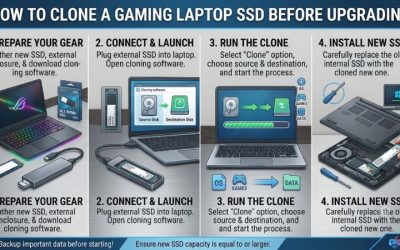
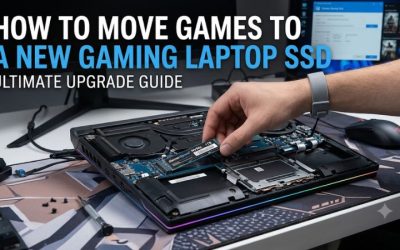
Installing an SSD requires removing the console’s side cover and following Sony’s instructions. Back up your saves, power the console off, and handle the drive by its edges. After installing, format the drive in the console’s menu. Check the console’s storage page afterwards to confirm it meets the speed requirement.
Who Should Skip Which Pick
- Skip the SN850X if a cheaper compatible drive is on offer from another trusted brand.
- Skip the Samsung 990 Pro if you do not want to pay extra for speed the console cannot fully use.
- Skip the Crucial T500 if you cannot find the heatsink version in stock.
- Skip the FireCuda 530 if price per terabyte is your main concern.
- Skip the Sabrent if you prefer buying only from big-box brand listings.
- Skip the Corsair LPX if you already have a drive with a separate low-profile heatsink.
Capacity and Fit Checks
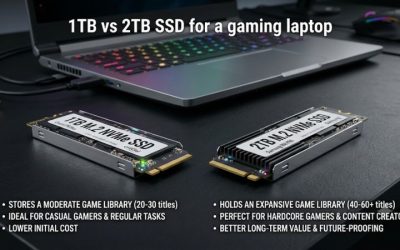
Before you buy, check the console’s M.2 bay requirements and the drive’s total height with the heatsink. A drive that is too tall will not close under the cover, and a bare drive without cooling can throttle during long installs or heavy play. Look up the current Sony guidance, since the supported size range has been updated before, and use it as your checklist.
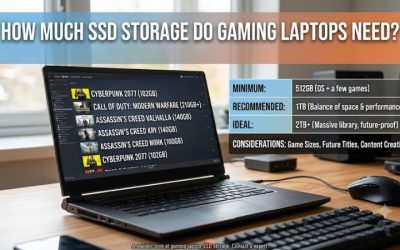
Capacity is a personal call. Modern games are large, and a full drive means deleting and redownloading titles, which is painful on a slow connection. Many players find a larger drive worth it, but only buy the size you will fill. Also keep the console’s built-in storage in mind: it works alongside the new drive, so you do not need to move everything at once. After installation, run the console’s drive speed check, and keep your receipt in case the drive fails to meet the requirement. That small step saves most of the headaches people report.
How to Spot a Real Black Friday Deal
- Check price history. SSD prices move often, so compare against recent lows.
- Verify the heatsink model. A bare drive may not fit or cool properly.
- Buy from reliable sellers. Counterfeit and relabeled drives exist.
- Check warranty and endurance. TBW ratings and warranty length vary.
- Compare capacity per dollar. Larger sizes are often better value, but only if you need them.
What to Buy Now vs Wait
Buy now if your console is nearly full and a compatible drive is marked down. SSD prices are volatile, so waiting can go either way. Wait if you are unsure about the required specs or if you are still deciding on capacity. Do not buy a drive that is not on a trusted compatibility list.
Frequently Asked Questions
Do I need a heatsink?
Yes, a cooling solution is recommended. Choose a drive with a heatsink or add a compatible one.
Will any NVMe drive work?
No. It must meet the PS5 requirements for speed and size.
Can I use an external drive?
External drives can store PS4 games and some PS5 games but cannot run PS5 games directly.
How much storage should I get?
Choose based on your library. Many players find a larger capacity worth it.
Final Word
Check compatibility first, then buy the heatsink version of a trusted drive. Check the current price on Amazon and follow Sony’s installation guidance.
As an Amazon Associate we earn from qualifying purchases.
Related guides
More from Amazon
Programs that pair well with the guide above. Offers and eligibility are set by Amazon and may change.
Send a Prime gift membership to someone who would use free shipping and Prime Video.
Gift Amazon PrimeGive audiobooks to someone who loves to listen. Plans and prices are set by Amazon.
Gift AudibleFree shipping on eligible items, Prime Video and more. Eligible new members can start with a free trial.
Start a Prime free trialAd-free music streaming. Eligible new subscribers can start with a free trial.
Try Music Unlimited freeAs an Amazon Associate we earn from qualifying purchases.