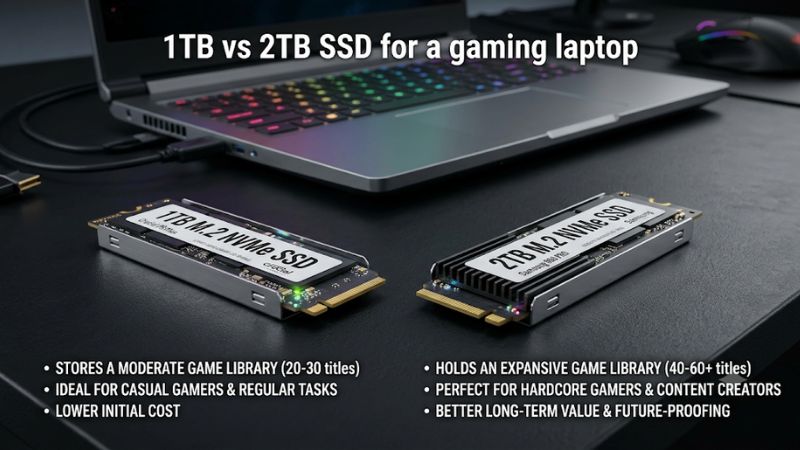
Choosing between 1TB vs 2TB SSD for a gaming laptop comes down to how many games, applications, and personal files you want to keep installed. Both capacities can deliver excellent gaming performance when the drives have comparable specifications. However, 2TB offers more flexibility for large game libraries, while 1TB can save money for players who regularly rotate games.
1TB vs 2TB SSD: What Actually Makes a Difference?
The biggest difference between these capacities is storage space, not gaming power. A 2TB SSD gives you approximately twice the advertised capacity of a 1TB model, making it easier to maintain a larger game library without frequent uninstalls. However, the best choice depends on your gaming habits, laptop configuration, and upgrade options.
1. Available Storage After Installation
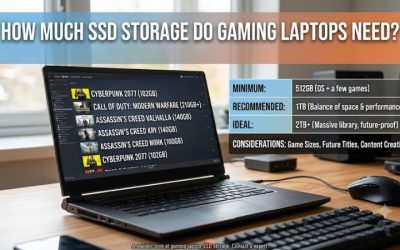
A 1TB SSD does not provide a full 1,000GB of usable space as displayed in the way many users expect. Drive manufacturers use decimal capacity measurements, while Windows commonly reports storage using binary-based calculations. Consequently, a new 1TB drive typically appears as approximately 931GB, while a 2TB drive appears around 1,863GB before filesystem overhead.
That difference matters when planning a gaming laptop’s storage. Windows, drivers, launchers, applications, downloaded files, and recovery-related data all occupy space alongside games. A 1TB drive can become restrictive when several large titles are installed simultaneously, particularly if you also save gameplay recordings locally.
2. Modern Game Installation Sizes
Game installation requirements vary considerably. Smaller competitive games and indie titles may occupy relatively little storage, while large open-world games, shooters, and simulation titles can require substantially more. Optional language packs, downloadable content, texture packages, and subsequent updates can increase the total beyond the initial installation requirement.
For example, the official PC launch information for DEATH STRANDING 2: ON THE BEACH recommends 150GB of SSD storage, although its initial Steam installation was reported at approximately 115GB. This illustrates why checking individual game requirements is more useful than assuming every modern title occupies the same amount of space.
Nixxes
3. Windows, Applications, and Background Storage
Your game library is not the only consideration when choosing SSD capacity. Windows 11, graphics drivers, gaming utilities, launchers, browser downloads, screenshots, and temporary files all contribute to storage consumption. Content creators who capture gameplay or edit videos on their laptops should also account for larger media files.
A 1TB configuration can work well when you primarily play a few games and remove titles after completing them. However, 2TB provides more room for applications, game updates, and personal files without constantly reorganizing the drive. The extra capacity is particularly useful when the laptop serves as both a gaming machine and a daily workstation.
4. Keeping Enough Free Space
An SSD should not be treated as completely usable storage. Leaving practical free space makes it easier to install updates, download games, unpack installation files, and manage temporary data. Some SSDs can also experience reduced write performance under sustained workloads when their available working space becomes limited.
There is no universal requirement to leave exactly 20% of every gaming SSD empty. The appropriate reserve depends on the drive, workload, and manufacturer guidance. Nevertheless, buying a capacity that leaves room for future installations is more convenient than operating near full capacity from the beginning.
1TB vs 2TB SSD for Gaming Laptop: Direct Comparison
When comparing the two capacities, 1TB is generally the more affordable starting point, while 2TB is better suited to players who maintain larger libraries. Neither capacity automatically provides better loading speeds or higher FPS. The following comparison focuses on practical storage, gaming habits, upgrade flexibility, and long-term value.
1. Storage Capacity and Game Library
| Comparison | 1TB SSD | 2TB SSD |
| Advertised capacity | 1,000GB | 2,000GB |
| Approximate binary capacity | 931GiB | 1,863GiB |
| Game library | Smaller collection | Larger collection |
| Windows and applications | Supported | Supported |
| Gameplay recordings | Less room | More room |
| Large game updates | Less available headroom | More available headroom |
| Initial purchase cost | Usually lower | Usually higher |
| Upgrade frequency | Potentially more frequent | Potentially less frequent |
The capacity difference is straightforward: 2TB provides approximately twice the raw storage of 1TB. However, the actual number of games you can install depends on their individual requirements, installed updates, downloadable content, and other files.
For players who primarily enjoy competitive titles, smaller indie games, or a rotating selection of single-player games, 1TB can be sufficient. Those maintaining several large installations alongside recording software and media files will benefit more from 2TB.
2. Gaming Performance and Loading Times
A 2TB SSD does not automatically increase gaming FPS compared with a 1TB SSD. Frame rates depend primarily on the CPU, GPU, memory, game engine, and graphics settings. Storage capacity alone does not change those components or their processing capabilities.
The actual SSD specifications matter more when comparing loading performance. Two drives with different controllers, NAND configurations, interfaces, and sustained-write characteristics can behave differently even when their capacities are identical. Independent SSD testing by PC Gamer also highlights random-read performance, thermals, and drive design alongside advertised sequential speeds.
PC Gamer
3. Price and Long-Term Value
A 1TB SSD generally requires less money upfront, making it attractive when purchasing a gaming laptop with a fixed budget. You can allocate the difference toward a stronger GPU, more RAM, or a better display, depending on the laptop configurations available.
A 2TB SSD can offer better long-term convenience if your game library is already large. However, the higher capacity is not automatically the better financial decision. Compare the actual laptop configurations and the cost of upgrading storage later rather than assuming that every 2TB option offers better value per gigabyte.
4. Internal Upgrade Flexibility
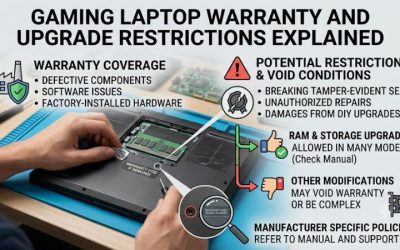
Gaming laptops differ significantly in their internal storage layouts. Some models provide two M.2 slots, allowing owners to retain the original 1TB SSD and install another compatible drive. Others have only one available slot, making a capacity upgrade dependent on replacing the existing drive.
Before buying, consult the exact laptop’s technical specifications and service manual. Check the supported M.2 form factor, PCIe interface, maximum supported capacity if specified, physical clearance, and available slots. MSI also advises checking model-specific upgrade compatibility rather than assuming that different SSD configurations will work identically across its laptop range.
msi.com
Which SSD Capacity Should You Choose for Your Gaming Laptop?
The right capacity depends on how you use your laptop rather than a universal recommendation. Consider the number of games you keep installed, whether you record gameplay, how frequently you download new titles, and whether your machine supports another internal SSD. These factors make the purchase decision considerably easier.
1. Choose 1TB for a Smaller Gaming Library
A 1TB configuration is a sensible choice for players who concentrate on a few games rather than maintaining a large collection. If you primarily play competitive multiplayer games, occasionally install single-player releases, and regularly remove titles you no longer use, this capacity can provide a practical balance.
It is also suitable when purchasing a laptop with a second M.2 slot that you can upgrade later. You can start with the included drive and expand storage when your needs change. However, confirm that the second slot actually exists and supports your intended SSD before relying on this upgrade path.
2. Choose 2TB for Multiple Large Games
A 2TB configuration makes more sense when you regularly switch between several large games without wanting to uninstall previous installations. It is particularly useful for players who enjoy open-world adventures, large multiplayer titles, simulation games, and games with substantial downloadable content.
The additional space also benefits users who save gameplay recordings, screenshots, mods, and other personal files. For these users, 2TB offers more flexibility without requiring an immediate secondary storage purchase. If the laptop has only one M.2 slot, choosing the larger capacity initially can also avoid a future drive replacement.
3. Consider External Storage When Internal Upgrades Are Limited
An external SSD provides another option when your gaming laptop has no spare internal M.2 slot or you do not want to open its chassis. It can store additional game installations, video recordings, archived projects, and other files without replacing the original drive.
However, external storage introduces additional considerations. Connection speed depends on the laptop’s USB or Thunderbolt capabilities, the external drive, and the cable. Some game launchers can run games from external SSDs, but performance and compatibility depend on the individual game and connection. Keep frequently played games on internal storage when convenience and consistent access are priorities.
4. Check SSD Specifications Before Purchasing
Capacity should not be your only purchasing consideration. A compatible SSD with appropriate performance characteristics is more important than choosing a larger drive based solely on its advertised capacity.
Check these specifications before upgrading:
- Form factor: Confirm whether your laptop supports M.2 2280, M.2 2230, or another specific size.
- Interface: Check whether the slot supports PCIe NVMe and which PCIe generation it accepts.
- Physical clearance: Confirm whether the laptop supports the drive’s thickness and any attached heatsink.
- Capacity support: Consult the manufacturer’s documentation for supported configurations.
- Warranty: Review the laptop manufacturer’s upgrade policy and the SSD manufacturer’s warranty conditions.
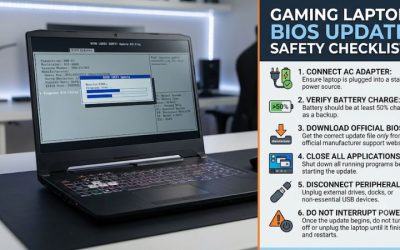
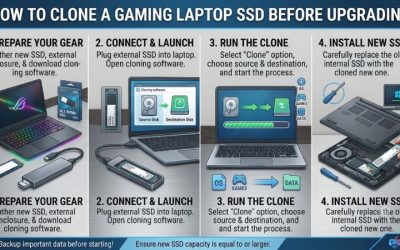
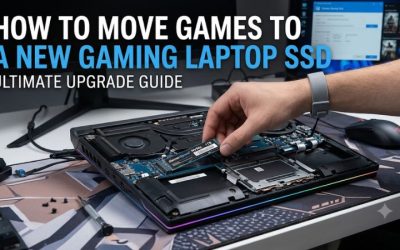
- Installation: Determine whether you need to clone Windows, reinstall the operating system, or configure a newly installed secondary drive.
Do not assume that an SSD compatible with one gaming laptop will automatically fit another, even if both machines use NVMe technology.
Frequently Asked Questions
Is a 1TB SSD enough for a gaming laptop in 2026?
Yes, 1TB is enough for many gaming laptop owners who maintain a relatively small game library. It can accommodate Windows, applications, and several games, although the actual number depends on installation sizes and other files. Players who frequently switch between large games may find the capacity restrictive.
Does a 2TB SSD improve gaming FPS compared with 1TB?
No, a 2TB capacity does not inherently increase FPS compared with 1TB. Both can deliver similar gaming performance when their relevant SSD specifications and operating conditions are comparable. Differences in drive performance may affect loading or storage-intensive tasks, but capacity itself is not an FPS upgrade.
Can I upgrade my gaming laptop from 1TB to 2TB?
Yes, provided the laptop supports a compatible replacement SSD or has an available second M.2 slot. Check the manufacturer’s service documentation before purchasing a drive. If replacing the original SSD, back up important files and prepare to clone or reinstall Windows before removing the existing storage device.
Is one 2TB SSD better than two 1TB SSDs?
One 2TB SSD is often more convenient when the laptop has limited M.2 slots because it provides the same advertised total capacity using one drive. Two 1TB SSDs can make sense when a spare slot is available or you already own a compatible drive. Neither configuration automatically provides better gaming performance.
Final Thoughts
Choosing 1TB vs 2TB SSD for a gaming laptop ultimately depends on your installed game library, upgrade flexibility, and budget. A 1TB drive works well for selective players, while 2TB offers greater convenience for large libraries and recordings. Check your laptop’s storage specifications and calculate your actual needs before purchasing.
Related guides
More from Amazon
Programs that pair well with the guide above. Offers and eligibility are set by Amazon and may change.
Free shipping on eligible items, Prime Video and more. Eligible new members can start with a free trial.
Start a Prime free trialAd-free music streaming. Eligible new subscribers can start with a free trial.
Try Music Unlimited freeA Prime membership for ages 18-24 with a trial period. Eligibility is set by Amazon.
See Prime for Young AdultsAudiobooks and podcasts to listen to on the go. Eligible new members can start with a free trial.
Try Audible freeAs an Amazon Associate we earn from qualifying purchases.