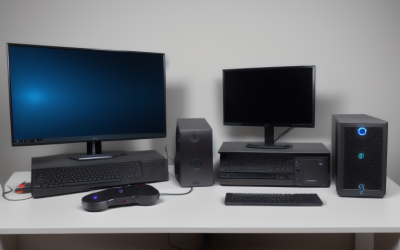
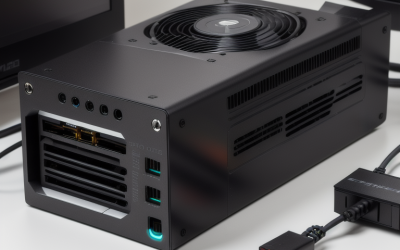
A good gaming PC for 1080p at 240Hz pairs a fast gaming-oriented processor with a mid-range graphics card, 16GB to 32GB of DDR5 memory and a monitor that really runs at 240Hz; at this resolution the processor often decides how close you get to 240 frames per second, especially in esports titles. Heavy modern games will not hold 240 fps on mid-range hardware without lowering settings or using upscaling and frame generation, so the target depends on what you play.
As an Amazon Associate we earn from qualifying purchases at no extra cost to you.

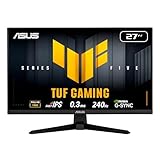
Our Top Picks
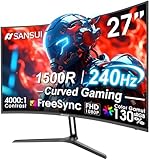
 SANSUI 27 Inch Curved 240Hz Gaming Monitor FHD27.017.66 x 24.13 x 17.84 inches7.26 poundsCheck on Amazon
Top 3 picks at a glance
What 240Hz actually demands
A 240Hz monitor refreshes every 4.2 milliseconds, so the PC must produce a new frame that often to use it fully. Esports titles such as Counter-Strike 2, Valorant, Rocket League and Fortnite in performance mode are designed to run at very high frame rates and are the main reason people buy 240Hz panels. In demanding single-player games a mid-range system will usually land well under 240 fps at high settings, and that is normal. Variable refresh rate keeps the picture smooth when frame rates sit below the maximum.
Build tiers at a glance
| Tier | Graphics card class | Processor class | Memory and storage | Suits |
|---|---|---|---|---|
| Esports focus | GeForce RTX 5060 or RTX 5060 Ti class, or Radeon RX 9060 XT class | Current six-core to eight-core gaming processor | 16GB DDR5, 1TB NVMe | Competitive shooters at low to medium settings |
| Balanced | GeForce RTX 5070 class or Radeon RX 9070 class | Eight-core gaming processor, ideally with large cache such as the Ryzen 7 9800X3D | 32GB DDR5, 1TB to 2TB NVMe | Esports at high settings plus most other games at high refresh with tuned settings |
| Overkill for 1080p | RTX 5070 Ti or faster | Top gaming processor | 32GB DDR5 | Only if you plan to move to 1440p soon |
NVIDIA lists the RTX 5060 Ti at 180W and the RTX 5060 at 145W total graphics power, with 16GB or 8GB and 8GB of GDDR7 memory respectively, while the RTX 5070 is listed at 250W with 12GB. These figures come from NVIDIA’s product pages. Check the specification page of the exact model and board partner you buy, because partner cards vary.
Why the processor matters more at 1080p
At low resolutions the graphics card finishes frames quickly, so the processor becomes the limiting component. Reviewers who compare gaming processors usually test at 1080p precisely to expose differences between chips, and they consistently find processors with large cache, like AMD’s X3D line, leading in many games. For a 240Hz target in competitive titles, a strong gaming processor is a better use of budget than moving up a tier in graphics card. For a card in this class, a mid-range chip is rarely held back in heavy games, but it can be in esports titles.
Memory, storage and monitor
- Memory: 16GB is the practical minimum; 32GB gives headroom for background apps and newer titles. DDR5 is the current mainstream platform.
- Storage: A 1TB NVMe solid-state drive is a comfortable minimum because modern game installs are large.
- Monitor: Confirm that the panel truly runs at 240Hz at its native resolution and that you set the refresh rate in the operating system and in the graphics driver settings. Many people leave the display at 60Hz by accident.
- Cable: Use DisplayPort or a certified HDMI cable that supports the required bandwidth, as the monitor’s manual describes.
- Mouse and peripherals: A high polling rate mouse helps only if the rest of the chain keeps up.
Settings that help reach 240 fps
- Lower shadows, volumetric effects and ray tracing first; they cost the most frames.
- Use the game’s performance preset or the upscaler quality mode, such as DLSS or FSR, if you prefer image quality over maximum frames.
- Turn on a latency feature such as NVIDIA Reflex where a game supports it, which reduces system latency in supported games.
- Cap the frame rate just below the refresh limit if you see tearing on a variable refresh display; the monitor’s documentation explains the recommended setup.
- Keep graphics drivers current and close overlays and background programs.
Frame generation can raise displayed frame rates, but it does not reduce input latency the way real frames do, so many competitive players avoid it in fast shooters.
Pick this if
| Pick | If |
|---|---|
| RTX 5060-class graphics card with a fast six-core or eight-core processor | You mostly play esports titles at low or medium settings |
| RTX 5060 Ti or RX 9060 XT-class card | You want a buffer for newer games and 16GB of video memory where offered |
| RTX 5070-class card with a large-cache processor | You want high settings in many games and strong esports performance |
| Spend on the monitor instead | Your current PC already reaches the target in your main games |
Cooling, power and case
Cards in this class draw a modest amount of power, so a quality power supply of around 550W to 650W is typical for the lower tiers; NVIDIA lists a recommended system power for its cards on each product page, and following that figure is the safest guide. Choose a case with a mesh front panel so the components stay cool at sustained high frame rates, since processors work hardest when they chase 240 fps.
Common mistakes
- Buying a 240Hz monitor but never changing the refresh rate from 60Hz in the settings.
- Pairing a very powerful graphics card with a weak processor at 1080p.
- Running single-channel memory, which can reduce frame rates, instead of two matched modules.
- Expecting 240 fps in every new game at maximum settings.
- Choosing 8GB video memory for a system that is meant to last several years of new releases.
Upgrade path and long-term planning
A 1080p 240Hz system can grow with you if the platform is chosen carefully. Pick a motherboard on a current socket with room for faster memory and a later processor swap, and leave a spare M.2 slot for extra storage. The graphics card is the easiest part to replace later, so many buyers start with a mid-range card and move up when they change to a 1440p monitor. Keeping the power supply comfortably above the first card’s needs avoids buying it twice, and choosing a case with generous airflow means the same chassis can host a hotter card later. Read the motherboard manual for supported memory speeds before buying kits, since the maker lists tested configurations and some platforms run faster memory only with specific settings enabled.
Frequently Asked Questions
Can an RTX 5060 run 1080p at 240Hz?
In many esports titles at low to medium settings it can approach that range, according to how reviewers describe this class of card. In demanding new games it will usually need reduced settings or upscaling to get near 240 fps.
Is 240Hz worth it at 1080p?
It is worth it mainly for competitive players who run games that can exceed 200 fps and who care about smoothness and latency. For casual single-player games, 144Hz is often enough.
How much RAM do I need for 1080p 240Hz?
16GB of DDR5 meets most needs, while 32GB gives room for streaming, voice chat and larger games running together. Install two modules to run memory in dual channel.
Is the processor or graphics card more important?
At 1080p the processor commonly limits frame rates in esports games, so a strong gaming processor matters a lot. In heavier games the graphics card becomes the main limit again.
Do I need an expensive monitor?
No, but the panel should be a real 240Hz model with good response time and variable refresh support. Read independent monitor reviews for the exact model.
Should I buy a 1440p monitor instead?
If you play mostly esports at high frame rates, 1080p at 240Hz is a sound choice. If you want sharper images and mix in single-player games, a 1440p monitor with a more powerful graphics card is a reasonable alternative.
Related guides
More from Amazon
Programs that pair well with the guide above. Offers and eligibility are set by Amazon and may change.
Free shipping on eligible items, Prime Video and more. Eligible new members can start with a free trial.
Start a Prime free trialAd-free music streaming. Eligible new subscribers can start with a free trial.
Try Music Unlimited freeA Prime membership for ages 18-24 with a trial period. Eligibility is set by Amazon.
See Prime for Young AdultsAudiobooks and podcasts to listen to on the go. Eligible new members can start with a free trial.
Try Audible freeAs an Amazon Associate we earn from qualifying purchases.