
Shopping for a true 18-inch gaming machine used to mean one thing: a four-figure bill before tax. In 2026, that’s finally changing. The 18-inch chassis — the sweet spot for gamers who want a 16:10 display big enough to replace a desktop monitor without committing to a full tower setup — now starts at surprisingly reasonable prices, and even flagship configurations with Intel’s 24-core Core Ultra 9 275HX and RTX 50-series GPUs routinely land under the $2,500 mark. The catch is that the market has also filled with budget “18-inch” machines that cut corners on GPU power, panel quality, and build, so knowing which models actually deliver matters more than ever.
This roundup covers eight 18-inch gaming laptops we’ve sorted by real-world value, from a $559.99 entry-level option that sneaks into the category to a $5,799.99 flagship that’s here purely to show what the ceiling looks like. If you’re targeting the sub-$2,500 range specifically, you have several genuinely strong options — including multiple MSI Crosshair 18 HX AI configurations that differ mainly in storage, RAM, and bundled accessories. Below, we break down who each machine is for, what it does well, and where it falls short.
As an Amazon Associate we earn from qualifying purchases at no extra cost to you.



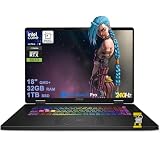



Top 3 picks at a glance
Quick Picks
| Product | Best for | Price |
|---|---|---|
| MSI Crosshair 18 HX AI (RTX 5070, 32GB/1TB) | Best overall value | $1,899.99 |
| MSI Crosshair 18 HX AI (RTX 5070, 32GB/2TB, HDMI bundle) | Best for storage-heavy libraries | $2,099 |
| 18.5″ AMD Ryzen Gaming Laptop (7000 mAh) | Best ultra-budget big screen | $658.99 |
| Acer Predator Helios Neo 18 AI (RTX 5070 Ti) | Best raw performance | $2,692.87 |
| MSI Crosshair 18 HX AI (32GB/1TB, Win11 Pro) | Best for creators and pros | $2,149.99 |
| KAIGERR Ryzen 7430U Laptop | Best for casual and light gaming | $559.99 |
| MSI Crosshair 18 HX AI (16GB/1TB, Thunderbolt) | Best for tighter budgets on high-end silicon | $1,949 |
| MSI Raider 18 (RTX 5090, 64GB/3TB) | Best no-compromise flagship | $5,799.99 |
How We Picked
To keep this roundup honest, we focused on hard specifications rather than marketing claims. Every laptop here has a true 18-inch or larger panel, and we prioritized machines with high-refresh displays — 240Hz is the baseline for serious competitive gaming at this size. We compared CPU core counts, GPU class and VRAM, RAM capacity and type, SSD size, battery specs, and port selection (Thunderbolt, USB 3.2, HDMI, Wi-Fi 6E or Wi-Fi 7).
Price played the biggest role in ranking. Since the target is “under $2,500,” we flagged the two machines above that line — the Acer Predator Helios Neo 18 and the MSI Raider 18 — not as primary recommendations but as reference points showing what money buys beyond that ceiling. We also made a point of including budget-tier 18-inch machines, because not everyone shopping this size needs RTX 50-series power. Finally, we leaned toward configurations with upgrade paths — DDR5 slots, accessible M.2 bays — since 18-inch laptops are the most serviceable machines in the category.
The 8 Best Picks
1. MSI Crosshair 18 HX AI (RTX 5070, 32GB RAM, 1TB SSD) — $1,899.99
This is the value anchor of the entire roundup. For under $1,900, you get Intel’s Core Ultra 9 275HX with 24 cores clocking up to 5.4 GHz, paired with an RTX 5070 with 8GB of GDDR7, 32GB of RAM, and a 1TB NVMe SSD — all driving a 2560×1600, 240Hz 18-inch panel. That’s genuine flagship-class CPU horsepower at a mid-range price, and it’s the configuration we’d recommend to most gamers who want the biggest screen with no compromise on processing power.
- Pro: 24-core Core Ultra 9 275HX with a boost up to 5.4 GHz is class-leading CPU muscle for under $1,900.
- Pro: 240Hz QHD+ 16:10 panel makes competitive titles feel fluid at a large size.
- Con: 1TB fills fast with modern AAA installs, which can run 100GB+ each.
Skip it if: You need more than 1TB of internal storage out of the box — the 2TB version below is worth the $200 premium.
2. MSI Crosshair 18 HX AI (RTX 5070, 32GB RAM, 2TB SSD, HDMI bundle) — $2,099
This is the same core machine as our top pick, but with the SSD doubled to 2TB and an included ZYN HDMI cable for hooking up an external monitor or TV. For $2,099, you stay comfortably under the $2,500 ceiling while solving the storage problem outright — a 2TB drive holds a full modern library without external drives. The bundle itself is minor, but the doubled SSD alone justifies the upgrade for anyone who installs multiple large games at once.
- Pro: 2TB NVMe SSD means years of game installs without storage anxiety.
- Pro: Still packs the full 24-core Core Ultra 9 275HX and RTX 5070 combo under $2,100.
- Con: The bundled HDMI cable adds little real value if you already own one.
Skip it if: You plan to upgrade the SSD yourself — the $1,899.99 model plus an aftermarket drive can be cheaper.
3. 18.5″ AMD Ryzen Gaming Laptop (7000 mAh Battery) — $658.99
At $658.99, this is the cheapest way to get an 18-inch-class screen on a gaming laptop, and it’s built around a very different philosophy: the AMD Ryzen 7430U, an efficient 8-core chip boosting to 4.3 GHz, paired with a 7000 mAh battery. This is not a machine for maxed-out AAA titles at high frame rates — there’s no discrete RTX GPU here — but for esports titles, older games, emulation, and general productivity on a huge display, it’s remarkable value. Students and casual players are the obvious audience.
- Pro: Sub-$660 price for an 18-inch-class display is unmatched in this roundup.
- Pro: Efficient Ryzen 7430U and 7000 mAh battery make it far more portable-friendly than RTX-equipped 18-inchers.
- Con: No discrete GPU means modern AAA games run at low settings only, if at all.
Skip it if: You expect RTX 50-series frame rates — this is a big-screen casual machine, not a flagship replacement.
4. Acer Predator Helios Neo 18 AI (RTX 5070 Ti) — $2,692.87
The Predator Helios Neo 18 is the performance pick that just barely breaks the $2,500 budget — and it’s worth understanding why. It pairs the same Core Ultra 9 275HX as the MSI machines with a step-up RTX 5070 Ti, 32GB of DDR5, a 2TB Gen 4 SSD, and an 18-inch WQXGA 240Hz G-SYNC display with Killer Wi-Fi 6E. The RTX 5070 Ti is the meaningful difference: more GPU headroom for high-refresh QHD+ gaming. If your budget can stretch roughly $200 past the line, this is the strongest pure gaming configuration here.
- Pro: RTX 5070 Ti delivers a clear GPU step-up over the RTX 5070 configurations in this list.
- Pro: G-SYNC display and Killer Wi-Fi 6E round out a genuinely competitive-spec package.
- Con: At $2,692.87, it misses the sub-$2,500 target by roughly $200.
Skip it if: $2,500 is a hard limit — the MSI Crosshair configs at $1,899.99–$2,149.99 deliver most of the experience under budget.
5. MSI Crosshair 18 HX AI (32GB, Win 11 Pro, 100% DCI-P3) — $2,149.99
This Crosshair 18 HX AI variant leans into the panel and the OS. It advertises 100% DCI-P3 coverage on the 18-inch QHD+ 240Hz screen, which matters if you also do photo or video work, and ships with Windows 11 Pro rather than Home — useful for BitLocker, remote desktop, and domain join. It keeps the 24-core Core Ultra 9 275HX, RTX 5070, 32GB of DDR5, and 1TB SSD, so raw specs match our top pick. Hybrid gamer-creators are exactly who this configuration was made for.
- Pro: 100% DCI-P3 color coverage makes it genuinely usable for color-sensitive creative work.
- Pro: Windows 11 Pro adds business and security features Home lacks.
- Con: Costs $250 more than the identically-specced Home edition at $1,899.99.
Skip it if: You only game — you’re paying for color accuracy and Pro features you may never touch.
6. KAIGERR Gaming Laptop (Ryzen 7430U, 16GB/512GB) — $559.99
The KAIGERR is the absolute floor of this roundup at $559.99, and it plays a different game entirely: the AMD Ryzen 7430U up to 4.3 GHz, 16GB of DDR4, a 512GB SSD, a 1920P FHD display, Wi-Fi 6, USB 3.2, Type-C, and a webcam privacy shutter. There’s no discrete GPU, so this is a machine for Roblox, Minecraft, CS2 at modest settings, older titles, and schoolwork — all on the largest screen you’ll find anywhere near this price. As a first laptop for a younger gamer, it’s genuinely hard to beat.
- Pro: $559.99 is less than a third of the price of any RTX-equipped machine here.
- Pro: 16GB of RAM and Wi-Fi 6 make it a legitimately capable everyday machine, not a toy.
- Con: 512GB SSD and integrated graphics cap it at casual and esports-level gaming.
Skip it if: You play modern AAA releases — the RTX 5070 machines are worth the stretch.
7. MSI Crosshair 18 HX AI (16GB, Thunderbolt, Win 11) — $1,949
This configuration trades half the RAM for two things our top pick doesn’t list: a Thunderbolt port and a price still under $2,000. You keep the full 24-core Core Ultra 9 275HX, RTX 5070, 1TB SSD, and the 100% DCI-P3 QHD+ 240Hz panel, plus RGB backlit keys. 16GB of DDR5 is adequate for gaming today, though heavier multitaskers will want to upgrade — and 18-inch chassis are typically the easiest laptops to service. If Thunderbolt matters for your dock or eGPU plans, this is the cheapest entry here.
- Pro: Thunderbolt connectivity at $1,949 — a rarity at this price for an 18-inch machine.
- Pro: Same 275HX + RTX 5070 core and 100% DCI-P3 panel as pricier Crosshair variants.
- Con: 16GB of RAM is the minimum we’d accept for modern gaming and streaming.
Skip it if: You multitask heavily — the 32GB configurations at $1,899.99 or $2,099 are smarter long-term buys.
8. MSI Raider 18 (RTX 5090, 64GB/3TB) — $5,799.99
Yes, this is more than double the budget — we’re including it because it defines the ceiling of the 18-inch class. The Raider 18 runs a Core Ultra 9 285HX, an RTX 5090 with 24GB of GDDR7, 64GB of DDR5, and 3TB of storage (a 2TB SSD plus a 1TB docking station), on a QHD+ 240Hz panel with Wi-Fi 7 and a backlit keyboard. This is what the sub-$2,500 machines below it are scaled-down versions of. We don’t recommend it for this budget — but if you want to see what “no compromise” costs, here it is.
- Pro: RTX 5090 with 24GB of VRAM is the most powerful mobile GPU in this roundup by a wide margin.
- Pro: 64GB of RAM and 3TB of storage mean zero upgrades needed for years.
- Con: At $5,799.99, it costs more than triple our top pick for gaming gains that are real but incremental.
Skip it if: You have any budget discipline at all — the Crosshair 18 HX AI delivers 90% of the experience for a third of the price.
Buying Guide
GPU and CPU: Where the Money Actually Goes
In the sub-$2,500 range, your meaningful choices are the RTX 5070 (8GB GDDR7) versus the RTX 5070 Ti, and how much RAM and storage ride along. The RTX 5070 configurations here run $1,899.99–$2,149.99, while stepping up to the RTX 5070 Ti in the Acer Predator Helios Neo 18 pushes you to $2,692.87. On the CPU side, Intel’s Core Ultra 9 275HX — a 24-core chip boosting to 5.4 GHz — appears in nearly every high-end pick, and it outclasses the efficient 8-core Ryzen 7430U found in the budget options. That’s fine: the budget chips exist to hit lower prices, not to compete on frame rates.
Display: Refresh Rate, Resolution, and Color
Every serious gaming option here runs a 2560×1600 (QHD+) or WQXGA panel at 240Hz, which is exactly what you want on an 18-inch screen — sharp enough that you’re not stretching 1080p across a huge diagonal, fast enough for competitive play. Look for G-SYNC (on the Acer) if you want tear-free rendering, and note 100% DCI-P3 coverage on the higher MSI Crosshair configs if you do creative work alongside gaming. The budget machines (KAIGERR, the generic 18.5-incher) drop to FHD-class 1920P panels, which is an acceptable trade at $560–$660 but a visible step down in sharpness.
RAM, Storage, and Ports: Plan for Three Years
Treat 16GB of RAM as the floor and 32GB as the smart buy — the difference between the 16GB Crosshair at $1,949 and the 32GB version at $1,899.99 shows how cheap this upgrade should be. For storage, assume 100GB+ per modern AAA install: 512GB fills immediately, 1TB lasts a year or two, and 2TB (the $2,099 Crosshair) removes the problem entirely. On ports, prioritize Thunderbolt (Crosshair at $1,949), USB 3.2 and Type-C (KAIGERR), HDMI for external displays, and Wi-Fi 6E or Wi-Fi 7. The beauty of 18-inch chassis is that most offer accessible M.2 and RAM slots, so under-specing storage and adding a drive later is a viable strategy.
Our Verdict
For most buyers, the MSI Crosshair 18 HX AI at $1,899.99 is the best 18-inch gaming laptop under $2,500: a 24-core Core Ultra 9 275HX, RTX 5070, 32GB of RAM, and a 240Hz QHD+ display for under $1,900 is the strongest value in the category. If you can spend a little more, the $2,099 version with 2TB of storage is the configuration we’d actually buy. Creators should look at the $2,149.99 Windows 11 Pro variant for its 100% DCI-P3 panel, and anyone with Thunderbolt needs should grab the $1,949 model. If your budget stretches past the line, the Acer Predator Helios Neo 18 at $2,692.87 buys an RTX 5070 Ti. On the other end, the KAIGERR at $559.99 proves an 18-inch-class machine doesn’t have to cost four figures. And the MSI Raider 18 at $5,799.99? Admire it, then buy the Crosshair.
FAQ
Is an 18-inch gaming laptop too heavy to carry?
Honestly, yes, if you commute daily. Machines in this class are built around large cooling systems and big batteries, and most weigh well over five pounds with chunky power bricks. They excel as desktop-replacements you move occasionally — between rooms, to a friend’s place, or on occasional trips — rather than daily-carry machines. If portability is a priority, a 14- or 16-inch model is the better tool.
Is an RTX 5070 enough for an 18-inch 240Hz display?
For esports titles like CS2, Valorant, and Rocket League, absolutely — those games will push very high frame rates at 2560×1600. For demanding AAA releases, expect to use a mix of high settings and upscaling to approach 165–240Hz territory. If maxed-out AAA frame rates at native resolution are the goal, the RTX 5070 Ti in the Acer Helios Neo 18 or the RTX 5090 in the Raider 18 are the step-ups, at $2,692.87 and $5,799.99 respectively.
Can I upgrade the RAM and SSD later on these laptops?
Generally, yes — 18-inch gaming chassis typically offer accessible SODIMM slots and at least one M.2 slot, which is part of why we like the size class. The budget machines are the exception to verify carefully: the KAIGERR’s 16GB DDR4 and 512GB SSD specs suggest upgradeability but check the specific model’s documentation before buying. For the MSI and Acer picks, planning to add a second SSD or bump RAM in year two is a reasonable and money-saving strategy.
Are budget 18-inch laptops like the KAIGERR actually worth it?
For the right buyer, yes. At $559.99, you get a Ryzen 7430U, 16GB of RAM, Wi-Fi 6, and a large FHD screen — perfectly adequate for Roblox, Minecraft, esports titles at modest settings, schoolwork, and media. What you don’t get is a discrete GPU, so modern AAA gaming is off the table. If that describes your actual needs, it’s a smart buy; if you’ll grow into heavier gaming within a year, the $1,899.99 MSI Crosshair is the better long-term investment.


