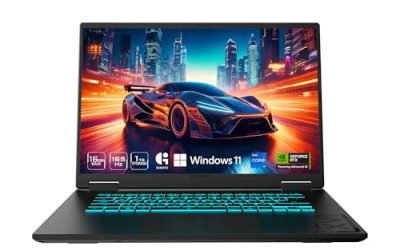
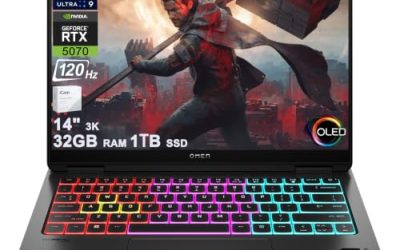
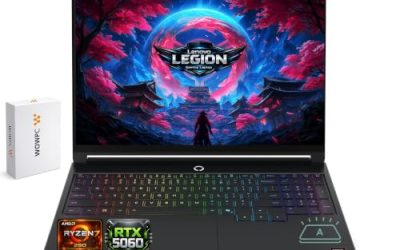
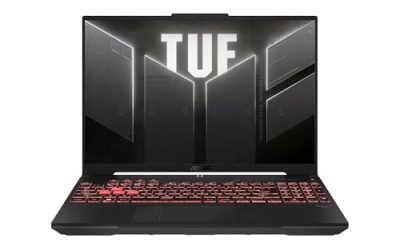
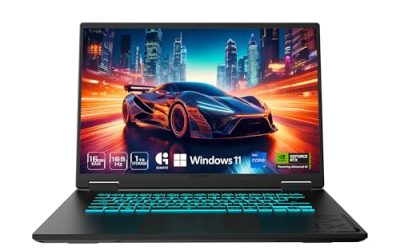
The best gaming laptop deals for students balance gaming performance, coursework, portability, and price. For students with a budget near $1,000, the Lenovo LOQ with an RTX 5050 is a sensible starting point. Around $1,300, the Gigabyte Aero X16 offers 32GB of RAM and a 1TB SSD, making it attractive for multitasking. Students who can spend approximately $1,450 should consider the Gigabyte Gaming A16 Pro, which combines an RTX 5070 Ti with 32GB of RAM and 1TB of storage.
Best gaming laptop deals for students at a glance

| Laptop | Listed price | Main specifications | Best for |
| Lenovo LOQ RTX 5050 | $998.99 | Core i5-13450HX, 16GB RAM, 512GB SSD, 1080p 144Hz | Budget gaming |
| MSI Crosshair 16 HX RTX 5060 | $1,249.99 | Core i7-14650HX, 16GB RAM, 512GB SSD, 1600p 240Hz | Gaming and coursework |
| Gigabyte Aero X16 RTX 5060 | $1,299.99 | Ryzen AI 7 350, 32GB RAM, 1TB SSD, 1600p 165Hz | Multitasking |
| ASUS ROG Strix G16 RTX 5060 | $1,399 | Ryzen 9 9955HX, 16GB RAM, 1TB SSD, 1200p 165Hz | CPU-intensive work |
| Acer Nitro V 16 RTX 5070 | $1,399.99 | Core 7 240H, 16GB RAM, 512GB SSD, 1200p 180Hz | Graphics-focused gaming |
| Gigabyte Gaming A16 Pro RTX 5070 Ti | $1,449 | Core 7 240H, 32GB RAM, 1TB SSD, 1600p 165Hz | Higher-performance gaming |
Prices are in US dollars, before tax, based on published deal listings accessed October 18, 2026. Configurations and availability may change. GPU power limits differ between models, affecting performance.
1. Lenovo LOQ RTX 5050: Best budget gaming laptop
Listed price: $998.99
The Lenovo LOQ is the most affordable option in this roundup and a practical choice for students who want dedicated graphics without spending substantially more than $1,000.
Its listed configuration includes an Intel Core i5-13450HX processor, an NVIDIA GeForce RTX 5050 Laptop GPU, 16GB of DDR5 memory, a 512GB SSD, and a 15-inch 1080p display with a 144Hz refresh rate. The listed GPU power limit is 100W.
The combination is suitable for everyday academic tasks, programming projects, video calls, and gaming at 1080p. The 144Hz display can make supported competitive games feel smoother when the system produces sufficiently high frame rates.
The main limitation is storage. A 512GB SSD can fill quickly when Windows, development tools, and several large games share the drive. The listed configuration also uses a single RAM module, so check the exact SKU and upgrade documentation before planning a memory change.
Buy if: Your budget is close to $1,000 and you mainly play games at 1080p.
Skip if: You need substantial storage immediately or regularly run demanding creative applications that benefit from more memory and graphics performance.
2. MSI Crosshair 16 HX RTX 5060: Best balanced upgrade
Listed price: $1,249.99
The MSI Crosshair 16 HX is a worthwhile step up for students who can spend approximately $250 more than the Lenovo LOQ. Its listed configuration combines an Intel Core i7-14650HX, an RTX 5060 Laptop GPU with a reported 115W power limit, 16GB of DDR5 RAM, and a 512GB SSD.
Its 16-inch, 2560 × 1600 display has a 240Hz refresh rate. The higher resolution provides more workspace for documents and multitasking, while the fast refresh rate suits competitive games when frame rates are high enough to benefit from it.
However, the display’s resolution places greater demands on the GPU than 1080p. You may need to adjust graphics settings or use supported upscaling features in demanding games. The 512GB SSD is also relatively small for a laptop that may serve as both a college workstation and gaming machine.
Before purchasing, verify the exact memory configuration and available storage expansion options.
Buy if: You want a stronger mainstream gaming laptop with a high-resolution, high-refresh-rate display.
Skip if: You have a strict $1,000 limit or prioritize portability and battery life over gaming performance.
3. Gigabyte Aero X16 RTX 5060: Best for multitasking
Listed price: $1,299.99
The Gigabyte Aero X16 is particularly attractive for students who need their laptop for more than gaming. Its listed configuration includes an AMD Ryzen AI 7 350 processor, an RTX 5060 Laptop GPU, 32GB of DDR5 memory, a 1TB SSD, and a 16-inch 2560 × 1600 display with a 165Hz refresh rate.
The extra memory is useful for students who keep many applications open, run development environments, work with larger creative projects, or use virtual machines. The 1TB SSD also provides more space for coursework, software, and game installations than the 512GB drives in several competing options.
One important consideration is its reported 85W GPU power limit. A different laptop with the same RTX 5060 may perform better if its GPU has a higher power limit and sufficient cooling. The Aero X16’s high-resolution display also requires more graphics performance than a 1080p screen at comparable settings.
Buy if: You want 32GB RAM and 1TB storage without moving to the most expensive laptop in this roundup.
Skip if: Your priority is maximum gaming performance per dollar rather than multitasking and storage capacity.
4. ASUS ROG Strix G16 RTX 5060: Best for CPU-heavy coursework
Listed price: $1,399
The ASUS ROG Strix G16 is worth considering for students whose academic applications benefit from substantial processor performance. The listed configuration features an AMD Ryzen 9 9955HX with 16 cores and 32 threads, an RTX 5060 Laptop GPU, 16GB of DDR5 RAM, and a 1TB SSD.
The processor can be useful for CPU-intensive tasks such as compiling large software projects, running demanding calculations, and performing supported rendering workloads. The dedicated GPU also makes the laptop suitable for gaming and applications that benefit from graphics acceleration.
Its 16-inch, 1920 × 1200 display runs at 165Hz. This resolution is less demanding than 2560 × 1600, which can be helpful when prioritizing frame rates in graphics-intensive games.
The main concern is value. At $1,399, students who primarily write assignments, browse the web, and play games may not benefit enough from the higher-end CPU to justify the premium. The included 16GB RAM may also be limiting for some engineering, simulation, and virtual-machine workloads.
Buy if: Your degree involves processor-intensive development, calculations, or other demanding workloads.
Skip if: Your academic work is relatively light and a less expensive laptop already meets your gaming requirements.
5. Acer Nitro V 16 RTX 5070: Best for graphics-focused gaming
Listed price: $1,399.99
The Acer Nitro V 16 offers a higher-tier GPU for students who prioritize gaming. Its listed configuration combines an Intel Core 7 240H processor, an RTX 5070 Laptop GPU, 16GB of DDR5 RAM, and a 512GB SSD.
The 16-inch display has a resolution of 1920 × 1200 and a 180Hz refresh rate. Its reported GPU power limit is 85W, which is important when comparing the Acer with other RTX 5070 laptops.
Although the RTX 5070 belongs to a higher GPU tier than the RTX 5050, the model name alone does not determine the performance difference. Power limits, cooling, game selection, resolution, and graphics settings all influence actual frame rates.
The relatively small SSD is the clearest drawback. Students who install several large games or use professional software may need more storage. The 16GB memory capacity is adequate for many workloads, but demanding projects may benefit from 32GB.
Buy if: Gaming performance is a priority and you prefer a 180Hz display.
Skip if: You need 32GB RAM and 1TB storage immediately, or you can find a better-equipped RTX 5070 configuration at a similar price.
6. Gigabyte Gaming A16 Pro RTX 5070 Ti: Best high-performance deal
Listed price: $1,449
The Gigabyte Gaming A16 Pro is the strongest high-spec option in this roundup for students with a larger budget. The listed configuration includes an Intel Core 7 240H processor, an RTX 5070 Ti Laptop GPU with a reported 115W power limit, 32GB of DDR5 RAM, and a 1TB SSD.
Its 16-inch, 2560 × 1600 display has a 165Hz refresh rate. The combination of dedicated graphics, generous memory, and 1TB of storage makes it suitable for demanding games and many creative workloads.
The key advantage is that students do not immediately need to spend extra on RAM or storage to reach a more comfortable configuration. The RTX 5070 Ti also provides a higher graphics tier than the GPUs in the other listed laptops, although actual performance depends on power delivery, cooling, and software.
There are still trade-offs. The 115W power limit means this laptop should not be assumed to match higher-powered RTX 5070 Ti models. At $1,449 before tax, it is also a substantial purchase for students who only play lightweight games.
Buy if: You want stronger graphics, 32GB RAM, and 1TB storage in one laptop.
Skip if: Your budget is below $1,200 or your games do not require this level of graphics performance.
How we selected these student gaming laptop deals
This roundup prioritizes advertised US prices, GPU capabilities, memory, storage, display specifications, and usefulness for academic work. Published deal listings supplied the configurations and prices; these are not original benchmark results from our own testing.
We also considered whether a laptop offers enough value beyond gaming. For students, a good processor, comfortable display, sufficient memory, and adequate storage can be just as important as the GPU. We excluded performance claims that could not be supported by comparable testing.
The six recommendations represent different budgets and use cases rather than a single universal performance ranking. Sale prices and availability can change, and the same laptop family may include materially different configurations.
How to find the best student gaming laptop deals
Compare student discounts with public sales
Student discounts can reduce the purchase price, but they do not always stack with clearance pricing or promotional coupons.
Lenovo advertises an additional 5% discount for eligible students and educators through its education program. Dell advertises discounts of up to 10% on eligible purchases after verification. Eligibility requirements and exclusions apply, so compare the final checkout price rather than assuming the advertised percentages will apply to every laptop.
Choose the right GPU and memory
For students mainly playing games at 1080p, an RTX 5050 or RTX 5060 laptop may provide sufficient performance, depending on the game and settings. An RTX 5070 or RTX 5070 Ti is worth considering if you play demanding games or need more graphics capability for compatible creative applications.
For memory and storage, 16GB RAM and a 512GB SSD are reasonable starting points. Students using virtual machines, engineering tools, or large creative projects should consider 32GB RAM and a 1TB SSD. Check the exact model’s upgrade options before buying.
Check portability and warranty
Gaming laptops can be heavier and require larger power adapters than ordinary student notebooks. Check the total carry weight, battery capacity, ports, webcam, wireless connectivity, and independent battery tests if you plan to work away from an outlet.
Also confirm the exact configuration, seller, warranty coverage, return window, and whether the laptop is new, refurbished, or open-box. A discount is less valuable if the machine does not meet your needs or the return terms are restrictive.
Frequently asked questions
1. What is a good budget for a student gaming laptop in 2026?
A budget of around 1,000–1,300 is a practical starting point for many students seeking dedicated gaming graphics and everyday productivity. The Lenovo LOQ targets the lower end, while the MSI Crosshair and Gigabyte Aero X16 offer different upgrades at higher prices.
2. Can college students get discounts on gaming laptops?
Yes, eligible college students can access education discounts from some manufacturers, including Lenovo and Dell. Verify eligibility and compare the discounted checkout price with public promotions because exclusions and stacking restrictions may apply.
3. Is 16GB RAM enough for college gaming?
Yes, 16GB RAM is enough for many games and typical college applications. Students running virtual machines, large development environments, or demanding creative software may benefit from 32GB, provided the laptop supports that configuration.
4. Should students buy an RTX 5060 or RTX 5070 laptop?
Choose an RTX 5060 laptop when it offers better overall value for your budget, and consider an RTX 5070 model when additional graphics performance justifies the price. Compare GPU power limits, cooling, display resolution, memory, and storage before deciding.
Final verdict
The Lenovo LOQ is the best starting point for budget-conscious students, the Gigabyte Aero X16 is a strong choice for multitasking, and the Gigabyte Gaming A16 Pro is the premium performance pick in this roundup. Compare current checkout prices, verify the exact configuration, and prioritize the specifications your coursework and games actually require.