The best gaming laptop with a 240Hz display pairs the fast panel with a GPU strong enough to deliver frames near that rate, and in this set that points to the RTX 5070 Ti, 5080 and 5090 machines rather than the cheaper listings. The panel is only half the story: a 240Hz screen fed by a small GPU at high settings behaves much like a 144Hz one. We sort the eight listings by GPU class, panel type and resolution, and flag the one that does not actually meet the keyword.
This guide is written by the Editorial team from published specifications, manufacturer documentation and buyer reviews. Nobody on the team used or measured these units. Specs below come from listing titles or are marked as general knowledge, and every refresh-rate or response-time figure is a seller claim.
Our Top Picks
Pros & cons
- 2TB NVMe storage holds a large game and media library
- 240Hz QHD+ IPS display suits fast gaming and editing work
- Comes bundled with an HDMI cable for extra display hookup
- Listed weight runs over 13 pounds for this configuration
- No optical drive limits use of physical installation media
 ASUS ROG Strix G16 Gaming Laptop32 GB DDR5 | 2 TB SSD13.94 x 0.89 x 10.39 Inches5.5 poundsCheck on Amazon
 msi Vector 16 HX AI 16" 2560x1600 240Hz32 GB RAM | 1TB SSD14.05 x 11.18 x 1.12 inches5.95 poundsCheck on Amazon
240Hz Laptop Comparison Table

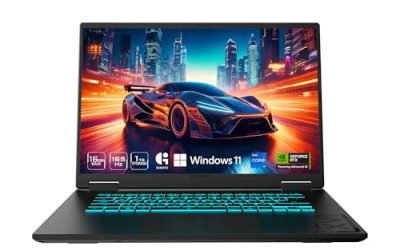
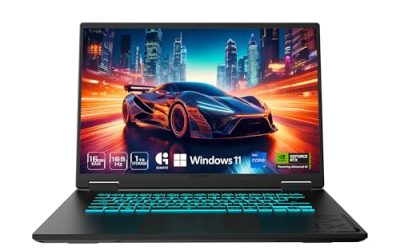
msi Crosshair 18 HX AI 18" 2560x1600 240Hz Display Gaming Laptop, Intel Core Ultra 9 275HX, NVIDIA RTX 5070 8GB GDDR7, 32GB RAM, 2TB NVMe SSD, Windows 11 Home, w/ZYN HDMI Cable


As an Amazon Associate we earn from qualifying purchases. Product prices and availability are accurate as of the date/time indicated.

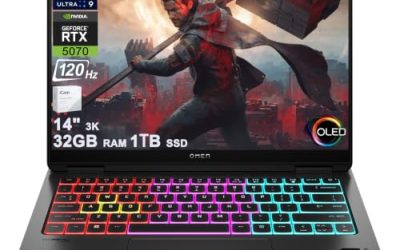
Razer Blade 16 (2026) Thin Gaming Laptop, RTX 5080, 64GB DDR5, 1TB | Intel Ultra 9 386H, 16" QHD+ 240Hz 0.2ms OLED Display, 64GB DDR5, 1TB SSD, Wi-Fi 7, TB5, Windows 11, PC for Gaming & Creating


As an Amazon Associate we earn from qualifying purchases. Product prices and availability are accurate as of the date/time indicated.
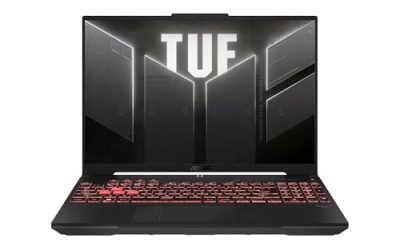
ASUS ROG Strix G16 Gaming Laptop, 16 inch 240Hz 16:10 Display, Intel i9-14900HX, NVIDIA RTX 4070, 32 GB DDR5 RAM, 2 TB SSD, with Windows 11 Pro + Office Pro + Mouse


As an Amazon Associate we earn from qualifying purchases. Product prices and availability are accurate as of the date/time indicated.

Alienware 16X Gaming Laptop, RTX 5060, Intel Ultra 7 Plus, Windows 11 Home | WQXGA OLED 240Hz Display, 16GB DDR5 RAM, 1TB SSD, NVIDIA GeForce, Wi‑Fi 7, Bluetooth, Ethernet, Blue, AI Ready





As an Amazon Associate we earn from qualifying purchases. Product prices and availability are accurate as of the date/time indicated.
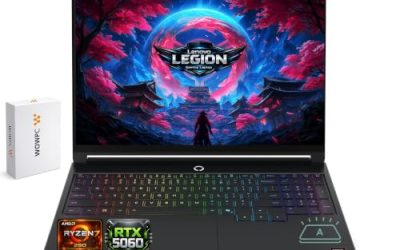
msi Vector 16 HX AI 16" 2560x1600 240Hz Display Gaming Laptop, AMD Ryzen 9 8940HX (16 Cores, 2.4-5.3 GHz), NVIDIA RTX 5070 Ti 12GB GDDR7, 32GB RAM, 1TB NVMe SSD, Windows 11 Pro


As an Amazon Associate we earn from qualifying purchases. Product prices and availability are accurate as of the date/time indicated.

Alienware 15 Gaming Laptop, RTX 4050, Intel Core 7 240H, Windows 11 Home | WUXGA 1920x1200 Display, 165Hz, 16GB DDR5 RAM, 1TB SSD, NVIDIA GeForce, Wi-Fi 6, Esports Ready, DA15260


As an Amazon Associate we earn from qualifying purchases. Product prices and availability are accurate as of the date/time indicated.

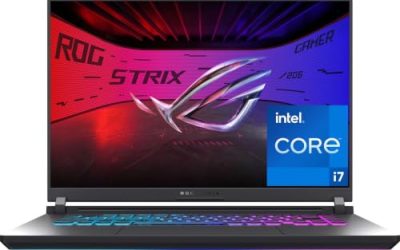
ASUS ROG Strix G18 ROG Nebula Display 2.5K 240Hz 3ms 18" Gaming Laptop AMD Ryzen 9 8940HX 16GB RAM 1TB SSD NVIDIA GeForce RTX 5070 Eclipse Grey


As an Amazon Associate we earn from qualifying purchases. Product prices and availability are accurate as of the date/time indicated.

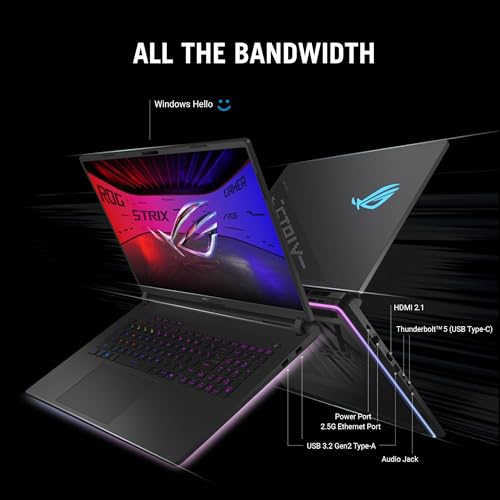
ASUS ROG Strix SCAR 18 (2025) Gaming Laptop, 18” ROG Nebula HDR 16:10 2.5K 240Hz/3ms, NVIDIA GeForce RTX 5090, Intel Core Ultra 9 275HX, 32GB DDR5, 2TB PCIe Gen 4 SSD, Wi-Fi 7, Win 11 Pro, G835LX-XS97







As an Amazon Associate we earn from qualifying purchases. Product prices and availability are accurate as of the date/time indicated.
| Laptop | Display and GPU per title | Price tier | Best for |
|---|---|---|---|
| msi Crosshair 18 HX AI | 18 inch 2560×1600 240Hz, RTX 5070 8GB, 32GB RAM | Mid to Premium | Big-screen play with a mid-tier GPU |
| Razer Blade 16 | 16 inch QHD+ 240Hz 0.2ms OLED, RTX 5080, 64GB | Premium | Thin high-end OLED play |
| ASUS ROG Strix G16 (RTX 4070) | 16 inch 16:10 240Hz, RTX 4070, i9-14900HX, 32GB | Check listing | Older-generation value, if the listing checks out |
| Alienware 16X | WQXGA OLED 240Hz, RTX 5060, 16GB | Mid | OLED at a modest GPU class |
| msi Vector 16 HX AI | 16 inch 2560×1600 240Hz, RTX 5070 Ti 12GB, 32GB | Mid to Premium | Balanced GPU for 240Hz at QHD+ |
| Alienware 15 | 1920×1200 165Hz, RTX 4050, 16GB | Budget | Not a 240Hz laptop |
| ASUS ROG Strix G18 | 18 inch 2.5K 240Hz 3ms, RTX 5070, 16GB | Mid to Premium | Large screen, RAM upgrade likely |
| ASUS ROG Strix SCAR 18 | 18 inch 2.5K HDR 240Hz 3ms, RTX 5090, 32GB | Premium | Maximum GPU for QHD+ at 240Hz |
How the Display and the GPU Work Together
A refresh rate is the number of times per second the panel redraws. Frames per second is how many images the GPU produces. The two have to match for the panel to be used fully. At 60Hz a frame lasts about 16.7 milliseconds, at 144Hz about 6.9, at 165Hz about 6.1 and at 240Hz about 4.2. Your game has to finish a frame in that window, every frame, to hold the rate.
| Refresh rate | Time per frame | What it asks of the system |
|---|---|---|
| 60Hz | About 16.7 ms | Easy for most modern gaming laptops |
| 144Hz | About 6.9 ms | Common target for mid-range GPUs at high settings |
| 165Hz | About 6.1 ms | Slightly harder, usual for 1200p and 1440p panels |
| 240Hz | About 4.2 ms | Realistic for esports titles; demanding games need lowered settings or upscaling |
If you are weighing 240Hz against a cheaper panel, our comparison of 144Hz and 240Hz laptop screens for gaming covers where the gain is visible. Pixel response is a separate spec, explained in response time versus refresh rate on a gaming laptop.
Technical Realities of 240Hz Laptop Panels
Four details decide whether a 240Hz laptop feels as fast as its box says. The first is the display path. Some laptops send the image from the GPU straight to the panel, while others route it through the integrated graphics, which can add overhead and limit adaptive sync. Makers often call the direct option a mux switch or an advanced optimus mode; the titles here do not say, so check the product page.
The second is the panel type. OLED listings in this set quote very low response times, but the figure is a seller claim and OLED brightness behaves differently from IPS in bright rooms. The 3ms figures on the Strix listings do not name the panel type and are also claims, so confirm it before assuming IPS behaviour. For the difference between pixel response and refresh rate, the link above is worth a read.
The third is brightness and HDR. The SCAR 18 title mentions HDR, but an HDR label alone does not guarantee a bright, high-contrast image; our guide to HDR 400 versus HDR 1000 on a gaming laptop display explains the tiers. The fourth is the output ports: if you plan to dock the laptop to a 240Hz external monitor, check which video ports carry the signal, since HDMI and DisplayPort versions vary by model. For a wider view of what to look for, see how to choose a high-refresh display for a gaming laptop.
Evaluating the Eight Listings
msi Crosshair 18 HX AI Gaming Laptop
This msi listing describes an 18 inch 2560 by 1600 240Hz display, an Intel Core Ultra 9 275HX, an RTX 5070 with 8GB GDDR7, 32GB of RAM, a 2TB NVMe SSD and Windows 11 Home, sold with an HDMI cable. The cable is a bundled extra, not a spec, but it hints at external-monitor use.
The panel is large and sharp, and the question is the GPU. An RTX 5070 laptop chip is a capable QHD+ part, but at 2560 by 1600 and 240Hz it will reach the top of the range mostly in lighter or esports titles. The 18 inch chassis should give the cooling system more room than a 16 inch body, though sustained power limits are not in the title.
- Pros: 18 inch 240Hz panel; strong HX-class CPU; 32GB RAM and 2TB SSD; roomy chassis.
- Cons: 8GB VRAM at a high resolution; size and weight; only Windows Home.
Question to ask before buying: does the laptop have a switch to route the display straight from the GPU, and what are the sustained GPU power limits?
Razer Blade 16 Thin Gaming Laptop
The Razer Blade 16 listing pairs an RTX 5080 with 64GB of DDR5 (the title repeats the memory figure twice), a 1TB SSD, an Intel Ultra 9 386H and a 16 inch QHD+ 240Hz OLED display with a claimed 0.2ms response, plus Wi-Fi 7 and Thunderbolt 5. It is the premium thin-and-light choice in the set.
The OLED panel is the most distinctive feature: OLED response claims are typically very low, and blacks look deep. The thin body is the open question, since a thin chassis with a high-end GPU may hold lower sustained power than a thicker 18 inch machine. The 1TB drive is small next to 64GB of RAM, so budget for storage. The RTX 5080 laptop chip carries 16GB of VRAM per NVIDIA’s published specs.
- Pros: RTX 5080 with 16GB VRAM; OLED 240Hz; 64GB RAM; Wi-Fi 7 and Thunderbolt 5.
- Cons: Premium cost; thin chassis thermals; 1TB SSD is modest; title has repeated text.
Question to ask before buying: what do buyer reports say about brightness, fan noise and sustained clocks?
ASUS ROG Strix G16 with i9-14900HX and RTX 4070
This ASUS listing describes a 16 inch 240Hz 16:10 display, an Intel i9-14900HX, an RTX 4070, 32GB DDR5, a 2TB SSD and Windows 11 Pro, bundled with Office Pro and a mouse. The specs belong to the previous GPU generation, which is fine for 240Hz at 1200p in many games. The surprise is the price tier, which looks far lower than the parts would suggest.
A price that looks too good deserves checking: confirm whether the unit is new, open-box, refurbished or from a third-party seller, and look at the return terms. The Office Pro and mouse bundle may be the seller’s own add-on. If the unit is genuine and new, the combination of 240Hz and an RTX 4070 is a fair mid-range match.
- Pros: 240Hz 16:10 panel; high-end last-generation CPU; 2TB SSD; 32GB RAM.
- Cons: Older GPU generation; unclear condition and seller; bundle extras of unknown value.
Question to ask before buying: is the listing new, who is the seller, and what is the return window?
Alienware 16X Gaming Laptop with RTX 5060
The Alienware 16X listing pairs an RTX 5060 with an Intel Ultra 7 Plus processor, a WQXGA OLED 240Hz display, 16GB DDR5, a 1TB SSD, Wi-Fi 7, Bluetooth and Ethernet, with a blue finish. The processor name is vague in the title, so confirm the exact model on the product page.
An OLED 240Hz panel on a mid-tier GPU is an interesting mismatch. The screen can show 240 frames per second, but an RTX 5060 at WQXGA resolution will reach that rate mainly in lighter games. For single-player titles, the OLED’s contrast and response matter more than raw frame count. The 16GB RAM is the minimum comfortable size for modern games.
- Pros: OLED 240Hz panel; Wi-Fi 7 and wired Ethernet; compact 16 inch body.
- Cons: Entry GPU for a WQXGA panel; 16GB RAM; vague processor naming.
Question to ask before buying: which exact CPU model is inside, and what is its power limit?
msi Vector 16 HX AI Gaming Laptop
This msi listing combines a 16 inch 2560 by 1600 240Hz display with an AMD Ryzen 9 8940HX (16 cores, 2.4 to 5.3GHz), an RTX 5070 Ti with 12GB GDDR7, 32GB RAM, a 1TB NVMe SSD and Windows 11 Pro. For 240Hz at QHD+ it is the best-balanced GPU and panel pairing in the middle of the set.
The 12GB of VRAM gives it headroom for high-resolution textures, and the 5070 Ti sits above the 5070 in the product stack. The CPU is a high-core HX part that will not bottleneck esports titles. A 1TB SSD is the main compromise at this level; plan on a second drive if the model has a slot.
- Pros: RTX 5070 Ti with 12GB; 16-core CPU; Windows 11 Pro; 32GB RAM.
- Cons: 1TB storage; no OLED claim; weight and fan noise under load unknown.
Question to ask before buying: does the panel support variable refresh rate, and how is the display connected to the GPU?
Alienware 15 Gaming Laptop with RTX 4050
The Alienware 15 listing is not a 240Hz laptop. Its title states a WUXGA 1920 by 1200 display at 165Hz, an RTX 4050, an Intel Core 7 240H, 16GB DDR5, a 1TB SSD and Wi-Fi 6, with an esports-ready label. It appears in the list but fails the keyword on its own title.
It may be a sensible entry-level gaming laptop on its own terms, since 165Hz at 1200p is a comfortable target for an RTX 4050 in many games. But if the aim is 240Hz, skip it. We include it so readers do not mistake it for a fit.
- Pros: Lowest cost tier; 165Hz panel suits the GPU class; 1TB SSD.
- Cons: Not 240Hz; entry GPU; Wi-Fi 6 only.
Question to ask before buying: do you want 240Hz, or is 165Hz enough for the games you play?
ASUS ROG Strix G18 with ROG Nebula Display
This ASUS listing describes an 18 inch 2.5K 240Hz 3ms ROG Nebula display, an AMD Ryzen 9 8940HX, 16GB RAM, a 1TB SSD and an RTX 5070 in Eclipse Grey. The 18 inch size means a large panel and, in general, more cooling room than 16 inch rivals.
The RTX 5070 is a mid-range GPU for a 2.5K panel at 240Hz, so lowering settings in demanding games will be part of the plan. The title gives 16GB of RAM, which is the weakest spec here for an 18 inch machine and probably the first thing to upgrade. The 3ms claim is a seller figure for pixel response, not a measured result.
- Pros: Large 18 inch 240Hz panel; 16-core-class HX CPU naming; roomy chassis.
- Cons: 16GB RAM; 8GB VRAM at 2.5K; heavy and large.
Question to ask before buying: are the RAM slots accessible and is the panel sRGB or wider gamut?
ASUS ROG Strix SCAR 18
The SCAR 18 listing is the top machine in the set: an 18 inch ROG Nebula HDR 16:10 2.5K 240Hz 3ms panel, an RTX 5090, an Intel Core Ultra 9 275HX, 32GB DDR5, a 2TB PCIe Gen 4 SSD, Wi-Fi 7 and Windows 11 Pro. The RTX 5090 laptop GPU has 24GB of video memory per NVIDIA’s specs.
This is the one most likely to push 240 frames per second at 2.5K in demanding games, particularly with upscaling or frame generation enabled. The cost is size, weight, noise and price. For a gamer who will keep it on a desk, this is the strongest match to the keyword. For travel or battery use, the 18 inch body is a burden.
- Pros: RTX 5090 with 24GB; HDR 240Hz panel; 2TB SSD; Wi-Fi 7.
- Cons: Premium cost; weight and size; fan noise at full power is likely to be high.
Question to ask before buying: what are the dimensions and weight, and does your bag or desk take an 18 inch machine?
Power, Heat and Noise at 240 Frames Per Second
Chasing a high frame rate keeps the GPU and CPU working harder for longer, which raises fan noise and surface temperatures. The 18 inch machines have the most room for cooling but are also the heaviest, while thin 16 inch bodies such as the Blade 16 trade headroom for portability. None of the titles list sustained wattage, so buyer reports about fan behaviour are the best available evidence. Plan to play on mains power with the manufacturer’s charger, because battery operation commonly caps performance.
Target Selection Matrix
| Player type | Look at | Reason |
|---|---|---|
| Competitive shooters at 240 frames per second | Strix SCAR 18, Vector 16 HX, Blade 16 | Strongest GPUs paired with 240Hz |
| Single-player visuals | Blade 16, Alienware 16X | OLED panels |
| Large screen on a desk | Crosshair 18, Strix G18, SCAR 18 | 18 inch panels |
| Budget-conscious | Strix G16 (RTX 4070), if verified | Last-generation parts; check seller |
| Wanting 165Hz at modest cost | Alienware 15 | Not 240Hz |
Worked Example: Will It Hit 240 Frames Per Second?
The following uses stated assumptions, not measurements. Suppose a game reaches 180 frames per second at 1920 by 1200 on a given laptop and is limited by the GPU. A 2560 by 1600 image has 4.1 million pixels against 2.3 million, which is about 1.78 times as many.
| Step | Assumption | Result |
|---|---|---|
| Starting frame rate | 180 fps at 1920×1200, GPU-limited | 180 fps |
| Pixel ratio | 4.10M / 2.30M | About 1.78 |
| Rough GPU-bound estimate at 2560×1600 | 180 / 1.78 | About 100 fps |
| Gap to 240Hz | 240 minus 100 | Over half of the panel’s range unused |
| Possible fixes | Lower settings, upscaling, a faster GPU | Depends on the game |
Scaling is not perfectly linear, so treat 100 frames per second as a rough sketch. The lesson is that a high-resolution 240Hz panel needs a much stronger GPU than a 1200p one, which is why the RTX 5070 Ti, 5080 and 5090 listings fit the keyword best. When the frame rate varies, adaptive sync helps; see the best VRR settings for a gaming laptop display.
Pre-Purchase Verification Checklist
- Confirm 240Hz on the product page, not just in the title.
- Find the panel type (OLED or IPS), its resolution and any sRGB or DCI-P3 claim.
- Check the GPU’s VRAM and sustained power if the maker publishes it.
- See whether the display routes directly from the GPU, and whether it supports variable refresh.
- Check the video outputs if you plan to use an external monitor.
- Look at RAM and SSD slots for upgrades.
- Confirm seller, condition and return window, especially for unusually low prices.
Common Mistakes
| Mistake | What goes wrong | Fix |
|---|---|---|
| Buying 240Hz with an entry GPU | Panel range goes unused at high settings | Match GPU to resolution and games |
| Ignoring resolution | Higher resolution cuts achievable frame rate | Estimate with pixel counts |
| Trusting response-time numbers | Seller figures use different methods | Read buyer reports |
| Skipping the seller check | Condition and warranty vary | Confirm new versus refurbished |
| Assuming all 16GB laptops are fine | Memory-hungry games and multitasking suffer | Prefer 32GB or check upgrade slots |
Creators wondering whether the faster panel is worth it for non-gaming work can read our answer on whether a 240Hz display is worth it for a creator gaming laptop.
Verdict by Use Case
For the strongest 240Hz experience, the ROG Strix SCAR 18 with the RTX 5090 is the clear match, followed by the Blade 16 for a thinner OLED build and the Vector 16 HX for a balanced mid-priced pick. The Crosshair 18 and Strix G18 suit buyers who want a big screen and accept a mid-tier GPU. The Alienware 16X gives OLED at a modest GPU level. The Strix G16 with the RTX 4070 needs a seller check. The Alienware 15 is a 165Hz machine and does not belong in a 240Hz shortlist.
Frequently Asked Questions
Do I need a powerful GPU to benefit from a 240Hz laptop display?
Yes, because the panel only shows frames the GPU delivers. At 240Hz each frame has about 4.2 milliseconds, so a modest GPU at high settings may land well below that and leave part of the panel’s range unused. Esports titles and lowered settings reach 240 frames per second far more easily than demanding single-player games, so match the GPU class to the games you play.
Is a 240Hz OLED laptop display better than a 240Hz IPS display?
OLED panels usually quote much faster pixel response and deeper blacks, while IPS panels usually offer higher sustained brightness and no risk of image retention. Neither changes how many frames the GPU can render. For fast shooters the response claim on OLED is attractive, but check each listing for the panel type and read buyer reports about brightness and flicker.
Does 240Hz drain a gaming laptop battery faster?
Generally yes, because a higher refresh rate asks the display and graphics hardware to do more work, and most gaming laptops are designed to be plugged in for demanding games anyway. Many models can drop to a lower refresh rate on battery to save power. Check whether the laptop offers that option if you plan to use it away from a desk.
Is the 165Hz Alienware 15 in this list a 240Hz laptop?
No. The title of that listing states a 165Hz display, not 240Hz. It likely appears in the set because of search grouping, but it does not meet the keyword. If 240Hz matters to you, pick one of the other listings and confirm the refresh rate on the product page before purchase.
Should I choose 240Hz at higher resolution or 1080p-class resolution?
Higher resolution looks sharper but needs far more GPU work per frame, so reaching 240 frames per second becomes harder. A 2560 by 1600 panel pushes roughly 78 percent more pixels than 1920 by 1200. If you play competitive games and want the full refresh rate, a lower resolution is easier to feed. If you prefer image quality and single-player games, the sharper panel makes sense.