Grand Theft Auto V is a strange shopping target. The core game was built for hardware that is now more than a decade old, so almost any laptop with a dedicated graphics chip can open the doors of Los Santos. The real decision is not “can it run it” but “how far do I want to push it.” Stock settings on a 1080p panel ask very little. Enhanced-edition options, 4K texture packs, graphics mods that rework lighting and traffic, and a stack of script mods ask a great deal more, especially from video memory and system RAM.
This guide is for players who want a laptop that handles Los Santos comfortably in 2026 and still has room for other games, and for modders who want headroom rather than a bare minimum. The five laptops below all pair a dedicated GeForce graphics chip with a modern or recent processor, and the picks span a very wide range of budgets. Budget laptops that rely on integrated Radeon graphics instead of a dedicated chip are left out, because a dedicated GPU is the safer baseline for an open-world title with a heavy mod scene and a long list of optional visual upgrades.
Our Top Picks


Top 3 picks at a glance
Quick Picks
As an Amazon Associate we earn from qualifying purchases at no extra cost to you.





| Product | Best for | Key spec from the title |
|---|---|---|
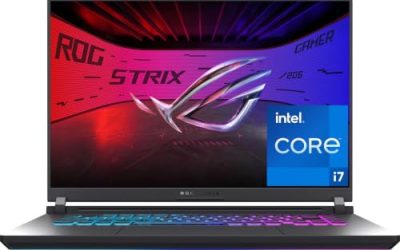
| Lenovo Legion 5a | Modded, high-resolution play with spare power | Ryzen 7 250, GeForce RTX 5060, 15.3″ 2560×1600 165Hz OLED, 32GB DDR5 |
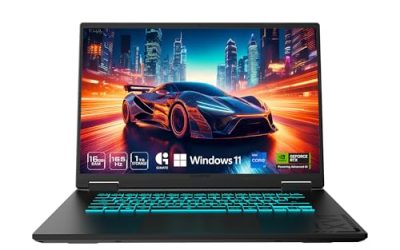
| Acer Nitro V (RTX 5050) | Smooth stock or lightly modded play | Core 5 210H, GeForce RTX 5050, 16″ WUXGA IPS 165Hz |
| Acer Nitro 5 (GTX 1650) | Lowest-cost way into the game | Core i5-9300H, GeForce GTX 1650, 15.6″ Full HD IPS |
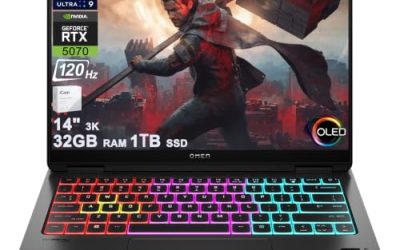
| Lenovo Legion 5 15IRX10 | Maximum settings and heavy graphics mods | Core i9-14900HX, RTX 5070 8GB GDDR7, 32GB DDR5, 15.1″ WQXGA OLED |
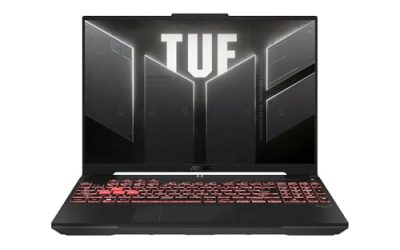
| Acer Nitro 5 AN515-55 | Balanced budget play at high refresh | Core i5-10300H, RTX 3050, 15.6″ FHD 144Hz IPS |
How to Choose
Match the graphics chip to how you actually play
For the unmodded game at 1080p, a GTX 1650-class chip is a workable floor, and anything in the RTX 3050 family or newer gives you room to raise shadows, grass, and draw distance. If you plan to use enhanced rendering options or visual overhaul mods, look for at least 6GB of video memory and preferably 8GB, because high-resolution textures fill VRAM quickly. The RTX 5070 listed here carries 8GB of GDDR7 in its title, which is the figure to compare against any alternative.
Do not shortchange system memory
Los Santos streams a large open world, and mods add scripts and assets on top. 8GB of RAM is workable for stock play but leaves little breathing room once the operating system, a launcher, and a browser are open. 16GB is the comfortable target, and 32GB makes sense if you run texture packs or keep voice chat and streaming software open. Two of the picks list 8GB, so factor in a memory upgrade if the laptop has an accessible slot, and confirm that before buying.
Choose a display that fits your frame rate target
A 144Hz or 165Hz panel only helps if the laptop can feed it, and a lighter game like this one often can. Full HD at 144Hz suits budget machines. The two Legion models use WQXGA OLED panels, which pack more pixels and deeper contrast but ask more of the graphics chip. Higher resolution is a good use of a stronger GPU in a game with a long shelf life and a good-looking world.
Processing power sets the ceiling on crowded scenes, so it deserves a look beside the screen. The processors in this group range from a ninth-generation Core i5 to a fourteenth-generation Core i9 HX chip. The game leans on a few fast cores for traffic, pedestrians, and physics, so a newer generation brings real smoothness in crowded scenes even when the graphics chip is similar. If two laptops share the same graphics card, favor the one with the newer processor and the faster memory type, because DDR5 listed in the title is a sign of a more recent platform than DDR4.
Storage speed and size matter for mods
The base game is large, and a mod collection grows it further. 256GB fills up fast once the game, updates, and a second title share the drive. A 512GB drive is the practical minimum, and 1TB is better for modders. Look for NVMe or PCIe SSDs, which cut load times when the game streams the map. Budget models often cut corners on storage first, so treat a 256GB drive as a reason to plan an upgrade or add external storage.
One more point worth keeping in mind is cooling and power. Thin laptops with strong chips can throttle in long sessions, and a game as open-ended as this one tends to run for hours at a time. Look for dual-fan designs and for a processor in the H series, which is built for sustained gaming loads rather than short bursts. Ignore marketing terms such as “AI” badges unless you have a specific use for them, because they say little about how the game itself will run.
The 5 Best Options
Lenovo Legion 5a
This is the pick for players who want to treat Los Santos as a showcase. The title lists a Ryzen 7 250, a GeForce RTX 5060, and a 15.3-inch 2560×1600 OLED panel at 165Hz, backed by 32GB of DDR5 and a 1TB SSD. That mix gives enough memory for heavy script and texture collections while the sharp panel makes foliage and night lighting stand out.
- Strength: 32GB of DDR5 and a 1TB SSD leave plenty of room for mods and updates.
- Strength: Wi-Fi 7 and an RGB backlit keyboard round out a modern feature set.
- Trade-off: the high-resolution panel pushes the graphics chip harder than a Full HD screen would.
Skip it if you only want the unmodded game at 1080p, since you would pay for headroom you will not use.
Acer Nitro V (RTX 5050)
A sensible middle road for most players. The title lists a Core 5 210H processor, a GeForce RTX 5050 laptop GPU, and a 16-inch WUXGA IPS display at 165Hz, with 8GB of DDR5 and a Gen 4 SSD of 512GB. The taller 16:10 style panel suits a game with lots of sky and scenery, and the recent graphics chip suits most stock settings at a high frame rate.
- Strength: a newer-generation graphics chip with a 165Hz display suits fast play.
- Strength: a Gen 4 solid-state drive helps with streaming load times.
- Trade-off: only 8GB of memory is listed, so a RAM upgrade is wise for modded setups.
Skip it if you plan a heavy mod list and do not want to open the chassis for a memory upgrade.
Acer Nitro 5 (GTX 1650)
The entry point. The spec line shows a ninth-generation Core i5-9300H, a GeForce GTX 1650, a 15.6-inch Full HD IPS display, 8GB of DDR4, a 256GB NVMe drive, Wi-Fi 6, and a backlit keyboard. For a game that was designed around far older hardware, that is a credible baseline for stock settings, and it is the budget route into the open world.
- Strength: a dedicated GeForce chip with a Full HD IPS panel covers the basics at a low tier.
- Strength: an NVMe drive and Wi-Fi 6 keep loading and downloads reasonable.
- Trade-off: the 256GB drive and the older processor generation limit mod collections and future games.
Skip it if you want ray-traced options or expect to keep the laptop for many more years of new releases.
Lenovo Legion 5 15IRX10
This is the heavyweight. The title lists a Core i9 14900HX, a GeForce RTX 5070 with 8GB of GDDR7, 32GB of DDR5, and a 15.1-inch WQXGA OLED panel. For a game that scales with mods, the combination of a high-end processor, strong graphics, and generous memory is hard to outgrow, and the OLED screen makes the visual overhauls look their best.
- Strength: a high-end processor and 8GB of GDDR7 video memory handle demanding mod stacks.
- Strength: 32GB of DDR5 keeps scripts, textures, and background apps comfortable.
- Trade-off: this sits at the premium tier, far above what stock Los Santos requires.
Skip it if you play the unmodded game and have no plans for demanding new titles.
Acer Nitro 5 AN515-55
A balanced budget choice. The listing shows a Core i5-10300H, a GeForce RTX 3050, a 15.6-inch Full HD 144Hz IPS display, 8GB of DDR4, and a 256GB NVMe SSD. The RTX 3050 gives more headroom than a GTX 1650, and 144Hz suits a game with plenty of fast driving.
- Strength: an RTX-branded graphics chip with a 144Hz panel is a step up from the cheapest tier.
- Strength: an NVMe drive keeps world streaming smooth.
- Trade-off: 8GB of RAM and a 256GB drive both need attention for modded play.
Skip it if you want a larger drive or more memory out of the box.
Which One Fits Your Situation
You want the game on a tight budget
The Acer Nitro 5 with the GTX 1650 is the cheapest route in the group. Plan for stock settings at 1080p, keep the mod list short, and consider a memory or storage upgrade later if the laptop allows it.
You want high refresh rates at 1080p
Competitive-style driving and shooting feel better when the frame rate stays above the panel refresh rate, and this older engine makes that realistic.
The Acer Nitro 5 AN515-55 and the Acer Nitro V both pair a dedicated graphics chip with a 144Hz or 165Hz panel. The Nitro V has the newer graphics generation, while the AN515-55 sits at a lower tier.
You run heavy visual and script mods
The Lenovo Legion 5 15IRX10 is built for this, with 8GB of GDDR7 video memory and 32GB of DDR5. If you want the same memory without the premium chip, the Lenovo Legion 5a is the more moderate option.
You also play newer games
Los Santos is only one title on the shelf. The Lenovo Legion 5a gives you a current-generation chip, a 1TB drive, and 32GB of memory, so it should handle newer releases for longer than the budget models.
Common Mistakes
- Buying a premium laptop for the unmodded game and never using the extra power.
- Ignoring video memory when planning a texture pack or visual overhaul.
- Accepting 8GB of RAM without confirming whether the memory is upgradeable.
- Choosing a 256GB drive and then running out of space after one update.
- Paying for an OLED or WQXGA screen on a machine that will mostly run at 1080p.
Related guides
- Gaming Laptop Battery Draining While Plugged In Fix
- Graphics Cards For Low Wattage Power Supplies
- How To Stop Laptop Thermal Throttling In Software
Frequently Asked Questions
Do I need a high-end laptop for GTA 5?
No. The core game is old and scales down well, so a dedicated GeForce chip with 16GB of RAM is enough for stock settings. A stronger machine only pays off if you use enhanced rendering options or heavy mods.
How much RAM should I get?
16GB is the comfortable target. 8GB can launch the game but leaves little room for background apps and mods, and 32GB suits texture packs and streaming at the same time.
Is a GTX 1650 still acceptable?
For stock settings at 1080p, the specifications suggest it can be workable. If you want higher settings, a newer RTX chip with more video memory is the better long-term buy.
Does a higher refresh rate matter for this game?
It can, because the game is light enough for many laptops to reach high frame rates. A 144Hz or 165Hz panel makes that visible, provided the graphics chip is keeping up.