Ray tracing is the feature that separates a glossy screenshot from a game that genuinely reacts to light. Reflections in puddles, shadows that soften with distance, and indirect bounce lighting all come from tracing rays through a scene, and dedicated hardware for that job is built into every GeForce RTX graphics chip. The catch is cost. Turning ray tracing on can lower frame rates sharply, so the question for a laptop buyer is not whether a card supports the feature but whether it supports it at a playable speed on the screen you plan to use.
This guide is for players shopping in 2026 who want ray tracing to be a daily setting rather than a checkbox. It covers eight laptops, from an RTX 5050 value machine to an RTX 4090 monster, with four closely related HP Omen Transcend 14 listings and a pair of Lenovo and ASUS RTX 5070 options in between. Read the buying section for the rules of thumb on graphics tier, video memory, upscaling, and display, then match the tier to the resolution you play at.
Our Top Picks
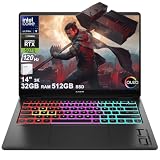
 HP Omen Transcend 14 Gaming AI Laptop 14"32GB RAM | 1TB SSD9.19 x 12.32 x 0.71 inches3.6 poundsCheck on Amazon
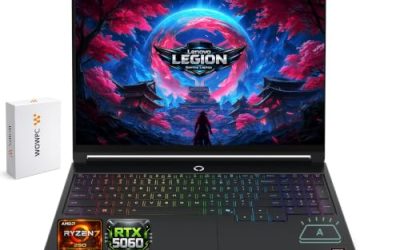
 Lenovo Legion 5 5070 Gaming OLED Laptop8GB RAM | 128GB SSD13.58 x 10.05 x 0.84 inches4.1 poundsCheck on Amazon

Top 3 picks at a glance
Quick Picks
As an Amazon Associate we earn from qualifying purchases at no extra cost to you.





| Product | Best for | Key spec from the title |
|---|---|---|
| HP Omen Transcend 14 (1TB, first listing) | Compact ray tracing with an HDR OLED screen | RTX 5070, Core Ultra 9 285H, 14″ 3K OLED 120Hz, 32GB, 1TB |
| Lenovo Legion 5 (RTX 5070, OLED) | Bright QHD+ panel with a 14900HX processor | Core i9-14900HX, RTX 5070, 15.1″ QHD+ OLED 165Hz, 1000 nits |
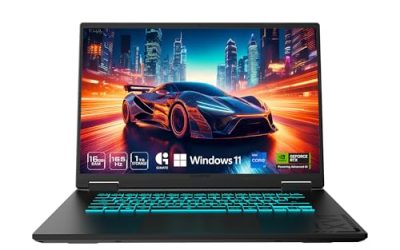
| Lenovo LOQ AI (RTX 5050) | Entry ray tracing at Full HD | Ryzen 7 170, RTX 5050 GDDR7, 15.6″ FHD IPS 144Hz, 16GB, 512GB |
| HP Omen Transcend 14 (1TB, second listing) | Same configuration as the first 1TB listing | RTX 5070, 14″ 3K OLED, 32GB, 1TB |
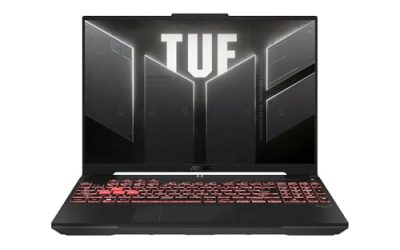
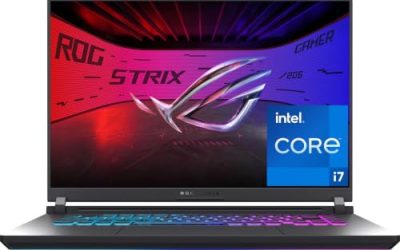
| ASUS ROG Strix G18 | Large-screen RTX 5070 buyers | RTX 5070, AI laptop label |
| Mavark M18 | No-compromise graphics tier | Core i9-13980HX, RTX 4090, 18″ FHD+ 480Hz G-SYNC |
| HP Omen Transcend 14 (512GB, first listing) | Lower storage tier of the same laptop | RTX 5070, 14″ 3K OLED 120Hz, 32GB, 512GB |
| HP Omen Transcend 14 (512GB, second listing) | Same configuration as the first 512GB listing | RTX 5070, 14″ 3K OLED, 32GB, 512GB |
How to Choose
Choose the graphics tier by resolution
Ray tracing multiplies the work the graphics chip does for each pixel, so tier and resolution have to be matched. An RTX 5050 suits Full HD with ray tracing on in moderate doses, usually together with upscaling. An RTX 5070 is the realistic floor if you want ray tracing at 14-inch 3K or 15-inch QHD+ resolutions. The RTX 4090 in the Mavark listing sits at the top of the group and is the one chosen for the heaviest effects, though it belongs to the previous generation of laptop graphics.
Understand upscaling and AI features
Modern ray-traced games lean on upscaling to hold frame rates, rendering at a lower resolution internally and reconstructing the image. Newer RTX 5000-series chips support the latest versions of this feature, which is why AI TOPS figures appear in so many titles here, such as 440 for the RTX 5050 and 798 for the RTX 5070 in the HP listings. Treat those numbers as a rough sign of AI hardware strength, not as a frame rate promise. What counts for you is whether the games you play support the upscaler at all.
Look at video memory, system memory, and storage
Ray tracing adds acceleration structures that take up video memory, and high textures take more. Eight gigabytes of video memory is a workable target for 1080p and 1440p-class panels, and anything less will hold back ray tracing in newer titles. For system memory, 16GB is the minimum, and 32GB, as on the HP Omen Transcend 14 listings, is comfortable for heavy sessions. Drives of 512GB fill quickly with big games, so a 1TB option is worth considering if the storage line differs between otherwise identical listings.
Display and cooling decide how ray tracing looks
An OLED or high-brightness panel shows off ray-traced lighting through deeper black levels and brighter highlights. The HP titles list a 3K OLED with 100% DCI-P3 coverage and HDR at 500 nits, while the Lenovo Legion lists a QHD+ OLED that reaches 1000 nits at the top. The LOQ uses a Full HD IPS with 100% sRGB, which is accurate but less dramatic. A 480Hz panel, as on the Mavark M18, rewards competitive games more than ray-traced ones, because it is hard to reach those frame rates with effects enabled. Ignore refresh numbers beyond what your graphics chip can deliver.
The 8 Best Options
HP Omen Transcend 14 (1TB, first listing)
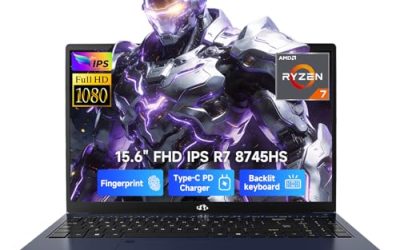
This is the compact route to ray tracing. The title lists a 14-inch 3K OLED at 120Hz with 100% DCI-P3 and HDR at 500 nits, an Intel 16-core Core Ultra 9 285H, 32GB of RAM, a 1TB SSD, and a GeForce RTX 5070 at 798 AI TOPS. A small chassis with an OLED panel suits players who travel but still want ray-traced lighting.
- Strength: an RTX 5070 with 32GB of memory in a 14-inch body.
- Strength: a 3K OLED panel that shows off ray-traced lighting and color.
- Trade-off: the 120Hz refresh rate is lower than the 165Hz panels elsewhere in the group.
Skip it if you want the biggest screen or the highest refresh rate.
Lenovo Legion 5 (RTX 5070, OLED)
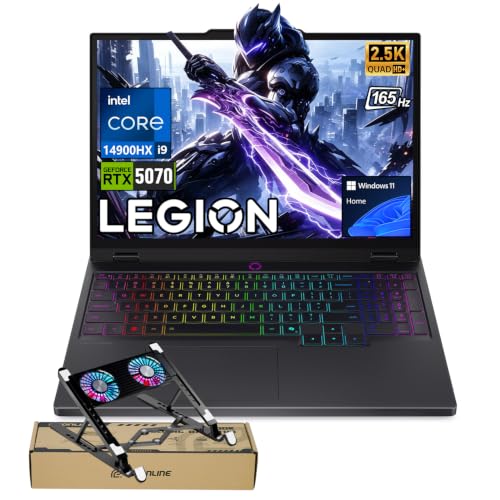
A larger-screen alternative with a powerful processor. The title lists a Core i9-14900HX, a GeForce RTX 5070, a 15.1-inch QHD+ OLED at 165Hz with up to 1000 nits, 24-zone RGB backlighting, and Wi-Fi 7, sold with a bundle. The brightness figure is the highlight for HDR-friendly games.
- Strength: a bright QHD+ OLED at 165Hz paired with an RTX 5070.
- Strength: an HX-class processor and Wi-Fi 7.
- Trade-off: the title does not show the memory or storage size in the visible text.
Skip it if you need those details confirmed from the title alone.
Lenovo LOQ AI (RTX 5050)
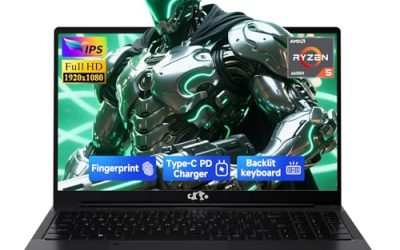
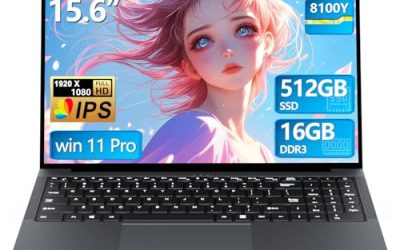
The entry point for ray tracing in this group. The listing shows a 15.6-inch Full HD IPS display at 144Hz with 100% sRGB and FreeSync, an eight-core Ryzen 7 170, 16GB of RAM, a 512GB SSD, and a GeForce RTX 5050 with GDDR7 and 440 AI TOPS. It suits players who want to try ray-traced effects at 1080p.
- Strength: current-generation GDDR7 graphics at an entry tier.
- Strength: an eight-core processor and a 144Hz panel with FreeSync.
- Trade-off: the RTX 5050 will limit how many ray-traced effects can run at once.
Skip it if you want ray tracing at QHD or 3K resolutions.
HP Omen Transcend 14 (1TB, second listing)
A second listing with the same visible configuration: 14-inch 3K OLED, Core Ultra 9 285H, 32GB, 1TB, and an RTX 5070. The titles are truncated, so any difference, such as color or bundled items, is not visible. It makes sense for buyers who find this version available when the first listing is not.
- Strength: the same RTX 5070 and 32GB memory configuration as the first 1TB listing.
- Strength: 1TB of storage for a large library of ray-traced games.
- Trade-off: the visible title gives no way to separate it from the first listing.
Skip it if the full product page shows nothing that sets it apart from the first listing.
ASUS ROG Strix G18
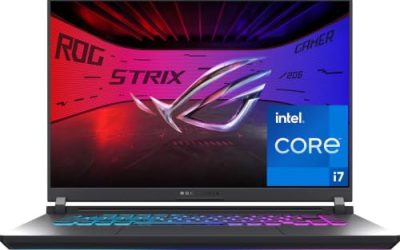
The title is brief: an RTX 5070 and a gaming AI laptop label. From the model name, the G18 sits in the large-screen category, which suits a desk-bound ray tracing setup. Because the visible text lists no processor, memory, or display details, the product page needs to be checked for those lines.
- Strength: an RTX 5070 graphics chip, which is a capable tier for ray tracing.
- Strength: the G18 name points to a larger chassis, which usually allows more cooling room.
- Trade-off: almost no other specifications are given in the title.
Skip it if you want every key spec confirmed before you buy.
Mavark M18
The no-compromise listing. The title shows a Core i9-13980HX with 24 cores, a GeForce RTX 4090 labeled for ray tracing, an 18-inch FHD+ display at 480Hz and 3ms with G-SYNC, and an SSD capacity of 20TB as written. That storage figure is unusual, so confirm the real configuration before buying.
- Strength: RTX 4090 graphics and a 24-core processor are the strongest in this group.
- Strength: an 18-inch 480Hz G-SYNC display is built for fast play.
- Trade-off: the unusual title and the previous-generation processor call for careful verification.
Skip it if you want a more conventional brand or a compact machine.
HP Omen Transcend 14 (512GB, first listing)
This is the lower storage tier of the same laptop. It lists the 14-inch 3K OLED at 120Hz, Core Ultra 9 285H, 32GB, a 512GB SSD, and an RTX 5070. It is aimed at buyers who already have external storage or who plan to replace the drive.
- Strength: the same RTX 5070 and 32GB platform as the 1TB versions.
- Strength: the compact OLED design is easy to travel with.
- Trade-off: 512GB fills quickly with modern ray-traced games.
Skip it if you want the larger drive without an upgrade.
HP Omen Transcend 14 (512GB, second listing)
Another listing with the same visible specs as the first 512GB version. The truncated title shows the same OLED, processor, memory, drive size, and RTX 5070. It is useful mainly as an alternative if the other 512GB listing is unavailable.
- Strength: it brings an RTX 5070 and 32GB at the lower storage tier.
- Strength: the same display and processor as the other HP listings.
- Trade-off: it duplicates the first 512GB listing, so it offers no extra choice.
Skip it if you plan to store many large games locally.
Which One Fits Your Situation
You want ray tracing on the smallest budget
The Lenovo LOQ AI with the RTX 5050 is the lowest tier here. Expect to use upscaling and moderate effects at Full HD.
You travel often
The HP Omen Transcend 14 is the compact option, with a 14-inch OLED and an RTX 5070. Pick the 1TB version if you keep many games installed.
You want a bright HDR display
The Lenovo Legion 5 lists a QHD+ OLED up to 1000 nits, the highest brightness figure in the group, and pairs it with an RTX 5070 and a Core i9 HX processor.
You want maximum graphics and a big screen
The Mavark M18 offers an RTX 4090 and an 18-inch display, while the ASUS ROG Strix G18 gives an RTX 5070 in a large chassis. Verify the details on each product page first.
Common Mistakes
- Assuming any RTX label guarantees comfortable ray tracing at every resolution.
- Ignoring upscaling support in the games you actually play.
- Paying for a 480Hz display and then running ray-traced games far below that refresh rate.
- Overlooking duplicate listings that show the same visible configuration.
- Skipping the product page when the title lists few or unusual specifications.
Related guides
- Gaming Laptop Battery Draining While Plugged In Fix
- Graphics Cards For Low Wattage Power Supplies
- How To Stop Laptop Thermal Throttling In Software
Frequently Asked Questions
Which RTX chip is enough for ray tracing?
Every RTX chip supports it. At Full HD an RTX 5050 can run it with upscaling, while an RTX 5070 or above is a safer match for higher-resolution panels.
Does ray tracing need more video memory?
Yes, it adds to memory use. Eight gigabytes is a practical target for current games, and less can limit settings in newer titles.
Is OLED important for ray tracing?
It is not required, but OLED panels show deep blacks and bright highlights, which makes ray-traced reflections and shadows more visible.
Why are there so many HP Omen Transcend 14 listings?
The visible titles differ mainly by storage size, and some appear identical. Compare the full product pages for color, bundles, or warranty differences.