First-person shooters punish a laptop in a way few other genres do. A dip in frame rate costs you a gunfight, a slow panel smears the target you are tracking, and a processor that cannot keep up makes input feel heavy. So the decision behind “best gaming laptops for FPS games” is really about a trade: how much of your budget goes into sustained frame rate and display speed, and how much into screen beauty, thinness, or size. Shooter players usually do better prioritizing refresh rate and graphics power over resolution.
This guide is for ranked-ladder grinders, casual squad players, and anyone moving from console or an older desktop who wants one machine for the game lobby and the classroom. Every laptop below pairs a recent graphics card with a high-refresh screen, and the differences come down to panel type, screen size, memory, and storage. The listings change often, so we judge from the specs stated in each title and lay out how to weigh them for 2026 releases and the shooters you play.
Our Top Picks
 ASUS TUF Gaming A16 Laptop: AMD Ryzen 716 GB RAM / 512 GB SSD14 x 1 x 10 inches7 poundsCheck on Amazon
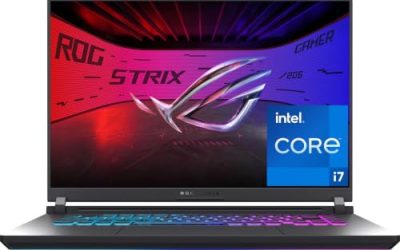
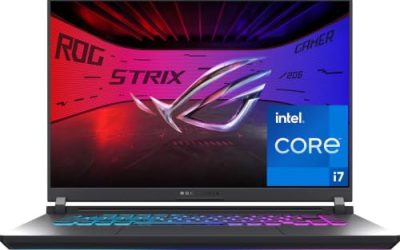
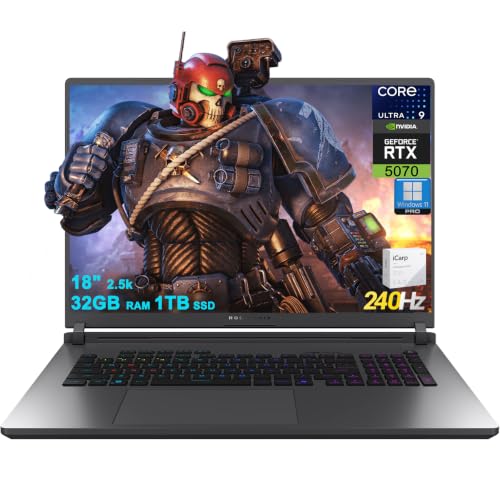 ASUS ROG Strix G18 G815 Gaming AI Laptop32GB RAM | 1TB SSD11.73 x 15.71 x 1.26 inches7.05 poundsCheck on Amazon
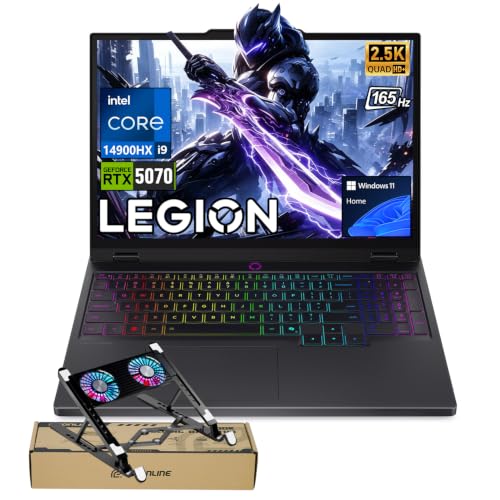 Lenovo Legion 5 5070 Gaming OLED Laptop8GB RAM | 128GB SSD13.58 x 10.05 x 0.84 inches4.1 poundsCheck on Amazon
 HP Omen Transcend 14 Gaming AI Laptop 14"32GB RAM | 1TB SSD9.19 x 12.32 x 0.71 inches3.6 poundsCheck on Amazon

Top 3 picks at a glance
Quick Picks
As an Amazon Associate we earn from qualifying purchases at no extra cost to you.




| Product | Best for | Key spec from the title |
|---|---|---|
| GIGABYTE Gaming A16 | Balanced all-rounder | RTX 5070, 165Hz, 32GB DDR5 |
| ASUS TUF Gaming A16 | Entry-level competitive play | RTX 4050, 145Hz, Ryzen 7 7445HS |
| ASUS ROG Strix G18 | Maximum refresh and big screen | 18-inch, 240Hz, Ultra 9 275HX, RTX 5070 |
| Lenovo Legion 5 | Color and contrast lovers | 15.1-inch QHD+ OLED 165Hz, i9-14900HX |
| HP Omen Transcend 14 | Compact, portable play | 14-inch 3K OLED 120Hz, RTX 5070 |
| MSI Cyborg 15 | Lower-cost 144Hz play | 15.6-inch FHD 144Hz, RTX 5060 |
| HP Omen 16 | Fast 16-inch with 240Hz | WQXGA 240Hz, Ryzen AI 9 365, RTX 5070 |
How to Choose
Refresh rate: 144Hz is the floor, 240Hz is the competitive tier
A 60Hz screen is a handicap in a shooter. Look for 144Hz at minimum, which is where the listings here start, with the 145Hz and 165Hz panels sitting slightly above it. If you play fast-moving titles at a competitive level, a 240Hz screen gives smoother tracking, but only if the graphics card can actually push those frames. A 240Hz panel paired with a weak GPU wastes the extra budget. Also note the 120Hz OLED in the compact HP: it trails the others on raw refresh but offers a different kind of picture quality.
Graphics card tier decides how high your settings go
The GeForce cards named in these titles fall into tiers. The RTX 4050 and RTX 5060 sit in the lower-to-middle band and suit lower resolutions at high frame rates. The RTX 5070 is the stronger tier in this group and gives you headroom for higher resolutions or heavier titles. Match the card to the screen: a 1920×1200 or 1080p screen needs less power than a 2560×1600 panel, and shooter fans often drop resolution or settings to keep frame rates high. GDDR7 memory is listed on the MSI and the larger HP, which is the newer memory type on those cards.
CPU, RAM, and storage that avoid stutter
Competitive shooters lean on the processor for frame pacing, especially at high refresh. The titles here list 8-core to 24-core processors from Intel and AMD, so you are well covered at the top; the budget move is a CPU like the Ryzen 7 7445HS, which still handles the job. For memory, 16GB is the minimum for modern shooters plus background apps, while 32GB, listed on several models, gives room for streaming and browser tabs. For storage, 512GB fills up quickly with multiple large games, so 1TB is the more comfortable target.
Panel type, size, and where budget models cut corners
OLED panels in this lineup bring strong contrast and brightness numbers, up to 1000 nits on the Legion, but OLED is a matter of taste for competitive play, where some players prefer the matte consistency of a fast IPS screen. Screen size changes the experience: 14 inches is very portable, 15-16 inches is the common middle, and 18 inches gives a desktop-like view at the cost of carrying weight. Budget models usually trim storage, memory, or color coverage first, so watch for 8GB RAM, small drives, or screens that list only basic sRGB.
Two habits help any shooter player on a laptop. First, keep the machine plugged in during sessions, because graphics cards in laptops are usually allowed to draw more power on the charger than on battery, and frame rates drop when they are not. Second, give the vents room to breathe on a hard surface or a stand, since heat is what forces a processor to slow down mid-match. Connecting a wired mouse and, where possible, a wired network connection removes two common sources of lag that no spec sheet can fix. Finally, remember that a laptop screen is only as useful as the frame rate behind it, so in-game settings that cap or lower graphics detail are the fastest way to reach your target refresh rate.
The 7 Best Options
GIGABYTE Gaming A16
This 16-inch machine pairs an Intel i7-13620H with an RTX 5070, a 165Hz 1920×1200 panel, 32GB of DDR5, and a 1TB SSD. That is a generous memory and storage package for a shooter laptop, and the taller 16:10 screen shows more of the map vertically. It is a sound all-round pick for players who want to avoid upgrades later.
- Strength: the RTX 5070 and 165Hz panel hit the sweet spot for high frame rates.
- Strength: 32GB of DDR5 and 1TB of storage are already built in.
- Trade-off: the processor is an older generation than several others in this list.
Skip it if you want OLED color or the fastest panel on the market.
ASUS TUF Gaming A16
The TUF A16 is the lowest-tier graphics option listed, with an RTX 4050, a Ryzen 7 7445HS, 16GB of DDR5, and a 512GB SSD behind a 16-inch Full HD+ 145Hz screen. The backlit keyboard rounds out a clean, simple specification for players on a tighter plan who still want a modern high-refresh display.
- Strength: the 145Hz Full HD+ panel suits shooters at a modest resolution.
- Strength: the Ryzen 7 7445HS and DDR5 memory give a stable platform.
- Trade-off: the RTX 4050 and 512GB drive limit long-term headroom.
Skip it if you plan to play at higher resolutions or install many large games.
ASUS ROG Strix G18
This is the screen-first option, with an 18-inch 2560×1600 panel at 240Hz and 100 percent DCI-P3 coverage. Under the hood sit an Intel 24-core Ultra 9 275HX, 32GB of RAM, a 1TB SSD, and an RTX 5070. The combination of size and speed makes it the closest thing here to a desktop replacement.
- Strength: 240Hz and a big QHD+-class panel make fast tracking comfortable.
- Strength: the 24-core processor and 32GB of RAM leave plenty of headroom.
- Trade-off: 18 inches means less portability for classrooms or travel.
Skip it if you carry your laptop daily or want something small.
Lenovo Legion 5
The Legion 5 stands out for its 15.1-inch QHD+ OLED panel at 165Hz with up to 1000 nits, plus a 24-zone RGB backlit keyboard and Wi-Fi 7. Inside are a Core i9-14900HX and an RTX 5070. It suits players who want vivid color and a fast online connection alongside strong performance.
- Strength: the OLED panel at 165Hz combines contrast with a high refresh rate.
- Strength: Wi-Fi 7 and an i9-14900HX target a smooth online experience.
- Trade-off: the listing mentions a bundle, so confirm what is included before comparing.
Skip it if you prefer a matte, conventional IPS screen for competitive consistency.
HP Omen Transcend 14
The most compact entry here, the Omen Transcend 14 uses a 14-inch 3K OLED panel at 120Hz with 100 percent DCI-P3 and HDR at 500 nits. It carries an Intel 16-core Ultra 9 285H, 32GB of RAM, a 1TB SSD, and an RTX 5070. It fits students and commuters who want a gaming-capable machine that does not feel oversized.
- Strength: the 14-inch size and RTX 5070 combine power with portability.
- Strength: 3K OLED color coverage is strong for creative work as well.
- Trade-off: 120Hz is the lowest refresh rate listed in this group.
Skip it if you want the highest possible refresh rate for competitive tracking.
MSI Cyborg 15
The Cyborg 15 is the value-oriented model, built around an RTX 5060 with GDDR7, a Ryzen 9 270 8-core processor, 16GB of DDR5, and a 512GB SSD. The screen is a 15.6-inch Full HD IPS panel at 144Hz, exactly the spec many shooter players want at a moderate resolution.
- Strength: 144Hz Full HD IPS is a proven combination for shooters.
- Strength: the RTX 5060 with GDDR7 sits a step above entry-level cards.
- Trade-off: 16GB of RAM and a 512GB drive are tighter than the rest of the list.
Skip it if you stream while playing or keep a large game library installed.
HP Omen 16
The Omen 16 matches a 16-inch WQXGA panel at 240Hz and 500 nits with a Ryzen AI 9 365 10-core, 32GB of RAM, a 1TB SSD, and an RTX 5070 with GDDR7. It is the choice for players who want the speed of a 240Hz display in a conventional 16-inch body.
- Strength: 240Hz at WQXGA resolution, paired with an RTX 5070.
- Strength: 32GB of RAM and 1TB of storage mean no immediate upgrades.
- Trade-off: display color coverage is listed as sRGB, narrower than the DCI-P3 panels.
Skip it if color-critical creative work matters as much as gaming.
Which One Fits Your Situation
You play ranked and want the fastest screen
Pick the HP Omen 16 or the ASUS ROG Strix G18. Both list 240Hz panels with an RTX 5070, and the choice comes down to carrying a 16-inch or an 18-inch machine.
You need a laptop that also fits in a backpack
Pick the HP Omen Transcend 14. Its 14-inch frame is the most portable here, and the RTX 5070 keeps it capable for shooters at moderate settings.
You are watching your budget
Pick the MSI Cyborg 15 or the ASUS TUF Gaming A16. Both pair a 144Hz-class panel with a lower-tier graphics card, which suits shooters at Full HD resolution.
You want strong all-round specs with no upgrades
Pick the GIGABYTE Gaming A16. Its 32GB of RAM and 1TB SSD alongside an RTX 5070 cover gaming, multitasking, and game storage without an early upgrade.
Common Mistakes
- Paying for a 240Hz screen while choosing a graphics card that cannot reach those frame rates.
- Prioritizing screen resolution over refresh rate when a shooter needs the latter more.
- Ignoring RAM and storage, then discovering a 512GB drive fills up after a few big titles.
- Assuming OLED is automatically better for competitive play when some players prefer matte IPS.
- Overlooking portability, then carrying a heavy 18-inch laptop to class every day.
Related guides
- Gaming Laptop Battery Draining While Plugged In Fix
- Graphics Cards For Low Wattage Power Supplies
- How To Stop Laptop Thermal Throttling In Software
Frequently Asked Questions
Is an RTX 5070 necessary for FPS games?
No. Many popular shooters run well on lower-tier cards at 1080p, so an RTX 4050 or 5060 can be enough. The 5070 matters if you play at higher resolutions or heavier titles.
Is 144Hz enough for competitive shooters?
It is a solid baseline and a large step up from 60Hz. Players who want smoother tracking move to 240Hz, but only when the graphics card can sustain the frame rate.
How much RAM do I need?
16GB covers most shooters, while 32GB gives you room for streaming, voice chat, and browser tabs. Several laptops here list 32GB already.
Should I choose OLED or IPS?
OLED offers better contrast and color, while IPS is a familiar standard for fast response in competitive play. Pick based on whether you value picture quality or consistency more.